“The A6210 doesn't work with the recent "major" update of windows 10. I got it to work on my surface pro 3. However, after I did the update, I get an error message that "the device is not detected.". Does anyone have a fix?”
Answer This Question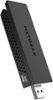
1-5 of 5 Answers
I don't have that problem - try unplugging the device then plug it in. Re-install the Net Gear drivers.
Sorry, there was a problem. Please try again later.I had the same problem until I saw that it identifies itself as "Wi-Fi 2" Mine is hooked to my desktop with a builtin wifi card. You might look for Wi-Fi 2 then connect to that to see if it works for you. As an aside, my printer doesn't recognize the wi-fi 2 connection so I sometimes have to switch back and forth between the 2.4 and the 5 GB.
Sorry, there was a problem. Please try again later.I had the same issue with my pc for Windows 10. How I fixed it was that I plugged the hardware in first and let the OS detect it, then installed the software, backwards to what the directions say. Then it was able to detect the hardware and has worked great since.
Sorry, there was a problem. Please try again later.Yes it will work with windows 10 my son has it on his desk now. you'll find it
Sorry, there was a problem. Please try again later.Call netgear customer service they helped me and I have Windows 10 I had to download it and choose that second box I forget what it is after that I turned my computer off and back on and it worked
Sorry, there was a problem. Please try again later.