1-1 of 1 Answer
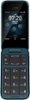
To Add a contact - 1. Press the scroll key and select Contacts. 2. Select New. 3. Enter the contact details. 4. Select SAVE. For more details and User guides please visit the support section of the Nokia Mobile US website.
Sorry, there was a problem. Please try again later.