“Where are all the USB, HDMI ports etc., and media reader located on the machine? Top? Side? Back?”
Answer This Question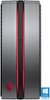
1-3 of 3 Answers
Top
Sorry, there was a problem. Please try again later.USB ports are located on top and on the back of this pc. HDMI ports are located on the back.
Sorry, there was a problem. Please try again later.There are four USB ports on the Top of the PC (two are high speed) indicated with the SS. There is a headphone jack and also a media card reader on top. On the back of the PC there are an additional 4 USB ports. One important item to note is that you can only use the Video ports on the Video card that was installed in the PC, so the two onboard HDMI ports are disabled since the video card is plugged in. The Video card has one HDMI and three Display ports. I bought this PC just to use with the HTC Vive. So I needed to plug the HTC Vive into the HDMI port and then needed to go Display port to my TV. My TV does not have a Display port so I was lucky enough to have a Display port to HDMI adapter. I only had this adapter because I have had some HP servers and workstations that required this in the past. Below is a link to the Display port to HDMI adapter. You can have up to three of theses going out to three different displays or monitors along with the HDMI. https://www.bestbuy.com/site/dynex-displayport-to-hdmi-adapter-black/8720184.p?skuId=8720184&ref=212&loc=1&gclid=CjwKCAjwrNjcBRA3EiwAIIOvq1EB9b8Y3k_mchrGuBRB7gI9tFVZK0bCweNm4q9QbQj702XZeeMvixoC8PsQAvD_BwE&gclsrc=aw.ds By the way - the HTC Vive works incredible with this PC
I would recommend:
Sorry, there was a problem. Please try again later.
