“Does my tv need to be smart to change color with movies?”
Answer This Question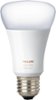
1-6 of 6 Answers
Hi Tina, Unfortunately it appears that you will need a Phillips TV that has ambilight capabilities as well as the Ambilight+Hue app on your iOS/android device to accomplish what you are trying to do. Furthermore, if this bulb is your first Hue light, you will need to purchase the Hue Bridge to be able to control the light in any manner.
Sorry, there was a problem. Please try again later.You will need the Philips hue sync box and the hue sync app in order to change color with movies.
Sorry, there was a problem. Please try again later.There are apps available for your phone that can substitute for a smart television. But you must hold your phone up to the screen while in the app to translate the colors onscreen to the Hue lights. I would do some research in a phone App Store .
Sorry, there was a problem. Please try again later.No; the lights change by using an app on your phone and not the tv. Look up sync my lights in the App Store for iOS.
Sorry, there was a problem. Please try again later.Nope... you can download hue camera and/or similar apps and focus it on TV... The lights change nicely/according to the predominant colors being displayed on screen... pretty cool. There are other apps like 'sync my lights' where they have a growing list of popular movies and tv shows all ready to synchronize with a pre-recorded tv show, movie and or dvds, etc... Joey
Sorry, there was a problem. Please try again later.There is an app for iPhone you can download that uses the camera on your phone to change colors of the lights. You point the camera at your TV and it changes the bulbs color with what is on the screen. This light bulb does not connect to your TV, only the hue smart hub. I don't know if there are smarthub controller apps for TVs.
Sorry, there was a problem. Please try again later.