“What type of equipment do I need to operate them and what brand of smart phone?”
Answer This Question
1-5 of 5 Answers
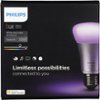
You need the Philips Hue bridge - typically you start out with a 'kit' that will come with a couple of bulbs and a bridge. Any android or iPhone will work to communicate (via the bridge) to the bulbs. The software is free.
Sorry, there was a problem. Please try again later.You need to have a smartphone that is either android or ios, you need to have a wireless router in your home as well as the lighthouse base station that comes with one of the starter packs. You need to download the app on your phone , it is pretty easy to setup and the instructions are simple.
Sorry, there was a problem. Please try again later.Need the Philips Hue Bridge to pair the lights. To control these lights, you need either an iPhone or Android device.
Sorry, there was a problem. Please try again later.You will need the HUE hub/bridge and you will need the HUE app which is available for ANDROID,IOS, Kindle, and windows phone devices
I would recommend:
Sorry, there was a problem. Please try again later.You don't need any type of smart phone because the app fits any OS. You will need a Philips Hue hub to operate these lights. So far, these lights have connected to all my devices; Harmony Remote, Alexa (Echo & Echo Dot), and my phone(s) - Apple and Samsung.
Sorry, there was a problem. Please try again later.