“Can I control the lights from anywhere? Let's say I'm at work and would like to turn on a light in the house. I'm I able to do that?”
Answer This Question
1-10 of 10 Answers
I have from my hue account, the home app has to be in the same wifi but I have turned on my lights when I had to work late
Sorry, there was a problem. Please try again later.anywhere with internet connection
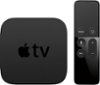
Sorry, there was a problem. Please try again later.Short answer: Yes. You can use either the Hue App on your phone, and control them from anywhere. On a iOS device with HomeKit, you need an AppleTV (4th-gen) or an iPad left a home, to act as a 'hub' to control your lighting remotely.
I would recommend:
Sorry, there was a problem. Please try again later.There are various apps that allow you to turn Philips hue lights on and off when you are away from home. Apple Home and Yonomi have both worked for me and I'm sure that there are others.
Sorry, there was a problem. Please try again later.Yes but you need to go on the Phillips website. You cannot use the app to remotely control the lights while away.
Sorry, there was a problem. Please try again later.No u have to be connected to your wifi for the lights to work
Sorry, there was a problem. Please try again later.Yes, the Hub that the bulbs wireless-ly connect to enables you to control from anywhere (as long as you create a hue account and log in).
Sorry, there was a problem. Please try again later.Yes
Sorry, there was a problem. Please try again later.Yes you can use the app to do everything you can do at home. Just takes a bit to connect.
Sorry, there was a problem. Please try again later.Yes you can.
Sorry, there was a problem. Please try again later.