“Have the hue strip, have it around my 60 inch, do I hVe to have it plugged in the wall in order for it to be on? I have to get up and unplug it from the wall when I want it off. Can’t I plug the cord into my smart tv ?”
Answer This Question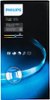
1-6 of 6 Answers
The base unit has to be plugged into the wall. You can turn it off either from the Hue app or via Alexa
Sorry, there was a problem. Please try again later.I have mine connect (wi fi) to the Hue smart hub that control all the other lights, you can then control it from your smart device ( cell/tablet) or Alexa or Google home. Work great for me, I have mine set on a routine to come on at a certain time and shuts off at a specific time. I can also control it any way I see fit while I am away from home.
Sorry, there was a problem. Please try again later.You plug it in the outlet, it automatically turns on white color. From there you have to sync it with a hue bridge. Dowload the hue light app on you tablet/phone, sync the bridge and you can set schedules for the light to turn on/off, and setup up to 50 individual devices per bridge.
Sorry, there was a problem. Please try again later.Turn it on and off with the Hue Ap.
Sorry, there was a problem. Please try again later.Plug it into the wall and use the app on your phone to turn them on/off and adjust the brightness or color.
Sorry, there was a problem. Please try again later.The light strip stays plugged in, you connect it wirelessly to the hue bridge. Then, control the colors/timing/setup from the philips hue app. FRom the the lights can stay on or turn completely off depending on what settings you choose.
Sorry, there was a problem. Please try again later.