Questions & Answers
- Model:
- P-FD128ATT4-GE
- |
- SKU:
- 5577085
Highly rated by customers for: Storage, Ease of use, Price
$19.99Your price for this item is $19.99
Page Showing 21-40 of 146 questions
Q: Questionhow to install a memory stick
Asked by mouse.
- A:Answer On the Mac or Windows box, just stick it in the USB slot unless you have a new Mac with a USB-c slot. If USB-C, then you need to buy an adapter. Modern Mac and Windows will recognize the stick automatically and Windows Explorer or Mac Finder will show it as a disk. If all else fails, insert the stick and then re-boot and it should show up.
Answered by DaveB
Q: QuestionWill this back up my desktop IMAC and everything on it. Time Machine says its needs 53.19 GBs to do the backup
Asked by empi.
- A:Answer ! With room to spare!
Answered by Francie
Q: QuestionCan a flash drive hold games?
Asked by Carl.
- A:Answer Yes, this drive can be used to store files of any type.
Answered by CommunityAnswer
Q: QuestionCan I upload movies from my iPad to this and transfer them to another iPad,thanks
Asked by Dave.
- A:Answer Per Apple support: Use iCloud Photo Library With iCloud Photo Library, you can access your photos and videos from your iPhone, iPad, iPod touch, Mac, Apple TV, on iCloud.com, and even your PC. Your latest shots are automatically added to iCloud Photo Library, and any organizational changes or edits you make are always kept up to date across all your devices.1 Before you begin: Make sure that the software is up to date on your iPhone, iPad, or iPod touch, your Mac, and your Apple TV. Set up iCloud on all of your devices. If you have a PC, download iCloud for Windows. Make sure that you're signed in to iCloud with the same Apple ID on all of your devices. Make sure that your device is connected to Wi-Fi. Turn on iCloud Photo Library: On your iPhone, iPad, or iPod touch, go to Settings > [your name] > iCloud > Photos, then turn on iCloud Photo Library. If you're using iOS 10.2 or earlier, go to Settings > iCloud > Photos. On your Mac, go to System Preferences > iCloud. Click the Options button next to Photos, then select iCloud Photo Library. On your Apple TV, go to Settings > Accounts > iCloud > iCloud Photo Library. On your PC, follow the steps to set up iCloud Photo Library. If you've already synced photos to your iOS device from iTunes, and then you turn on iCloud Photo Library on your iOS device, you'll see a message that says "Photos and Videos Synced from iTunes will be Removed." The photos and videos that you synced from your computer will stay on your computer, but they're removed from your iOS device. You can get these photos and videos back onto your iOS device by turning on iCloud Photo Library on your Mac or PC. When you do that, the photos from your computer upload to iCloud so that you can access them on all of your devices. After you turn on iCloud Photo Library, all photos are in iCloud and accessible from the Photos app on your Mac or a folder on your PC. You can get more help using iCloud Photo Library on your Mac or PC. 1 The photos and videos that you keep in iCloud Photo Library use your iCloud storage. Before you turn on iCloud Photo Library, make sure that you have enough space in iCloud to store your entire collection. You can see how much space you need and then upgrade your storage plan if necessary.
Answered by cwilyum
Q: QuestionWill this work on a windows 7 and windows 10?
Asked by Anonymous.
- A:Answer I have used mine on both computers I own, one with Windows 10 and one with Windows 11. I have had no problem accessing any of my saved information.
Answered by Janthia
Q: QuestionDoes this support for HP Chromebook s?
Asked by Anonymous.
- A:Answer Yes it does
Answered by DeniseN
Q: QuestionCan I down load music to this hard drive, and listen to it in my car
Asked by Anonymous.
- A:Answer Yes
Answered by Tart
Q: QuestionCan this device be plugged into a smart tv to make a slideshow video?
Asked by Ashley.
- A:Answer yes
Answered by MohamedA
Q: QuestionI want to put 80 ten second videos on this 128 GB drive .. is this size big enough? Thanks
Asked by Aman.
- A:Answer Depends on how big your 10 second videos are ;-). If they are 1 MB a piece, then you could fit a ton. If they are 1 GB a piece (unlikely), you could still fit 128 of them on there.
Answered by therube
Q: QuestionDoes the windows ISO file hold on this?
Asked by Evan.
- A:Answer A windows ISO is probably about 8 GB, so yes it will fit easily on here.
Answered by therube
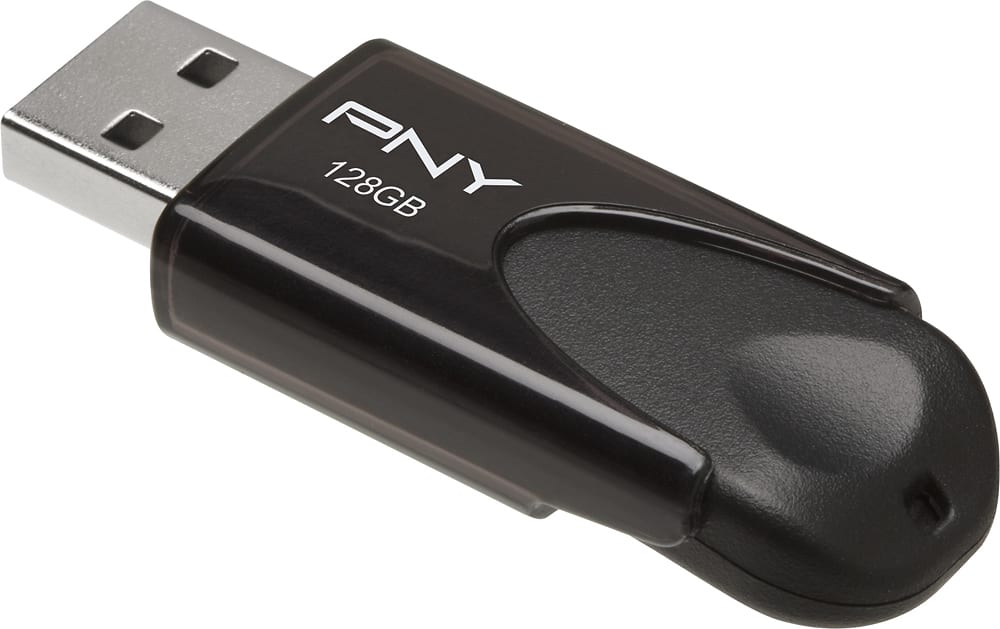
Q: QuestionPNY - 128GB Attaché 4 USB 2.0 Type A Flash Drive - Black...Can I use this usb to create a bootable copy of Windows 11 on my new asus laptop?
Asked by James0482.
- A:Answer Yes
Answered by RobertM
Q: QuestionCan I use this USB to download Microsoft 10 from one of my computers to reboot my PC?
Asked by Woodsy.
- A:Answer Yes, that was exactly why I bought it and worked perfectly
Answered by Gabby
Q: QuestionDoes this flash drive reset windows and reinstall windows
Asked by Theshyonemikeb.
- A:Answer Yes, I bought it for the same use reinstalling windows
Answered by Exoticz
Q: QuestionCan this be used with a MacBook Air 2017?
Asked by GLR.
- A:Answer Yes it can be used
Answered by nyasha
Q: QuestionDoes this work on a Google Chromebook?
Asked by meeks.
- A:Answer If there’s a USB outlet then yes
Answered by ElizabethG
Q: QuestionWill this work on a PS2 slim? I want it for loading games off it using OPL
Asked by Juanzilla.
- A:Answer I would say it's not fast enough for this type of use. A much faster 3.0 USB flash drive would be recommended with a higher transfer rate. Good luck!
Answered by Flip
Most-viewed items
- Black Friday Deal$82.99Your price for this item is $82.99
- Black Friday Deal$26.99Your price for this item is $26.99
- Black Friday Deal$19.99Your price for this item is $19.99
- $27.99Your price for this item is $27.99
- Black Friday Deal$57.99Your price for this item is $57.99
- $58.99Your price for this item is $58.99
- $49.99Your price for this item is $49.99
- Black Friday Deal$24.99Your price for this item is $24.99
- $21.99Your price for this item is $21.99
- $23.99Your price for this item is $23.99
- $14.99Your price for this item is $14.99
- Black Friday Deal$15.99Your price for this item is $15.99
- Black Friday Deal$24.99Your price for this item is $24.99
- $76.99Your price for this item is $76.99
- $35.49Your price for this item is $35.49
- $134.99Your price for this item is $134.99
- $12.99Your price for this item is $12.99
- $39.99Your price for this item is $39.99
- $17.99Your price for this item is $17.99
- $106.83Your price for this item is $106.83$118.99The comparable value for this item is $118.99


