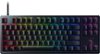
“Hi, I am considering buying this and I was wondering if: 1 Does each key have individual backlighting? 2 In your opinion, how noticable is the RGB? 3 Could I make or is there an effect where say I press a key and it kind of ripples out from that key?”
Answer This Question
1-10 of 10 Answers
The backlighting is pretty decent, give Razer products are. Each key under Razer's software Synapses is individually changeable. Synapses has a multitude of effects (including ripple effect) to witch you can add all sorts of colors, and effects, even change the patter angle to which they appear and go across the keyboard. As were Corsair's you can only have it go up, down, left, or right. You can also make profiles in Synapses and change your lighting, key functions all on the fly.
Sorry, there was a problem. Please try again later.With the razer program, synapse, you’re able to customize every key on the board. I found the colors to be very vibrant and allows you to choose any color (or colors) you want. There are many settings including the ripple affect and other like the wave.
Sorry, there was a problem. Please try again later.1. yes 2. pretty bright, I can see it extremely well with my room light on 3. yes, its called ripple. only available with synapse 3 for windows users. app for Mac users: https://github.com/1kc/razer-macos the Mac app does not have the ripple option yet
Sorry, there was a problem. Please try again later.There is a board of light behind the keys but each key is measured out so technically yes, each key does have individual lighting. It depends on what effect you have on the keyboard. Yes, there is a effect like that but you would have to google how to do so.
Sorry, there was a problem. Please try again later.Yes each key is individually lit and you can adjust each key to different colors if you’d choose to do so. All you have to do is download the razer app on your pc and you can customize the effects, such as ripple and many more!
Sorry, there was a problem. Please try again later.Yes each key has an individual lighting around it. I would say that the colors are noticable however with darker colors like purple it is not really that noticable in a fully lit room. However you can have a lot of really cool effects on your keyboard and have them stacked so if one is not active the other will bleed through. This is typical for all Razer products. The features I like for this product are the volume wheel, and the ability to record macros on the fly and assign them to a keyboard press or a Razer mouse button. (Example spamming right click for a tree farm in minecraft). Yes that is called ripple in the effects window. You can chose specific keys that you want it to ripple through or you can make the whole thing ripple. I would have another effect to be under it otherwise you will have a unlit keyboard and then when you press a key it will light up in a ripple form. The one downside to this is that you will have to have Razer synapsis running in your tray icon to utilize any of the macros or lighting effects. Side note: love your videos.
Sorry, there was a problem. Please try again later.You can make it ripple from each key and the rgb is really good on this one its one of the best for its price.
Sorry, there was a problem. Please try again later.1- yes you can configure it with the program 2- it’s very noticeable and brightness could be adjusted too 3- yes the ripple affect could be chosen in the razer chroma program
Sorry, there was a problem. Please try again later.yes each key can have separate lighting and you can also set it up to have a ripple effect with the Chroma program.
Sorry, there was a problem. Please try again later.I don't recommend this keyboard as it is membrane, yes it is. Instead for $99.99 you can go with one of the best mechanical keyboard, the Razer Huntsman TE.
I would recommend:
Sorry, there was a problem. Please try again later.