“I was able to connect my TV, but I am not able to connect my DVD player or Roku stick. Both are connected to my TV through an HDMI port. How do I access my DVD player and Roku once I've entered the codes?”
Answer This Question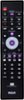
1-1 of 1 Answer
Hello sejarb - Thanks for reaching out! Once your TV is programmed to the remote, the next step is to switch your TV over to the HDMI source where your Roku Stick or DVD player is connected. You can do this by pressing the INPUT button on the remote and selecting the correct HDMI port from your TV’s source list. To control your DVD player, you’ll also need to program the DVD device section of the remote using the code list in the manual. After programming, press the DVD button at the top of the remote whenever you want the remote to control the DVD player’s functions. One important note: while this universal remote can change your TV’s input, it cannot directly control a Roku Streaming Stick, since Roku sticks use wireless (RF/Wi-Fi) remotes rather than infrared signals.
Sorry, there was a problem. Please try again later.