1-3 of 3 Answers
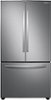
Hi Rick. Thank you for reaching out regarding your Samsung - 28 cu. ft. Large Capacity 3-Door French Door Refrigerator on how to set the temperature for the fridge. Regarding your concern, you can use the Fridge button to set the fridge temperature regarding your concern. • Press Fridge repeatedly to select the desired temperature between 34 °F (1 °C) and 44 °F (7 °C). - The temperature indicator displays the current temperature or selected temperature Here is the link to your user manual for further assistance. Please go to page 39. https://downloadcenter.samsung.com/content/UM/202007/20200728002937594/DA68-04012L-00_FDR_RF6000T_ND__EN-MES-CFR__USA.pdf Should you need more assistance, please feel free to get back to us via the following options: 1. Facebook Messenger: http://m.me/samsungsupport 2. Twitter: https://twitter.com/messages/compose?recipient_id=18768513 3. Samsung Community: https://us.community.samsung.com/t5/Samsung-Community/ct-p/us Thank you for being a valued customer of Samsung. Have a great day. Reference Ticket Number: 1144312306 ^Camille
Sorry, there was a problem. Please try again later.There is a panel on the right side of the upper chamber that allows you to set the temp for both the freezer and the refrigerator. It’s very easy to control.
Sorry, there was a problem. Please try again later.Their is a digital display on the inside.
Sorry, there was a problem. Please try again later.