Questions & Answers
- Model:
- QN50Q7FAAFXZA
- |
- SKU:
- 12224860
Highly rated by customers for: Picture Quality, Setup Ease, Size
$357.99$357.99
Save $22
The comparable value is Comp. Value: $379.99
Page Showing 61-69 of 69 questions
Q: QuestionDoes this tv have multi-output audio so you can simultaneously listen to tv speaker and headphone, controlled independently?
Asked by sweep.
- A:Answer Yes
Answered by user713230
Q: QuestionI just purchased this, and I am having issues with the frame art coming on when I turn the TV off. I have to go back into it click on it for it to come on. What do I need to do to have it come on every time I turn off the tv?
Asked by Niki.
- A:Answer Hi Niki - We’d like the chance to assist you further. Please contact Samsung Support at 1-800-SAMSUNG (available daily from 8 AM to 12 AM EST) or connect with us via live chat at Samsung Support: https://www.samsung.com/us/support/contact/ ~ Samsung Specialist
Answered by Samsung
Q: QuestionDOES THIS TV HAVE GAME HUB ON IT?
Asked by Anonymous.
- A:Answer Yes, the Samsung Gaming Hub is available on the Q7F TV. ~ Samsung Specialist
Answered by Samsung

Q: QuestionManufacturer says screen is edge lit ?
Asked by Anonymous.
- A:Answer Hi there - The Q7F is a Direct Lit screen. You can find this info under Specifications on this model's product page: https://www.bestbuy.com/site/samsung-50-class-q7f-series-qled-4k-uhd-samsungvision-ai-smart-tizen-tv-2025/6619441.p?skuId=6619441 ~ Samsung Specialist
Answered by Samsung

Q: QuestionIs th tv wireless
Asked by Anonymous.
- A:Answer The Q7F is a Wi-Fi enabled Smart TV. ~ Samsung Specialist
Answered by Samsung
Q: QuestionI need to use headphones - Is it possible to find headphones that will work with this tv?
Asked by WilliamN.
- A:Answer Hi W - The Q7F TV does not feature a 3.5mm headphone jack. However, it supports wired (HDMI) and wireless (Bluetooth and Wi-Fi) audio connections, allowing you to connect compatible headphones or sound systems. If a headphone jack is important to your setup, this input is found exclusively on our S90F OLED series. ~ Samsung Specialist
Answered by Samsung

Q: QuestionDoes this tv have the Autorun last app. feature?
Asked by steve.
- A:Answer steve - You can customize what happens when the TV powers on. Go to: Settings > All Settings > Advanced Features > Start Screen Option, then enable or disable: • Start with Smart Hub Home • Autorun Multi View Casting • Autorun Multi View Mirroring ~ Samsung Specialist
Answered by Samsung
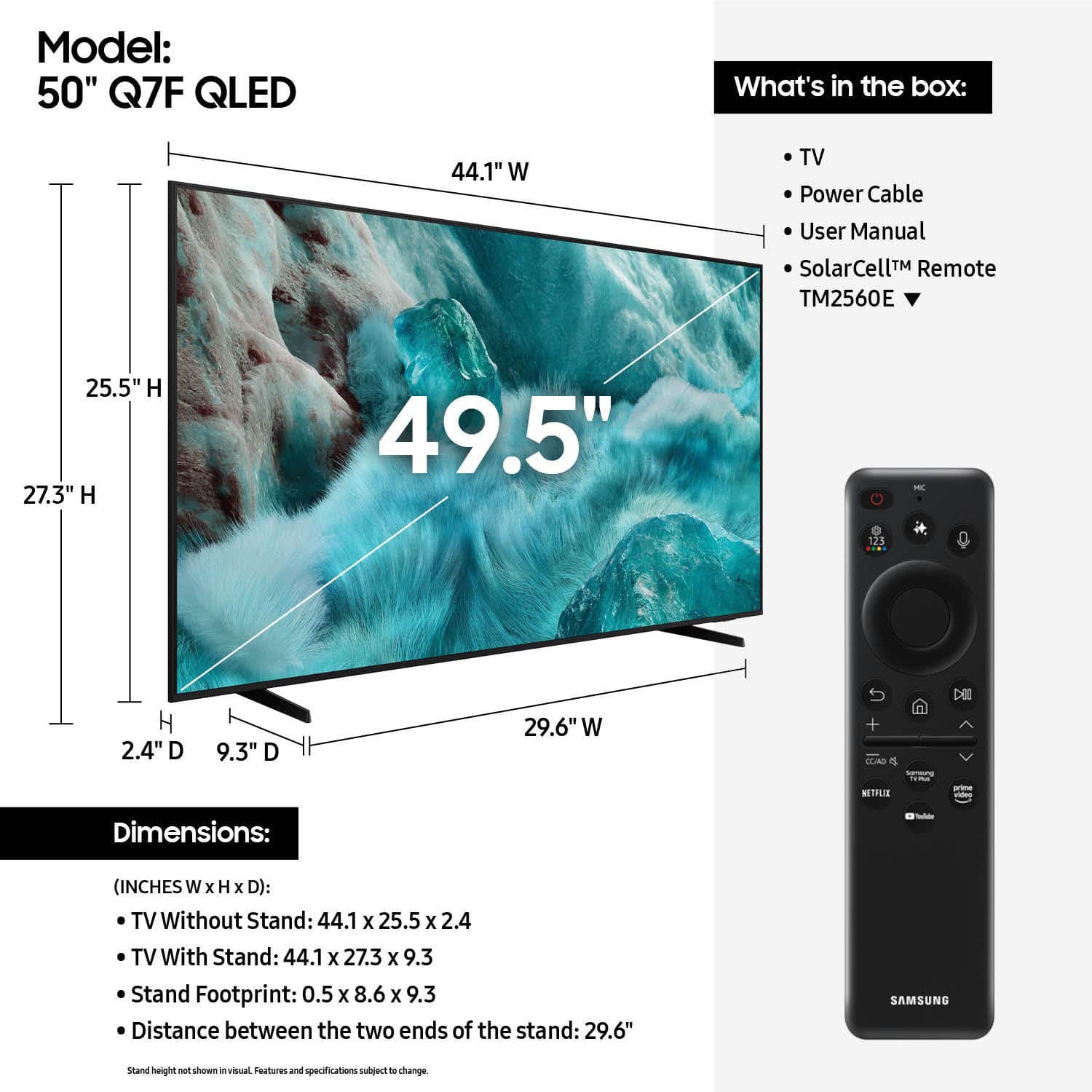
Q: QuestionWhat size screws are needed on the back of the tv to mount on a wall?
Asked by Nick.
- A:Answer Don't get M8-1.0 screws it has to be M8-1.25
Answered by Anonymous
Most-viewed items
- $129.99$129.99The price was $209.99
- $449.99$449.99The price was $649.99
- $189.99$189.99The price was $399.99
- $1,399.99$1,399.99The price was $2,699.99
- $329.99$329.99The price was $489.99
- $2,199.99$2,199.99The price was $3,699.99
- $69.99$69.99The price was $129.99
- $999.99$999.99The price was $1,499.99
- $729.99$729.99The price was $899.99
- $1,399.99$1,399.99The price was $2,499.99
- $269.99$269.99The price was $449.99
- $209.99$209.99The price was $349.99
- $999.99$999.99The price was $2,299.99
- $599.99$599.99The price was $999.99