A:AnswerHi LHM26,
You may need to enable Closed Captioning in the individual streaming apps. To do so, please follow these instructions:
Press the video playback bar, navigate to the Settings menu, and then toggle the "Captions & Subtitles" option to "On".
~Samsung Advisor
A:AnswerHi 1234,
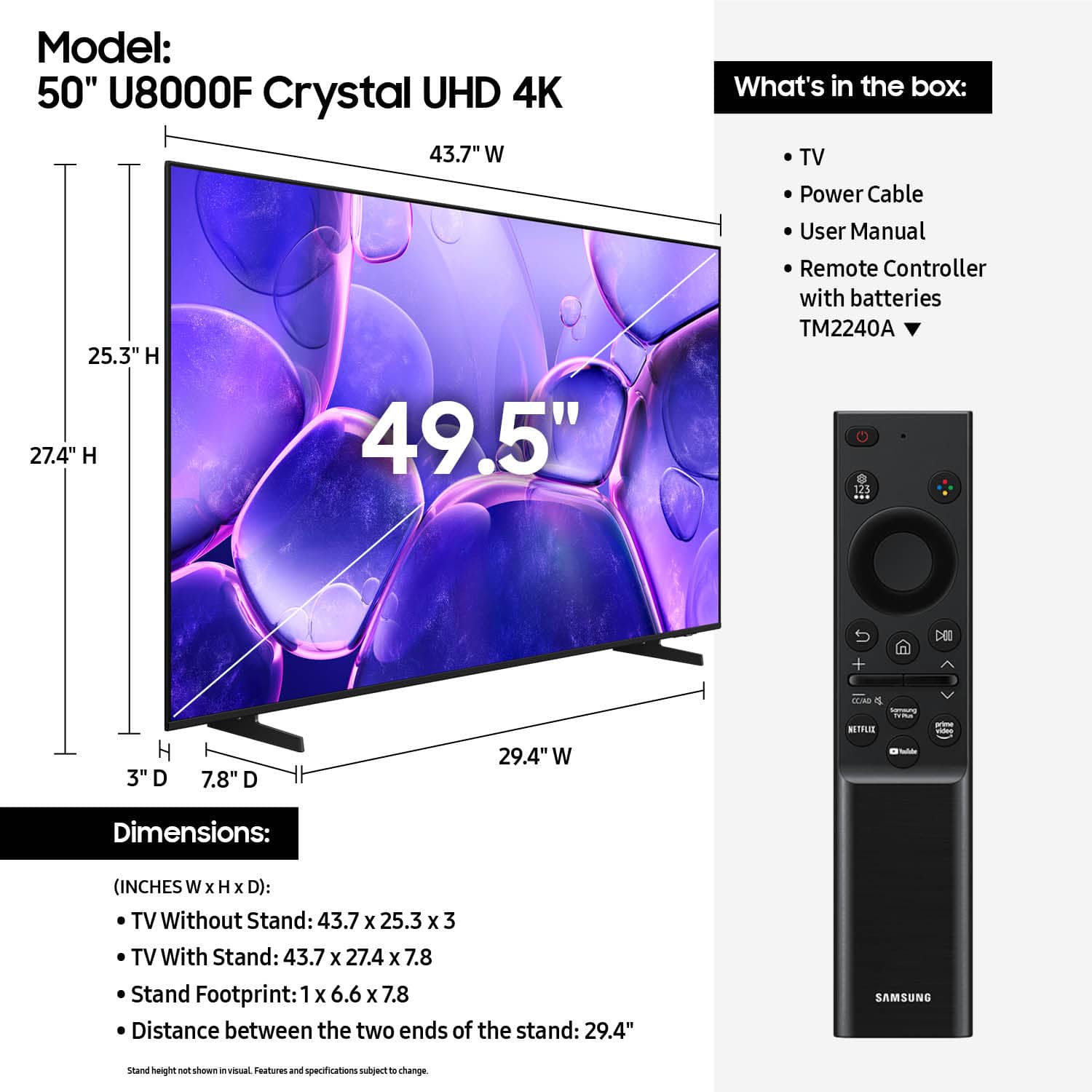
The SKU is located on the top right corner of the page, underneath the product title. The SKU for the 50" U8000F is 6619440.
~Samsung Advisor
A:AnswerHi BigDnyc,
Yes, to change the clarity on your TV:
Picture Clarity Settings
• Off: Disables all motion enhancement
• Auto: Automatically adjusts motion clarity based on content
• Custom: Enables manual control of:
- Judder Reduction: Smooths motion in film-based content
- LED Clear Motion: Increases sharpness during fast movement
- Noise Reduction: Helps reduce distortion in lower-quality sources
~Samsung Advisor
A:AnswerHi Nitesh,
Samsung stands behind the quality and performance of our TVs with a limited 1-year manufacturer’s warranty when purchased brand-new from an authorized dealer. You can find more details here: https://www.samsung.com/us/support/legal/LGL10000312/#standard-limited-warranty
~Samsung Advisor
A:AnswerHi Steph,
The apps pre-installed on the 2025 U8000F are: SmartThings, Samsung TV Plus, Netflix, Prime Video, Disney+, Hulu, Apple TV, Peacock, Sling TV, YouTube, Bixby, and Internet.
~Samsung Advisor
A:AnswerHI Bigrod,
With HDMI 2.1 being such a complex topic, we feel it’s clearer to highlight the specific features supported by each TV model. The U8000F has 3 HDMI ports, all of which support HDR10+ and Auto Low Latency Mode (Auto Game Mode). HDMI port #2 further supports eARC. If you’re looking for a TV capable of 4K@120Hz, please consider a step up to the 55-85” Q8F TV, which supports this feature in all HDMI ports.
~ Samsung Advisor