A:AnswerHello wamba, The HW-C445 Soundbar has the ability of USB Music Playback, which allows you to listen to music on the USB with the following file formats: MP3, WMA, AAC, OGG, FLAC, WAV, and AIFF. ~ Samsung Solutions
A:AnswerHi there Yadi, You will need to use the Soundbar for the subwoofer to work. Depending on your gaming setup it may be possible though the PC or console settings. ~ Samsung Solutions
A:AnswerHi Matt, You may be able to adjust the HW-C445 Soundbar volume using the remote control used by adjusting the settings within the soundbar. This function can be used with IR remote controls only. Bluetooth remote controls (remote controls that require pairing) are not supported. Set the TV speaker to External Speaker to use this function.
1) Turn Off the Soundbar.
2) Push up and hold the WOOFER button for 5 seconds. Each time you push the WOOFER button up and hold it for 5 seconds, the mode switches in the following order: “Samsung-TV Remote” (Default mode), “Off-TV Remote”, “All-TV Remote”. The LED indicator status changes each time the mode is changed.
Should you need further assistance, please contact Samsung Support at 1-800-SAMSUNG (ask for Soundbars).
~Samsung Solutions
A:AnswerHi! The HW-C445 features two ways to connect to an external device: Digital optical audio, and Bluetooth wireless audio technology. If your TV is compatible with one of these two audio connections, you should have no issue connecting the soundbar to your TV. ~Samsung Solutions
A:AnswerHi stephenHG, The DU6900 offers three HDMI ports but does not have an optical input. You can however connect the HW-C445 Soundbar via Bluetooth. If you would like a wired connection, you can upgrade your soundbar to the HW-B550D, which can connect using HDMI ARC. Check it out at Best Buy:
https://www.bestbuy.com/site/samsung-hw-b550d-3-1-channel-b-series-soundbar-with-wireless-subwoofer-black/6577561.p?skuId=6577561
~ Samsung Solutions
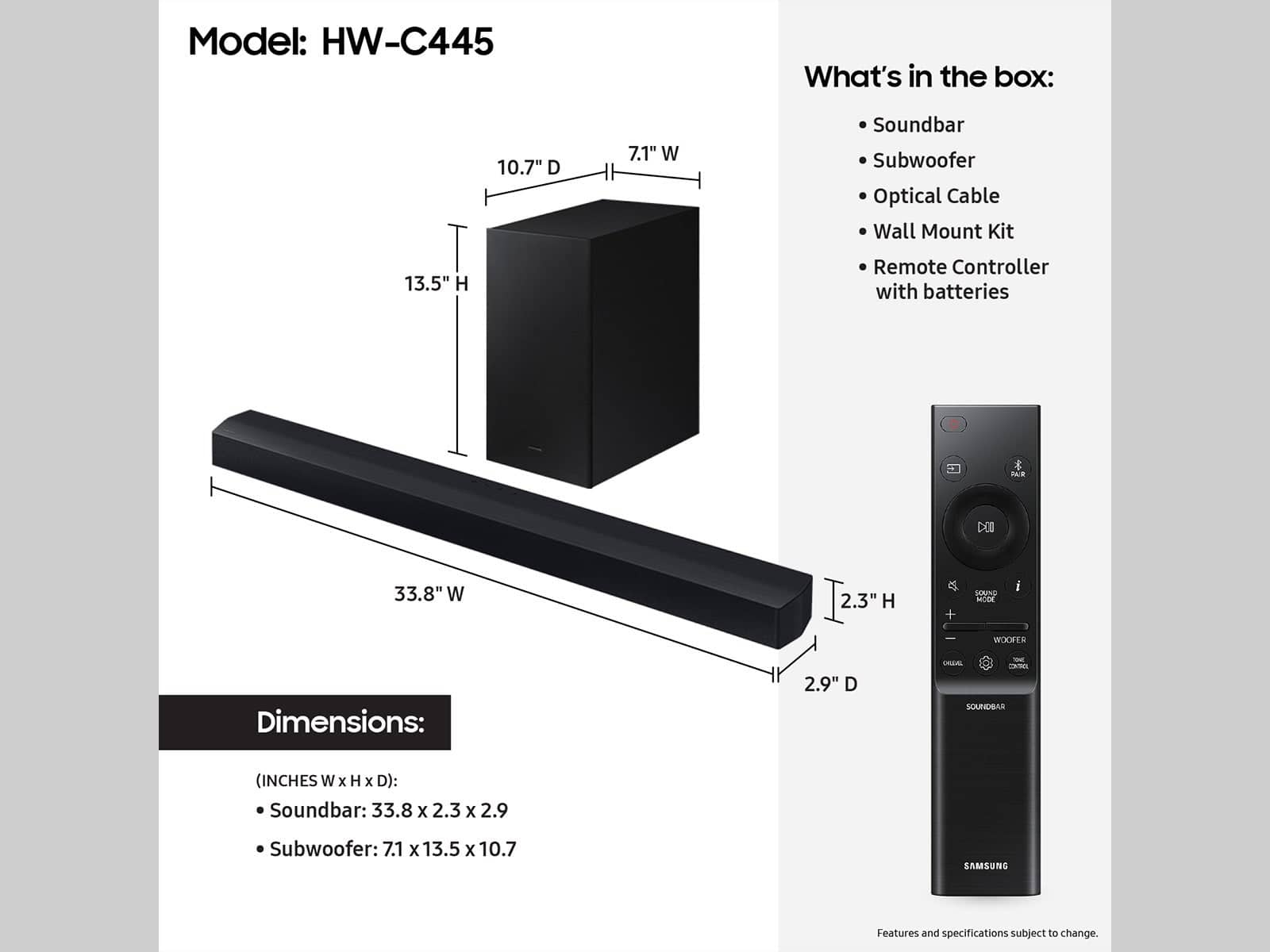
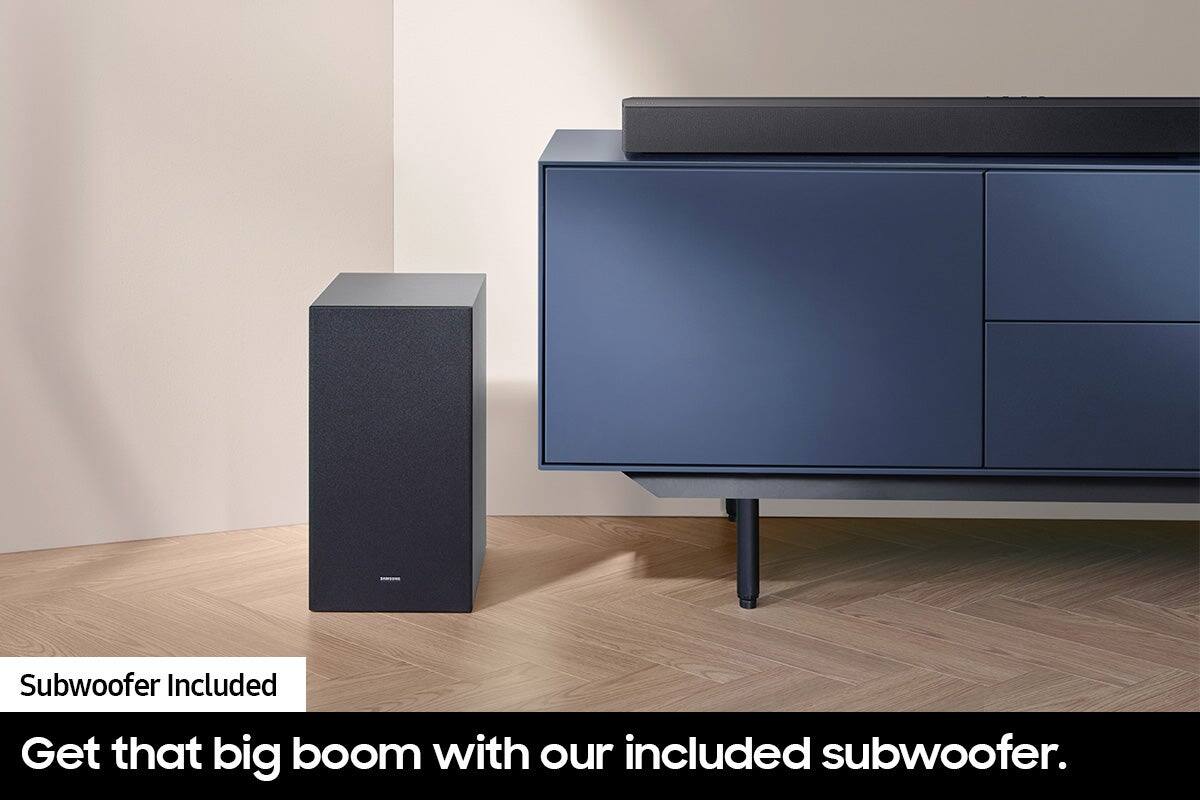
A:AnswerHi Clay! The included subwoofer of the HW-C445 Soundbar is wireless and does not connect to the soundbar but will still need to be plugged into a power source. ~Samsung Solutions
A:AnswerHi julis. The HW-C445 Soundbar can connect using Bluetooth or Optical Cable, so it can't be connected directly to the monitor, however, you can connect to a compatible, PC, Mac, gaming console, or TV. ~ Samsung Solutions
A:AnswerHi there TBone! Yes, the HW-C445 Soundbar does included 1 optical cable. It also has the option to connect using BT as well. ~ Samsung Solutions
A:AnswerHi there Cher, You may be able to adjust the HW-C445 Soundbar volume using the TV’s remote control used for the TV by adjusting the settings within the soundbar. This function can be used with IR remote controls only. Bluetooth remote controls (remote controls that require pairing) are not supported. Set the TV speaker to External Speaker to use this function.
1) Turn Off the Soundbar.
2) Push up and hold the WOOFER button for 5 seconds. Each time you push the WOOFER button up and hold it for 5 seconds, the mode switches in the following order: “Samsung-TV Remote” (Default mode), “Off-TV Remote”, “All-TV Remote”. The LED indicator status changes each time the mode is changed.
Should you need further assistance, please contact Samsung Support at 1-800-SAMSUNG (ask for Soundbars).
~Samsung Solutions
A:AnswerHi Puma! The HW-C445 features two ways to connect to an external device: Digital optical audio, and Bluetooth wireless audio technology. If your TV is compatible with one of these two audio connections, you should have no issue connecting the soundbar to your TV. ~Samsung Solutions