Everything for Back to School — and then someShop now

Skip to contentGo to Product Search
Main Content

Questions & Answers

$159.99
Save $90
The comparable value is $249.99
Deal ends in 9:24:41
Page Showing 21-40 of 113 questions
  • QuestionWhat are the pros and cons of purchasing open box

    Asked by TinaJ.

    • Answer Pros, you get an amazing deal esp when the product is in excellent condition! Cons, rarely will you get something that doesn't work if you do Best Buy makes it right!

      Answered by Anthony

  • QuestionAre these louder than previous models of samsung earbuds?

    Asked by Ghost.

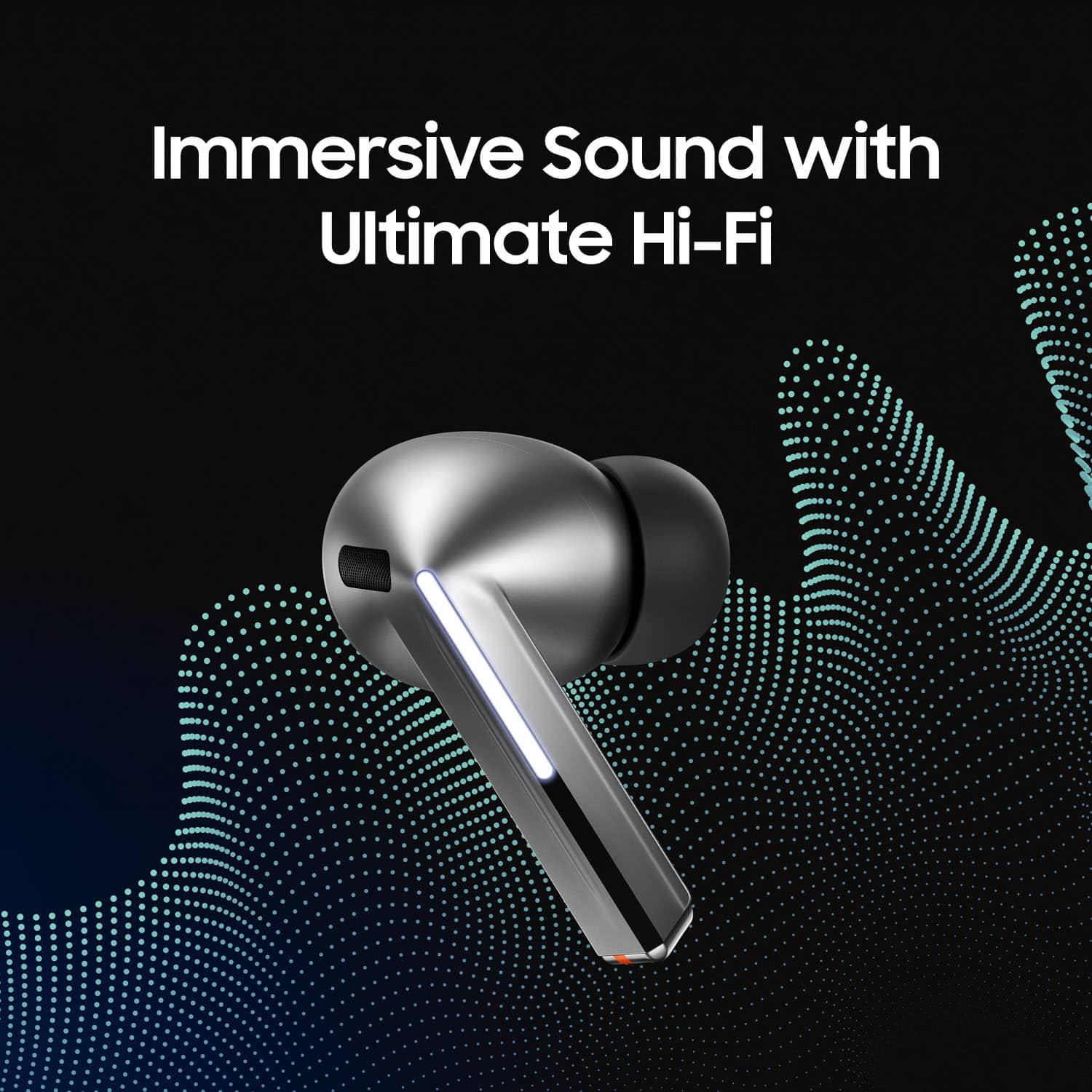
    • Answer Yes and no. They offer more of a 3D audio profile and much better noise canceling than previous models. The drivers themselves sound a bit louder but nothing ear shattering. Very good quality.

      Answered by LaadGunner

  • Questionwhen will the galaxy buds3 pro be available for purchase again?

    Asked by liyah.

    • Answer They were re-released as of August 23rd.

      Answered by EntropicBoy

  • QuestionCan my Samsung galaxy fold 5 work with the Galaxy bugs pro earbugs 3 to be able to translate languages?

    Asked by TonyD.

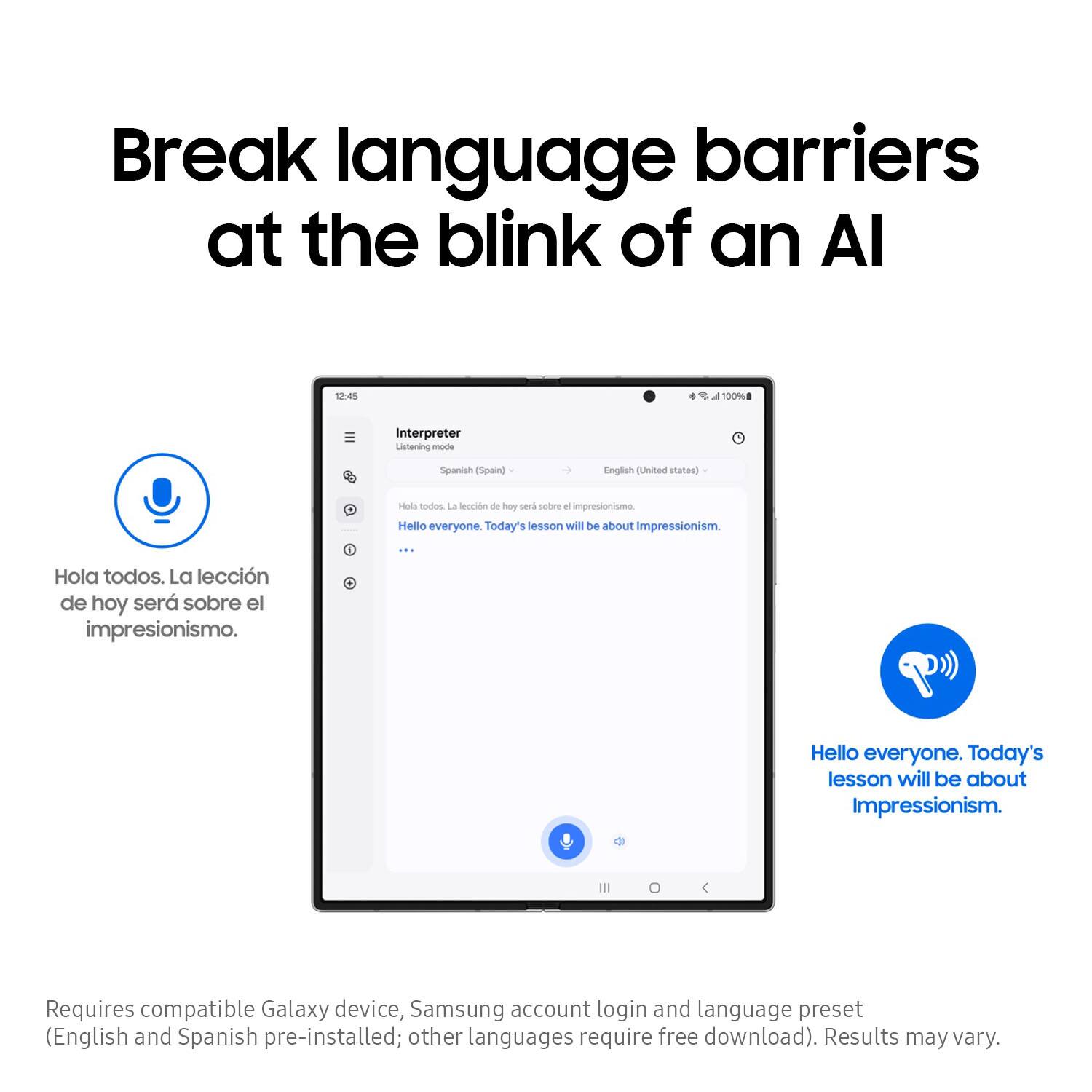
    • Answer Hello there Tony, thank you for taking the time to ask us your question about the Samsung Galaxy Buds3 Pro. Yes, your Galaxy Fold5 can work with the Galaxy Buds3 Pro to translate languages by utilizing Galaxy AI features to provide real-time, in-ear interpretation. If you have additional questions for us, please feel free to contact Support. Thank you for being a staunch Samsung customer. - Debra

      Answered by Samsung

  • QuestionDoes the Samsung Galaxy Buds 3 Pro Wireless earbuds have ai real-time language interpretation? If so is it compatible with all Samsung Galaxy phones?

    Asked by KevinGPTX.

    • Answer Good day Kevin, thanks for asking us your questions about the Samsung Galaxy Buds3 Pro. Yes, the advertised Galaxy Buds3 Pro features AI real-time language interpretation via the "Interpreter" app with Galaxy AI, allowing for translated conversations and calls, but it primarily works best and is designed for compatible Samsung Galaxy phones for the full experience, requiring the phone for processing and display. Check out, "Using Galaxy AI features with your Galaxy Buds3, Buds3 Pro, or Buds3 FE" if you would like to learn more about utilizing these features. If you have additional questions for us, please feel free to reach out to Support. Thanks for choosing Samsung! - Debra
      Answered by Samsung

  • QuestionHello. I just migrated from Samsung cellphone to iPhone. Galaxy app doesn't work for iPhone, it means that 90% of functions are gone, even the chance to enable/disable noise cancelling. Is there any way to get all functions back? Thanks. Claudio.

    Asked by ClaudioFortunato.

    • Answer Unfortunately, not just like Andriod users don't have access to airpod functions.

      Answered by ChrisH

  • QuestionHow do these fit for people with small and extra small ears? Also I am very aware that they come with different tip sizes but when some products advertise small it doesn't always mean snug for others. Do they stay in pretty well?

    Asked by BrittW.

    • Answer I have same ears as well and they do just fine

      Answered by FredW

  • QuestionCan you use it as a hearing aid or hearing conversations louder?

    Asked by DaFactor.

    • Answer Greetings DaFactor, thank you for asking us your question about the Samsung Galaxy Buds3 Pro. The Galaxy Buds3 Pro has not been certified as a hearing aid device; however, the Galaxy Buds3 Pro can be used to hear conversations louder through features like "Ambient Sound" and "Enhanced Voice Detection". These features amplify surrounding sounds, including speech, making it easier to hear conversations in noisy environments or with those who speak softly. If you have any other questions, let us know by contacting Support at your leisure. Thanks for being a faithful Samsung customer. - Debra

      Answered by Samsung

  • QuestionWhat is the connectivity range for the galaxy 3 pro buds?

    Asked by Curious.

    • Answer Thanks for reaching out! When using the Galaxy Buds3 Pro, please ensure that your earbuds and the Bluetooth device are within a 10-meter range. Keep in mind that the effective distance may vary depending on the surrounding environment. For any further questions, please be sure to reach out to us at Support. -Kelvin

      Answered by Samsung

  • QuestionDo these eat buds allow for conversation awareness or do they have a hearing aid function? If not, which Samsung buds have this feature?

    Asked by Tphk.

    • Answer yes, they can filter out ambient noise, making them kinda like a hearing aid.

      Answered by FelixLighter

  • QuestionAre they wireless charging?

    Asked by Chelle.

    • Answer Hi there Chelle, thanks for taking the available time out of your day to ask us your question about the Samsung Galaxy Buds3 Pro. That's a great question! Yes, the Buds3 Pro can be charged wirelessly. If you have additional questions for us or if you would like any further assistance, please feel free to reach out to Samsung Support at your earliest convenience. Thank you for being a faithful Samsung customer. - Debra

      Answered by Samsung

  • QuestionAre these compatible with the s26

    Asked by Anonymous.

    • Answer Hey, thanks for asking us your question about the Samsung Galaxy Buds3 Pro. Yes, the advertised Galaxy Buds3 Pro are compatible with the Galaxy S26 series. When paired together, you get full access to high-resolution 24-bit audio, seamless device pairing, Auto Switch, and advanced Galaxy AI features like Live Translate and Interpreter. If you have additional questions, let us know by reaching out to Support. Thanks for being a faithful Samsung customer. - Debra

      Answered by Samsung

  • QuestionCan i use these earbuds to make and recieve phone calls on my Samsung Galaxy A17 5G cellphone

    Asked by VictoriaG.

    • Answer Salutations VictoriaG, thanks for asking us your question about the Samsung Galaxy Buds3 Pro. Yes, you can use your Samsung Galaxy Buds3 Pro to make and receive phone calls on your Samsung Galaxy A17 5G. Both devices use standard Bluetooth and the Galaxy Wearable ecosystem so they can pair easily and support call audio, built-in microphones, and touch or voice controls. If you have any other questions for us or if you would like further assistance, please do not hesitate to reach out to Support. Thank you for being a valued Samsung customer. - Debra

      Answered by Samsung

  • QuestionDoes this work with the Samsung Galaxy Tablet

    Asked by Anonymous.

    • Answer Hi, thank you for reaching out with your question about the Samsung Galaxy Buds3 Pro. The advertised Galaxy Buds3 Pro work with any Galaxy tablet via standard Bluetooth, but advanced features like seamless audio switching and 360 Audio require a modern Samsung Galaxy tablet (such as the Tab S9 or Tab S10 series) running a recent version of One UI. Hope that helps! If you have additional questions for us or if you would like further assistance, please let us know by contacting Support. Thanks for choosing Samsung! - Debra
      Answered by Samsung

  • QuestionWhat is the warranty

    Asked by JamesG.

    • Answer Hey there Zest, thanks for finding the opportunity to ask us your question about the Samsung Galaxy Buds3 Pro. The Galaxy Buds3 Pro have a 12-month manufacture warranty for manufacturing defects in materials and workmanship. Please feel free to reach out to Support if you have any other questions. Thank you for choosing Samsung! - Debra

      Answered by Samsung

  • QuestionDo they translate language automatically?

    Asked by Bestbuyfryerforyourbucks.

    • Answer Salutations Bestbuyfryerforyourbucks, thank you for taking the time to ask us your question about the Samsung Galaxy Buds3 Pro. To use your Galaxy Buds3 Pro for automatic translation, you must pair them with a compatible Samsung Galaxy device running One UI 6.1 or later. The buds use the Galaxy AI Interpreter app to provide real-time, two-way language translation directly into your ears. To set up and activate the auto-translation features: 1. Enable Earbud Controls * Open your Galaxy phone and go to Settings > Earbud controls. * Select the Pinch and hold option for either the left or right earbud. * Assign this shortcut to launch the Interpreter app (or AI features). 2. Configure the Interpreter App * Make sure your buds are connected via Bluetooth. * Swipe down from the top of your phone's screen and tap Interpreter to open the app. (You can also download additional languages from the settings menu). * Set your desired spoken and target languages at the top of the screen. 3. Use Translation Modes * Listening Mode (One-way): Tap the single chat bubble (Listening Mode) on the left side of the app. Tap the microphone/record icon at the bottom of the screen. The buds will listen to the speaker and play the translation in your ear while showing the text on the screen. * Conversation Mode (Two-way): Point your phone's microphone toward the person you are speaking with. Pinch and hold your earbud, or tap the microphone icon. Your translated voice will play through your phone's speaker, while the other person's translated speech will play directly into your earbuds. Hope that helps answer your question! If you have any other questions, please feel free to contact Support. Thank you for being a valued Samsung customer. - Debra

      Answered by Samsung

  • QuestionDid these earbuds have a transparency mode?

    Asked by TennesseeStatesman2000.

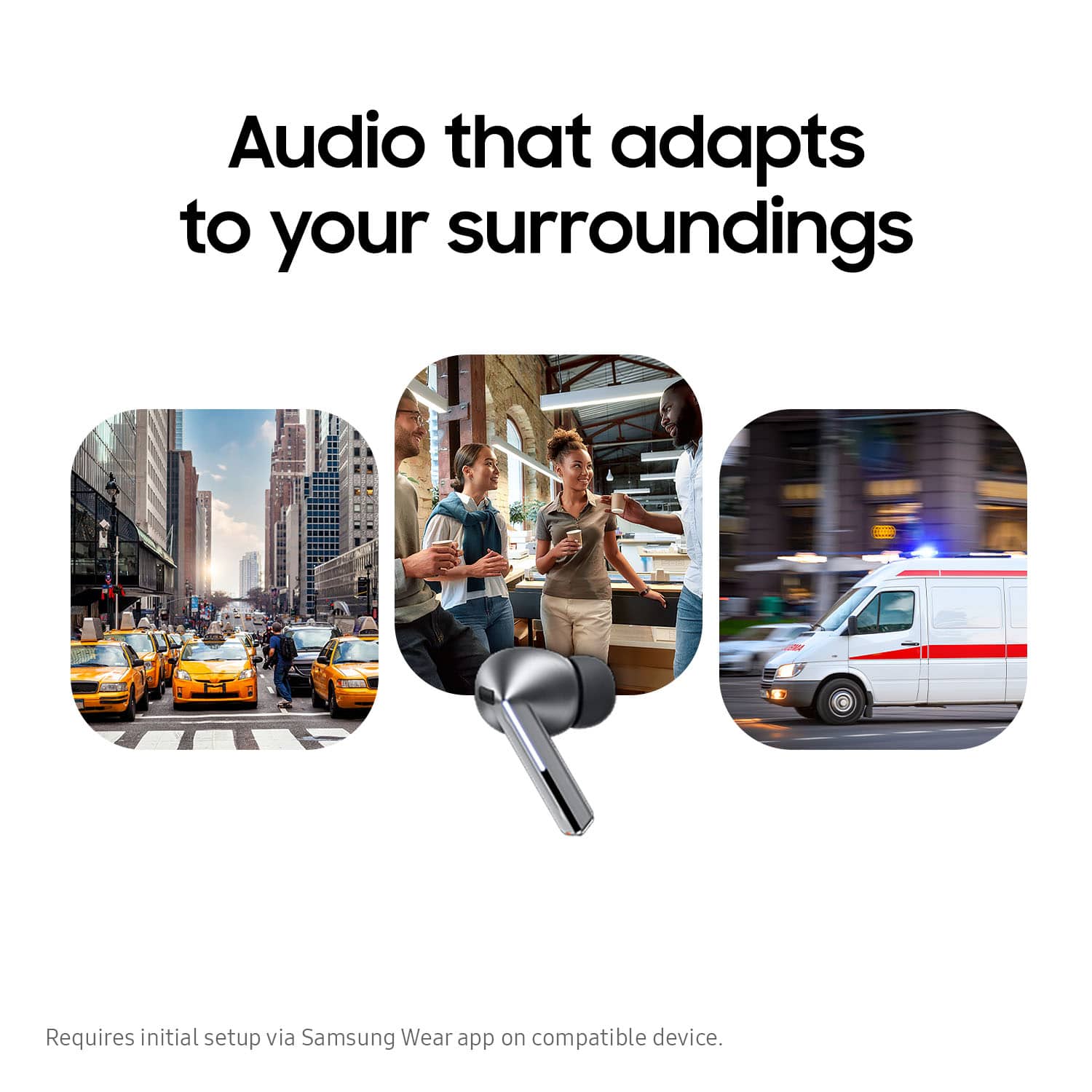
    • Answer There's is 3 modes: ACN, ambient, and adaptive. The ambience mode amplifies the sounds around you and adaptive will adjust based on voices around you. It's also adjustable via a separate volume slider in the settings!

      Answered by BENM

  • QuestionDoes it come with the same warranty as new?

    Asked by Anonymous.

    • Answer Aloha, thank you for asking us your question about the Samsung Galaxy Buds3 Pro. The advertised Galaxy Buds3 Pro are new and they offer a 12-month manufacture warranty for manufacturing defects in materials and workmanship. If you have any other questions or if you would like further assistance, please feel free to reach out to Support. Thanks for choosing Samsung! - Debra
      Answered by Samsung

  • QuestionAre these compatible with galaxy s24?

    Asked by Rick.

    • Answer Yes!

      Answered by BENM