“I just bought a Samsung J3. I need to get a nano sim card. In the mean time can I do anything using internet? I am not on a plan or contract. What can I do to get started?”
Answer This Question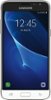
1-1 of 1 Answer
As long as you're close enough to a hot-spot and don't need data to use it, with the right password you can use your phone to connect. At the local library they'll give you the password. If you already have internet service at home, just turn the phone on, open settings, tap WiFi, and in the upper right corner, turn the switch on and it should automatically begin a search for your router. If it doesn't, start the search manually by tapping the word "search". When the search has been completed, either the name of the modem will appear on your screen in a list of the available hot-spots, or your phone will display a message that there are none available. Find yours (usually at the top of the list) and tap it. Tap connect, enter the password and tap connect again. When you're connected, a Wi-Fi icon will light up in the right side of the status bar. Have a merry time surfing.
Sorry, there was a problem. Please try again later.