“Where is the button located to activate the screen?”
Answer This Question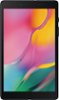
1-3 of 3 Answers
Hi Blake1989, Thank you for reaching out to us. I appreciate your inquiry about whether the power button is located. In line with this, the power key is found at the upper right side of the device. For your reference, please visit the user manual on Page 12: https://downloadcenter.samsung.com/content/UM/201909/20190907063624457/WIF_SM-T290_Galaxy_Tab_A_EN_UM_P_9.0_072919_FINAL_AC.pdf Should you need more assistance, you may reach us via the following for immediate support: 1. Samsung Community: https://us.community.samsung.com/t5/Samsung-Community/ct-p/us 2. Facebook Messenger: http://m.me/samsungsupport 3. Twitter: https://twitter.com/messages/compose?recepient_ id=18768513 Reference Number: 1144281006 Thank you for choosing Samsung. Have a great day! ^Chrystel
Sorry, there was a problem. Please try again later.The upper Right button when you are holding the tablet with the camera at the top and the outlet plug for the USB cable at the bottom is called "The Power" button. The "Power Button" will activate the screen if the display has gone dark and the tablet is still "On". so if you have set the screen to turn off the display after a certain time. (see attached picture)
Sorry, there was a problem. Please try again later.There are three buttons on the righthand side. Top is power, other two are volume.
Sorry, there was a problem. Please try again later.

