Save up to 50% on 3-Day Sale deals.Ends 12/7.Shop now

Skip to content
Gift Ideas
Main Content

Questions & Answers

3-Day Deal
Your price for this item is $149.99
The comparable value price is $219.99
Page Showing 141-160 of 189 questions
  • QuestionHi! I bought this tablet 2 weeks ago. It stopped working, it doesn’t turn on, i took it to Samsung here in Argentina but the guarantee doesn’t work here. I wanted to know how much time do I have to change it there in the USA were I bought it.

    Asked by Delfina.

    • Answer Yo la devolvi em 3 dias pero te dan entro de los 14 dias para que la devuelvas con tu comprobante de pago a menos que hayas pagado por un seguro

      Answered by JulianaMorriberon

  • QuestionAn this be used as an ereader

    Asked by Geegee.

    • Answer With the right software, of course. You can download Kindle, or "Moon+ Reader" for epub files. The Libby app will allow most people to read books and magazines for free with only a membership to your local library.

      Answered by Harrkev

  • QuestionCan I use the charger from my Samsung Galaxy Tab A8 with the Samsung Galaxy Tab A9+?

    Asked by Karen.

    • Answer It should work fine. The absolute worst-case in the event of a charger mismatch is that the tablet won't charge as fast as it could.

      Answered by Harrkev

  • QuestionCan you transfer my information off my old tablet to the new tablet. If you can how long does that take?

    Asked by Anonymous.

    • Answer Hi there, thanks for taking the available time out of your day to ask us your question about the Samsung Galaxy Tab A9+. Smart Switch is a convenient app that lets you quickly transfer files. If you would like more information about using Smart Switch, please feel free to check out, "Content that can be transferred with Smart Switch" and "Transfer data to a new phone using Smart Switch for Windows or Mac" when you have some free time available. If you have any other questions for us or if you would like any further assistance, feel free to contact Samsung Support at your earliest convenience. Thank you for being a faithful Samsung customer. - Debra

      Answered by Samsung

  • QuestionCan I tether this tablet to my smart phone when out of WiFi range?

    Asked by Scott.

    • Answer Greetings Scott, thank you for finding the opportunity to ask us your question about the Samsung Galaxy Tab A9+. Yes, you can use Mobile networks to configure your device's ability to connect to mobile networks and use mobile data. From Settings, tap Connections > Mobile networks. Features available from your service provider are displayed. Mobile hotspot uses your data plan to create a Wi-Fi network that can be used by multiple devices. 1. From Settings, tap Connections > Mobile hotspot and tethering > Mobile hotspot. 2. Tap to turn on Mobile hotspot. 3. On the devices you want to connect, activate Wi-Fi and select your device’s Mobile hotspot. Enter the Mobile hotspot password to connect. * Connected devices are listed under the heading Connected devices. You can also achieve mobile continuity between your device and other connected devices. From Settings, tap Connected devices for the following features: Samsung DeX: Connect your device to a PC or TV for an enhanced multitasking experience. Let us know if you have any other questions for us by reaching out to Samsung Support. Thank you for being a trustworthy Samsung customer. - Debra

      Answered by Samsung

  • QuestionCan I transfer aps from a tab A to a tab 9X? I have several Kindle books in my Tab A.

    Asked by CMatt.

    • Answer Not transfer ...just re-download from Kindle to your new device (once you tell Kindle what it is, thru 'Manage your Devices')

      Answered by pennm

  • QuestionCan this tablet connect to the internet?

    Asked by Herbsmith.

    • Answer Using wifi only

      Answered by pennm

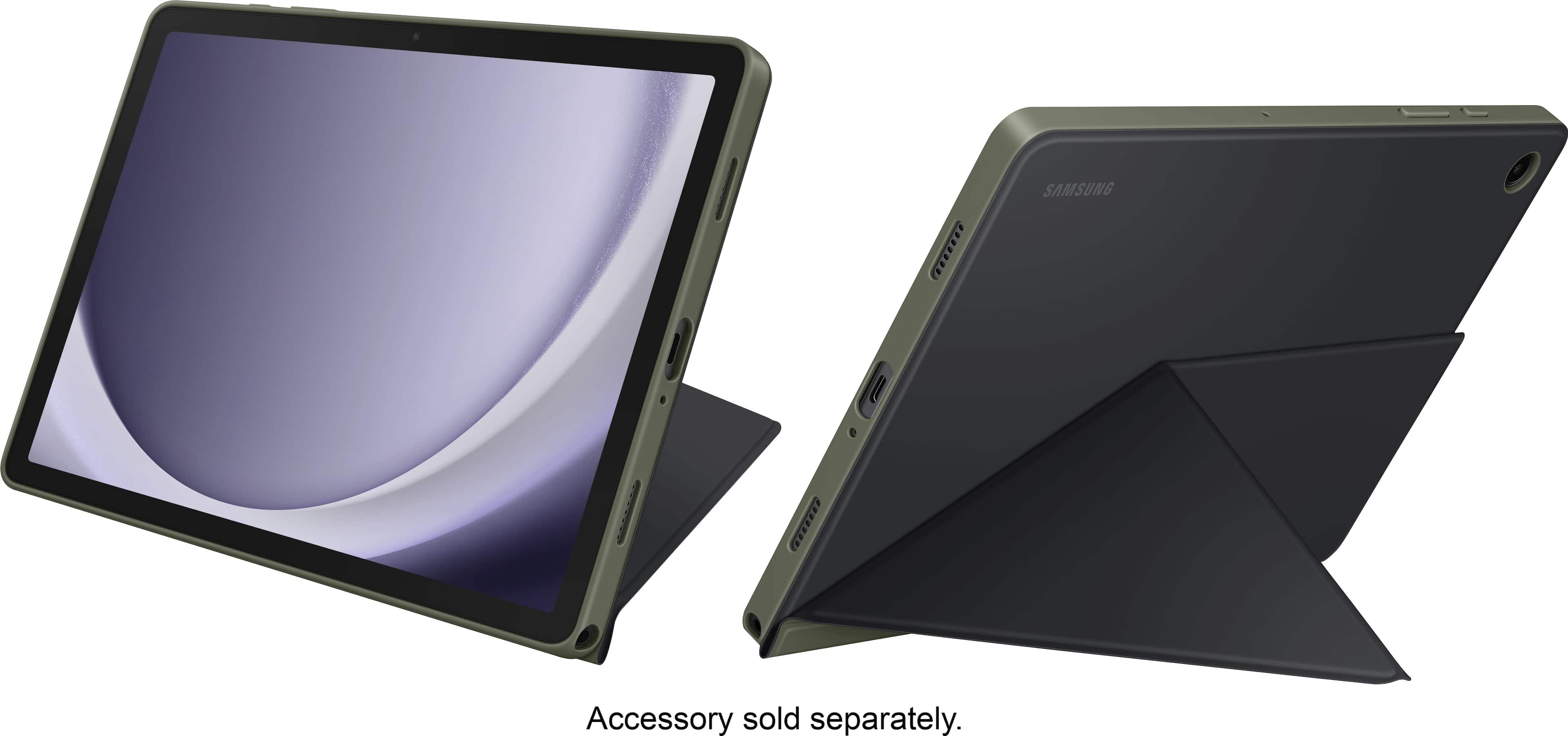
  • QuestionDoes it come with the book cover ??

    Asked by Cover.

    • Answer No

      Answered by Tekko145

  • QuestionIf I install the SuperDisplay app will I be able to plug the USB-C cable directly into to my Windows 8 laptop and use it as a monitor without installing anything on the laptop? Or will I need some type of adapter?

    Asked by Justin.

    • Answer I can confirm that SuperDisplay works great on a Windows 10 machine. You do need to download the SuperDisplay driver and install it. Trying that should tell you if it will work on Windows 8 or not. Note that the driver is free to install, but the Android app is paid.

      Answered by Harrkev

  • QuestionCan this table be used for writing notes with a stylus pen?

    Asked by Lin.

    • Answer Yes.

      Answered by Anonymous

  • QuestionDoes it have play store to download apps

    Asked by Drew.

    • Answer Yes it's an android tablet and uses the google play store just like any android smartphone. It also has the Samsung app store if that's your thing

      Answered by Kansan

  • QuestionCan I transfer for example videos or pictures from this device to my computer or from the computer to my device using USB cable?

    Asked by Mbuso.

    • Answer Aloha Mbuso, thank you for finding the opportunity to ask us your question about the Samsung Galaxy Tab A9+. Those are great questions! Yes, you can with Samsung Smart Switch! Take a moment to review, "Content that can be transferred with Smart Switch" and "Use Smart Switch to transfer content with your PC or Mac" to learn what content can be transferred and how you can accomplish it in the timeliest manner. If you have any other questions for us, feel free to reach out to Samsung Support at your leisure. Thanks for choosing Samsung! - Debra

      Answered by Samsung

  • Questiontesting

    Asked by Lala.

  • QuestionWhat wifi standard is the Tab A9+ compatible with? Mostly curious if wifi 5 or wifi 6.

    Asked by ryjale.

    • Answer Wifi 5

      Answered by bjlf

  • QuestionHello there! Does this device have a FAT32 file system for external (Micro SD) card storage or is it exFAT!? Thank you, JC

    Asked by WANNAKNOW.

    • Answer YES

      Answered by AlbertoC

  • Questionis it comes with a pin?

    Asked by Anonymous.

    • Answer When setting up this tablet you have the option to create a pass pin. Or if you are asking if it comes with a physical pin then yes it does for opening the microSD tray.

      Answered by CoraF

  • QuestionCan I run MS Word and or MS Office on this tablet? Is adding a USB or bluetooth connected keyboard an option?

    Asked by CRE.

    • Answer Hi there Cre, thank you for your question about the Samsung Galaxy Tab A9+. You can absolutely download any apps you want to use from the Google Play Store and use the Microsoft apps with your device. This device is Bluetooth enabled and you can connect any accessory that is Bluetooth enabled to this device, but it does not have a USB-A port to plug in a keyboard or mouse. Thank you for being a Samsung customer. -Elizabeth

      Answered by Samsung

  • QuestionCan this tablet connect to TV's with a HDMI to USBC cable?

    Asked by Matt.

    • Answer Howdy Matt, thanks for taking the available time out of your busy day to ask us your question about the Samsung Galaxy Tab A9+. No, however, you can still achieve mobile continuity between your device and other connected devices. Samsung DeX allows you to connect your device to a PC or TV for an enhanced multitasking experience. You can also utilize Smart View is you would like to show your device's screen or play videos on a nearby TV. Hope that helps answer your question. If you think of any additional questions for us, let us know by contacting Samsung Support. Thank you for being a valued Samsung customer. - Debra

      Answered by Samsung

  • QuestionDoes this have a fingerprint sensor?

    Asked by Bee.

    • Answer Hi there Bee, we appreciate you reaching out to us with your question about the Samsung Galaxy Tab A9+. This device does not have a fingerprint sensor, but you can lock and unlock your device with either pattern, PIN, or password options. Thank you for being a Samsung customer. -Elizabeth

      Answered by Samsung

  • Questioncan I download all my kindle apps and books to the Samsung A9 11

    Asked by dutch43.

    • Answer Yes, you can download and use the Kindle app on the Samsung Galaxy Tab A9+ 11" to access all your Kindle books and content. Here's how you can do it: Open the Google Play Store on your Samsung Galaxy Tab A9+ 11". In the search bar, type "Kindle" and press Enter. Locate the official "Kindle" app developed by Amazon Mobile LLC and tap on it. Tap the "Install" button to download and install the Kindle app onto your tablet. Once the installation is complete, open the Kindle app. Sign in to your Amazon account using your credentials. After signing in, you will have access to all your purchased Kindle books and content. You can browse, download, and read your Kindle books directly within the Kindle app on your Samsung tablet.

      Answered by FUGATI