Deals Worth GiftingShop now

Skip to content
Main Content

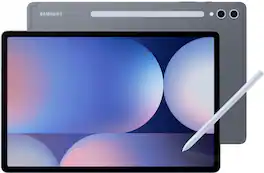
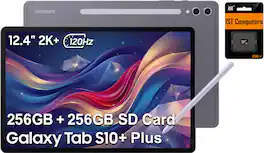
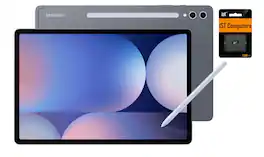
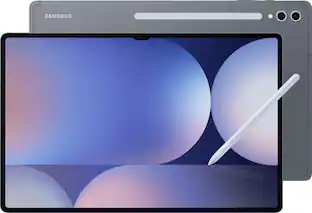
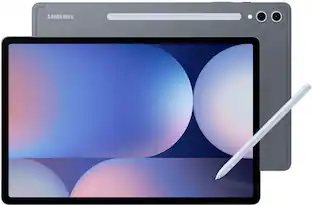
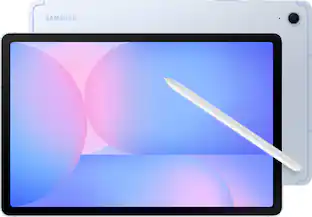
Samsung - Galaxy Tab S10+ - 12.4" 256GB - Wi-Fi - with S-Pen - Moonstone Gray

Model: SM-X820NZAAXAR
SKU: 6593196
$779.99
Save $220
Comp. Value: $999.99
or
$32.50/mo.
suggested payments with24-Month Financing
Show me how
Finance OptionsView your offers
Special OffersOn related products
Availability
Fulfillment Options
Pickup at
Sold by Best Buy

More Buying Options

Highlights

  • Key Specs
    • Screen Size: 12.4 inches (Size of the screen, measured diagonally from corner to corner.)
    • Screen Resolution: 2800 x 1752 (Screens come in a range of resolutions (measured in pixels, horizontal x vertical). The higher the resolution, the greater the picture quality.)
    • Processor Model: MediaTek MT6989 (Your computer's processor is like its brain. Working in combination with system memory, the power of the processor determines the complexity of software you can run, how many programs you can have open at the same time, and how fast those programs will run. Most computers feature an AMD, Intel or Snapdragon processor.)
    • Total Storage Capacity: 256 gigabytes
    • Operating System: Android 14 (The operating system manages all software and hardware, including files, memory and connected devices. Most importantly, it lets you interact with your device and your programs in a visual way; otherwise, you'd be typing computer code to get anything done.)
    • Voice Assistant Built-in: Bixby, Google Assistant (A digital assistant built into the device that uses voice commands to answer questions and control smart devices.)
    • Works With: Amazon Alexa, Arlo, Google Home, Hue, Nest, Ring, SmartThings, Wink (Compatible with or able to be connected to other smart devices or applications.)
    • Wireless Connectivity: Bluetooth, Wi-Fi (The manner in which a device sends data to another device over a short distance without the use of wires or cables.)
    • Battery Chemistry: Lithium-ion
    • 2-in-1 Design: false (A laptop and a tablet combined in one lightweight, portable device. Sometimes referred to as "convertible" or "hybrid" laptops, these devices deliver the processing power and keyboard of a laptop. When you're ready to play, either detach the screen or fold your 2-in-1 into tablet mode to comfortably watch movies, play games, read an e-book and more.)
    • Security Features: Fingerprint reader
  • General
    • Brand: Samsung
    • Model Number: SM-X820NZAAXAR
    • Product Name: Galaxy Tab S10+ - 12.4" 256GB - Wi-Fi - with S-Pen
    • Color: Moonstone Gray
    • Model Family: Samsung Galaxy Tab S10+
    • Year of Release: 2024
  • Display
    • Display Type: OLED
    • Screen Type: AMOLED
    • Screen Size: 12.4 inches (Size of the screen, measured diagonally from corner to corner.)
    • Screen Resolution: 2800 x 1752 (Screens come in a range of resolutions (measured in pixels, horizontal x vertical). The higher the resolution, the greater the picture quality.)
    • Display Surface: Anti-glare
  • Processor
    • Processor Brand: MediaTek
    • Processor Model: MediaTek MT6989 (Your computer's processor is like its brain. Working in combination with system memory, the power of the processor determines the complexity of software you can run, how many programs you can have open at the same time, and how fast those programs will run. Most computers feature an AMD, Intel or Snapdragon processor.)
    • Processor Model Number: MT6989
  • Storage
    • Total Storage Capacity: 256 gigabytes
  • Memory
    • System Memory (RAM): 12 gigabytes (Random-access memory (RAM) is a computing device's short-term data storage, which allows active information to be accessed quickly. The size and type of RAM determines how efficiently the device can handle large amounts of information at one time. For example, gaming or video editing requires more RAM for optimal performance.)
    • Type of Memory (RAM): Not provided (Each type of RAM delivers a different level of speed, bandwidth, energy efficiency and performance.)
  • Compatibility
    • Operating System: Android 14 (The operating system manages all software and hardware, including files, memory and connected devices. Most importantly, it lets you interact with your device and your programs in a visual way; otherwise, you'd be typing computer code to get anything done.)
    • Operating System Compatibility: Android
    • Voice Assistant Built-in: Bixby, Google Assistant (A digital assistant built into the device that uses voice commands to answer questions and control smart devices.)
    • Works With: Amazon Alexa, Arlo, Google Home, Hue, Nest, Ring, SmartThings, Wink (Compatible with or able to be connected to other smart devices or applications.)
  • Connectivity
    • Display Connector(s): No external display connection (The number and type of connectors used to connect to an external display.)
    • Wireless Connectivity: Bluetooth, Wi-Fi (The manner in which a device sends data to another device over a short distance without the use of wires or cables.)
    • Network Connectivity: None (The manner in which a device sends data to another device over a long distance using a cellular network.)
    • Headphone Jack: false (The device features an interface that allows for the connection of headphones.)
    • Bluetooth Version: 5.3 (The Bluetooth specification formalized by the Bluetooth Special Interest Group. All versions of the Bluetooth standard are backwards compatible with previous versions.)
    • USB Ports: 1 x USB-C 3.2 (The number and type of USB ports the product has.)
    • Interface(s): USB-C (Refers to the types of connections that devices use to interact and communicate with each other.)
    • Number of USB Ports (Total): 1
    • Number of USB-C Charging Ports: 1
    • Data Plan Required: false
  • Power
    • Power Supply Input: USB-C
    • Charging Interface(s): USB-C (The connection for transmitting power to charge the device.)
    • Battery Life (up to): 16 hours (Battery life will vary depending on the product configuration, product model, applications loaded on the product, power management setting of the product and the product features used by the customer. As with all batteries, the maximum capacity of this battery will decrease with time and usage.)
    • Battery Capacity: 10090 milliampere hours (The amount of energy stored in the battery.)
    • Battery Chemistry: Lithium-ion
  • Camera
    • Front-Facing Camera: true
    • Front Facing Camera Megapixels: 12 megapixels (The more megapixels, the more detail that the camera facing the user can capture.)
    • Rear-Facing Camera: true
    • Rear Facing Camera Megapixels: 13 megapixels (The more megapixels, the more detail that the camera facing away from the user can capture.)
    • Built-In Microphone: true
  • Features
    • 2-in-1 Design: false (A laptop and a tablet combined in one lightweight, portable device. Sometimes referred to as "convertible" or "hybrid" laptops, these devices deliver the processing power and keyboard of a laptop. When you're ready to play, either detach the screen or fold your 2-in-1 into tablet mode to comfortably watch movies, play games, read an e-book and more.)
    • Keyboard Included: false
    • Security Features: Fingerprint reader
    • Windows AI: Not Applicable
  • Dimensions
    • Product Height: 11.24 inches (The out of box height of the item. Height is measured as the vertical distance from the bottom of the item to the top as it would be primarily used or placed.)
    • Product Width: 7.3 inches (The out of box width of the item. Width is measured as the horizontal distance from one side of the item to the other as it would be primarily used or placed.)
    • Product Depth: 0.22 inches (The out of box depth of the item. Depth is measured as the distance from the front of the item to the back as it would be primarily used or placed.)
    • Product Weight: 20.5 ounces (The out of box weight of the item.)
  • Certifications Listings & Approvals
    • ENERGY STAR Certified: false (Devices carrying the ENERGY STAR service mark, such as computer products and peripherals, kitchen appliances, and other products, generally use 20% to 30% less energy than required by federal standards.)
    • EPEAT Qualified: false (The Electronic Product Environmental Assessment Tool (EPEAT) was designed to provide an environmental assessment tool for purchasers. In order to qualify for EPEAT, a product must meet all 23 required criteria.)
    • Ingress Protection (IP) Rating: IP68 (A 4 to 6 character code classifying a product's degree of protection against intrusion of solid particles and liquids as well as impact. Each number in the IP Code denotes a level of protection, determined through testing and published by the International Electrotechnical Commission (IEC). The first digit represents the degree of protection against solid foreign objects or particles and the second digit represents the degree of protection against water ingress.)
  • Included
    • Stylus Included: true
  • Warranty
    • Warranty - Parts: 1 year
    • Warranty - Labor: 1 year
  • Other
    • UPC: 887276861999

Wherever life takes you, power through all your adventures with Galaxy Tab S10+. This tablet helps you make big moves in style. It’s sized perfectly for your active life, making it your go to for getting things done. Unleash powerful AI features that simply make life easier. Learn more about your world quickly and easily using Circle to Search with Google. If it’s on your Tab screen, you can identify it. Simply circle it and get search results on the spot. Also, organize notes effortlessly with Note Assist. From lectures to meetings, everything is streamlined and easily readable with a simple tap. Blaze through all you do with Wi Fi connectivity and plenty of power thanks to the latest processor, plus a long-lasting battery. This Tab loves to go where you go. From the office to the classroom, it’s designed with an Armor Aluminum frame that’s not afraid to take on the occasional bumps of day-to-day life. You can even take it outside since it’s water and dust resistant, unlike most other tablets. Everything comes to life beautifully on an ultra-crisp Dynamic AMOLED 2X display that helps reduce glare. From editing photos to a video chat with your mom, every experience pops on a large 12.4" screen. Feel even closer to your world with Galaxy connectivity you can pair Tab S10+ with your smartphone and instantly sync files or photos or keep the conversation going with call and text continuity right on your tablet. Galaxy Tab S10+ built for productivity on the go. Powered by AI.

  • From doodle to dazzling: Bring your imagination to life using Sketch to Image¹ with Galaxy AI². Simply doodle with your finger or use S Pen for added precision, and then select from five styles: watercolor, illustration, pencil sketch, pop art or 3D cartoon.
  • Circle it, search it, find it. Just like that.: Search for anything you see on your Galaxy Tab S10 series simply by circling it. From discovering where to buy those awesome shoes to getting a recipe based on a dish your friend just posted, find answers fast using Circle to search with Google.³
  • Note Assist makes a long story short: Focus on capturing your notes and spend less time perfecting them. Note Assist⁴ will summarize and format them instantly with Galaxy AI². All your notes are organized neatly so you can find what you need, just like that.
  • Transcript Assist takes notes for you: Be present in meetings and let Transcript Assist⁵ with Galaxy AI² do the hard work of taking notes for you. It creates fast and easy transcripts of recorded meetings, lectures and conversations and summarizes them instantly. Transcript Assist can even translate to other available languages, just like that.
  • Packed with power: No matter what you take on or where you take your Galaxy Tab S10+, enjoy every experience with a powerful tablet processor.
  • Intensely brilliant screen, anywhere: From café to couch to across the world, enjoy intense colors, deep contrasts and unbelievable brilliance on a 12.4" Dynamic AMOLED 2X display.⁶ Plus, the screen features reduced glare and Vision Booster that automatically adjusts brightness and contrast so you see every detail, even in sunlight.
  • Harness the power of AI with S Pen: Tap into the power of Galaxy AI² and take your creativity to the next level with the included S Pen. Take notes and Note Assist⁴ will create a summary. Or draw an image and tap the button on the side to activate Sketch to Image¹ it turns your sketches into fully realized works of art, just like that.
  • Stands up to dust and water: Confidently take your Galaxy Tab S10+ with you everywhere. With an Armor Aluminum frame, it’s designed to protect against bumps. And with an IP68 rating, it’s one of the only water and dust resistant tablets on the market.⁷
  • For that “PC feel” on a tablet: Get the best of both worlds with Samsung DeX , a PC like experience on your Tab. Turn on DeX mode and open multiple windows and folders at once, work from a taskbar, easily drag and drop files and more.
  • A long lasting battery that keeps you moving: Get lost in your favorite shows and games with up to 16 hours of usage on a full charge⁸. And when you do need to power up, do it quickly and keep going with Super Fast Charging⁹.
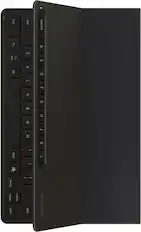
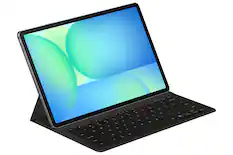
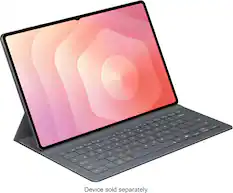
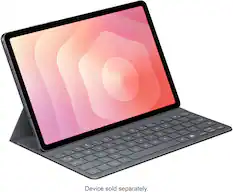
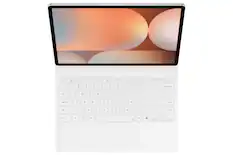
  • The power of AI, on your keyboard: The power of Galaxy AI² is just a tap away with the Book Cover Keyboard AI Key¹⁰. Simply touch the designated AI key on your keyboard a short press lets you type in a prompt, and a long press lets you use the power of your voice.
  • Math made simple: Solve handwritten math problems with Galaxy AI². Simply use your S Pen to write out an equation on your screen. Math Helper¹¹ can clean up your equations by turning them into text, just like that. Plus, it can even solve them for you, including calculus equations.
  • File sharing made easy: Sending and receiving files is so easy with Quick Share¹². From cute puppy videos to large work files, transfer to and from your Tab in a snap it even works when sending to non Galaxy devices
  • Take calls from your Tab: When you’re fully immersed in a project, sometimes you don’t want to stop to switch gears. With the Galaxy Connected Experience, you don’t have to. Take calls or send texts directly from your Tab without interrupting your flow¹³.
  • Control multiple devices with your Tab: With the Galaxy Connected Experience, you can use your Tab to click or type on another device, like your smartphone or PC.¹⁴ You can also copy and paste from one device to another.
  • Expand your workspace: Sometimes big ideas need a little more room to come to life. Expand your workspace by connecting to another device to use as a second screen like your Galaxy Book¹⁵. Now you’ve got two screens so you can create comfortably.
  • The best tablet screen needs the best content.: Get 3 months of Peacock Premium at no extra cost on your new Galaxy device. Terms apply.*
  • From doodle to dazzling: Bring your imagination to life using Sketch to Image¹ with Galaxy AI². Simply doodle with your finger or use S Pen for added precision, and then select from five styles: watercolor, illustration, pencil sketch, pop art or 3D cartoon.
  • Circle it, search it, find it. Just like that.: Search for anything you see on your Galaxy Tab S10 series simply by circling it. From discovering where to buy those awesome shoes to getting a recipe based on a dish your friend just posted, find answers fast using Circle to search with Google.³
  • Note Assist makes a long story short: Focus on capturing your notes and spend less time perfecting them. Note Assist⁴ will summarize and format them instantly with Galaxy AI². All your notes are organized neatly so you can find what you need, just like that.
  • Transcript Assist takes notes for you: Be present in meetings and let Transcript Assist⁵ with Galaxy AI² do the hard work of taking notes for you. It creates fast and easy transcripts of recorded meetings, lectures and conversations and summarizes them instantly. Transcript Assist can even translate to other available languages, just like that.
  • Packed with power: No matter what you take on or where you take your Galaxy Tab S10+, enjoy every experience with a powerful tablet processor.
  • Intensely brilliant screen, anywhere: From café to couch to across the world, enjoy intense colors, deep contrasts and unbelievable brilliance on a 12.4" Dynamic AMOLED 2X display.⁶ Plus, the screen features reduced glare and Vision Booster that automatically adjusts brightness and contrast so you see every detail, even in sunlight.
  • Harness the power of AI with S Pen: Tap into the power of Galaxy AI² and take your creativity to the next level with the included S Pen. Take notes and Note Assist⁴ will create a summary. Or draw an image and tap the button on the side to activate Sketch to Image¹ it turns your sketches into fully realized works of art, just like that.
  • Stands up to dust and water: Confidently take your Galaxy Tab S10+ with you everywhere. With an Armor Aluminum frame, it’s designed to protect against bumps. And with an IP68 rating, it’s one of the only water and dust resistant tablets on the market.⁷
  • For that “PC feel” on a tablet: Get the best of both worlds with Samsung DeX , a PC like experience on your Tab. Turn on DeX mode and open multiple windows and folders at once, work from a taskbar, easily drag and drop files and more.
  • A long lasting battery that keeps you moving: Get lost in your favorite shows and games with up to 16 hours of usage on a full charge⁸. And when you do need to power up, do it quickly and keep going with Super Fast Charging⁹.
  • The power of AI, on your keyboard: The power of Galaxy AI² is just a tap away with the Book Cover Keyboard AI Key¹⁰. Simply touch the designated AI key on your keyboard a short press lets you type in a prompt, and a long press lets you use the power of your voice.
  • Math made simple: Solve handwritten math problems with Galaxy AI². Simply use your S Pen to write out an equation on your screen. Math Helper¹¹ can clean up your equations by turning them into text, just like that. Plus, it can even solve them for you, including calculus equations.
  • File sharing made easy: Sending and receiving files is so easy with Quick Share¹². From cute puppy videos to large work files, transfer to and from your Tab in a snap it even works when sending to non Galaxy devices
  • Take calls from your Tab: When you’re fully immersed in a project, sometimes you don’t want to stop to switch gears. With the Galaxy Connected Experience, you don’t have to. Take calls or send texts directly from your Tab without interrupting your flow¹³.
  • Control multiple devices with your Tab: With the Galaxy Connected Experience, you can use your Tab to click or type on another device, like your smartphone or PC.¹⁴ You can also copy and paste from one device to another.
  • Expand your workspace: Sometimes big ideas need a little more room to come to life. Expand your workspace by connecting to another device to use as a second screen like your Galaxy Book¹⁵. Now you’ve got two screens so you can create comfortably.
  • The best tablet screen needs the best content.: Get 3 months of Peacock Premium at no extra cost on your new Galaxy device. Terms apply.*
Whats Included
  • Quick Start Guide
  • S-Pen
  • USB-C Cable
  • T&C
  • Quick Start Guide
  • S-Pen
  • USB-C Cable
  • T&C
Disclaimers
  • ¹Sketch to Image feature requires a network connection and Samsung account login. Editing with Sketch to Image may result in a resized photo up to 12MP. A visible watermark is overlaid on the image output upon saving in order to indicate that the image is generated by AI. The accuracy and reliability of the generated output is not guaranteed.
  • ²Galaxy AI features by Samsung will be provided for free until the end of 2025 on supported Samsung Galaxy devices.
  • ³Requires internet connection; results may vary by uniqueness, clarity and framing of circled image and related factors. Tab S9 FE models do not support AI features.
  • ⁴For text in Samsung Notes only (200 4,000 characters); requires Samsung account login and internet connection.
  • ⁵Transcript Assist available only with audio files under 3 hours and recorded using the Samsung Voice Recorder app. Summarizing feature available for text in Samsung Notes only (200 4,000 characters). Translation feature requires language preset (English and Spanish pre installed; other languages require free download). Samsung account login and internet connection are required.
  • ⁶Measured diagonally, the Galaxy Tab S10+ screen size is 12.4" in the full rectangle and 12.4" accounting for the rounded corners. Actual viewable area is less due to the rounded corners.
  • ⁷Consistent with IP68 rating, water resistant in up to 5 feet of water for up to 30 minutes. Rinse residue / dry after wet.
  • ⁸Based on local, 720p resolution video playback, default video player (full screen), 162 nit brightness, earbud volume 7, Wi Fi and mobile network off. Results vary with settings, usage and other factors.
  • ⁹Requires 45W wall charger (sold separately). Use only Samsung approved charger and USB C cable. To avoid injury or damage to your device, do not use incompatible, worn or damaged batteries, chargers or cables.
  • ¹⁰AI Hot Key only available on Book Cover Keyboard AI Key and Book Cover Keyboard Slim AI Key (sold separately).
  • ¹¹Math Helper feature requires a network connection and Samsung account login. Math Helper feature not available at launch; available via software update by 12/31/24.
  • ¹²Quick Share between Galaxy devices available with the following OS: smartphones and tablets with Android OS version 10.0 (Q) and One UI 2.1 or above, PCs running Windows 10 or later. Requires Wi Fi and Bluetooth connection. Quick Share to iOS and Android devices available by sending shared link: individual files shared cannot exceed 10GB per file (for a total of 10GB per day) and link will expire after two days; requires an internet connection.
  • ¹³Requires a Galaxy phone with One UI 5.0 or later. Devices must be logged in to the same Samsung account and be on the same Wi Fi network.
  • ¹⁴Requires compatible Galaxy devices (PC with Windows 10 or later [2021 or later], tablet with Android 12, One UI 5.1.1, smartphone with Android 13, One UI 5.1.1), with same Samsung account and Wi Fi network.
  • ¹⁵Compatible with Galaxy S Series tablet or Galaxy Book PC.
  • ¹Sketch to Image feature requires a network connection and Samsung account login. Editing with Sketch to Image may result in a resized photo up to 12MP. A visible watermark is overlaid on the image output upon saving in order to indicate that the image is generated by AI. The accuracy and reliability of the generated output is not guaranteed.
  • ²Galaxy AI features by Samsung will be provided for free until the end of 2025 on supported Samsung Galaxy devices.
  • ³Requires internet connection; results may vary by uniqueness, clarity and framing of circled image and related factors. Tab S9 FE models do not support AI features.
  • ⁴For text in Samsung Notes only (200 4,000 characters); requires Samsung account login and internet connection.
  • ⁵Transcript Assist available only with audio files under 3 hours and recorded using the Samsung Voice Recorder app. Summarizing feature available for text in Samsung Notes only (200 4,000 characters). Translation feature requires language preset (English and Spanish pre installed; other languages require free download). Samsung account login and internet connection are required.
  • ⁶Measured diagonally, the Galaxy Tab S10+ screen size is 12.4" in the full rectangle and 12.4" accounting for the rounded corners. Actual viewable area is less due to the rounded corners.
  • ⁷Consistent with IP68 rating, water resistant in up to 5 feet of water for up to 30 minutes. Rinse residue / dry after wet.
  • ⁸Based on local, 720p resolution video playback, default video player (full screen), 162 nit brightness, earbud volume 7, Wi Fi and mobile network off. Results vary with settings, usage and other factors.
  • ⁹Requires 45W wall charger (sold separately). Use only Samsung approved charger and USB C cable. To avoid injury or damage to your device, do not use incompatible, worn or damaged batteries, chargers or cables.
  • ¹⁰AI Hot Key only available on Book Cover Keyboard AI Key and Book Cover Keyboard Slim AI Key (sold separately).
  • ¹¹Math Helper feature requires a network connection and Samsung account login. Math Helper feature not available at launch; available via software update by 12/31/24.
  • ¹²Quick Share between Galaxy devices available with the following OS: smartphones and tablets with Android OS version 10.0 (Q) and One UI 2.1 or above, PCs running Windows 10 or later. Requires Wi Fi and Bluetooth connection. Quick Share to iOS and Android devices available by sending shared link: individual files shared cannot exceed 10GB per file (for a total of 10GB per day) and link will expire after two days; requires an internet connection.
  • ¹³Requires a Galaxy phone with One UI 5.0 or later. Devices must be logged in to the same Samsung account and be on the same Wi Fi network.
  • ¹⁴Requires compatible Galaxy devices (PC with Windows 10 or later [2021 or later], tablet with Android 12, One UI 5.1.1, smartphone with Android 13, One UI 5.1.1), with same Samsung account and Wi Fi network.
  • ¹⁵Compatible with Galaxy S Series tablet or Galaxy Book PC.

Q: Does this model Galaxy Tab come in a S10 model? I only see Fe, plus, and ultra.

A: Hey PaulP29687, thanks for asking us your question about the Samsung Galaxy Tab S10+. The Galaxy Tab S10 Series offers: the Tab S10 FE, Tab S10 FE+, Tab S10+, and the Tab S10 Ultra. If you have any other questions, please feel free to reach out to Support. Thank you for choosing Samsung! - Debra

Q: dose this have LTE capability for any company?

A: Thanks for taking the time to reach out! We see that you reached out to inquire about the Galaxy Tab S10+. The S10+ comes in Wi-Fi and LTE versions. For any further questions, be sure to reach out to us at Support. -Kelvin

Q: Does this tablet have a built in screen recording function in the quick settings? My current samsung tablet does not, and I am forced to use a 3rd party app which frequently crashes and ruins my recordings.

A: Greetings George453, thank you for reaching out with you question about the Samsung Galaxy Tab S10+. Yes, the advertised Galaxy Tab S10+ includes a built-in screen recording function that can be accessed from the Quick Settings panel by swiping down from the top of the screen and tapping the "Screen recorder" icon. If you have additional questions, do not hesitate to contact Support. Thanks for being a valued Samsung customer. - Debra

Q: What is the manufacturers warranty?

A: Salutations Christine, thanks for taking the opportunity to ask us your question about the Samsung Galaxy Tab S10+. Samsung provides a 12-month warranty for manufacturing defects in materials and workmanship. Feel free to contact Support if you have additional questions. Thanks for being a staunch Samsung customer. - Debra

Q: If I get the 5G version, can I make calls and texts on this organically (meaning without having to download VOIP apps) without linking it to a cell phone, assuming that I put a phone sim card in it, not a data only sim?

A: No, even if you get the 5G version of the Samsung Galaxy Tab S10+ and insert a phone SIM card, you generally cannot make regular phone calls or send SMS texts natively like on a smartphone—unless the specific model and carrier support it.

Sponsored

Compare similar products

Samsung - Galaxy Tab S10+ - 12.4" 256GB - Wi-Fi - with S-Pen - Moonstone Gray

Wherever life takes you, power through all your adventures with Galaxy Tab S10+. This tablet helps you make big moves in style. It’s sized perfectly for your active life, making it your go to for getting things done. Unleash powerful AI features that simply make life easier. Learn more about your world quickly and easily using Circle to Search with Google. If it’s on your Tab screen, you can identify it. Simply circle it and get search results on the spot. Also, organize notes effortlessly with Note Assist. From lectures to meetings, everything is streamlined and easily readable with a simple tap. Blaze through all you do with Wi Fi connectivity and plenty of power thanks to the latest processor, plus a long-lasting battery. This Tab loves to go where you go. From the office to the classroom, it’s designed with an Armor Aluminum frame that’s not afraid to take on the occasional bumps of day-to-day life. You can even take it outside since it’s water and dust resistant, unlike most other tablets. Everything comes to life beautifully on an ultra-crisp Dynamic AMOLED 2X display that helps reduce glare. From editing photos to a video chat with your mom, every experience pops on a large 12.4" screen. Feel even closer to your world with Galaxy connectivity you can pair Tab S10+ with your smartphone and instantly sync files or photos or keep the conversation going with call and text continuity right on your tablet. Galaxy Tab S10+ built for productivity on the go. Powered by AI.

Samsung - Galaxy Tab S10 Ultra - 14.6" 256GB - Wi-Fi - with S-Pen - Moonstone Gray

Make every day more extraordinary with Galaxy Tab S10 Ultra. Power through all your favorite experiences with groundbreaking Galaxy AI features, a long-lasting battery and a powerful chipset. Discover new ways to simplify your life with Galaxy AI on the big screen of Tab S10 Ultra. Write notes with that pen like feeling using the included S Pen, or type on an attachable keyboard then instantly summarize and organize your notes with Note Assist. Looking for another great time saver? Transcript Assist transcribes meetings and lectures for you, freeing you up to do other things. Find more information on items online quickly and easily using Circle to Search with Google. Simply circle what you’re interested in on the screen and then shop, identify or translate what you see, just like that. Indulge yourself in the ultimate viewing experience a glorious 14.6" Dynamic AMOLED 2X display. It’s the largest tablet screen available. Whether you’re streaming a blockbuster or outracing your competition in a game, experience every heart pounding moment with vibrancy and clarity. Plus, the screen is designed to minimize glare, making it easy to see even in bright sunlight. When it’s time to get back to the real world, work like a boss with plenty of space to toggle between windows or collaborate on calls. There’s so much room, you can even do both at once and more. Have the confidence to take your Tab with you as you get things done with enhanced durability that’s built to withstand even fast paced lifestyles. The enhanced Armor Aluminum frame offers strong protection against dings and scratches. And Tab S10 Ultra is water and dust resistant, so it’s made to go where you go, unlike some of those other tablets. Break free from the ordinary with the tablet that stands out Galaxy Tab S10 Ultra.

Samsung - Galaxy Tab S9 - 11" 128GB - Wi-Fi - with S-Pen - Graphite

Galaxy AI is here.  Search like never before¹, let transcript assist² take the notes for you, format your notes into a clear summary,³ and effortlessly edit your photos⁴ -all from your tablet, all with AI. Why not make the everyday a little more extraordinary? Galaxy Tab S9, now with Galaxy AI, pushes the boundaries of what you expect from a tablet. Supported by a mighty processor and a powerful battery, you can seamlessly switch between accomplishing priorities and enjoying your favorite pastimes. You’ll have plenty of room on the vibrant and surprisingly portable 11" screen to make the day uniquely yours — tackle your to-do list, create your next masterpiece, catch up on the latest shows or level up in your favorite game. Whether you're working, streaming or gaming, the 120Hz refresh rate makes every experience super smooth.

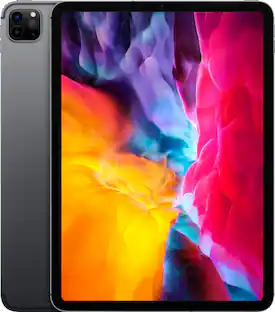
Apple - 11-inch iPad Pro M4 chip Built for Apple Intelligence Wi-Fi 256GB with OLED - Space Black

iPad Pro. Built for Apple Intelligence. It’s impossibly thin, featuring outrageous performance with the Apple M4 chip, a breakthrough Ultra Retina XDR display, and superfast Wi-Fi 6E. Along with Apple Pencil Pro and Magic Keyboard, it brings endless versatility, creativity, and productivity to your fingertips.

Pros for Samsung - Galaxy Tab S10+ - 12.4" 256GB - Wi-Fi - with S-Pen - Moonstone Gray
Overall Performance, Processor Speed, Battery Life, Portability, Screen QualityOverall Performance, Battery Life, Portability, Screen Size, SpeedThere were no pros for this productOverall Performance, Processor Speed, Portability, Battery Life, OLED Display
Cons for Samsung - Galaxy Tab S10+ - 12.4" 256GB - Wi-Fi - with S-Pen - Moonstone Gray
There were no cons for this productThere were no cons for this productThere were no cons for this productPrice, Apple Pencil Compatibility, Heat, RAM

Specs

Reviews

Customers are saying

Customers find value in the Galaxy Tab S10+'s large screen size and overall performance. Users appreciate the fast processor speed that allows apps to run smoothly, as well as the good battery life. The included stylus and ease of use are also seen as beneficial features.

This summary was generated by AI based on customer reviews.

Customer Images

The vast majority of our reviews come from verified purchases. Reviews from customers may include My Best Buy members, employees, and Tech Insider Network members (as tagged). Select reviewers may receive discounted products, promotional considerations or entries into drawings for honest, helpful reviews.

  • Rated 5 out of 5 stars

    Happy Buyer!

    The Samsung Galaxy Tab S10 is a versatile tablet that caters to both personal and professional needs. It offers access to all-in-one notepads and calendars, and with the addition of a keyboard cover, it transforms into a portable workstation, providing more manageable accessibility than a traditional laptop. The Samsung Galaxy Tab S10 is my go-to device for business on the go. Its compact size makes it easy to carry in my purse, and the fast and efficient processing system ensures I can work without any delays. I'm a happy buyer!

    Posted by CarolP

  • Rated 5 out of 5 stars

    Great for digital piano and photo editing

    I got this primarily for use with a DGX-670 piano using piano tutorial and Cubasis DAW apps, and also photo editing with Lightroom. S-pen is very handy for both music (MIDI or WAV) editing and detailed photo editing. Photos are crisp and colorful. Use of a USB splitter cable allows it to be charged while also connected to piano for control (which is how I mostly use it so don't have much experience with battery life). And I can simultaneously play audio from the tablet through the piano's sound system to play along with via bluetooth. Seems very solidly built. Very happy with it.

    Posted by MaCh5

  • Rated 5 out of 5 stars

    Perfect 1st Tablet

    This tablet is the excellent. The pen is a great accessory. I am very happy with this purchase. I screen display quality is amazing! The keyboard and cover is another great accessory. It is lightweight and easy to carry

    Posted by TJaz

Sponsored

Similar products from outside of Best Buy

sponsored

Finance Options

My Best Buy® Credit Card
Choose a benefit:
$32.50/mo.suggested payments with 24-Month Financing
Or
10% back in rewardson your first day of purchases when approved for the My Best Buy® Credit Card.
Buy Now, Pay Later
8 payments starting at $97.50
Lease to own
Apply today with no credit needed and enjoy flexible payment options.

Special Offers

Included with Purchase
Free 6 months of security software & 2 more