Everything for Back to School — and then someShop now

Skip to contentGo to Product Search
Main Content

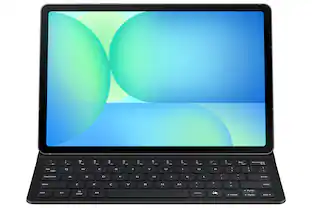
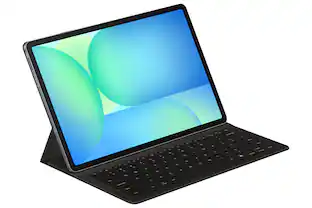
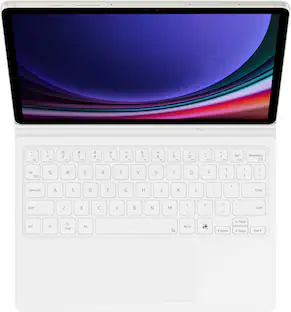
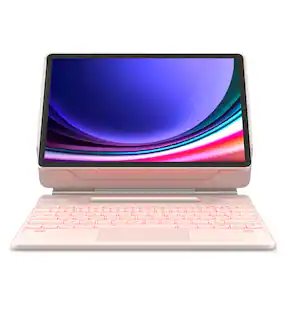
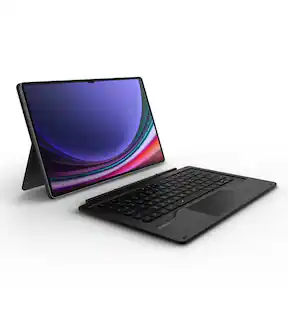
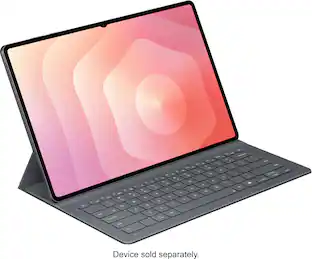
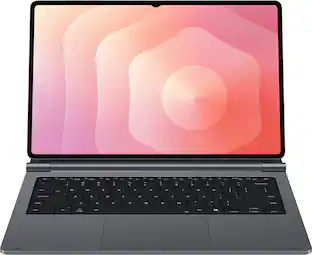
Samsung - Galaxy Tab S10+/S9+/S9 FE+ Book Cover Keyboard - White

Model: EF-DX825UWEGUJ
SKU: 12542114
Sold & shipped by

About this product

Tap into AI with the Book Cover Keyboard Slim AI Key. Protect your Galaxy Tab S10+/S9+/S9 FE+ with a slim cover that turns it into a complete workstation with a designated AI key. Tap it, write in your prompts and then sit back while AI does the rest.¹

Features
  • Your key to instant AI access

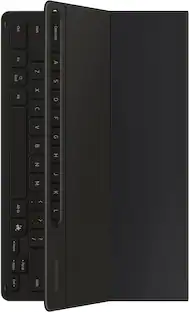
    The dedicated key gives you quick access to AI assistance Simply tap it, write in your prompts and let Bixby or Gemini handle your query it’s that easy.¹

  • PC like experience anywhere you go

    Get that PC feeling with the Galaxy Tab S10+/S9+/S9 FE+ Book Cover Keyboard AI Key. The full size keycaps, function keys and trackpad, combined with DeX Mode, deliver a PC like experience with a single tap.

  • On the go flexibility

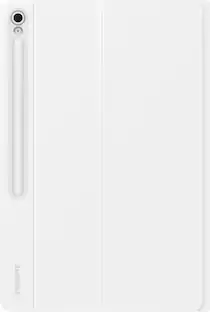
    With its magnetic design, you can easily detach and reattach the back cover to tailor your device to fit your everyday needs.²

  • Versatile viewing comfort

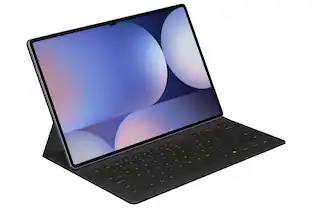
    Take it all the way back to 150 degrees for a new level of freedom with the Book Cover Keyboard AI Key. Adjust the hinge on the back to find your perfect position to send emails, enjoy your favorite content and more from any angle.

  • Enhance your productivity with wireless sharing

    With Wireless Keyboard Sharing, you can connect to compatible Galaxy devices and type or navigate on them with ease². It's like seamlessly switching to your phone and using it the same way as you would your tablet.³

See all features
Specifications
  • Model Compatibility
    Samsung Galaxy Tab S10+, Samsung Galaxy Tab S9+, Samsung Galaxy Tab S9 FE+
    Illuminated
    No
Sponsored

Reviews

Rating 4.6 out of 5 stars with 16 reviews

100% would recommend to a friend

The vast majority of our reviews come from verified purchases. Reviews from customers may include My Best Buy members, employees, and Tech Insider Network members (as tagged). Select reviewers may receive discounted products, promotional considerations or entries into drawings for honest, helpful reviews.


  • Rated 5 out of 5 stars

    Perfect for Gentle Use

    I like this keyboard case because it is slim, light weight & covers the S Pen. I am very gentle with my tablet so this works perfect for me. However, if you are rough with yours, I would advise getting something a little more hefty. This "case" does not cover three of the four sides of the tablet. It attaches with a pretty decent magnet to the back of the tablet, with a sturdy kickstand which is my favorite part. The keyboard (when closed) provides solid protection for your screen, magnets along the edge keep it in place & prevents your tablet screen from turning on if it happens to shift.

    This review is from Samsung - Galaxy Tab S10+/S9+/S9 FE+ Book Cover Keyboard - Black

    Posted by Diana

  • Rated 5 out of 5 stars

    Wasn't sure, but best accessory I bought!

    This is the perfect compliment to my tablet to give me the versatility of a laptop when I need it without compromising the tablet experience, but in fact enhancing it. The keys have a great tactile feel and are full size for my large man hands. While the trackpad is not as great as a standard laptop but better than 3rd party options. The kickstand attatchement for the tablet is AWESOME for multiple reasons! One it easly magnetically attaches to the back of the tablet and its STRONG. Not going anywhere without your taking it off intentionally. It also protects the pen with a housing in the back to cover the pen, but if you don't like that you can remove the housing to have the pen exposed. When you do have the pen cover on, the top flap opens easily for you to grab it. I like having it on because I can confidently hustle around work or home and not worry about that pen getting jostled and lost. The kick stand is super useful on my lap in laptop mode, but I was suprised how oftain I use it for support when reading in bed or when holding it in portrait mode on the couch as well. I especially love how it only protects the back. I love the sleek look of the tablet and I only need the back covered for laying it down easily and quickly without the metal slamming, but I didn't want to make it thicker and heavier with something that wrapped all the way around. Coming from a Surface Pro this works very similar and while some may find it difficult to handle in your lap or anywhere but a flat surface, it only takes getting used to. You can easily use it on your lap, in bed and almost anywhere you use a laptop. In fact I write this curled up on the couch with the kickstand resting on a single leg and I am as snug as a bug in a rug with no issues. Just takes adjusting to learn how to use it. What I would improve: Magnetic connection from keyboard to tablet is strong but nowhere near as strong as on Microsoft Surface. Trackpad. Can't put my finger on it but just doesn't feel as good as my Surface or Mac. No backlight for keys. Not a deal breaker, rarely use them on any computer but this thing is so pricy not to have them! Wish the kickstand portion was a bit lighter. It weighs half as much as the tablet itself.

    This review is from Samsung - Galaxy Tab S10+/S9+/S9 FE+ Book Cover Keyboard - Black

    Posted by DustinP

  • Rated 3 out of 5 stars

    Decent keyboard, not for all

    If this keyboard is on a deep enough sale, sub $149, I would pay it if you are going to be using the tablet alot with out the keyboard as it is nice to have the back cover with angle adjustment kickstand to prop in front of you. The keyboard is fine, nothing that feels high end, but not cheap. No backlighting is a deal breaker for me. I enjoyed this keyboard cover when on a table, desk, etc. But I found it to be worthless for me in settings seated in a chair or in the couch because the back cover kickstand was not useful and mostly unusable in these scenarios. If seated on a chair, you can't even use it on your lap. The kickstand hangs over your knees. So this was a not the right keyboard for me.

    This review is from Samsung - Galaxy Tab S10+/S9+/S9 FE+ Book Cover Keyboard - Black

    Posted by Dedline

  • Rated 5 out of 5 stars

    Great design!

    The keyboard cover case i purchased is a wonderful addition to the samsung galaxy S10+ tablet. Magnets make installation and removal a breeze. A great design for adding some protection and providing access to a keyboard, while maintaining the conveinence of a tablet.

    This review is from Samsung - Galaxy Tab S10+/S9+/S9 FE+ Book Cover Keyboard - White

    Posted by AndrewM

  • Rated 4 out of 5 stars

    Perfect for my S10+ 5G

    I love this keyboard, makes my s10+ tab almost a laptop replacement. I got rid of my laptop and my s9+ a few months ago but i recently needed a pseudo laptop. So i got this accessory for my s10+ 5G. I needed mobility and convenience and gettjnf connected to the internet right away. The only problem i have with it is the trackpad, it isnt as good as the magic keyboard’s but is manageable.

    This review is from Samsung - Galaxy Tab S10+/S9+/S9 FE+ Book Cover Keyboard - Black

    Posted by Joemushu

  • Customer reviews from Samsung US

    Syndicated rating, 4.0588236 out of 5 stars with 17 reviews on Samsung US.

    See all Samsung US reviews
    Samsung US

Compare similar products

Samsung - Galaxy Tab S10+/S9+/S9 FE+ Book Cover Keyboard - White
4.6(16)

Tap into AI with the Book Cover Keyboard Slim AI Key. Protect your Galaxy Tab S10+/S9+/S9 FE+ with a slim cover that turns it into a complete workstation with a designated AI key. Tap it, write in your prompts and then sit back while AI does the rest.¹
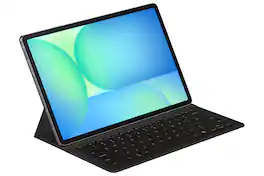
Samsung - Galaxy Tab S10 FE+ Book Cover Keyboard Slim AI Key - Black
4.5(67)

Tap into AI with the Book Cover Keyboard Slim AI Key. Protect your Galaxy Tab S10 FE+ with a slim cover that turns it into a complete workstation with a designated AI key. Tap it, write in your prompts and then sit back while AI does the rest.
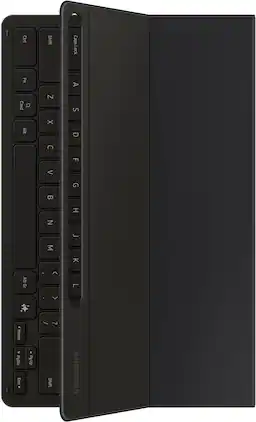
Samsung - Galaxy Tab S10+/S9+/S9 FE+ Book Cover Keyboard Slim - Black

Tap into AI with the Book Cover Keyboard Slim AI Key. Protect your Galaxy Tab S10+/S9+/S9 FE+ with a slim cover that turns it into a complete workstation with a designated AI key. Tap it, write in your prompts and then sit back while AI does the rest.¹

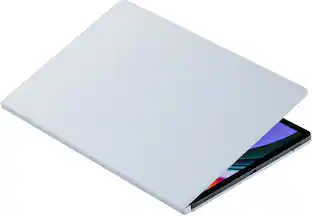
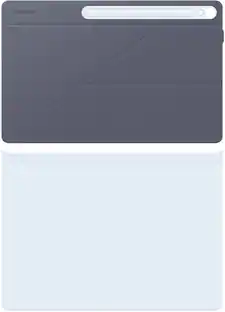
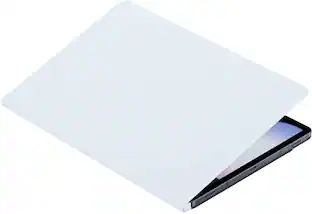
Samsung - Galaxy Tab S10+/S9+/S9 FE+ Smart Book Cover - White

Protect your Galaxy Tab S10+/S9+/S9 FE+ with a cover that's both versatile and stylish. Not only does it help protect from everyday wear and tear, but it also features an easily detachable platform that allows for quick transitions between portrait and landscape modes, providing an unparalleled viewing experience.

Pros for Samsung - Galaxy Tab S10+/S9+/S9 FE+ Book Cover Keyboard - White
There were no pros for this productOverall Performance, Protection, Ease of Use, Keyboard, Battery LifeOverall Performance, Fit, Portability, Screen Quality, DesignFit, Protection, Build Quality, Stand, Material
Cons for Samsung - Galaxy Tab S10+/S9+/S9 FE+ Book Cover Keyboard - White
There were no cons for this productThere were no cons for this productViewing AnglePrice, Magnet Strength, Attachment, Kickstand, Weight

Specs

Questions & Answers
  • Can the keyboard be used wirelessly?

    This keyboard does not offer wireless functionality.

    This question and answer was generated by AI based on customer and product data.
  • What is the weight of the keyboard?

    The product weight is 18.06 ounces.

    This question and answer was generated by AI based on customer and product data.
  • How many keys does the keyboard have?

    The keyboard has 82 keys.

    This question and answer was generated by AI based on customer and product data.
  • Is the keyboard illuminated?

    The keyboard is not illuminated.

    This question and answer was generated by AI based on customer and product data.
  • What is the warranty period for the keyboard?

    The keyboard comes with a one-year warranty for parts and labor.

    This question and answer was generated by AI based on customer and product data.
Ask a question
No content
Sponsored

Finance Options

My Best Buy® Credit Card
Choose a benefit:Or
Buy Now, Pay Later
Lease to own

Finance Options

My Best Buy® Credit Card
Choose a benefit:Or
Buy Now, Pay Later
Lease to own