Questions & Answers
- Model:
- SDMX28-016G-A46B
- |
- SKU:
- 5508201
Q: QuestionI have the Clip Sport for 8 GB. Unfortunately, what I wanted is not offered on this device, which is the choice to listen to music by GENRE. The 8 GB (version 1.3) only has Artist and Album. Does this one have the GENRE option? Thanks
Asked by 8GBbuyer.
- A:Answer I believe the easiest way to get in a genre to be find-able on the clip, is to create your a playlist with named genre list on your computer,, perhaps with WMP, then and copy/paste or drag/drop that list in to albums or songs file, whichever you find easiest.. You also maybe able to add a genre folder directly on to your player, by simply adding it into the menu on your player where it gives you the option of where to put things. For example. there is a menu that says " Songs" "Albums" "Playlist" etc, Why not put them in playlist and title them with your genre name. It should be very easy to find like that. Another possibility is that you could simply add genre names to the appropriate main menu, and then pull the the songs into your own made genre list , one at a time, These instructions always sound way more complicated than they are to do. Play with it a bit. If you make a complete mess of it all, you can always reformat the player. That will take it back to factory default, replacing all the original file names. But you will lose all data that is saved in there.
Answered by SayPlay
Q: QuestionI'm looking at this for my Aunt. She bought a new Jeep with no CD player and is NOT tech savy at all. Two questions: 1) I assume I can play this through her car stereo using 3.5mm male/male jack? 2)Will it charge while plugged into her car's USB port?
Asked by Karateauditor.
- A:Answer Yes to both. :)
Answered by mnmarathonrunner
Q: QuestionHow do you use this swimming?
Asked by DB.
This question was asked about the related product: SanDisk - Clip Sport Plus 16GB* MP3 Player - Black
- A:Answer This product is water resistant but not water proof.
Answered by CommunityAnswer
Q: QuestionCan I download audio books on this device?
Asked by DrPickle.
This question was asked about the related product: SanDisk - Clip Sport Plus 16GB* MP3 Player - Black
- A:Answer yes
Answered by Anonymous
Q: Questioncan you use OverDrive MP3 Audiobook on this
Asked by Lane.
This question was asked about the related product: SanDisk - Clip Sport Plus 16GB* MP3 Player - Black
- A:Answer Absolutely. I do it all the time. [1] Use the library website to download the MP3 audiobook to your computer. [2] Connect the SanDisk to your computer which popups up a browser window. Double click on the folder "audiobooks" . Create a new folder in "audiobooks" which is the name of your new downloaded audiobook. [3] In the OverDrive screen, select the audiobook you wish to download. Then select "TRANSFER". In the OverDrive Transfer Wizard TRANSFER screen, click "NEXT", and then click "ADVANCED OPTIONS...". Here you'll see "Player folder: \" which would save the audiobook into the root directory of your SanDisk player, WHICH DOESN'T WORK! You must click "BROWSE", then click "Audiobooks" and lastly select the name of the folder you created in step [2] above Click OK. Click OK in the Advanced Options window. Click "Next>" in the OverDrive Transfer Wizard. Watch the book download into the proper directory ("AudioBooks") on your SanDisk. Click FINISH. [4] Close the OverDrive application (otherwise the next step won't work - Windows will complain the SanDisk is in use!). [5] Properly disconnect the SanDisk from your computer ("Safely Eject and Remove Hardware"). You'll see "Refreshing Media" on the SanDisk screen. [6] Select an audiobook to play. Use the "|<<" or ">>|" keys to move to the "Books" window. Press the center button to see "Audiobooks". Press the center button again to see "Audible" and your list of MP3 audiobooks. Use the ">||" or down button to scroll to the book you want. Press the center button again to select that book. Press the center button again to start that book. [6] At this point, you know it works, so you can restart OverDrive to "DELETE" the book to return it to your library. However, the book remains on your SanDisk so you can take as long as you wish to listen to it. I find that only 10 audiobooks and "Unknown Album" can show at one time even though I have 15 audiobooks downloaded. I suspect that as I delete audiobook folders from the SanDisk the others will eventually show up.
Answered by GBike
Q: QuestionDoes unit work with Bluetooth in auto?
Asked by TG.
This question was asked about the related product: SanDisk - Clip Sport Plus 16GB* MP3 Player - Black
- A:Answer Yes, if your car stereo system has Bluetooth support. My wife has to constantly keep pairing it to her car every time she wants to use it though. She says it's not worth it, and just uses and Aux cord. It doesn't seem to be the radio at fault, as her phone pairs to the radio effortlessly every time.
Answered by Warren
Q: QuestionHow I turn this on and off?
Asked by Suz.
This question was asked about the related product: SanDisk - Clip Sport Plus 16GB* MP3 Player - Black
- A:Answer Press and hold the center button (the one in the middle of all the arrows)
Answered by Skipalso
Q: QuestionI would like to download MP3 teachings from my computer. Will this work for that?
Asked by LOLO.
This question was asked about the related product: SanDisk - Clip Sport Plus 16GB* MP3 Player - Black
- A:Answer Yes, the main way to load the MP3 with content is to copy files to it like you would a USB stick. A micro USB cable connects the MP3 player to your PC.
Answered by rmj05
Q: QuestionCan you get podcast to play on it?
Asked by Anonymous.
This question was asked about the related product: SanDisk - Clip Sport Plus 16GB* MP3 Player - Black
- A:Answer Yes, I did play a podcast but then cleared that folder. We use the player for audio books only. Make sure to get the firmware update to version 2.02 from the San Disk website for better compatibility.
Answered by BiggG
Q: QuestionApproximately how many songs will this hold recorded at bit rate 320kbps? Will this play through a bluetooth car stereo?
Asked by BC.
This question was asked about the related product: SanDisk - Clip Sport Plus 16GB* MP3 Player - Black
- A:Answer 4000 and yes
Answered by klj33
Q: QuestionDoes this work with Spotify?
Asked by Spotify.
This question was asked about the related product: SanDisk - Clip Sport Plus 16GB* MP3 Player - Black
- A:Answer No, it doesn't work with Spotify.
Answered by CommunityAnswer
Q: QuestionIs this compatible with iTunes? I previously bought an mp3 player off Amazon that would not load iTunes music.
Asked by iTunes.
- A:Answer What I usually do is transfer the files from my iTunes library to an SD card. Very simple way of doing it. It won’t sync to iTunes like an iPod.
Answered by Gollum
Q: QuestionCan I upload songs to device through iTunes
Asked by Jill.
This question was asked about the related product: SanDisk - Clip Sport Plus 16GB* MP3 Player - Black
- A:Answer Yes, iTunes is what we use.
Answered by EricK
Q: QuestionIs this compatible with Windows 10?
Asked by Mill1966.
This question was asked about the related product: SanDisk - Clip Sport Plus 16GB* MP3 Player - Black
- A:Answer Yes
Answered by Surferguy97
Q: QuestionIs this compatible with iTunes?
Asked by Jerry.
This question was asked about the related product: SanDisk - Clip Sport Plus 16GB* MP3 Player - Black
- A:Answer Yes, this unit is compatible with iTunes.
Answered by CommunityAnswer
Q: QuestionHow do you turn on the sleep mode? I haven't been able to get mine to turn off.
Asked by Ace.
This question was asked about the related product: SanDisk - Clip Sport Plus 16GB* MP3 Player - Black
- A:Answer Just push and hold the center key about 5 seconds for turn off/on
Answered by Mila
Q: QuestionWhen I push the menu button I only get the following: Add to Go list, Play via bluetooth, shuffle, music eq, etc. When I used it the first time I was able to get to other menu items. What the heck am I doing wrong?
Asked by oldguy.
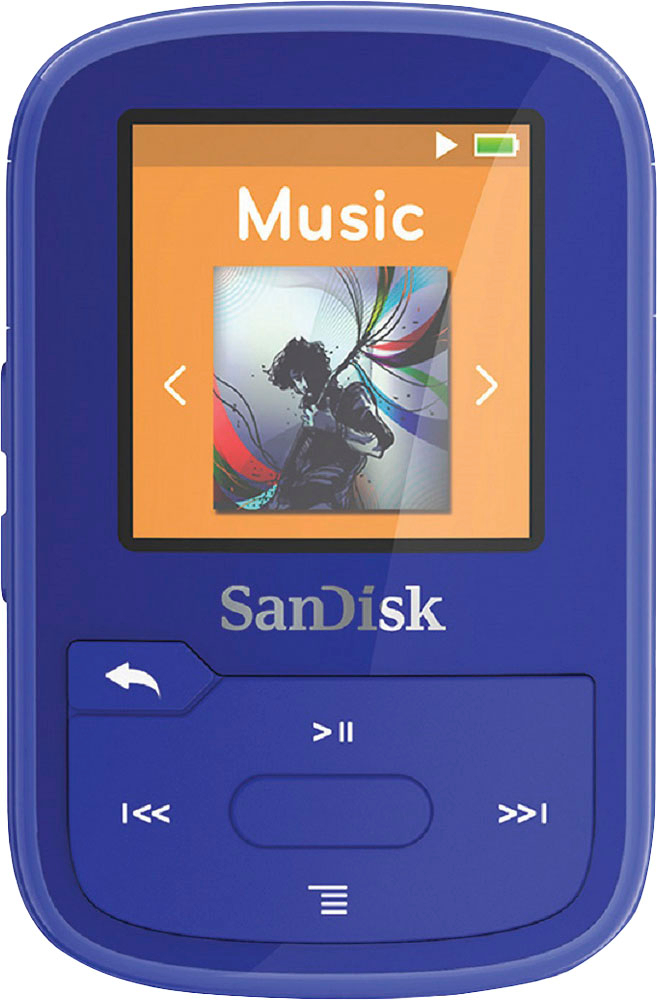
- A:Answer You're pressing the arrow down button while a song is playing... Go to the main yellow MUSIC program... right where it says MUSIC, press the center (enter) button... there are more options there.
Answered by Ginger
Q: QuestionCan the file transfer and playlist setup, as described in the first question/answer listed, be done with a Chromebook?
Asked by GeorgeGLS.
This question was asked about the related product: SanDisk - Clip Sport Plus 16GB* MP3 Player - Black
- A:Answer Transferring files from a Chromebook should work as long as you are using supported audio formats, you can copy and paste music from opened files on your computer.
Answered by CommunityAnswer
Q: QuestionHi, I just got a new car with blue tooth and no CD player. I was looking for something I can connect to my car and play my mp3's. Will this work? Thank You!
Asked by meee.
This question was asked about the related product: SanDisk - Clip Sport Plus 16GB* MP3 Player - Black
- A:Answer Yes it will work. I have a rav4 and I play music from my player by connecting to my car through bluetooth. It works just fine.
Answered by TheEdge
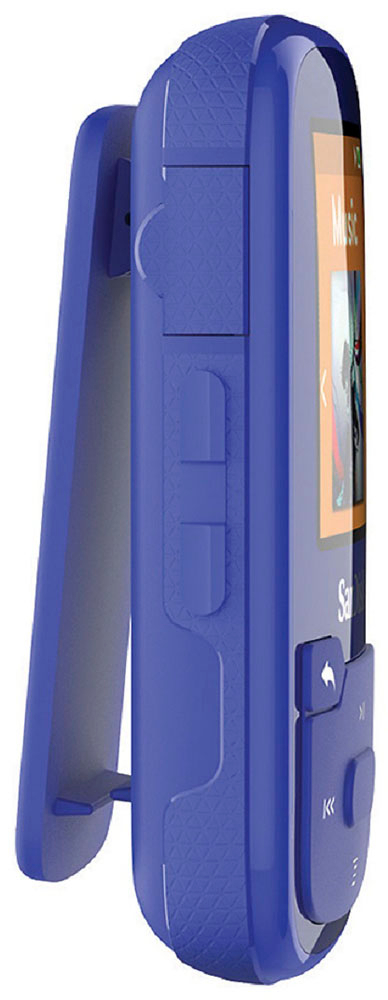
Q: QuestionCan the clip be removed if desired (to keep the player in a shirt pocket)?
Asked by jcw72.
This question was asked about the related product: SanDisk - Clip Sport Plus 16GB* MP3 Player - Black
- A:Answer The clip does not appear to be removable but it is very low profile - shirt pockets should be no issue
Answered by MikeM
Top Rated
- $329.99$329.99The price was $469.99
- $299.99$299.99The price was $349.99
- $139.99$139.99The price was $149.99
- $149.00$149.00The price was $399.00
- $59.99$59.99The price was $99.00
- $279.99$279.99The price was $329.99