1-2 of 2 Answers
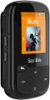
You transfer music through your PC or Laptop. When connected the SanDisk player becomes an additional hard drive. Merely connect to the computer from which you wish to transfer music. The computer will recognize it as a new drive in the File Manager, titled Sport Plus(drive letter). Drag and drop your music from the folder containing the music to the Music folder of the Sport Plus drive and that’s it.
Sorry, there was a problem. Please try again later.I just connect it to my computer and drag and drop the files.
Sorry, there was a problem. Please try again later.


