“I downloaded music to my computer from cd but am not able to copy the music to SanDisk Cruzer 16gb. How do I download?”
Answer This Question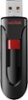
1-6 of 6 Answers
highlight music on you computer file you want to copy to flash drive. Hold down left button on mouse and drag into flashdrive in the usb port it's plugged into..
Sorry, there was a problem. Please try again later.Make sure you formatted the drive as fat 32 you would be able to copy mp3 files to it from a Mac or pc
Sorry, there was a problem. Please try again later.Plug the 16GB flash drive in a USB slot, Next open Windows Media Player, if thats what you ripped the cd to. Click on the "Burn" tab of the Media Player. On the right side it should show the default location to burn. Click on it to change to "D" or E- wherever your USB stick is. (you can check by going into file explorer). Pull what you want to burn into the right pane where it says burn list. Then click the Burn icon and when finished, it should all be on your USB 16gb flash drive.
Sorry, there was a problem. Please try again later.When u install the USB stick to your computer, go to windows media. When your USB shows up go to sync on your media player ,go in your library fine the music ( right click or drag to sync list the music should show up. Then press start and it should start copying.
Sorry, there was a problem. Please try again later.You should be able to send the music to the flash drive once it’s done being copied to your pc. Go to your pc and click on music or wherever you downloaded the cd to and you should be able to copy the cd/music to the flash drive.
Sorry, there was a problem. Please try again later.Try reformatting the drive
Sorry, there was a problem. Please try again later.