1-1 of 1 Answer
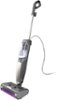
To disable the steam feature on this unit, you need to set it to standby mode by positioning the handle upright. Once the unit is upright, the steam production will stop. For safety, it is also recommended to unplug the unit when you are finished using it. Additionally, the Shark Steam Pickup offers 2 unique Steam Control settings so that you can select the ideal amount of steam to use for each cleaning task. Use NORMAL mode for everyday basic cleaning, ideal for large and moderately dirty areas. Use LIGHT mode for less steam, ideal for delicate surfaces and a light clean.
Sorry, there was a problem. Please try again later.