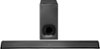
“Not getting image when I connect soundbar with tv using HDMI I am trying to connect the Sony HTCT380 soundbar that I purchased 2 days ago to my TV LG 47LH30. I used the HDMI cable to connect soundbar to HDMI 1 and took the cable from HDMI1 and attached it to one of the 3 ports on the soundbar. Also took the HDMI2 cable and attached it to the soundbar but I am not able to get any image. TV just shows No Signal. What am I doing wrong?”
Answer This Question
1-6 of 6 Answers
Hi Viji, You must connect the HDMI cable from the HDMI ARC port of the soundbar to the HDMI IN port of your TV, and connect an additional optical cable from the optical out of your TV to the optical in of this soundbar (since your TV doesn't have ARC). Make sure to select the correct input on your TV. -Anthony
Sorry, there was a problem. Please try again later.what is your vieo signal source for the TV and how is it connected?
Sorry, there was a problem. Please try again later.Similar issues here trying to pass thru DirecTV and I was told by DirecTV that it is an HDMI compatibility issue (basically a legal thing). They sent out a new box, which sort of helped, but mostly I have to mess with it to get it to play thru from time to time when I turn it on. The BluRay player works - no problem. So if your issue is DirecTV (or similar), maybe give them a call and see if you get the same answer I got - and maybe they (the service provider) can help you.
Sorry, there was a problem. Please try again later.Try connecting the optical as well with the hdmi and select hdmi option on the sony soundbar try this
Sorry, there was a problem. Please try again later.It will only take the ARC HDMI input from the TV to the sound bar. No other HDMI inputs will work with the system. The fiber optic cable worked, but only with the TV selected to internal speakers and then the sub-woofer didn’t work. I'm taking mine back to exchange for something else.
Sorry, there was a problem. Please try again later.I got the Sony HTCT380 soundbar to work by connecting the optical audio cable in my soundbar to my TV LG 47LH30. Just this was enough to get the sound on the soundbar. The input needs to be set to TV as opposed to HDMI1, 2 or 3 and with this, my cablebox, roku and apple tv connected to my TV uses the soundbar! No need for HDMI cable connection from soundbar to TV, just the optical audio cable that came with the soundbar.
I would recommend:
Sorry, there was a problem. Please try again later.