Questions & Answers
- Model:
- K55S30
- |
- SKU:
- 6578581
Q: Questionis the tv set up for headphones?
Asked by Anonymous.
- A:Answer Hi there, Thank you for your question! Yes, the BRAVIA 3 (S30) TV supports headphones. You can connect various Bluetooth headphones and other audio devices like Neckband Speakers and Soundbars to this model. For more details on compatible devices and setup instructions, please visit: https://www.sony.com/electronics/support/articles/00049501?utm_source. Hope this information helps! Experience 4K HDR color and the user-friendly streaming of Google TV with the BRAVIA 3 K55S30 55" 4K HDR Smart LED TV from Sony. The K55S30 combines HDR color support and Sony's intelligent picture processing to analyze and enhance every scene with accurate, lifelike color. Connect HD and UHD devices via HDMI 2.1 inputs with advanced features like ALLM and eARC. For streaming, the built-in Google TV OS provides a plethora of apps and options with your favorites and frequently watched shows brought together in one convenient home screen. Best, Maria

Answered by SonyListens

Q: QuestionWhat are the dimensions of the TV in the box?
Asked by Riley.
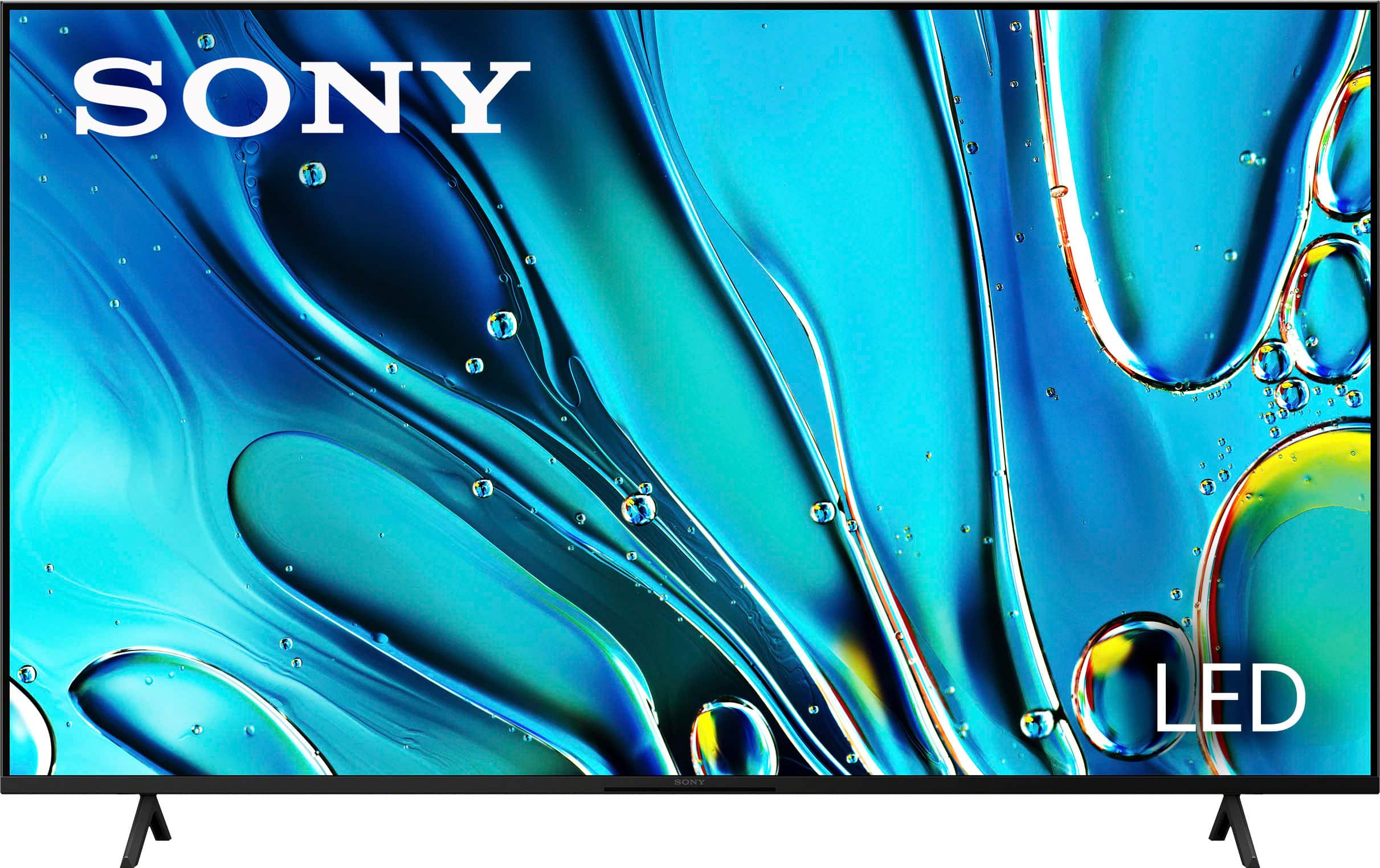
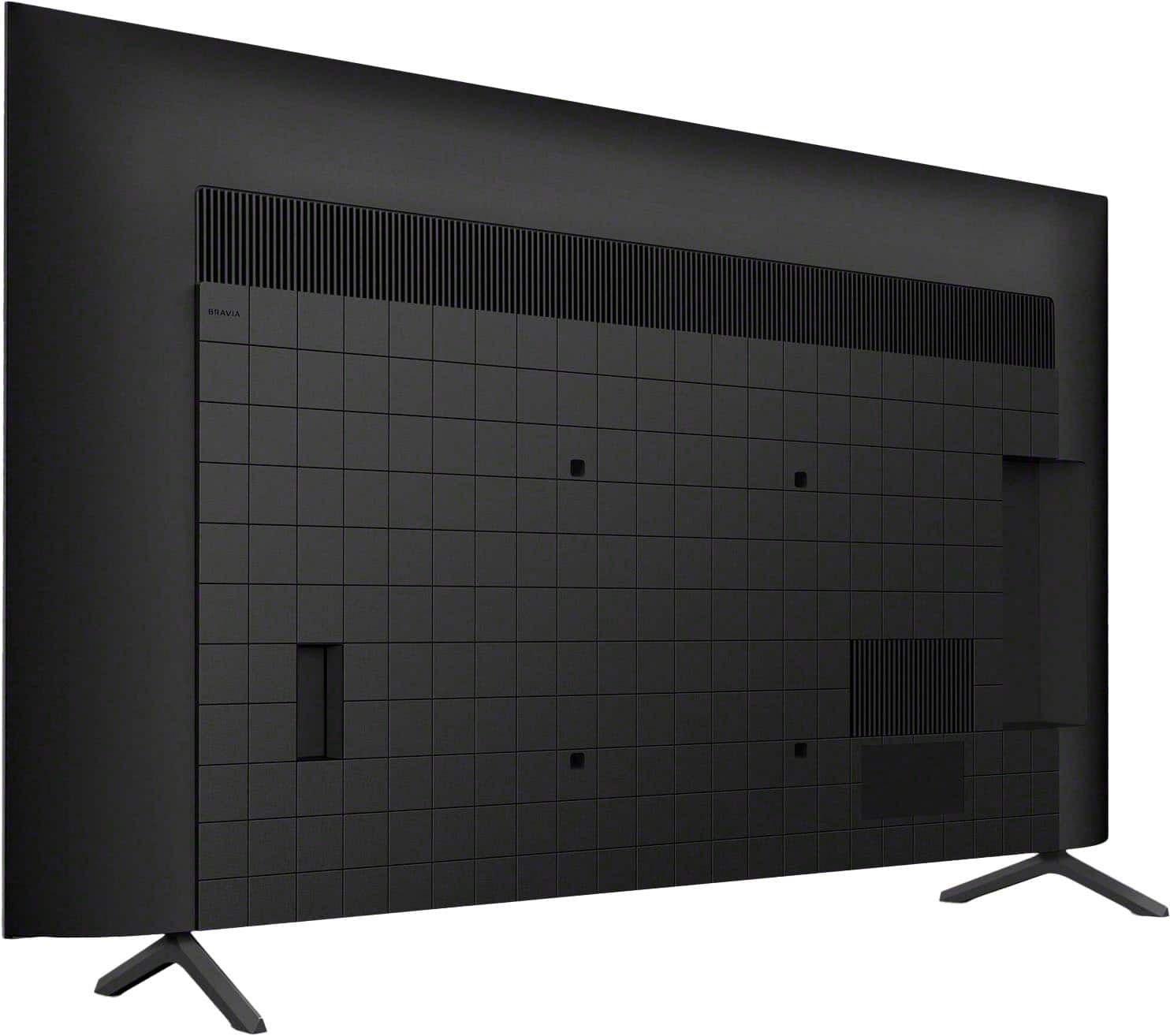
- A:Answer Hi Riley, Thank you for reaching out with your question! If you are referring to the dimensions of the package carton (W x H x D), they are as follows: 53.63 x 33.38 x 6.38 inches (1,362 x 847 x 160 mm). Alternatively, if you are interested in the dimensions of the BRAVIA 3 TV in the 55-inch model, here are the details: Dimensions of the TV without Stand (W x H x D): 48.54 x 28.07 x 2.83 inches (1,233 x 713 x 72 mm) Dimensions of the TV with Stand (Standard Position) (W x H x D): 48.63 x 30.88 x 13.25 inches (1,233 x 784 x 334 mm) Hope this information helps! Our BRAVIA 3 Smart Google TV is exceptionally easy to use with a variety of all-in-one smart features for stress-free viewing. With a large screen, detailed pictures full of color and dynamic sound, everything you love feels so much more exciting! Best regards, Maria
Answered by SonyListens

Q: QuestionIs this TV dual voltage 110-240v?
Asked by JR.
- A:Answer Hi JR, Thanks for your question! Sony TV models purchased in the US/Canada has a power requirement of 120 V AC, 60 Hz and 110-240 V AC, 50/60Hz for other countries. Hope this information helps! Get detailed, responsive game play with BRAVIA TV exclusive features for the PlayStation 5 console. Auto HDR Tone Mapping instantly optimizes HDR settings during your PS5 initial setup for detailed, high-contrast scenes. Auto Genre Picture Mode automatically switches the TV to Game Mode when gaming to ensure reduced input lag, and back to Standard Mode when streaming for optimized picture quality. Best regards, Maria
Answered by SonyListens

Q: Questionwill this Sony operate all Direct TV functions with a Direct TV remote control?
Asked by Martyb3.
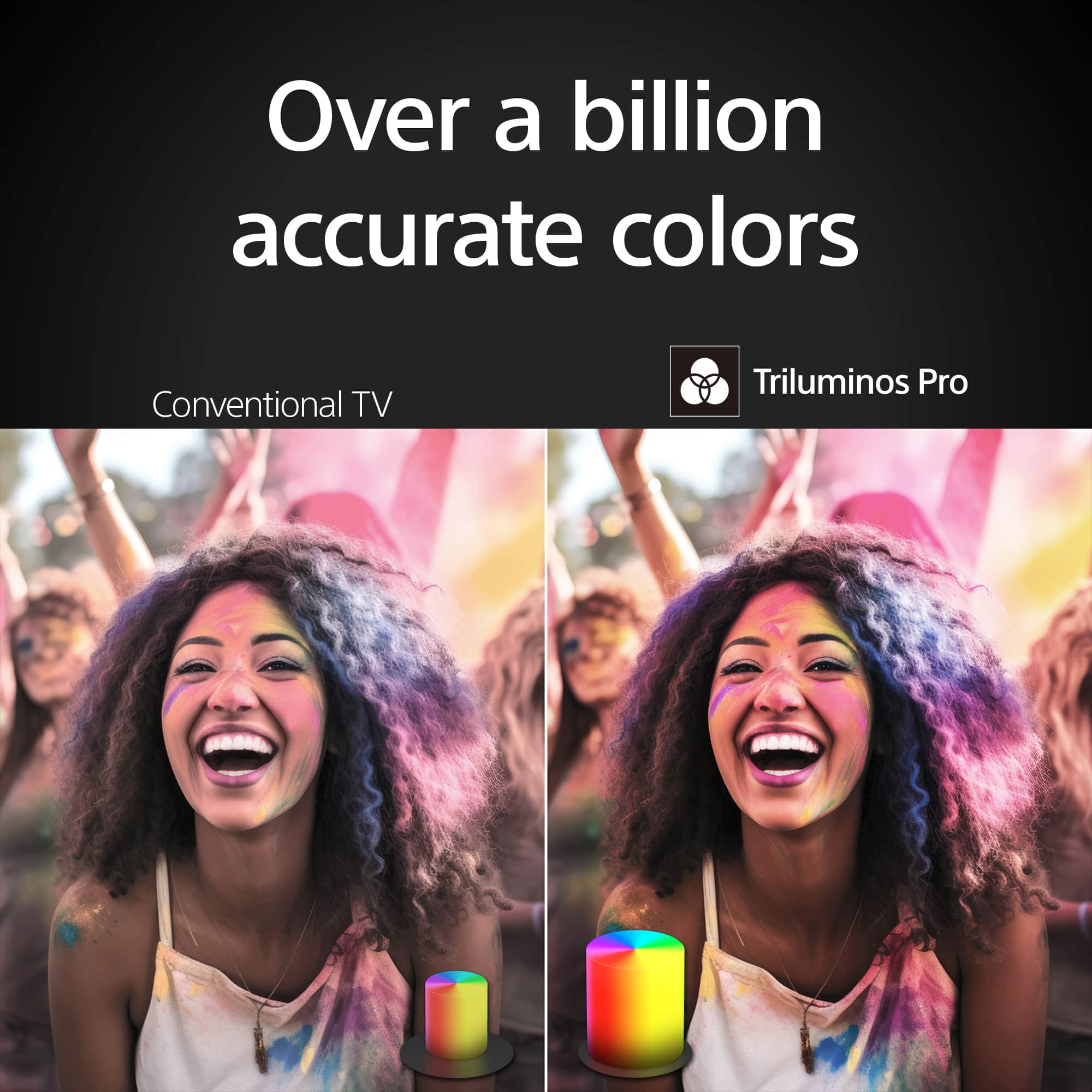
- A:Answer Hi Martyb3, Thank you for your question. Sony TV can support functionality with a Direct TV remote control, but the level of functionality might vary. According to Sony's product support, many Sony BRAVIA models can be controlled using a Direct TV remote control if they are compatible with the IR Blaster function. This includes basic functionalities like switching channels and adjusting volume. However, it's important to note that depending on the specific model of the TV and the remote, some functions may not work, and compatibility can change without notice. For further information, you may find this link helpful: https://www.sony.com/electronics/support/articles/00250471?utm_source If you face issues, it's recommended to contact Direct TV support for guidance. Watch everything with lifelike picture quality, powered by the intelligent 4K HDR Processor X1. Every scene is dynamically enhanced with over a billion colors and excellent clarity and contrast. Triluminos Pro reproduces colors with enhanced saturation and hue so everything you watch is vivid and bright. Best regards, Maria


Answered by SonyListens

Q: QuestionWhat is the height of the TV with the stand?
Asked by Clipper.
- A:Answer Hi Clipper, Thank you for your inquiry! The height of the Sony BRAVIA 3 with the TV stand is approximately 30.88 in. (784 mm). Watch everything with lifelike picture quality, powered by the intelligent 4K HDR Processor X1. Every scene is dynamically enhanced with over a billion colors and excellent clarity and contrast. Triluminos Pro reproduces colors with enhanced saturation and hue so everything you watch is vivid and bright. Regards, Sam
Answered by SonyListens

Q: QuestionHi! I'm looking for 220V TVs
Asked by Roberto.
- A:Answer Hi Roberto, Thank you so much for your question. Sony TV models purchased in the US/Canada has a power requirement of 120 V AC, 60 Hz and 110-240 V AC, 50/60Hz for other countries. You may need a transformer/power converter to safely use this TV in a 220 V outlet. Hope this information helps! Watch everything with lifelike picture quality, powered by the intelligent 4K HDR Processor X1. Every scene is dynamically enhanced with over a billion colors and excellent clarity and contrast. Triluminos Pro reproduces colors with enhanced saturation and hue so everything you watch is vivid and bright. Best regards, Maria
Answered by SonyListens

Q: QuestionWill Best Buy remove and dispose of old tv at time of installation of new tv? If so, what is the cost?
Asked by Mrjincks.
- A:Answer Extra $50
Answered by Debilew
Q: QuestionWill the Bluetooth system in the tv transmit in stereo?
Asked by tvnerd.
- A:Answer Hi tvnerd, Thank you for your question! Yes, the built-in Bluetooth function in the Sony BRAVIA 3 TV will transmit in stereo. This means you can connect compatible Bluetooth headphones, speakers, or soundbars to the TV and enjoy stereo sound. Hope this helps! The Sony BRAVIA 3 combines HDR color support and Sony's intelligent picture processing to analyze and enhance every scene with accurate, lifelike color. Connect HD and UHD devices via HDMI 2.1 inputs with advanced features like ALLM and eARC. For streaming, the built-in Google TV OS provides a plethora of apps and options with your favorites and frequently watched shows brought together in one convenient home screen. Regards, Sam

Answered by SonyListens

Q: QuestionIs this tv compatible with the Sony theater system DAV-DZ175? I've tried to connect it to the tv with an HDMI to HDMI cable, but I'm not able to receive any audio? Thx
Asked by Robert.
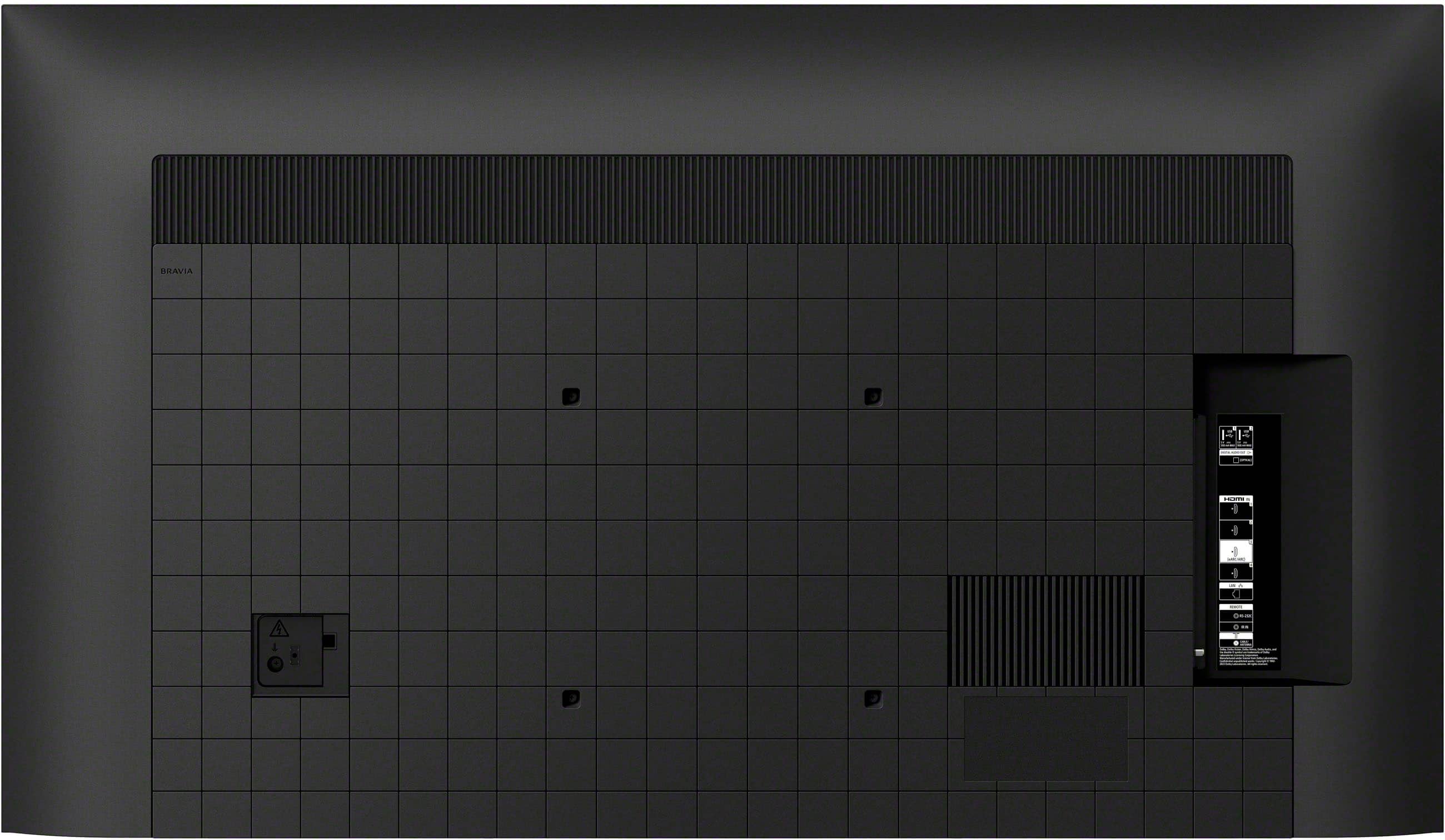
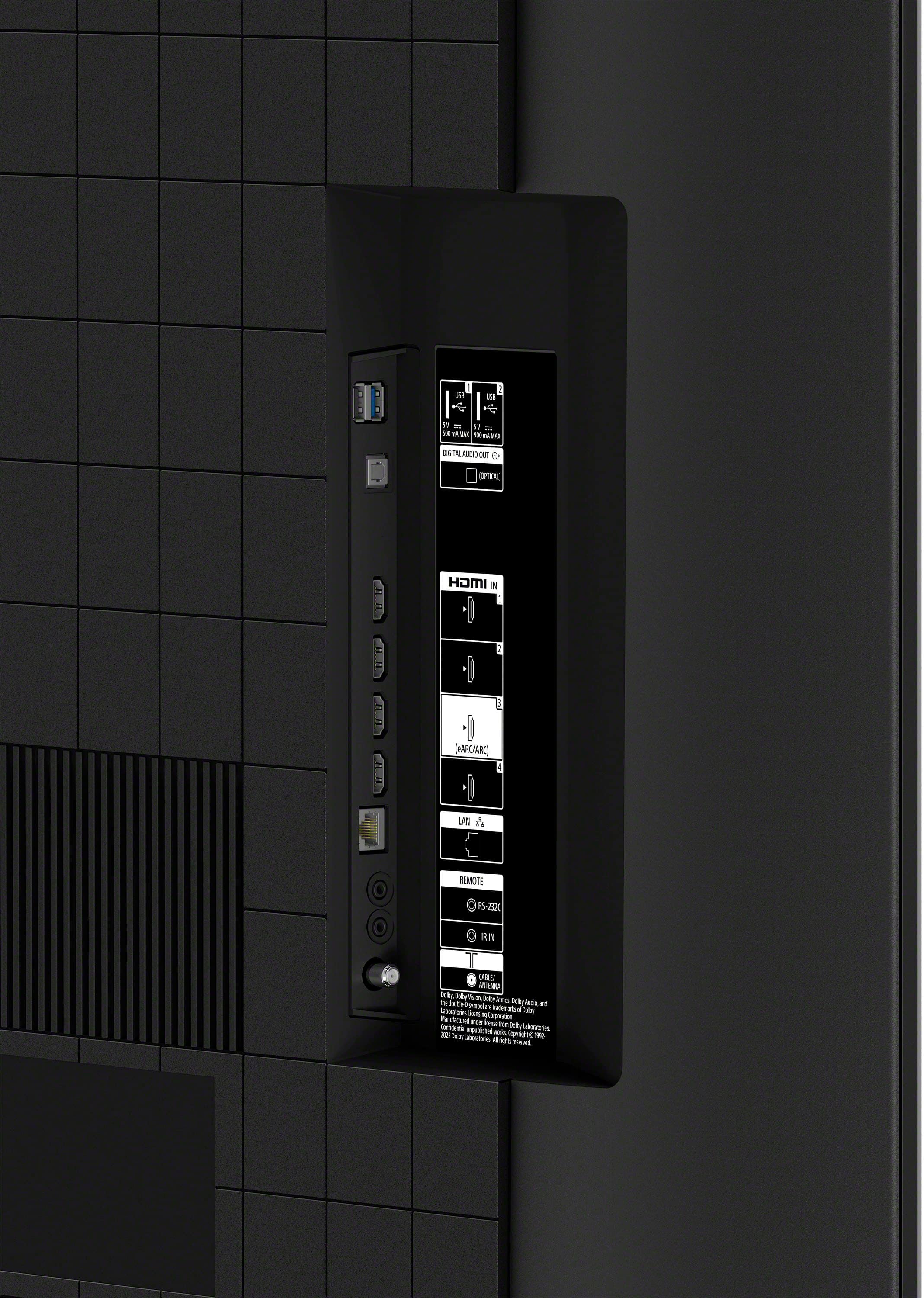
- A:Answer Hi Robert, Thank you for reaching out to us with your concerns. We regret to hear that you are experiencing connection issues with your Sony BRAVIA 3 TV and DAV-DZ175 home theater system. Please note that the DAV-DZ175 home theater system does not support Audio Return Channel (ARC) technology. If you are connecting a system that is incompatible with Control for HDMI or ARC, you will need an additional audio connection, such as an HDMI and Optical Audio cable. For guidance on connecting your BRAVIA TV to your home theater system via HDMI, please visit the following link: https://www.sony.com/electronics/support/articles/00231669. If you need further assistance or have additional concerns, may we contact you directly? If so, please email the following information to [email protected]. Apologies if you've already shared this information with customer service — we just want to ensure we have your most accurate details: Full Name: Username: Telephone Number: Additional Information regarding your experience with the BRAVIA 3. Thank you for your understanding! We hope this helps you get back to enjoying your BRAVIA experience! Sincerely, Maria


Answered by SonyListens

Q: QuestionWhen the tv is off, can we choose a picture or scene to show on the screen as if it’s a framed picture
Asked by Otonel.
- A:Answer Hi Otonel, The BRAVIA 3 TV is unable to display images when it is powered off. However, it does have the ability to showcase pictures as a screensaver while in standby mode. This can be achieved using the Living Decor app, which allows you to turn your TV into an elegant interior accessory featuring sophisticated images, music themes, photos, and clock functions. Additionally, by connecting the app to Google Photos™, you can display your personal photos on the TV. Hope this information helps! Get detailed, responsive game play with BRAVIA TV exclusive features for the PlayStation 5 console. Auto HDR Tone Mapping instantly optimizes HDR settings during your PS5 initial setup for detailed, high-contrast scenes. Auto Genre Picture Mode automatically switches the TV to Game Mode when gaming to ensure reduced input lag, and back to Standard Mode when streaming for optimized picture quality. Best regards, Maria
Answered by SonyListens

Q: QuestionMy daughter is trying to attach a Wii game system to the TV and doesn't see the right connection. How does one play Wii on this TV?
Asked by TXGma.
- A:Answer Hi TXGma, Thank you for reaching out to us with your concern! The Sony BRAVIA 3 primarily supports HDMI connections. If your device is compatible with HDMI, you should be able to connect it to the TV without any issues. Hope this information helps! If you need further assistance or have additional concerns, may we contact you directly? If so, please email the following information to [email protected]. Apologies if you've already shared this information with customer service — we just want to ensure we have your most accurate details: Full Name: Username: Telephone Number: Additional Information regarding your experience with the BRAVIA 3. Thank you for your patience, and we look forward to resolving this issue promptly! Sincerely, Maria
Answered by SonyListens

Q: Questionmy new Denon AVR-S970H receiver has option of 8k or 4k HDMI ports that get connected to tv... So should i use 4k port on receiver since this tv is rated 4k
Asked by Carl05.
- A:Answer Hi Carl05, Thank you for reaching us with your concern! Yes, you should use the 4K HDMI port on your receiver since your Sony BRAVIA 3 is rated for 4K. The 4K HDMI port will be sufficient to handle the resolution and features of your BRAVIA 3 TV, ensuring optimal performance and compatibility. Hope this information helps! Get detailed, responsive game play with BRAVIA TV exclusive features for the PlayStation 5 console. Auto HDR Tone Mapping instantly optimizes HDR settings during your PS5 initial setup for detailed, high-contrast scenes. Auto Genre Picture Mode automatically switches the TV to Game Mode when gaming to ensure reduced input lag, and back to Standard Mode when streaming for optimized picture quality. Best regards, Maria
Answered by SonyListens

Q: QuestionHi, I'm trying to setup my VCR to play, but the TV won't recognize it and play videos. How can I get this TV to recognize a VCR? I have an RCA to HDMI cable on board, but I get nothing.
Asked by VCR.
- A:Answer Hi VCR, Thank you for reaching out to us with your concern. We're sorry to hear that you are experiencing connection issues with your Sony BRAVIA 3 TV. This is not the experience we expect you to have, and we want to help make this a better experience for you. To start, a power reset or restart of the TV is a recommended troubleshooting step that resolves many temporary issues. If a power reset or restart has already been performed, please verify which HDMI input the source device is connected to on the TV. On the supplied TV remote control, press the INPUT button repeatedly until it shows the correct HDMI input where the source device is connected. For more detailed information regarding no picture when using an HDMI connection, you may find this link helpful: https://www.sony.com/electronics/support/articles/00030375?utm_source Please note that we do not guarantee functionality for RCA to HDMI connections. You may check this link for hookup methods and general procedures on how to establish connections on your TV: https://www.sony.com/electronics/support/televisions-projectors-oled-tvs-android-/k-55s30/articles/00231150 Hope this information helps! If you need further assistance or have additional concerns, may we contact you directly? If so, please email the following information to [email protected]. Apologies if you've already shared this information with customer service — we just want to ensure we have your most accurate details: Full Name: Best Buy Username: Telephone Number: Additional Information regarding your experience with the BRAVIA 3. Thank you for your patience, and we look forward to improving your experience! Sincerely, Maria
Answered by SonyListens

Q: QuestionCan you stream Directv with this tv not having to use a firestick or other add on?
Asked by DaveLee.
- A:Answer IDK never tryed but should be easy
Answered by Colahab
Q: QuestionDoes the 55” Sony have Blu-ray
Asked by Anonymous.
- A:Answer Hi there, Thank you for your interest in the Sony BRAVIA 3. If you're asking whether the Sony BRAVIA 3 TV is compatible with Blu-ray players, the answer is yes. You can connect a Blu-ray player to the TV using an HDMI cable, which will allow you to enjoy high-definition video and audio from your Blu-ray discs. Hope this information helps! Watch everything with lifelike picture quality, powered by the intelligent 4K HDR Processor X1. Every scene is dynamically enhanced with over a billion colors and excellent clarity and contrast. Triluminos Pro reproduces colors with enhanced saturation and hue so everything you watch is vivid and bright. Best regards, Maria
Answered by SonyListens

Q: Question1) what is the actual width of the 55" Bravia? 2) what is the actual height of the 55" Bravia? 3) as to the legs that it stands on: what is the distance between the lgs AND how far are the legs from the outside width?
Asked by Steve.
- A:Answer Hi Steve, Thank you for your inquiry. BRAVIA 3 has the following dimensions: 1. Actual Width of the 55" BRAVIA 3: 48.6 inches (1,233 mm) without the stand. 2. Actual Height of the 55" BRAVIA 3: 28.07 inches (713 mm) without the stand. 3. Leg Measurements: Distance Between the Legs: 39.4 inches (998 mm). Distance from Outside Width to the Legs: Approximately 4.6 inches on each side Hope this information helps! Get detailed, responsive game play with BRAVIA TV exclusive features for the PlayStation 5 console. Auto HDR Tone Mapping instantly optimizes HDR settings during your PS5 initial setup for detailed, high-contrast scenes. Auto Genre Picture Mode automatically switches the TV to Game Mode when gaming to ensure reduced input lag, and back to Standard Mode when streaming for optimized picture quality. Best regards, Maria
Answered by SonyListens

Q: QuestionWhat is the weight of this tv?
Asked by GMAN.
- A:Answer Hi GMAN, Thank you for you interest in the BRAVIA 3. The weight of the Sony 55" BRAVIA 3 TV is: 35.3 lbs (16.0 kg) without the stand, 36.0 lbs (16.3 kg) with the stand, and 48.5 lbs (22 kg) for the package carton (gross weight) Hope this information helps! See stunning 4K picture quality rich with real-world detail and texture. 4K X-Reality PRO analyzes and refines every scene using Sony's unique 4K reference database so even content filmed in HD is upscaled to near-4K resolution. Best regards, Maria
Answered by SonyListens

Q: Questionwhat is the bolt pattern on this tv?this
Asked by Butch.
- A:Answer Hi Buchi, Thank you for reaching us with your concern! If you were pertaining to the VESA Hole Pattern. for Tv wall mounts, the 55-inch BRAVIA 3 has a mounting pattern of 11.81 x 11.81 inch (300 x 300 mm). If you need further information for this, may we contact you directly? If so, please email the following information to [email protected]. Apologies if you've already shared this information with customer service — we just want to ensure we have your most accurate details: Full Name: Best Buy Username: Telephone Number: Additional Information regarding your experience with the BRAVIA 3 Hope this information helps! Experience 4K HDR color and the user-friendly streaming of Google TV with the BRAVIA 3 K55S30 55" 4K HDR Smart LED TV from Sony. The K55S30 combines HDR color support and Sony's intelligent picture processing to analyze and enhance every scene with accurate, lifelike color. Connect HD and UHD devices via HDMI 2.1 inputs with advanced features like ALLM and eARC. For streaming, the built-in Google TV OS provides a plethora of apps and options with your favorites and frequently watched shows brought together in one convenient home screen. Best regards, Maria
Answered by SonyListens

Q: QuestionWhat is the manufacturer's warranty on this tv
Asked by winnie.
- A:Answer 1 year
Answered by BeccaH
Top Rated
- $699.99Your price for this item is $699.99$1,299.99The comparable value for this item is $1,299.99
- $119.99Your price for this item is $119.99$229.99The comparable value for this item is $229.99
- Black Friday Deal$229.99Your price for this item is $229.99
- Black Friday Deal$399.99Your price for this item is $399.99
- Black Friday Deal$1,399.99Your price for this item is $1,399.99
- Black Friday Deal$499.99Your price for this item is $499.99
- Black Friday Deal$189.99Your price for this item is $189.99
- Doorbuster$899.99Your price for this item is $899.99
- Black Friday Deal$1,999.99Your price for this item is $1,999.99
- Black Friday Deal$599.99Your price for this item is $599.99
- $279.99Your price for this item is $279.99$379.99The comparable value for this item is $379.99
- Black Friday Deal$74.99Your price for this item is $74.99
- $74.99Your price for this item is $74.99$149.99The comparable value for this item is $149.99
- $479.99Your price for this item is $479.99$649.99The comparable value for this item is $649.99
- $999.99Your price for this item is $999.99$1,999.99The comparable value for this item is $1,999.99
- $899.99Your price for this item is $899.99$1,499.99The comparable value for this item is $1,499.99
- $699.99Your price for this item is $699.99$899.99The comparable value for this item is $899.99
- $587.99Your price for this item is $587.99$999.99The comparable value for this item is $999.99
- $1,079.99Your price for this item is $1,079.99$2,199.99The comparable value for this item is $2,199.99