Main Content

Questions & Answers

$249.99
Save $50
Comp. Value: $299.99
Page Showing 61-80 of 730 questions
  • QuestionIs the unit compatible with android auto ?

    Asked by Charger392.

    • Answer Hi Charger392, No, it doesn't support Android Auto. You may want to consider the XAV-AX210. Kindly refer to this link for more details: https://docs.sony.com/release//SPECS/XAVAX210_mksp.pdf ~Ralph

      Answered by SonyListens

  • QuestionDoes this receiver allow for installation of a backup camera?

    Asked by Potentialbuy.

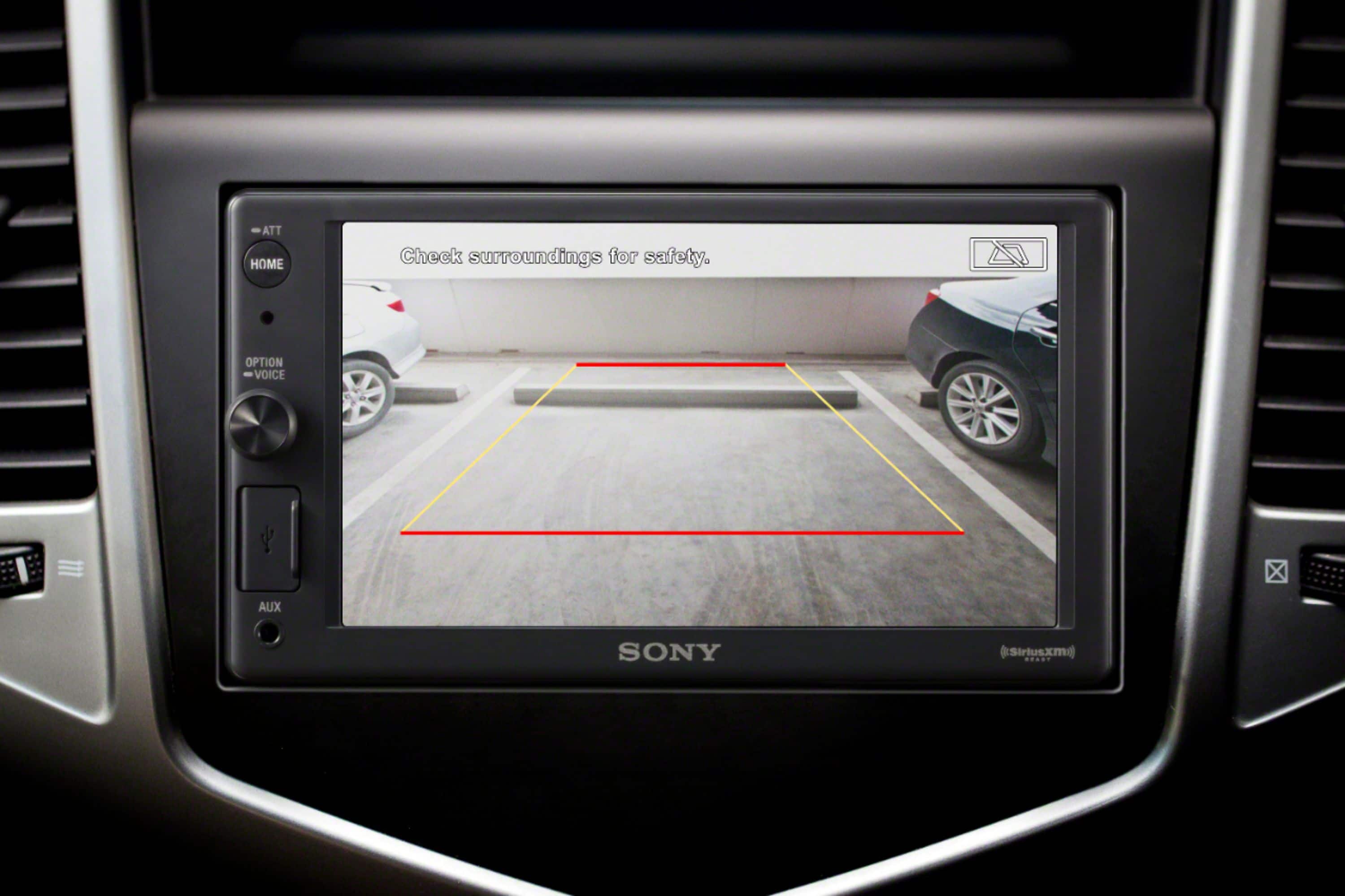
    • Answer Yes, it allows installation of a backup camera.

      Answered by CommunityAnswer

  • QuestionWhat is included in "free installation"? I recognize extras like brackets, harnesses would not be included - will they make sure each of my factor speakers are working correctly and if not will they troubleshoot the issue? Not very clear. Thank You

    Asked by Fran.

    • Answer Yes. You are correct. Free installation but you will be charged for all necessary adapters, harnesses, dash kits, etc. accordingly.

      Answered by IanB

  • QuestionDose this fit in a 2007 Jeep library?

    Asked by Lmforbes.

    • Answer Hi Lmforbes, Because of the number of variables encountered with different makes and models of automobiles, Sony is unable to assist with the installation of car stereo and mobile audio systems. However, if you are using a wiring harness, further information about the wire color and function of each pin on the wiring harness is available. Regards, David

      Answered by SonyListens

  • QuestionI just had this installed recently. It doesn't recognize my USB for my galaxy note. Is it compatible?

    Asked by Andre.

    • Answer The Sony stereo is junk, Best Buy has replaced mine twice. I now have a third one in my van and it quit working again today. I will be calling Best Buy tomorrow. To answer your question more directly, the reason they had to replace the first one is because the USB would not recognize any USB consistently. Your friend...

      Answered by Dana

  • QuestionI have a 2012 Ford Focus with a My Ford Touch system installed that I want to remove and replace with this. Will the recommended kits work with my vehicle?

    Asked by anon.

    • Answer This model does not fit your vehicle.

      Answered by CommunityAnswer

  • QuestionWhat else do i need for this installation?

    Asked by Danny.

    • Answer Hi Danny, For a proper installation of your Sony XAV-AX1000, please note that while the unit includes the basic mounting hardware and remote, you will typically need a vehicle-specific dash kit, a wiring harness, and an antenna adapter (all sold separately) to ensure a perfect fit and seamless integration with your car's electrical system. Because every vehicle is different, we recommend checking with an authorized installer or using a fitment guide to confirm the exact parts required for your specific make and model. Thanks for choosing Sony. Best regards, Eliab

      Answered by SonyListens

  • QuestionWill this fit a 2016 Jeep Wrangler ? Also will, it work with an iPhone 16 pro? I do not want an android.

    Asked by Connie.

    • Answer Hi Connie! Thanks for sending your question. Yes, the XAV-AX1000 will fit your 2016 Jeep Wrangler when used with third-party parts like a dash installation kit and wiring harness. And don’t worry, it works great with an iPhone 16 Pro. For more details, you can find the full manual at the link below. It's a great resource to keep handy if you have any other questions! https://www.sony.com/electronics/support/res/manuals/4740/de0cea3deac418e2d4780819876b2f2a/47408851M.pdf Thanks for considering Sony products! Best regards, Estefany

      Answered by SonyListens

  • QuestionIs this 2004 Mazda Miata compatible?

    Asked by Anonymous.

    • Answer Thank you for contacting Sony. The unit will work in your vehicle with specific third-party accessories like an installation kit and wiring harness. We appreciate your interest in Sony products. Should you require any further assistance, please don't hesitate to reach out for support here: https://us.esupport.sony.com/support/s/support-contact?language=en_US&category=car Best regards, Gus, Sony North America Customer Support

      Answered by SonyListens

  • QuestionIs it wireless CarPlay as well

    Asked by J.

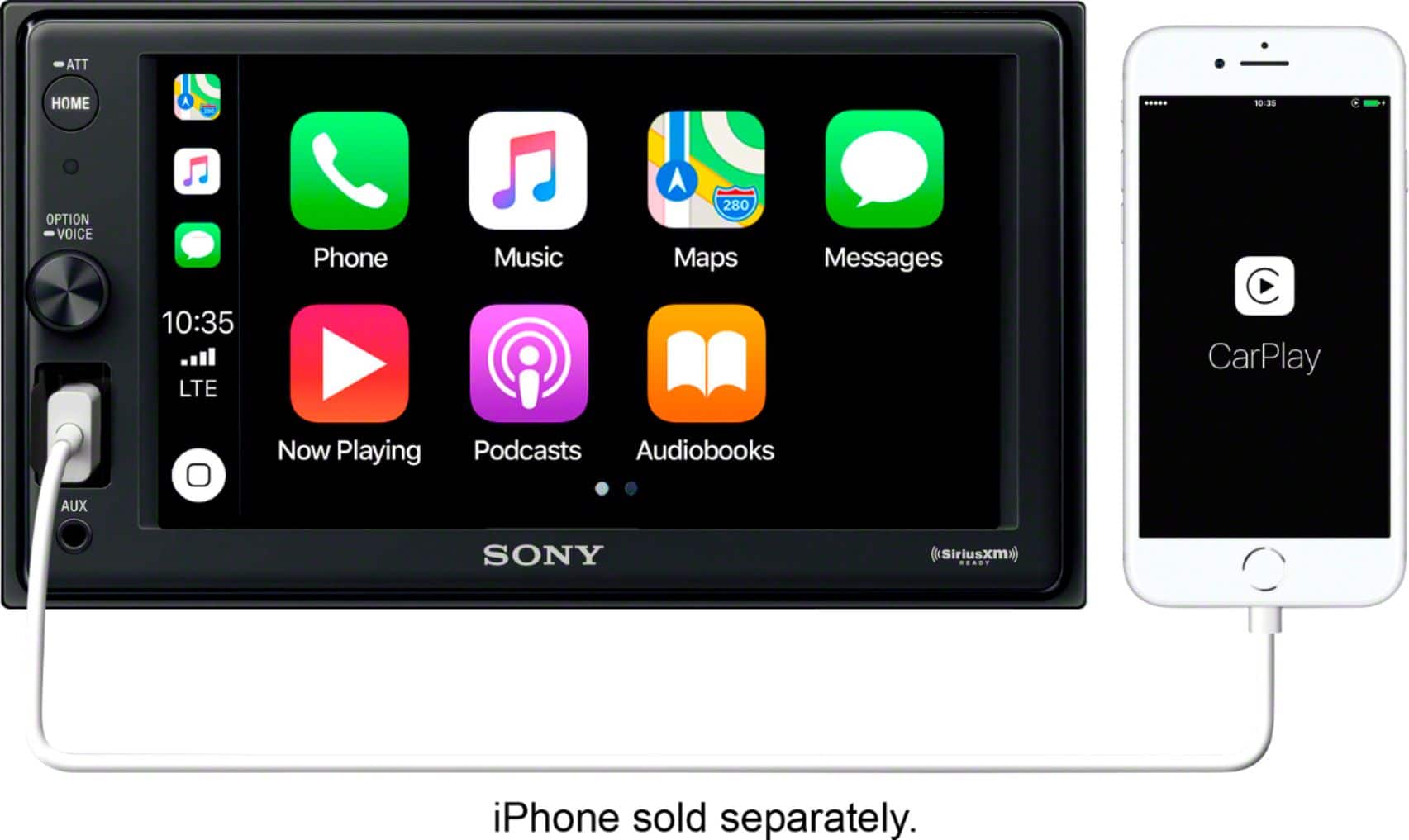
    • Answer Hi J, That’s a great question. The XAV-AX1000 supports Apple CarPlay via a wired connection using the front-facing USB port. However, if wireless connectivity is a priority for you, the Sony XAV-AX4000 is an excellent step up. It offers full Wireless CarPlay support along with a larger, vibrant touchscreen. We hope you find this information helpful, and thanks for considering Sony! Regards, Dominick

      Answered by SonyListens

  • QuestionAttachments needed for 2003 homda crv installation

    Asked by Mike.

    • Answer Hi Mike, A dashboard installation kit and wiring harness will likely be needed for the installation of the radio in this vehicle. These components ensure that the Sony XAV-AX1000 fits securely into your dash and connects properly to your vehicle's factory wiring. Thank you for considering Sony! Regards, Dominick

      Answered by SonyListens

  • QuestionIs there charging throught the USB port

    Asked by Guy.

    • Answer Hi Guy, Yes, the USB port on this receiver (model XAV-AX1000) provides a maximum supply current of 1.5A to charge your device while connected. This is designed to power your phone and maintain the battery specifically while you are using Apple CarPlay or streaming music. Thanks for choosing Sony. Best regards, Eliab

      Answered by SonyListens

  • QuestionHow to change the screensaver

    Asked by Kathlene.

    • Answer Hi Kathlene, Thank you for your question! Customizing your display is a great way to make your vehicle's interface feel like your own. To change the wallpaper on your unit, please follow these steps: Settings > Visual Settings (Visual) > Wallpaper From there, you can select your preferred image to refresh the look of your screen. If you have any other questions about navigating your system's features, we are always here to help. Thank you for choosing Sony to enhance your driving experience. Best regards, Dominick

      Answered by SonyListens

  • QuestionIs this compatible with a 2013 Toyota Prius

    Asked by Anonymous.

    • Answer Hello there, Thank you for considering Sony products! We appreciate your inquiry about the compatibility of the XAV-AX1000 with a 2013 Toyota Prius and are happy to assist you. Yes, the XAV-AX1000 is compatible with your vehicle; however, installation will require additional parts such as an installation kit and wiring harness specific to the 2013 Prius to ensure proper fit and functionality. These parts help integrate the radio seamlessly with your car’s existing systems. Best regards, -Fred

      Answered by SonyListens

  • QuestionIs the screen brightness dimmable? If so, how?

    Asked by TMilch.

    • Answer Hi TMilch, Thank you for your question! Yes, the screen on the Sony XAV-AX1000 is dimmable. To adjust this setting, please press the HOME button on the unit, then scroll to Settings > Visual Settings > Dimmer. Within this menu, you can choose from the following options: Off, Auto, On. Auto: Automatically dims the screen when you turn on your vehicle's headlights. Please note that this specific function requires the illumination control lead to be properly connected during installation. Additionally, when the dimmer is activated, you can further refine the brightness level on a scale from -5 to +5 to ensure the display is comfortable for your specific environment. We hope you find this information helpful, and thanks for considering Sony! Regards, Dominick

      Answered by SonyListens

  • QuestionDoes the apple carplay work while not plugged in?

    Asked by fibes.

    • Answer Hi Fibes, The Sony XAV-AX1000 requires a wired connection for Apple CarPlay. To use this feature, simply connect your iPhone to the USB port. If you are looking for a model that supports Wireless Apple CarPlay, we recommend exploring the XAV-AX4000. This unit allows you to connect your iPhone via Wi-Fi, keeping your device in your pocket while still providing full access to navigation, music, and messaging. We hope you find this information helpful! Thanks for considering Sony. Regards, Dominick

      Answered by SonyListens

  • QuestionDoes your IPhone need to be plugged in for CarPlay functionality or can Bluetooth be used with the CarPlay feature?

    Asked by Andrew34.

    • Answer Hello Andrew34, Thank you for considering Sony products! We appreciate your question and are here to assist you. For the XAV-AX1000 radio, your iPhone needs to be plugged in to use Apple CarPlay, as this model does not support wireless connectivity. If you prefer a cable-free setup, we highly recommend the XAV-AX4000. This model is designed with built-in Wi-Fi and Bluetooth specifically to support Wireless Apple CarPlay, providing a more seamless and convenient driving experience. For more technical specifications or installation guidance on the wireless model, you can view the manuals here: https://www.sony.com/electronics/support/mobile-cd-players-digital-media-players-xav-series/xav-ax4000/manuals Best regards, -Fred

      Answered by SonyListens

  • QuestionIs it compatible with a 2013 mitsubishi lancer?

    Asked by Olenka.

  • QuestionCan you play the tuner/radio, while plugged-in to CarPlay for maps? Or is it only one or the other?

    Asked by Anonymous.

    • Answer Hi there, We appreciate your question. We're happy to clarify that information for you! Yes, you can use the tuner/radio while plugged in to CarPlay for maps on the XAV-AX1000, it is not limited to just one or the other. When CarPlay is active (for example, using navigation), the radio can continue to play in the background. If you receive navigation prompts from CarPlay, the audio will typically "duck" (lower in volume) so you can hear the directions, but the radio remains the primary audio source unless you specifically select music or audio from CarPlay. Hopefully, that clears things up! For your convenience, you can find the unit's manual at the following link: https://www.sony.com/electronics/support/res/manuals/4740/de0cea3deac418e2d4780819876b2f2a/47408851M.pdf Thank you for making Sony part of your purchasing consideration! Best regards, Estefany
      Answered by SonyListens