“My sound bar is a Sony HT-G 700 and I’m unable to get anything but static when I try to operate this portable Bluetooth speaker to listen to my Samsung TV. Seems to pair ok. Appreciate your help. Gene W”
Answer This Question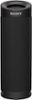
1-1 of 1 Answer
Hi Gene, It sounds like you're having some trouble getting audio through your Sony HT-G700 soundbar when trying to use it with your Samsung TV via Bluetooth. Here are a few troubleshooting steps you can try to resolve the static issue: Check Bluetooth Pairing: Ensure that the Bluetooth connection between your TV and soundbar is properly established. Sometimes, re-pairing the devices can help. Remove the soundbar from the TV's Bluetooth list and re-pair them. Update Firmware: Check if there are any firmware updates available for both your soundbar and TV. Manufacturers often release updates to fix compatibility issues and improve performance. Verify Audio Output Settings: On your Samsung TV, go to the audio settings and ensure that the audio output is set to Bluetooth or external speakers, depending on your TV model. Make sure the TV is not set to output audio to multiple devices. Adjust Soundbar Settings: Check the soundbar's settings. Some soundbars have different modes or settings that might need to be adjusted to properly work with Bluetooth audio. Refer to the soundbar’s manual for specific settings related to Bluetooth. Test with Another Device: Try connecting your soundbar to a different Bluetooth device (like a smartphone or tablet) to ensure the issue is not with the soundbar itself. This can help determine if the problem is specific to the TV. Check TV and Soundbar Compatibility: Verify that your TV and soundbar are compatible with each other. While Bluetooth is a common feature, compatibility issues can sometimes arise. Reset Devices: As a last resort, try resetting both the TV and the soundbar to their factory settings. This can help clear out any settings or issues causing the static. If you still experience problems after trying these steps, there might be a more specific issue at play. In that case, contacting Sony or Samsung support for further assistance could be beneficial. I hope this helps resolve the issue!
Sorry, there was a problem. Please try again later.