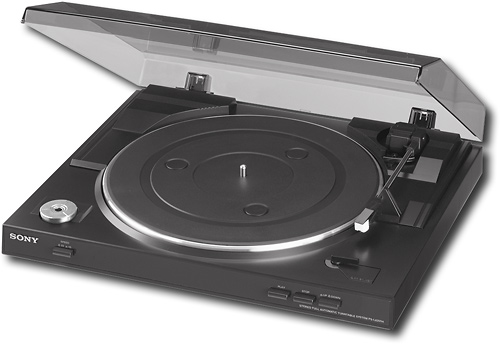
A:AnswerBack in the day when that happened to my record player I taped a penny to the top of the arm to make the arm move along as it should. If one doesn't work try 2 or try other combinations of coins. Hope it helps!
A:AnswerIt is always best to use an analog piece of equipment when listening to analog music. When it is converted to digital then you should always use the digital media as it is now a better sound.
A:Answernot certain what problem your having. I would reinstall the platter . Sounds like the aluminum platter may not be seated correctly. Pull off the belt from the brass spindle that revolves. Then reset the aluminum platter. then pull the belt back over the brass spindle.
A:AnswerThis model has a speed adjustment (the slide bar on the right of the turntable.) Sounds like someone has been playing with that. Slide the bar back to the normal setting and the records will play at the correct speed. This bar is on there for DJs to get creative with vinyl to convert to audio files.
A:AnswerNo, but you'll need to adjust your computer audio settings and instead of setting the playback audio to "2" (according to the instructions), you'll need to set it to "100" in order to hear the vinyl player playing thru your computer speakers.
A:AnswerAs long as you have audio in and out, it does. The computer will detect the item and connect them to the audio program in your computer. There is a similar product which plays vinyl, cd and cassette. I think the brand is Koss or something similar
A:AnswerYes you can. It comes with RCA plugs which plugs into the Phono jacks on your receiver. The cable is short, though so you may need an extension.