“What capacity usb drive is compatible? Could i use 128 gb stick with over 7500 songs on it? Will it shuffle said songs? Is the usb powered? Will an external drive work? Can i leave this plugged in all the time, or do i need to unplug when fully charged?”
Answer This Question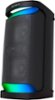
1-1 of 1 Answer
Hi DEAD, Thank you for your interest! The XP500 is compatible with USB devices formatted with the FAT (except exFAT) file system and compliant with USB Mass Storage Class. More details about connecting USB devices are on the link below. https://helpguide.sony.net/speaker/srs-xp500/v1/en/contents/TP1000243075.html?search=usb The speaker is unable to play audio files on the USB device in the event of the following. The total number of audio files on the connected USB device exceeds 2000. The number of folders on the connected USB device exceeds 300, including the “ROOT” folder and empty folders. The above figures vary depending on the file and folder structure. On the USB device containing audio files, do not save files of different types or unnecessary folders. Find out more here: https://helpguide.sony.net/speaker/srs-xp500/v1/en/contents/TP1000243080.html Also, using the Sony Music Center app you can choose shuffle as an option. While the speaker is turned on, it charges the built-in battery as long as the speaker is connected to an AC outlet by the supplied AC power cord (mains lead). Depending on the usage of the speaker, however, it may take a long time before charging completes. It is recommended that you turn off the speaker before battery charging. Regards, David
Sorry, there was a problem. Please try again later.