1-3 of 3 Answers
Yes, there is a button in the speaker and in the phone app
Sorry, there was a problem. Please try again later.Yes.
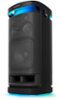
Sorry, there was a problem. Please try again later.Hi Moto, Thank you for your question. Yes, there are two options on how you can turn off the light/illumination on your Sony SRSXV900. First, to turn off (light off)/turn on (light on) the lighting function, touch the LIGHT on the speaker to turn on/off the lighting function. You can also turn on/off the light by using the "Illumination" function on the Sony | Music Center app or choose various lighting modes. For reference, you may check this link: https://helpguide.sony.net/speaker/srs-xv900/v1/en/contents/TP1000674513.html Hope this helps. With Omnidirectional party sound, feel the groove in every corner with six tweeters around the front, sides and rear for clarity. The X-Balanced Speaker design for the woofer produces deep, powerful bass, alongside dedicated midrange drivers for vocal clarity, even when you turn up the volume. Six tweeter units in the front, side and top will give clear high-frequency sound all around. With up to 25 hours of battery life the XV900 will keep the party powered all night. Regards, Marco
Sorry, there was a problem. Please try again later.