“What on earth is an AI enhanced call?!? Who needs AI to make a phone call? How would that even work?”
Answer This Question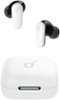
1-1 of 1 Answer
AI-Enhanced Call features in earbuds like the Soundcore P30i use advanced algorithms to improve call quality. These features are designed to enhance voice clarity by reducing background noise, canceling echo, and amplifying your voice to ensure the person on the other end of the call hears you clearly. This technology doesn't make the call itself but ensures the call's audio quality is superior. It works by processing the audio in real time, isolating your voice, and filtering out ambient noises like wind, traffic, or chatter in a crowded environment. Steps to ensure the best call quality with your Soundcore P30i earbuds include: Wear the earbuds correctly: Ensure the earbuds fit snugly and are in the proper position to create a tight seal in your ears. Improper wear may lead to reduced call performance. Adjust settings: Make sure "Soundcore P30i/R50i NC" is selected as the audio output device on your connected device and adjust the volume accordingly. Try alternatives: If you are experiencing issues while using a specific app for calls, try making a call directly from your phone to verify if the issue persists. Test setup: Use your earbuds with a different Bluetooth device or in a different environment to check for changes in call quality.
Sorry, there was a problem. Please try again later.