“Can someone explain how you rotate through the SOURCE options--the HDMI 1, 2, 3 you might have a cable box or antenna or Xbox routed to using the Roku remote? I have a Roku stick for an older tv--and that remote controls SOURCE input”
Answer This Question
1-3 of 3 Answers
The apps allow you to rotate thru the source. There is an antenna, HDMI and cable apps.
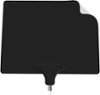
Sorry, there was a problem. Please try again later.When you turn on this Roku TV, just as when you use a ROKU - you have a choice of channels or SOURCE options. Amazon, Hulu, Netflix, CBS, YouTube, Antenna, HDMI 1, HDMI 2, HDMI 3, PopcornFlix, Tubi TV.... If you've selected any of the other options you then use the Up and Down arrow within *ANTENNA* (or whatever your source may be) to change channels. They're all there in line. You select them just as you do any other channel. If you live in a city with abundant Over-the-Air channels, I'd recommend getting the Mohu Leaf antenna. I've tried many others and none have performed better than a Mohu Leaf in my city.
I would recommend:
Sorry, there was a problem. Please try again later.You will find access to all inputs on the Home screen of your TCL Roku TV. To go to the Home screen you simply press the 'Home' button on your TCL Roku remote. From there you use the arrow buttons to navigate, and 'ok' button to select. Thank you, TCL Customer Support
Sorry, there was a problem. Please try again later.