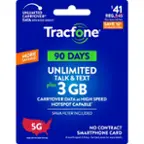
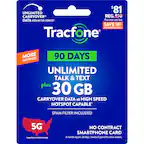
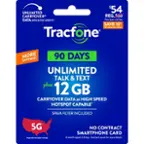
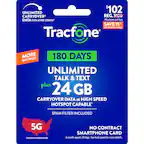
A:AnswerDepends on what phone you have. Currently, March 2022, tracfone is cancelling service on a lot of their older phones. Why would anyone want to patronize this company with tactics like that?
A:AnswerYes, as of March 22, 2022, I am still having problem logging into my Account as well and if you go online hundreds of thousands of customers are having the same problem. - - - - - - It's because Tracfone has been sold to Verizon and their website techs seem to be working on their website. - - - - - - - The site was working perfectly before Verizon took over the company and it seems that they should have just left the website alone.
A:AnswerHi. This is Ramel from TracFone Wireless. To check your remaining balance, you may text the word BALANCE to 611611. To add minutes to your account, you may text the word ADD to 611611. Should you have further questions, please copy this link copy this link http://bit.ly/2qdrKHH and paste it on a new window for chat support. We're available Monday-Sunday from 8:00 AM to 11:45 PM EST. Thank you.
A:AnswerI bought it for an iPhone 6s Plus and it worked. Maybe they meant it doesn’t contain “data” so you won’t get any data usage from this card only minutes on the phone to use for calls. If you want to use data you’ll have to buy one with a data plan or buy a separate data plan one.
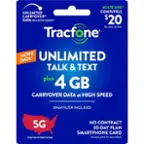
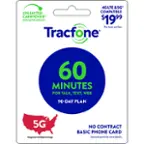
A:AnswerIt is 60 minutes to be used over a 90 day time period. Sometimes they have specials that they either double or triple your minutes, but usually it's just the 60 minutes. I like it because my son seldom uses all his minutes, so it averages @$7/month for him to have a phone he can call me from.
A:AnswerHi. This is Katrina from TracFone Wireless. Yes. You can use this phone on our service so long as it is compatible. Compatible phones include: GSM Unlocked phones, AT&T compatible phones, T-Mobile compatible phones, Verizon compatible phones, and some CDMA Technology compatible phones. To check if your phone is compatible, please text BYOP to 611611. We can also help you with it. Please copy this link http://bit.ly/2qdrKHH and paste it on a new window for chat support. For your convenience, our representatives are available Monday-Sunday from 8:00 AM to 11:45 PM EST. Have a great day!
A:AnswerOn what phone? All cellphones have a way to block calls and text, just look in the manual or online for directions. - - - - But generally: go to > Phone > Recents > look for the phone # you want to block > tap on the ( i ) Icon > there should be a Block option.