“If you plug in a headset does it mute the TV or, can others enjoy the TV as well?”
Answer This Question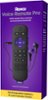
1-3 of 3 Answers
If you plug in they had said it will mute the TV that’s the point, but if you want the person next to you to enjoy the TV as well but maybe not people in other rooms you can get a Y adapter put that in the headphone jack and then you could attach to headphones to the remote And then both parties can listen
Sorry, there was a problem. Please try again later.Hi, Maggie! When private listening is activated, you will not hear audio from your TV speakers. Private listening is also available when using your headphones on your mobile device. You must first install the latest version of the Roku mobile app and connect your mobile device to your Roku device. To establish this connection, both your mobile device and your Roku device must be connected to the same wireless network.If your compatible Roku device is running Roku OS 8.1 or later, up to four mobile devices can be connected for private listening. You can check the software version by visiting System > About on your Roku device. For additional information on Private Listening take a look at the link here :https://support.roku.com/article/115002930768
Sorry, there was a problem. Please try again later.not sure why you would want both .. but headphones mute the tv when plugged in. the volume control now works for the headphones you could use an audio splitter cable to plug in 2 headphones
Sorry, there was a problem. Please try again later.