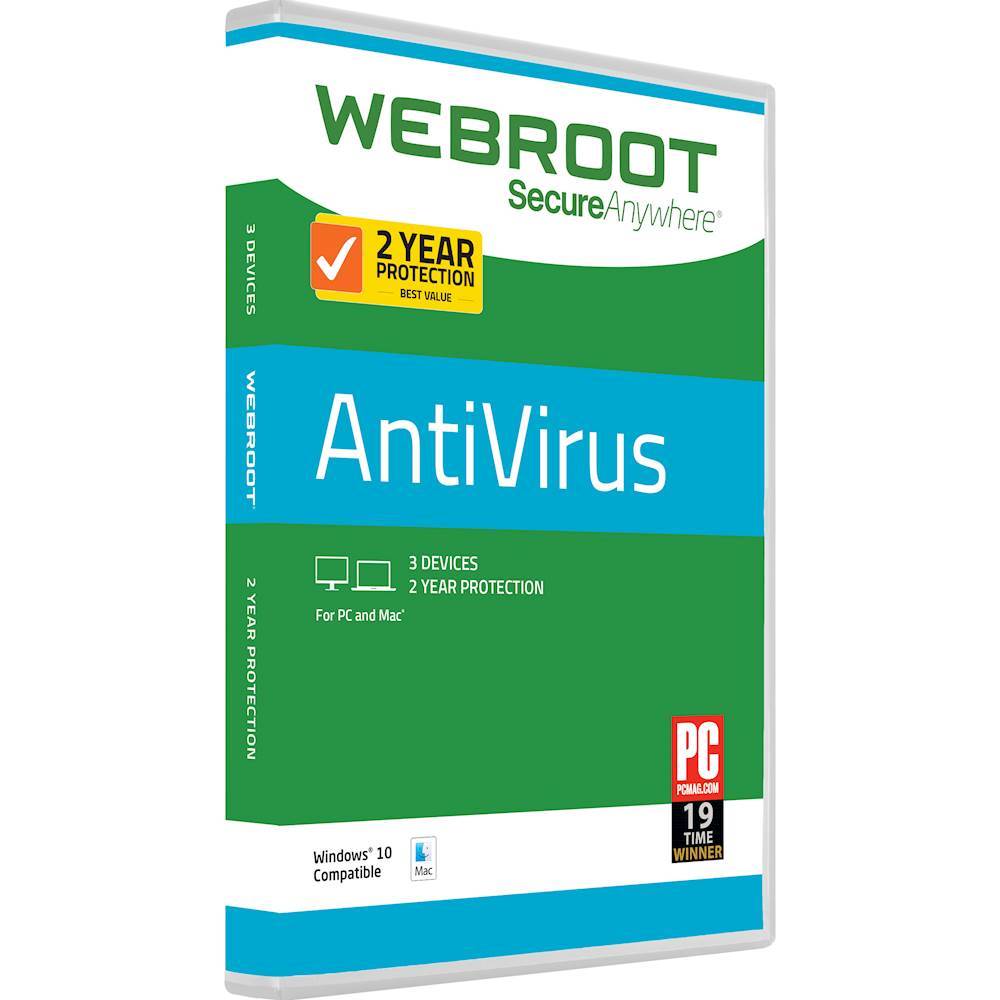
A:AnswerThe Geek Squad guys at Best Buy told me McAfee is trash. They all said they use and recommend Webroot! I made the purchase (It was $50 for two years of protection of three devices) and I love it so far! There have been only a couple of pop up notifications too, which may not be a big deal to you, but it’s so annoying when there is a new pop up every ten minutes on my computer to me.
A:AnswerSince you purchased through Best Buy, we would recommend reaching out to either your local Best Buy, or to the Best Buy Assurance Program 1-800-433-5778, and they will be happy to help.
Sincerely, Webroot Community Support Team
A:AnswerIf you still have your box, it state how many devices it will cover. Moreover, the price of product will likely indicate that as well. For example; (1) device (1) year subscription, will be the cheapest, usually around $39.99. Then price goes up from there.
A:AnswerI HAVE NEVER SEEN THAT KIND OF MESSAGE FROM WEB ROOT. WEB ROOT ALWAYS START VA COUNTDOWN IN DAYS TO WHEN IT EXPIRES AND GIVE YOU A BOX TO CONNECT AND RENEW.
A:AnswerHello, Jeanne!
Yes, Webroot SecureAnywhere is fully compatible with Windows 10. Read more:
http://wbrt.io/vml8y
Feel free to email us directly if you have any other questions we can answer:
SocialCare@Webroot.com
Warm Regards,
Josh P.
Digital Care Coordinator
A:AnswerUnlike previous versions of Webroot software, Webroot SecureAnywhere automatically downloads and installs all updates by default. As long as your computer is connected to the internet, your protection is always current, as SecureAnywhere handles updates as soon as they become available.
To check for updates manually:
1. Open the Webroot SecureAnywhere main interface.
2. Click the gear icon next to My Account.
3. Click the "About SecureAnywhere" tab along the top.
4. Click "Check for software updates."
5. If a newer version exists, Webroot downloads the updates to your system.
SocialCare@Webroot.com
-Webroot Community Support-
A:AnswerWebroot does not include any feature to block sites, but you can find more information here: https://www.webroot.com/us/en/home/resources/tips/pc-security/how-to-block-pornography-on-internet-connected-devices
You can also find free extensions in the Chrome store that will let you block sites that you select.
SocialCare@Webroot.com
-Webroot Community Support-