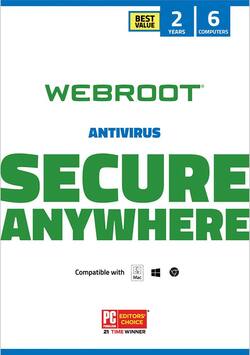
Webroot - Internet Security with Antivirus Protection 2019 (6-Devices) (2-Year Subscription)
- Key Specs
- Number of Devices: 6
- Number of Licenses: 3
- Software Format: Physical (Physical software requires a disc, cartridge, etc. be inserted into the gaming console or computer to download and/or operate the software. Digital software allows for downloading and/or playing the software on the gaming console or computer without a physical disc, cartridge, etc. Physical (Download Code Only) software is purchased in physical form with a code that allows for downloading and/or playing the software on the gaming console or computer without a physical disc, cartridge, etc.)
- Subscription Period: 2 Years
- General
- Product Name: Webroot Internet Security with Antivirus Protection 2019 (6-Devices) (2-Year Subscription)
- Brand: Webroot
- Publisher: Webroot
- Model Number: WEB803800F112
- Features
- Included Mobile App(s): true
- Protection Type(s): Password, Phishing, Spyware/adware, Trojan, Virus
- Real-Time Protection: true
- E-mail Security: true
- Parental Controls: true (Allows user to block unwanted content, signals, channels, networks, etc. from being received or accessed.)
- Firewall Type: None (The method the firewall uses to filter and process data to increase network security, primarily by blocking malicious traffic requests while allowing legitimate traffic through.)
- In-Software Purchases: Subscriptions
- Language(s): English
- Purchase Rights
- Number of Devices: 6
- Number of Licenses: 3
- Compatibility
- Software Format: Physical (Physical software requires a disc, cartridge, etc. be inserted into the gaming console or computer to download and/or operate the software. Digital software allows for downloading and/or playing the software on the gaming console or computer without a physical disc, cartridge, etc. Physical (Download Code Only) software is purchased in physical form with a code that allows for downloading and/or playing the software on the gaming console or computer without a physical disc, cartridge, etc.)
- Number Of Discs: 1
- Requirements
- System Requirements: Android, Mac, Windows, iOS (The software that a product must have for it to be able to integrate with another product.)
- Subscription: true
- Subscription Period: 2 Years
- Download Requirements: Internet connection
- Download File Size: 0.0012 gigabytes
- Other
- UPC: 667208101306
Powerful, lightweight protection for PC and Mac® computers. Cloud-based Webroot SecureAnywhere® AntiVirus guards your personal information by blocking the latest malware, phishing, and cyberattacks. We continuously analyze and classify billions of apps, files, websites, and more every day to keep you safe as you bank, shop, and browse online. Using the power of the cloud, Webroot security installs in seconds and stops threats in real time, while our industry-leading rollback technology can automatically return infected local drives to their uninfected states. And with our no-software-conflict design, Webroot protection is the Smarter Cybersecurity® solution that won't slow you down.
- Blocks viruses & malware: Cloud-based antivirus software from Webroot provides comprehensive internet security protection for your PC or Mac without slowing you down.
- Identity theft prevention: Defends you against identity theft by protecting private information like usernames, passwords, account numbers, and more.
- Safer web browsing: Total security software proactively scans the internet to block phishing, ransomware, and other malicious attempts to steal your money and personal information.
- Never slows you down: Scans your computer for viruses and malware in seconds, and uses almost no storage space thanks to cloud-based architecture.
- Password manager: Encrypts, and saves all your passwords, so you only have to remember one.
Whats Included
- Webroot Internet Security with Antivirus Protection 2019 (6-Devices) (2-Year Subscription)
Q: is this the cost of a 2 year subscription for 3 users or is this the cost per year?
A: Hi Kitty, The cost you're seeing is the cost for the full 2 year subscription. Since our software is based in the cloud, it can be downloaded from the following links: Webroot Best Buy Installer (PC): http://updates.webroot.com/downloads/WRInstallBestBuy.exe Webroot Best Buy Installer (Mac): http://anywhere.webrootcloudav.com/zerol/wsamacbbs2.dmg Webroot Community Team Mark M.
Q: will this software remove existing viruses on a computer?
A: As soon as you load it on your computer, it will run a scan and remove any viruses on all computers.
A: I've been using Webroot Secure Anywhere on a machine with Windows 10 as its native OS, and it's worked perfectly.
Q: Do I need to uninstall McAfee before installing Webroot.
A: rogt, There is no need to uninstall McAfee after installing Webroot, however Webroot is much faster than McAfee and uninstalling McAfee may actually speed up your computer. All updates that Webroot does are automatic so you will receive any updates that become available during the period of your license. I hope this helps!
Q: I see that this product says Windows 10 operating system, but will it also work for Windows 7?
A: Yes, this software will run on Windows 7.
A: Hi, The answer to your question depends on what type of customer you are with Best Buy. If you are a Best Buy Assurance customer, your renewal should happen automatically as your subscription to Best Buy Assurance is a rolling one. If you are an "off-the-shelf" Best Buy customer, you can renew online or over the phone, or you can buy a new copy of the software. If you buy a new copy as per your question, it technically would be a new subscription rather than a renewal, so you would have to enter your new Keycode. To answer the final part of your question, since our software is based in the cloud, it can be downloaded from the internet via the following installer links: Webroot Best Buy Installer (PC): http://updates.webroot.com/downloads/WRInstallBestBuy.exe Webroot Best Buy Installer (Mac): http://anywhere.webrootcloudav.com/zerol/wsamacbbs2.dmg Webroot Community Team Mark M.
A: When you load it
A: Good question! The Webroot SecureAnywhere software can be installed on both 32bit and 64bit operating systems. No matter what package you select, you should have no issues installing your Security to your System. Please don't hesitate to reach out to us directly should you have any other questions or concerns. [email protected]


















