Customer Ratings & Reviews



- Model:
- 920-010547
- SKU:
- 6502579
Rating by feature
- Value
Rating 4.3 out of 5 stars
- Quality
Rating 4.7 out of 5 stars
- Ease of Use
Rating 4.7 out of 5 stars
Customers are saying
Customers find value in the MX Mechanical Keyboard's quality, battery life, and key feel. Users appreciate its connectivity and ease of use. The primary concern for some is the product's price. A few customers have noted the noise level of the keys and some limitations with the software.
This summary was generated by AI based on customer reviews.
- Pros mentioned:Battery life, Connectivity, Ease of use
Great keyboard
||Posted . Owned for 1 month when reviewed.This reviewer received promo considerations or sweepstakes entry for writing a review.I love this keyboard. Very pleasing to type on and really long battery life. Easy to set up. I use via blue tooth and it’s been perfect. Using on a Linux and windows set up. A little pricey but used the recycling coupon and am glad I spent the money. Worth it 100%
I would recommend this to a friend - Pros mentioned:Keyboard quality

High End Performance Keyboard
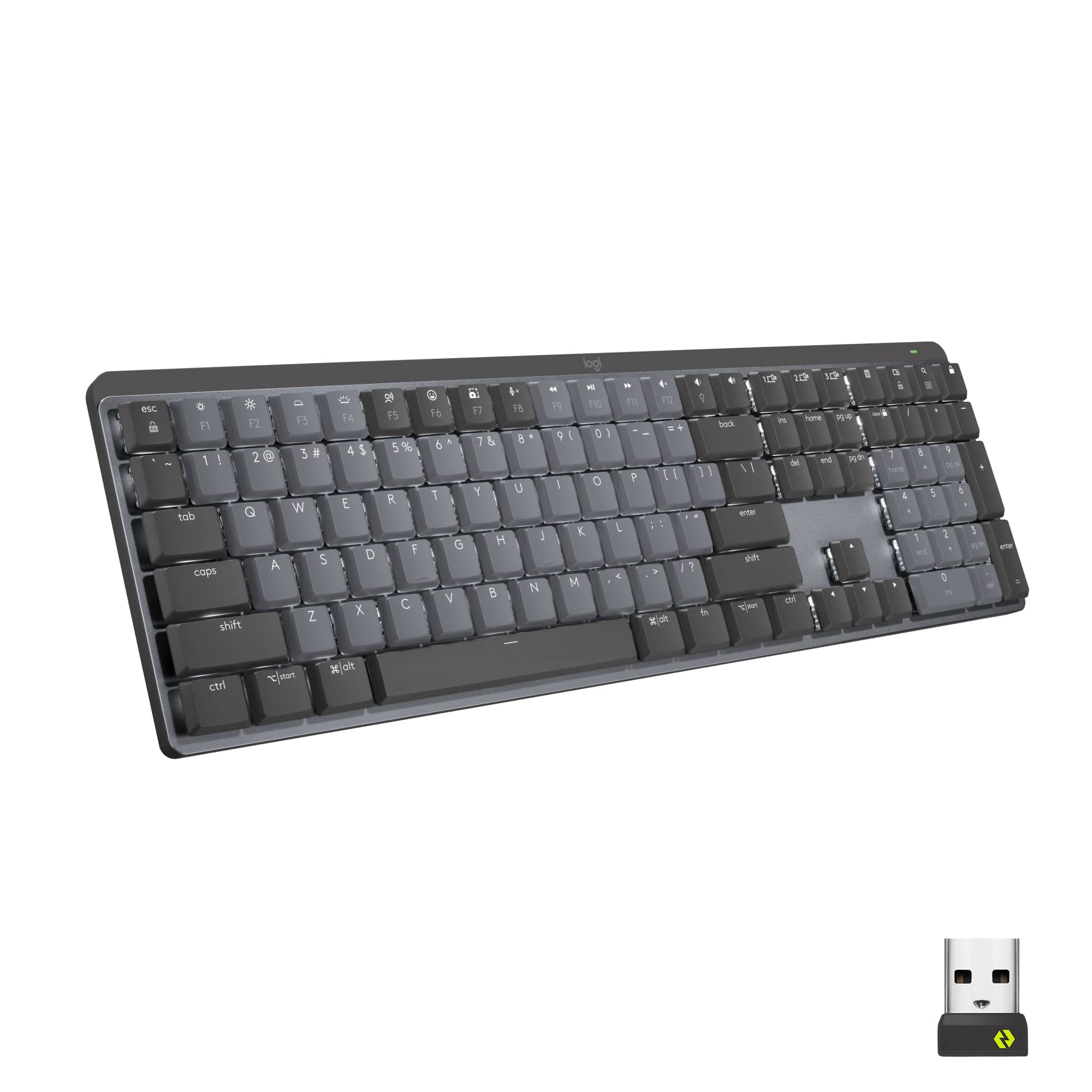
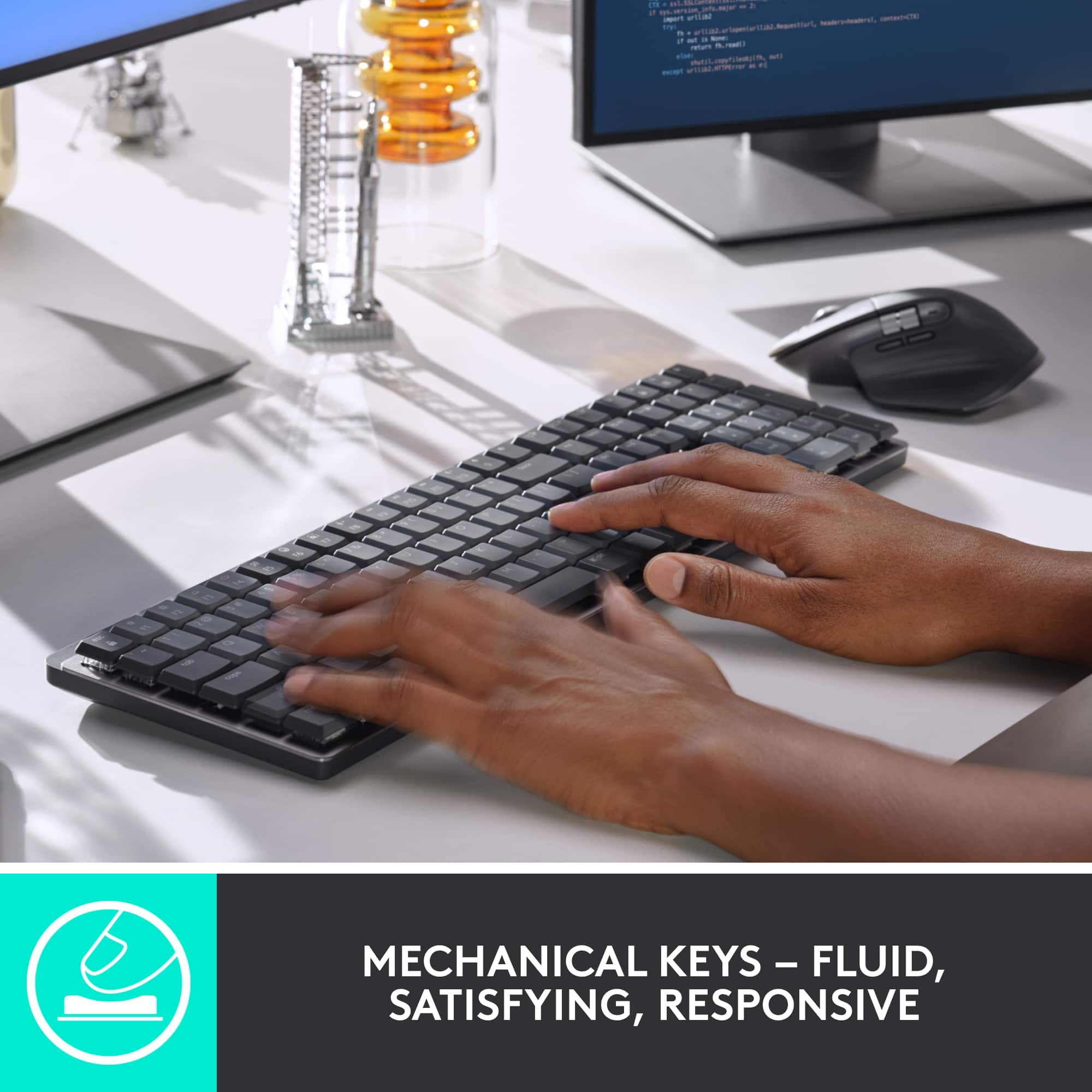
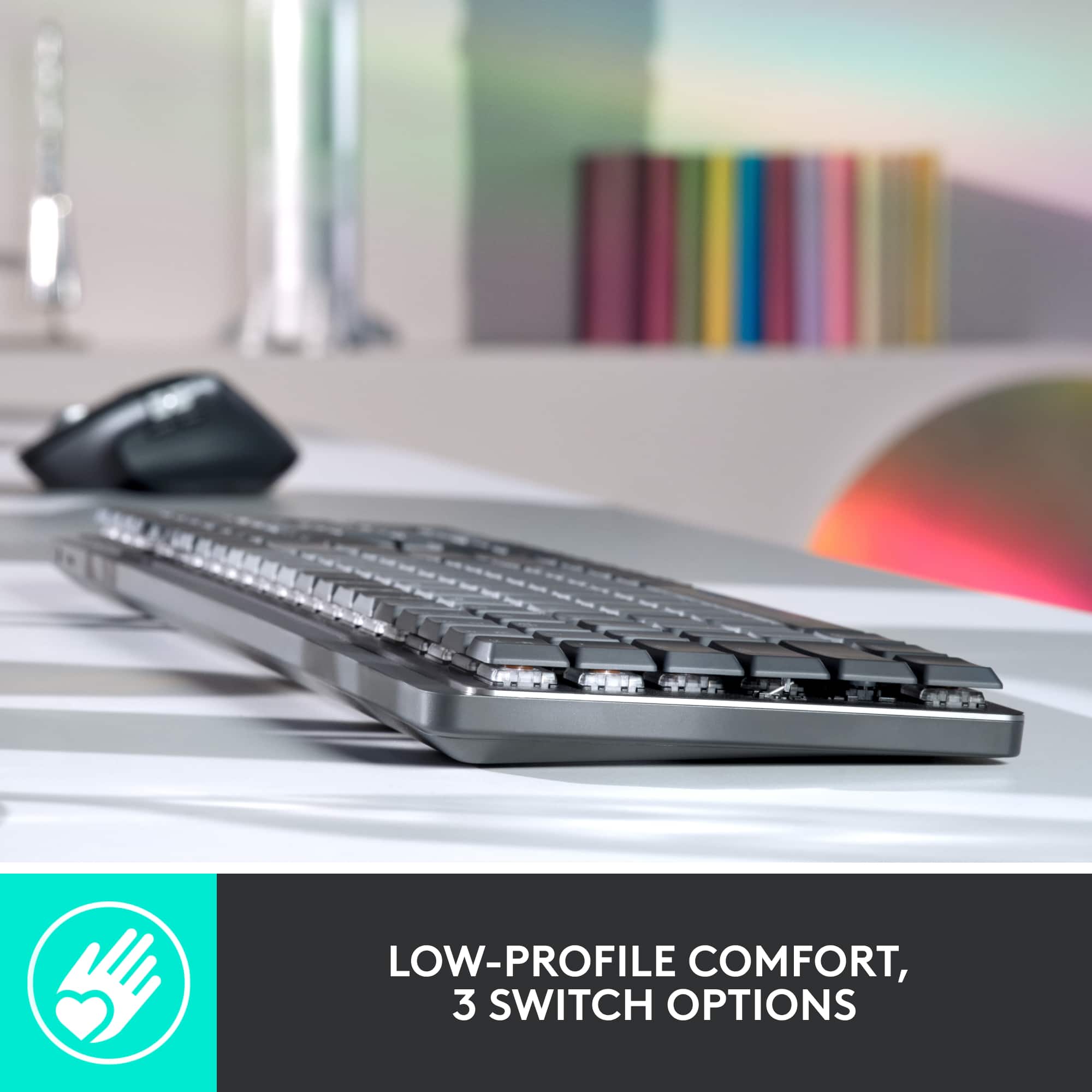
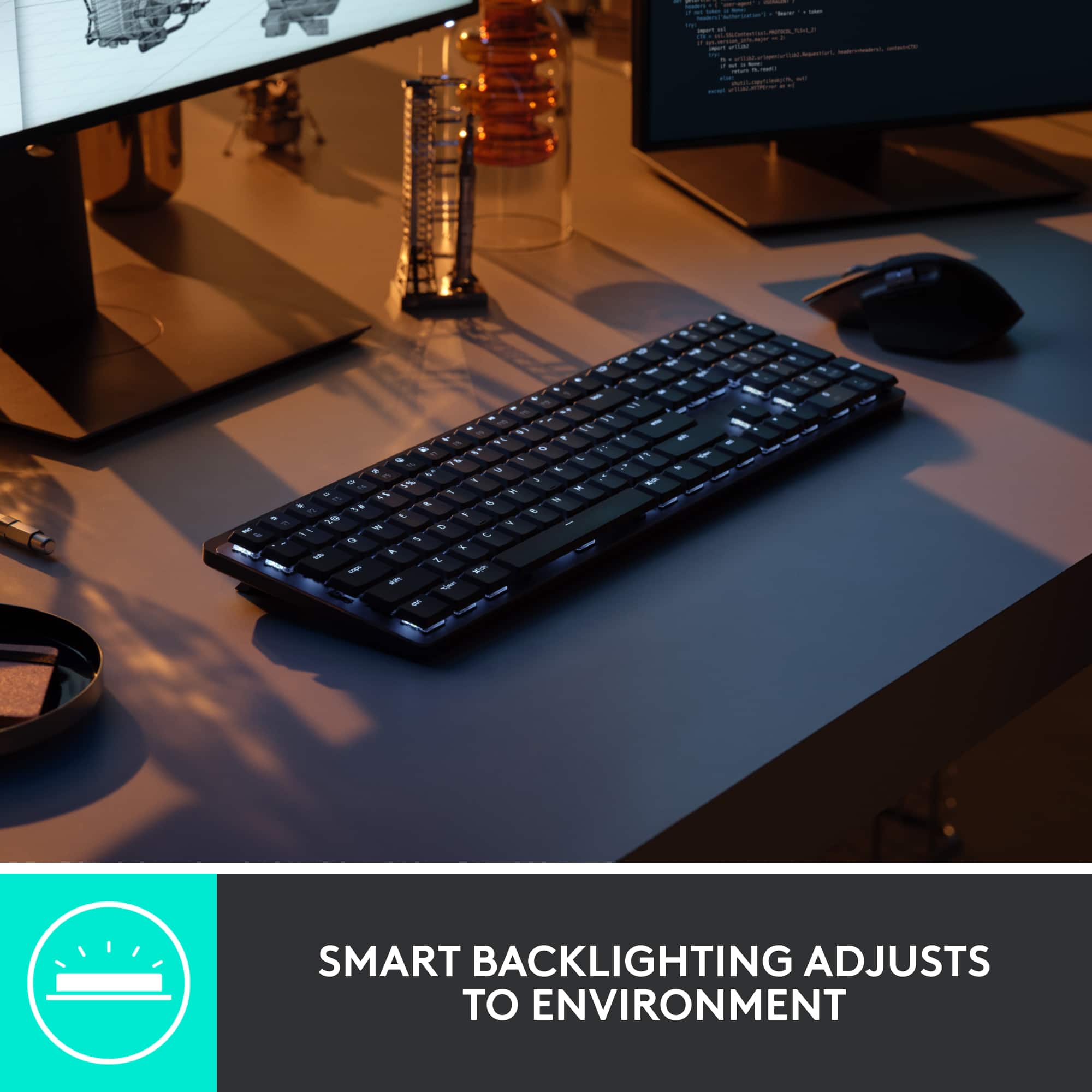
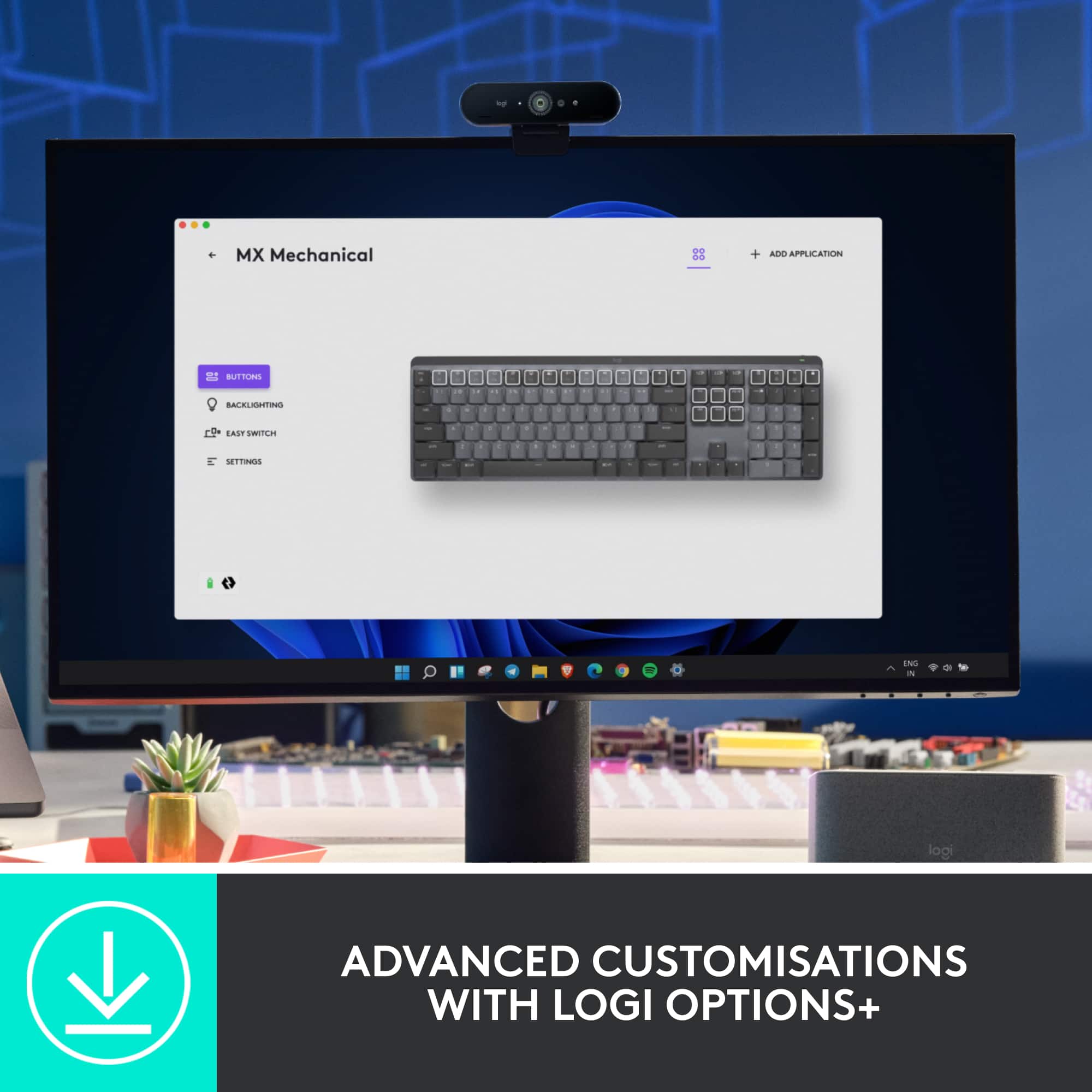
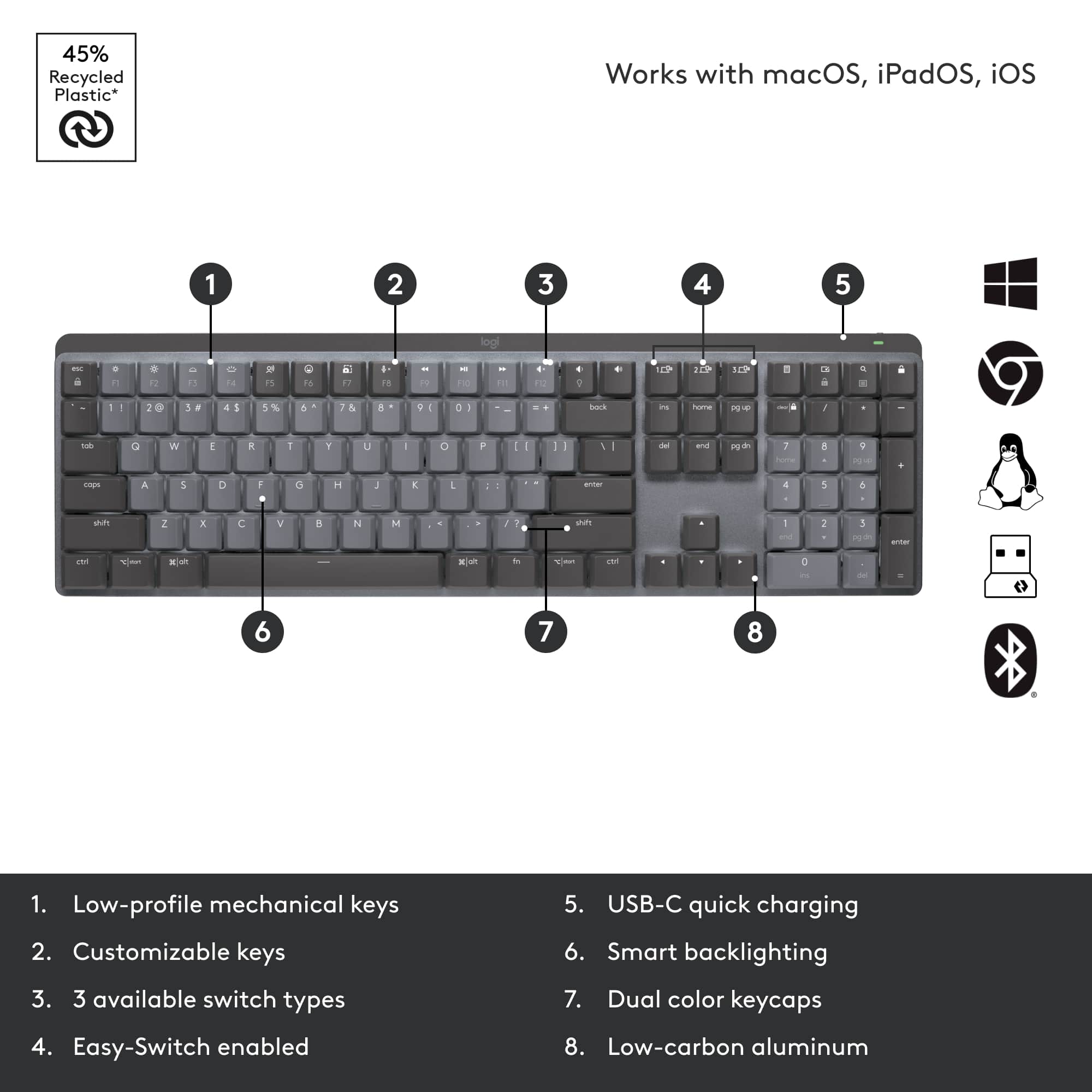
|Posted .This reviewer received promo considerations or sweepstakes entry for writing a review.For Creators, Writers, and anyone who has a computer heavy job - Keyboards are an essential part of that experience! Its the main way you interact with your devices and important to get work done quickly. Logitech’s new MX Mechanical Keyboard is a great option and I have loved using it so far! PROS: - Right out of the box, this keyboard feels so premium. It has a nice weight to is, solid build, and the entire look of it is sleek! I love the neutral metal colors it has and overall it looks very modern and brings a great appeal to your office space. - Connecting / Setting up is a breeze! The device has a USB receiver so you can plug that directly into your computer - or it can connect via Bluetooth as well (up to 3 devices). I really think this flexibility is huge as different devices need different ways to connect to it. - Speaking of that, the 3 switch buttons are lightening fast! I frequently switch from typing on my windows computer to my iPad and just by tapping the different connection keys on the keyboard is simple and smooth. - The “Logi Options+” app is something you download via Logitech and is a great addition to the keyboard as well to increase customization. Its not essential, but I would recommend it to get the full benefits from this keyboard. - The way this keyboard types is amazing! Its super fast and responsive and feels like I am just gliding along while typing. The keyboard definitely produces sound but its not overly loud. However, it is still a mechanical keyboard so it is meant to produce that noise which I enjoy! - The backlighting is a game changer too! It senses when your hands get close to turn the lights on which is really nice and the lights change based on the amount of light it senses in the room too. Of course you can always physically turn the lights lower and brighter on the keyboard itself. - The overall low profile of the keyboard is great too. Its very comfortable to type on and is not too high for me, plus if you want to it does have adjustable legs to increase the typing angle. - Lastly, I love the USB-C charging! No batteries on this device, just chargers via USB-C and is very forward thinking. CONS: - I really have nothing I can think of that I wish this keyboard did differently! BOTTOM LINE: - Logitech consistently produces high end keyboards and the MX Mechanical is another great addition. Its smooth, modern, high end, and performs really really well. I love the backlight keyboard and the ability to easy switch from devices as well. I use this keyboard daily for hours on end and have not gotten tired of it yet! Would recommend for those looking for a high quality experience.
I would recommend this to a friend - Pros mentioned:Keyboard quality
Nice tactile touch keyboard - great connectivity
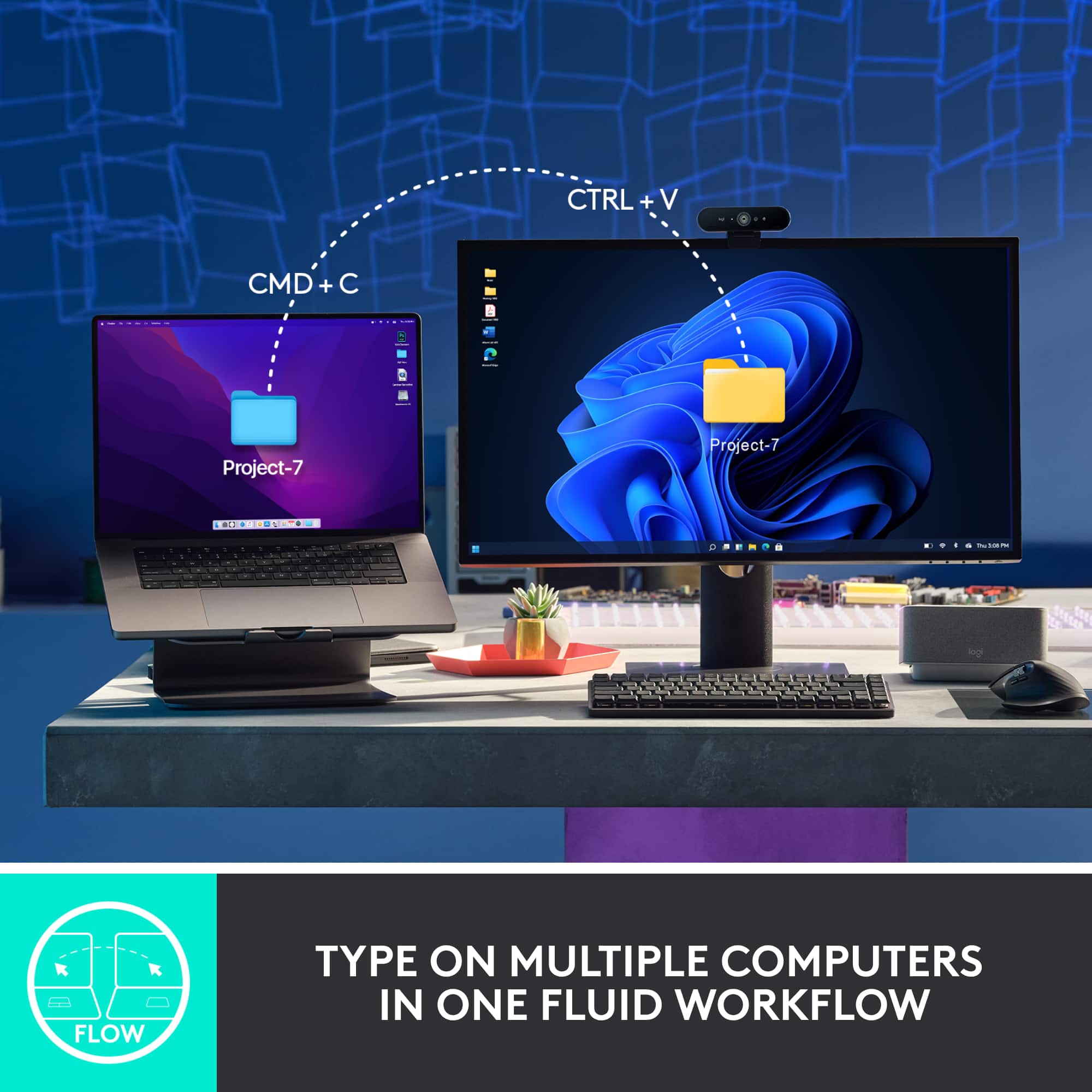
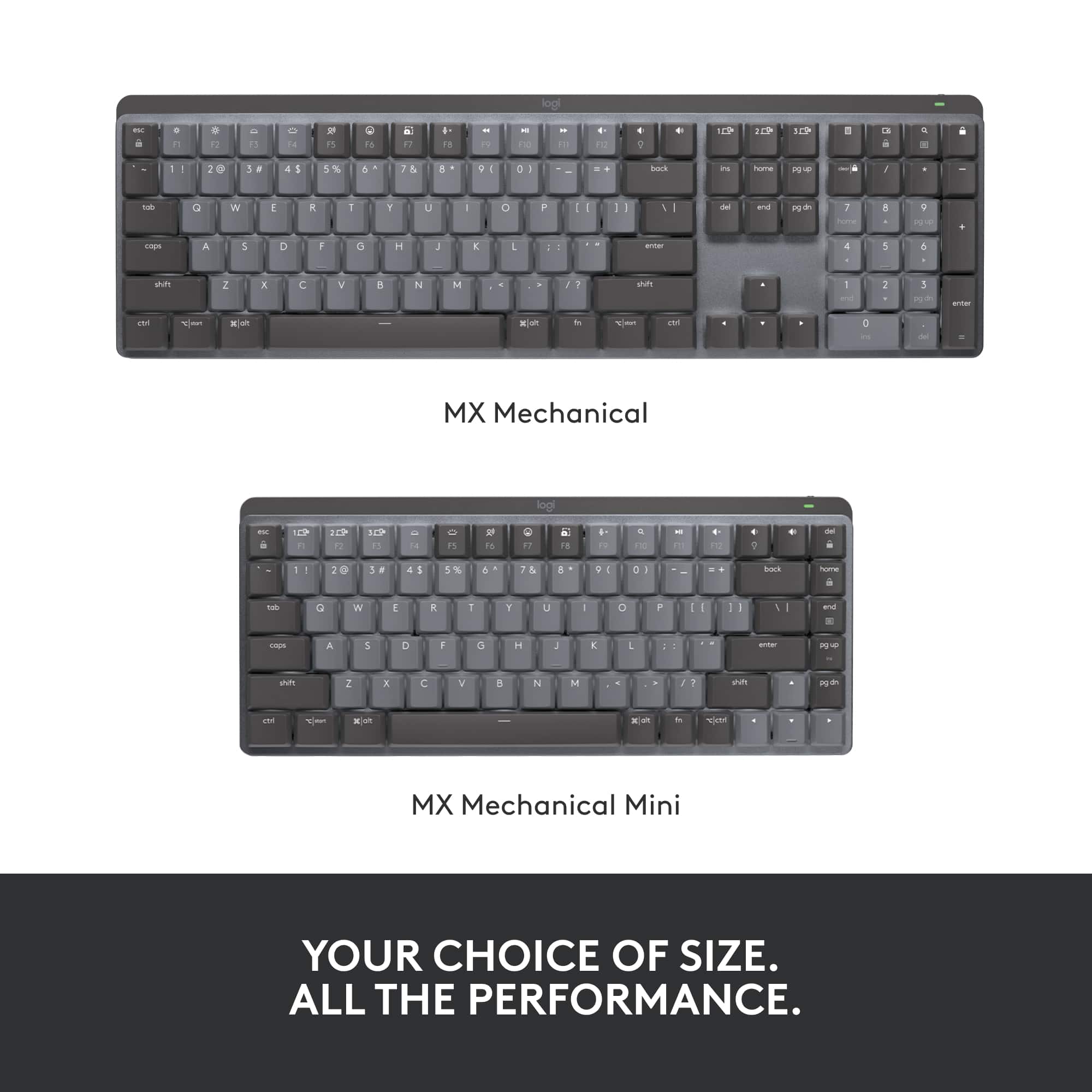
|Posted .This reviewer received promo considerations or sweepstakes entry for writing a review.As a long time Mac user I've been through the cycles of being betrothed to the Apple peripherals, and then getting frustrated with them, and then when they release a new version going through the cycle all over again. Logitech seems to be the only vendor who consistently makes good peripherals that I keep coming back - and the MX Mechanical keyboard is now another one to add to my list. I've actually been using the original MX Keys for Mac for a couple of years, and although it's been great for the home office I've been looking for something with a little more feedback and tactile touch. The MX mechanical keyboard delivers, with just enough to keep you in touch with the typing motion but not so loud that it sounds like you're living in an 80's office typing pool. The main reason you're here is to hear about the noise - does it make a noise? Yes, but as I mentioned this is part of the whole tactile experience that people like me miss with regular soft-touch laptop keyboards. The keyboard is available in 3 different 'experiences' ( Tactile Quiet, Clicky and Linear.) so if you're in any doubt, I would suggest a trip to your local Best Buy to try them out in person. The example in my video is the tactile quiet version, which is just the write balance but it will be entirely down to you personal preference. The MX retains all the features I loved from the original MX - with the ability to quick-switch between multiple devices (I use it to control 2 laptops connected to the same monitor). The only thing to call out here is that although you can still pair the keyboard through bluetooth, it no longer appears to support the Logitech Unified receiver - it instead ships with the new Logitech Bolt adapter. I only mention this in case like me you are already using the unified receiver for other devices - you may need to consider upgrading those to to be Bolt compliant. There are some nice options for the backlighting (including a 'random' mode and one where only the key you touch lights up - which is a cool gimmick but practically the only useful backlighting is constant so you can actually see the keys in the dark). I would still recommend this full size keyboard over the mini version - its down to personal preference but the dedicated page navigation and number pad just seem to make my workflow a bit more streamlined without constantly flipping for FN or option keys to get what I need done.
I would recommend this to a friend - Pros mentioned:Keyboard quality
Logitech hits the mark - again
|Posted .This reviewer received promo considerations or sweepstakes entry for writing a review.Logitech has always been known - at least to me - as a manufacturer of quality long life products. I've had trackballs that have outlasted the life of the computers they're attached to. For the last 4-5 years I've been using their K800 keyboard that's performed magnificently; but I'm sorry old friend - the new kid on the block has outdone you! First things first though - if your typing style requires a palm rest, you'll need to look elsewhere - or provide your own. I was unsure about this at first, but what I found was the multi functionality of the MX outdid the requirement for the palm rest. The MX can be used on your desktop, your tablet, or your TV if equipped with Bluetooth. With the quick switch keys (picture below), you can easily move between devices. I've also added a shot of a size comparison with the K800. While the MX is by no means a mini keyboard, every square inch of it is functional. If you're using it with your TV, it's much more comfortable in your lap than a standard keyboard. And then, there's the weight factor. The aluminum top plate gives it a nice heft. so if you're not on a hard surface it's not going to be pushed around with the weight of your keystrokes. Installation went perfectly, and the Logi options software is well done. Function keys are pre-programmed (lighting, sound, etc), but with the Logi software you can customize to your preferences. Keyboard lighting has a number of different effects that can be enabled - no colors though. I've included an "edge-on" shot so you can see how the keys are lifted from the baseplate; my immediate thought was "hey - no more gook stuck between the keys." Seems it will be easy to keep clean with a shot of compressed air. And then, there's the wow factor. It's really a sharp piece - desktop art if you will. I'm glad to add this to my Logitech family, and hopefully it will provide me with the same long life & quality service their other products have given me.
I would recommend this to a friend - Pros mentioned:Connectivity, Key feel, Keyboard quality
Better than the original MX Mechanical
||Posted . Owned for less than 1 week when reviewed.This reviewer received promo considerations or sweepstakes entry for writing a review.Easily the best keyboard I have used. I had the original MX Mechanica keyboard, wired with the loud response, which I liked, but when I received this keyboard, I preferred the quietness of this one better. I like the feel of the keys better than the original one; the keys are just a tad bit slippery, but not a big deal. There is no contest with the MAC original keyboard, I am not a huge fan, but I wish this keyboard had the fingerprint reader. I love that it is wireless and that the keys are backlit. The best part of this keyboard is with all of the sales, total rewards membership discounts, and my certificates I got it for under thirty bucks, a steal Highly recommend.
I would recommend this to a friendBrand response from Logitech
Posted .Thank you for your insightful review of the Logitech - MX Mechanical keyboard. We are thrilled you find the typing experience to be superior to the original MX Mechanical, particularly regarding the quieter, low-profile keys.
- Pros mentioned:Battery life
I'm definitely a Logitech fan
|Posted .This reviewer received promo considerations or sweepstakes entry for writing a review.As you can see from the photos, I have several computing devices from Logitech and one more MX Keys keyboard and MX Vertical that I have at my office at work. Logitech is my go to brand for any accessories of this nature and including my iPad. These products are well made, reliable and have some great features. They are a little on higher side, but the quality is unrivaled. One of the main reasons that I like this keyboard is that it can be used with three different devices using Bluetooth and work with both PC and Mac devices. You can switch between the paired devices with the touch of a button and the connection is flawless. If you download the optional software, you can customize the settings for each device. You can set app specific buttons and customize your entire top row of function keys. If you have multiple MX devices, you can pair them to one USB receiver so you dont have to take up multiple ports on your computer. I really like how the backlight keyboard operates automatically when it senses motion above the keyboard. The battery life is going to vary based upon usage, but on my older keyboard, I can go several months using it Mon-Fri without having to charge it. I normally charge it up every 4-6 months just to be on the safe side, but you can use the keyboard while it's charging. It charges using a common USB-C to USB-A cable and can be charged using a charging brick or an available USB port on your computer. The tactile keys are louder than on my MX Keys model by default, but they can be programmed for three different preferences. Tactile Quiet, Clicky and Linera. This keyboard is also deeper and since they arent encased in the keyboard, it is much easier to clean. Overall, this is an awesome keyboard and I highly recommend it.
I would recommend this to a friend - Pros mentioned:Battery life, Key feel, Keyboard quality
Amazing build quality, typing experience, and feat
||Posted . Owned for 3 weeks when reviewed.This reviewer received promo considerations or sweepstakes entry for writing a review.Fantastic keyboard. I got the tactile variant which has keys that are close in feeling to Cherry MX Brown switches. I have a work from home setup and am constantly switching between my own personal computer and my work laptop, so the multi-device functionality is very welcome. While the dongle is attached to my laptop, I can connect up to two other devices via Bluetooth with no perceived difference in connection quality or latency, which makes the keyboard worth it to me on its own. Nothing in the way of very fancy lighting (limited to white LED backlights) and only one color option, but frankly I think what's there is a pretty slick looking package and I can't complain about the more low-key look compared to Logitech's gaming oriented mechanical keyboards. The build is lightweight but made of good materials and is noticeably sturdy. Battery life is phenomenal (I've owned it for weeks now and only charged it once) Definitely recommend this board.
I would recommend this to a friend - Pros mentioned:Battery life, Connectivity, Keyboard quality
Quality and style in one
||Posted . Owned for less than 1 week when reviewed.This reviewer received promo considerations or sweepstakes entry for writing a review.This is my third mechanical keyboard, and it has ranged from green switches to brown switches. When I say this product has some weight and style to it... it does. It is a clean finish keyboard that allows you to get a smooth response from the traditional mechanical keyboards but is still quiet enough to be able to use at work. The brown switches are ideal for the work environment. The longevity of the battery, along with the option to connect with up to 3 devices, is a useful feature. With the Logitech recycle promotion currently active at Best Buy, this is a no-brainer. Great buy!
I would recommend this to a friendBrand response from Logitech
Posted .The Logitech MX Mechanical is a premium keyboard that delivers on style, performance, and comfort. Its tactile keys, long battery life, and multi-device connectivity make it a top choice for professionals. Brown switches offer a good balance of responsiveness and quietness for office environments.
- Pros mentioned:Keyboard quality
Logitech is always practical
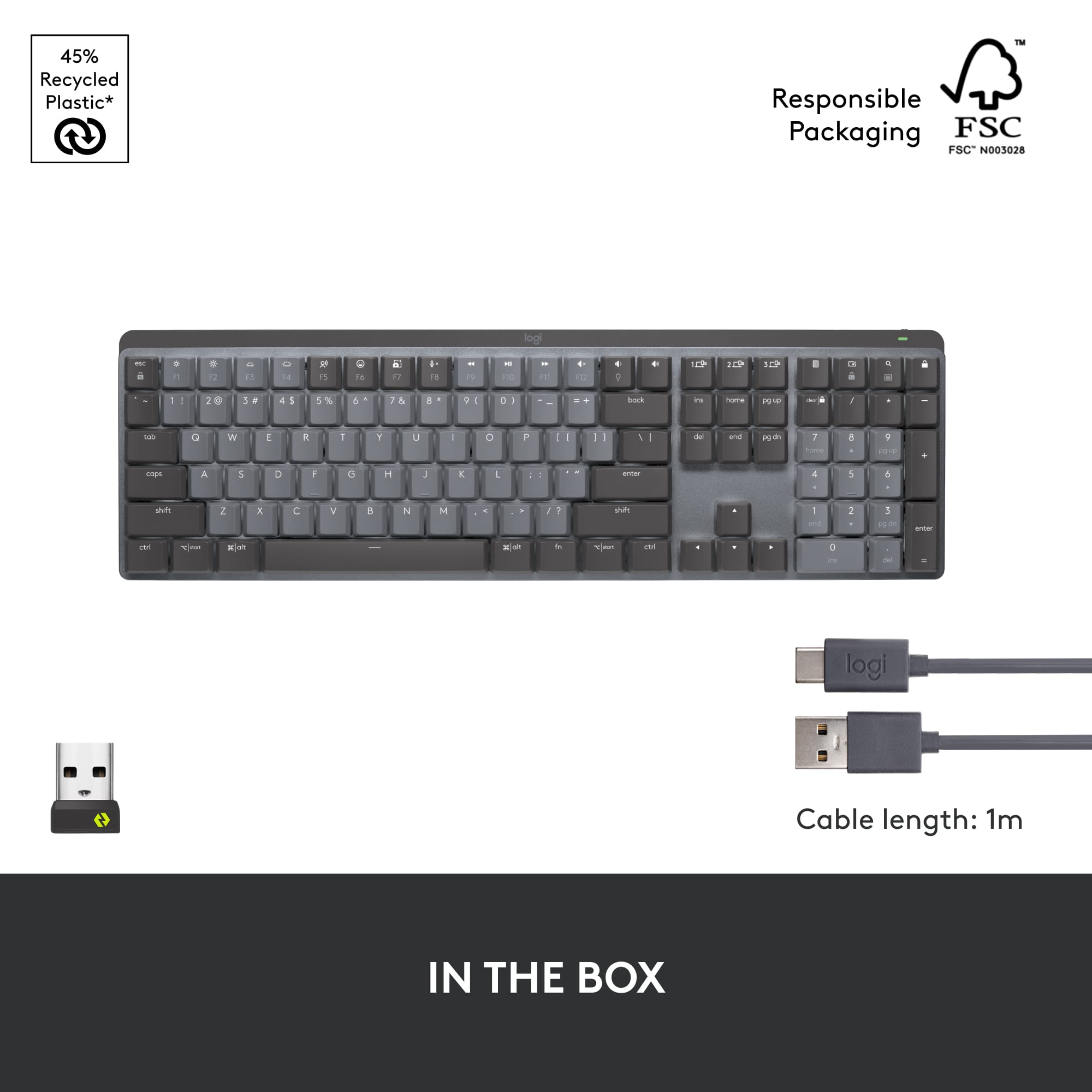
|Posted .This reviewer received promo considerations or sweepstakes entry for writing a review.The new Logitech MX mechanical keyboard is here. Straight out of the box I give Logitech kudos for their packaging. They keep it simple by using recycled materials that is still very eye catching. Very well done marketing department. The accessories that it comes with are also very minimal. One gray USB C to USB A cable, USB dongle, and paper safety/device notices. The keyboard itself looks very minimalistic and I would proudly like to show it off on my desk because it is so sleek looking. The keys themselves, are scrunched together but it still allows for backlighting to come through with a slight gap between keys. The arrow keys are grouped apart which is nice when trying to find them. The included number keypad is also easy to navigate to. Being that this keyboard is capable of being used by both Windows and MAC users, you will find keys that relate to both operating systems. It is comfortable to type and the quiet tactile keys feel precise when pressed. You can adjust the angle 8 degrees or keep flat, this depends on your level of comfort in the long run. Personally, I am going to add on a wrist rest to elevate the wrist slightly for added comfort. Being able to take advantage of the multi-device connectivity, you can connect up to 3 devices via the included Logi Bolt usb dongle or Bluetooth. It is great that I can have my laptop open and use it to type there but then switch over to my tablet for a bit and then switch to my PC.
I would recommend this to a friend - Pros mentioned:Key feel
Best Wireless Illuminated Rechargeable keyboard
|Posted .This reviewer received promo considerations or sweepstakes entry for writing a review.This keyboard has the Quiet Tactile keys, each key has smooth travel and confident feel. Very responsive, can travel about 3.5mm but key press is registered with just 1mm travel. Keyboard layout is a full size layout with full size keys but manage to have a compact overall size. Coupled with low profile keys and body height makes this very pretty without compromising typing feel and comfort. The body is very strong, there is no flex. This keyboard has some very useful keys such as mute/unmute key, dictation key and emoji key, very convenient for web conference and chat application. The keyboard also has Smart Illumination - the backlight turns on when hands approach the keyboard. The backlighting brightness level automatically adjust to ambient condition but you can also manually adjust using the F3 and F4 keys. There are 6 backlighting effects: 1. Static 2. Contrast 3. Breathing 4. Waves 5. Reaction 6. Random It can connect up to 3 devices and can easily switch between them. Can connect using either Bluetooth or the included Logi Bolt usb type A receiver. The Easy-Switch tab in Option+ software shows exactly which devices are paired and method used to paired such as Bluetooth or Logi Bolt. Requires Logi Option+ software to make full use of the keyboard. The keyboard is charged using usb-c charging port. The keyboard is wrapped in paper not plastic, very environmental friendly, kudos.
I would recommend this to a friend - Pros mentioned:Connectivity
Such a fun keyboard to type on! Love.
||Posted .This reviewer received promo considerations or sweepstakes entry for writing a review.Was working on a small, cheap, bluetooth, laptop-style keyboard before this and I got really over it. I researched far and wide and the contenders were the MX Keys and this... I went with this, the Mechanical since I wanted that fun type feel. Even though there were so many mixed reviews saying the MX Keys were better since it's like a laptop but if I wanted that then I would just type on my laptop?! Nevertheless I am SO happy with my purchase. It's truly so fun to type on. It's low profile so its the perfect mix of low laptop and those super tall mechanical keyboards from the 90s lol I use it for my Macbook Pro and external monitor and it connects seamlessly. I don't game or anything I just WFH. And I just use a small Usb A to C converter and its perfect. I got the tactile keys. My only wish it that it came in more colors or at least a solid charcoal or maybe that I got the mini so it's more portable! Def pricey for a keyboard but I forgot about the price by now lol. Plus, the receiver connects my logitech mouse and keyboard - and I can personalize the keys and mouse together in logi options! It's all about preference and everything takes a little to get used to, but this is exactly what I wanted.
I would recommend this to a friendBrand response from Logitech
Posted .Thank you for sharing your detailed feedback and enthusiasm for the Logitech MX Mechanical keyboard! We're thrilled to hear how much you enjoy typing on it.

- Pros mentioned:Battery life, Ease of use, Keyboard quality
Phenomenal Keyboard
||Posted . Owned for 5 months when reviewed.This reviewer received promo considerations or sweepstakes entry for writing a review.The feel and look of this keyboard is incredible. The only gripe I have is some space between the function keys and the numerical keys would have been greatly appreciated. Takes a little getting used to for me, but the keyboard functions absolutely flawlessly, battery life is great even with the backlight being used. I have mine connected to my work computer (PC) and my iPad Pro and it works seamlessly with both.
I would recommend this to a friendBrand response from Logitech
Posted .That's great to hear! The Logitech MX Mechanical Full Size is a popular choice for its premium build quality and performance. It's great that you're finding it to be a comfortable and functional keyboard, even with the slight adjustment to the key layout.
- Pros mentioned:Battery life, Connectivity, Keyboard quality
Fantastic Keyboard
||Posted . Owned for 2 weeks when reviewed.This reviewer received promo considerations or sweepstakes entry for writing a review.To some, spending 159 dollars on a keyboard probably sounds absolutely ridiculous… your right! It is! However this keyboard is like having a cadillac when a chevy would be just fine.. This keyboard is reliable, quick, quiet and just super nice! Battery life is amazing, backlight works great. Pairing with multiple computers is a sweet feature even if i dont use it much. If you want a super good reliable wireless, mechanical keyboard. This one is a very solid option!
I would recommend this to a friend - Pros mentioned:Battery life, Ease of use, Key feel
Fantastic wireless keyboard!
||Posted . Owned for 1 month when reviewed.This reviewer received promo considerations or sweepstakes entry for writing a review.Great keyboard! Using it for gaming and works perfectly. Battery life is impressive even with using the backlight at full brightness. Easy to customize and connect, keys have a nice mechanical feel but it is quiet and not annoyingly loud like using an old typewriter. Great all around keyboard even has flip out feet to raise the back angle if you prefer. Can easily switch between 3 different computers at a press of a button if you need that functionality. Highly recommend this keyboard!
I would recommend this to a friend - Pros mentioned:Battery life, Keyboard quality
Excellent Keyboard for Productivity and Comfort
||Posted . Owned for 3 weeks when reviewed.This reviewer received promo considerations or sweepstakes entry for writing a review.The Logitech MX Mechanical Keyboard is a game-changer for anyone who types a lot. The low-profile mechanical switches are quiet yet tactile, making long typing sessions comfortable and efficient. I love the ability to switch between multiple devices with a single button—perfect for my workflow across a laptop and tablet. The battery life is outstanding, and the sleek aluminum design looks great on my desk. Just note that it’s wireless-only, so if you need a wired connection, this might not be the best fit.
I would recommend this to a friendBrand response from Logitech
Posted .That's a fantastic and detailed review of the Logitech MX Mechanical Keyboard! It's great to hear how much of a game-changer it's been for your typing experience. We appreciate you highlighting the quiet yet tactile low-profile mechanical switches, the seamless device switching, the outstanding battery life, and the sleek design. Your note about it being wireless-only is also very helpful for potential buyers. Thanks for sharing such insightful feedback!
- Pros mentioned:Key feel, Keyboard quality
Great keyboard, slightly pricey
||Posted . Owned for 3 weeks when reviewed.This reviewer received promo considerations or sweepstakes entry for writing a review.I love mechanical keyboards, but sometimes I dont want to sound like I'm tap dancing on plywood in an empty room. This keyboard has a good balance with the haptic and audible feedback it gives. It is just enough to give you that satisfying mechanical feel, but not audibly explosive like most mechanical keyboards are. It is also decent for general gaming. I use it for work and gaming, and I have no issue with either. The multiple bluetooth connectivity is also a big plus, which can also be used for your phone which I use more than I thought i would. The only negative I have is the rubber on the bottom of the collapsible legs. They are attached with an adhesive tape instead of an integrated retention. I've already lost one foot due to the friction of constant removal from my computer bag. But even missing one rubber pad, it doesnt wobble. I have several keyboards, and this one is my go to for my daily computer needs.
I would recommend this to a friendBrand response from Logitech
Posted .We appreciate your input and will definitely pass along your suggestions for future improvements. We understand the importance of compact receiver, and we will strive to make necessary adjustments to enhance the overall user experience. Your insights are valuable to us, and we are committed to delivering products that exceed your expectations
- Pros mentioned:Battery life, Keyboard qualityCons mentioned:Price
High build quality and price. Not satisfied.
||Posted . Owned for 1 month when reviewed.This reviewer received promo considerations or sweepstakes entry for writing a review.I ended up returning this for the narrower, Mac specific version. This was so wide that it was awkward to use a mouse. Either the mouse is very far to your right and the keyboard is centered, or the keyboard is far to the left that the keys are not centered in front of you so that the mouse is comfortable to reach. The buttons are located close together so I find it hard to type without hitting others unintentionally. I type more slowly and make more mistakes with this keyboard. I own a MacBook Pro from 2016 running Monterrey 12.6.2 (todays latest) and the Logitech App doesn't function properly. My settings do not save (chosen backlight for example) although they should and although I am using the keyboard to interface with the app, the app says it cannot detect any keyboards so software cannot be updated. I have tried both plugged in and unplugged, on and off. I have the same issue with the matching MX Master 3X mouse I also own. If you are a Mac user you should know that the function key is in a different place on these keyboards so if you use the Function + Backspace function for deleting, you need to retrain your brain to hit the correct buttons. Build quality is high. Battery lasts a long time and charges quickly. Key stroke sounds are satisfying. It has a lot of functions like dedicated buttons for mic mute, screenshot, and switching between computers which could be useful. But I never use them. I would happily lose those and the dongle to save some $ as this keyboard is very expensive, in my opinion. I have tried several keyboards from several brands in the last 2 months and cannot find one I really like, including this one.
No, I would not recommend this to a friend - Pros mentioned:Keyboard quality
Keyboard
Posted .This reviewer received promo considerations or sweepstakes entry for writing a review.It is very high quality and because it is mechanical, it feels very good and professional when you work with it
I would recommend this to a friendBrand response from Logitech
Posted .We're thrilled to hear you're enjoying the high quality and professional feel of your Logitech MX Mechanical Full Size Keyboard! It's fantastic that the tactile mechanical switches are enhancing your work experience. Thanks for sharing your feedback!
- Pros mentioned:Connectivity
A Valuable Tool on the Engineer's Desk
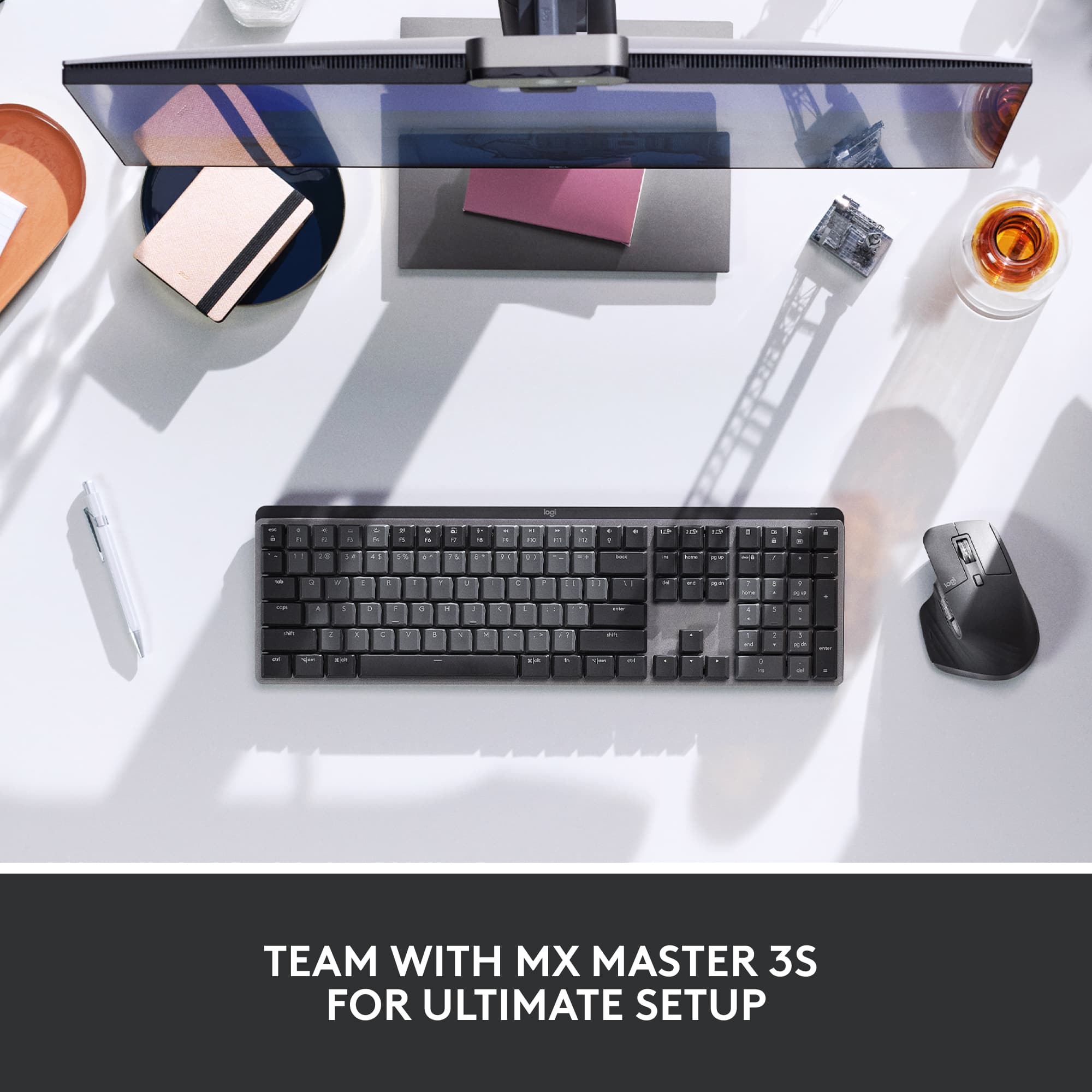
||Posted . Owned for 3 weeks when reviewed.This reviewer received promo considerations or sweepstakes entry for writing a review.I picked up a Logitech MX Mechanical to get a better daily typing experience in work. Having used mechanical keyboards for PC gaming and my personal computer in the past, I felt that it was time to upgrade my chicklet-style work keyboard to something more robust. At first glance this keyboard has decent weight and is comparatively slimmer than my gaming keyboard, where its vertical length is about a centimeter shorter. I appreciate the shorter length, as it frees up valuable desk space. Connectivity options are excellent, with dedicated keys to switch between devices. The Logi Bolt receiver makes life much easier, with just 1 dongle to connect my keyboard and my MX Master 3S to. The keys themselves don't take that much actuation force to register, and so it allows me to attain even higher WPMs than my other keyboards, increasing my productivity. The key click sound was not disturbing to myself or my colleagues on my Tactile switch-based keyboard, and I found the key feedback to be very satisfying to the touch. I was disappointed that the keycaps are not double-shot PBT for a keyboard of this caliber and price, but the keycaps themselves feel satisfying to press and the plastics felt of higher quality than other keyboards in the office. Overall the MX Mechanical is one of the best productivity keyboards available, with several options to connect to your computer, excellent typing experience, and satisfying key feedback. It's on the pricier end of the spectrum, but if found on sale, this is a hard keyboard to beat.
I would recommend this to a friendBrand response from Logitech
Posted .We’re thrilled to know that the MX Mechanical Keyboard has become such a key part of your workspace! From the streamlined design to the productivity boost, it’s great to hear how well it’s performing for you. Your point about the keycaps is noted, and we’re always looking for ways to refine our products.
- Pros mentioned:Key feel, Keyboard quality
Solid, nice mechical keyboard
||Posted .This reviewer received promo considerations or sweepstakes entry for writing a review.Solid, great keyboard. Nice feel, good mechnical keys. Couple notes though - on a Mac, the Logitech fob generated a slight lag in response time when plugged into a USB hub instead of directly into the Mac. Also - the Logi Options+ software doesn't really work w/ the latest Mac OS (Sequoia); hopefully an update will soon address that.
I would recommend this to a friendBrand response from Logitech
Posted .We appreciate your feedback on the MX Mechanical keyboard! It's great to hear you're enjoying the solid build and mechanical key feel. We also appreciate you sharing your experience with the USB hub lag on Mac and the software compatibility issue with Sequoia. Your detailed feedback is valuable and helps us improve our products and software. Thank you!