Customer Ratings & Reviews



- Model:
- HW-S700D
- SKU:
- 6577566
Rating by feature
- Value
Rating 4.6 out of 5 stars
- Quality
Rating 4.7 out of 5 stars
- Ease of Use
Rating 4.7 out of 5 stars
Customers are saying
Customers praise the HW-S700D 3.1 Channel S-Series Soundbar for its awesome sound quality and compact size, making it a stylish addition to any room. Users also appreciate its ease of use and the nice bass it provides. Additional features like Q-Symphony and simple connectivity are also well-received.
This summary was generated by AI based on customer reviews.
Good speaker
||Posted . Owned for 2 weeks when reviewed.This reviewer received promo considerations or sweepstakes entry for writing a review.Great speaker, just not too much bass compared to other speakers.
I would recommend this to a friendDefinitely doesn’t sound great for the price
||Posted . Owned for less than 1 week when reviewed.This reviewer received promo considerations or sweepstakes entry for writing a review.The HDMI cable is way too short and one end (plugging into the soundbar is actually USB). The other issue is that I use the Q-Symphone wired but every time I turn on my TV, it says “network disconnected” unless I opt for wireless Q-Symphony. LOL nope. My paired homepods sound better for TV output than this $500 soundbar. It is going back.
No, I would not recommend this to a friendBrand response from Samsung
Posted .mguzman,
We appreciate you taking a moment to review the Samsung HW-700D.
Updating the firmware on your soundbar gives you all the benefits of the latest improvements. When the Soundbar is connected to the Internet, Auto Update allows software to update automatically even when the Soundbar is turned off. You can also update by using the SmartThings app.
If not connected to the internet, you can download it onto a USB device, and then upload it to your soundbar - no wireless connection required. Connect the USB drive that contains the update firmware to the SERVICE port of the Soundbar.
1.Go to the Samsung Electronics website (www.samsung.com) → click on the “Support” option in the upper left corner.
2.Click on “Manuals & Software” from the pop-up list > TVs & Home Theater > Home Theater > Select your model
2. Download the firmware file (USB type).
3. Unzip the file to create a folder with the file name.
4. Store the created folder in a USB and then connect it to the Soundbar.
5. A sequence of “UPDATE” > “BYE” > “ON” will appear on the display 3 times. This will take around 6 minutes.
- During update, do not turn it off or remove the USB.
- If “UPDATE” does not appear on the display window, remove the power cord from the Soundbar and then reconnect it.
- When the latest version is installed, no update is performed.
- Depending on the USB type, update may not be supported.
6. After the 3 cycles are complete, the Soundbar will restart and last source used will appear on the display for about 20 seconds and then it will go off (“UPDATE” > “BYE” > “ON”) 3 times “D.IN” > off
If your soundbar fails to update or is experiencing problems, please contact Samsung Customer Support Just give us a call at 1-800-SAMSUNG (Ask for Soundbars), 8AM - 12AM EST, 7 days a week. Our Live Chat agents are also available by clicking on the ‘Support’ link on our website.
~ Samsung Solutions
does not support Dolby Atmos or Q Symphony
||Posted . Owned for 3 weeks when reviewed.This reviewer received promo considerations or sweepstakes entry for writing a review.I just recently purchased a 65 inch Samsung OLED and at the time of purchase the agent told me that this was a great sound bar that it supported Dolby Atmos and Q Symphony. At the time of insulation, the installers asked me why I purchased the sound bar. I said it was highly recommended. He said this is the wrong sound bar for this TV he says first of all it’s too small and second of all it does not support Dolby Atmos and Q Symphony. after the installation, the tech showed me the settings for Dolby, Atmos and Q Symphony, and unfortunately, this sound bar does not support true Dolby Atmos true Dolby Atmos requires top firing speakers which this board does not have. Samsung says that it supports a type of Dolby Atmos, which is a Samsung Kodak, which basically is software that sort of integrates the sound from the TV and the sound bar, but that is not true Dolby Atmos. True Dolby Atmos comes from top firing speakers and the sound bar and TV interacts with those sounds together coming from different speakers. This sound bar also sounds horrible. It sounds very tinney surround sound. Sounds like the speakers are inside a soda can it’s not very good. The subwoofer is cheap and pathetic. If you’re on a budget then maybe this would be OK but if you’re spending thousands on the TV, this is not the sound bar for you !!
No, I would not recommend this to a friendBrand response from Samsung
Posted .Hi Airjockey,
Thank you for taking a few moments to review the Samsung HW-S700D Soundbar.
This soundbar does support Dolby Atmos as well as Q-Symphony when paired with a Samsung TV that also has the Q-Symphony feature.
If there is anything we can do to improve your enjoyment, such as helping to optimize settings for your specific sound scenario, please contact Samsung Customer Support. Just give us a call at 1-800-SAMSUNG (Ask for Soundbars), 8AM - 12AM EST, 7 days a week. Our Live Chat agents are also available by clicking on the ‘Support’ link on our website.
~ Samsung Solutions
Decent for added sound
||Posted . Owned for less than 1 week when reviewed.This reviewer received promo considerations or sweepstakes entry for writing a review.Good to add if you have a tv only. Doesn’t have much if any surround effects. Comes with no directions.
I would recommend this to a friendgreat job !
||Posted . Owned for 1 week when reviewed.This reviewer received promo considerations or sweepstakes entry for writing a review.great service! they answered all of our qustions and did a great job!
I would recommend this to a friendSatisfied with product and service
||Posted . Owned for 1 week when reviewed.This reviewer received promo considerations or sweepstakes entry for writing a review.Fine picture with deep colors. Pleased with the installation and service
I would recommend this to a friendSamsund sound bar
||Posted . Owned for 1 week when reviewed.This reviewer received promo considerations or sweepstakes entry for writing a review.After reading all the good reviews, i decided to purchase this sound bar. What a mistake this sound bar sound was terrible. I had the subwoffer turn all the way up 6 which was the highest setting and barely heard any basst sound from the sub. And the Q-symphony sound was terrible, sounded like it was playing thru a tin can . After 3 days of messing with my tv settings and the sound bar settings , i finally just returned it .
No, I would not recommend this to a friendBrand response from Samsung
Posted .Hi Ben442,
Thank you for taking the time to provide feedback on your HW-S700D Soundbar. I’m sorry you were not satisfied with your experience. We are always here to help and would have been happy to assist in providing settings adjustments to resolve any issues you were experiencing.
The HW-S700D soundbar has many settings to optimize your audio experience and modes, such as Adaptive Sound, DTS Virtual: X, Music, Game, and Standard, along with being able to adjust the Treble and Bass via the Tone Control button.
Should you ever decide to give Samsung audio products another try and have questions or need or need help with settings, setup, or features, please know we’re here to help. Call us at 1-800-SAMSUNG, 8AM - 12AM EST, 7 days a week. Our Live Chat with an agent, as well as manuals, software, and warranty information, can be found at the “Support” link on our website. Again, thank you for taking the time to share your experience. We hope to regain you as a customer in the future.
~ Samsung Solutions
- Pros mentioned:Sound quality
S700d
||Posted . Owned for 1 week when reviewed.This reviewer received promo considerations or sweepstakes entry for writing a review.Decent sound bar. Took some dialing in for my taste.
I would recommend this to a friendBrand response from Samsung
Posted .Hello JamesF,
Thank you for taking a moment to review Samsung's HW-S700D Soundbar.
To take full advantage of your new soundbar, download the SmartThings App to your smart device. This will allow you to control your soundbar as you would with the provided remote, but with the added advantage of seeing what changes you make on your device.
To optimize your audio experience, please try the various sound modes this model offers. Press the SOUND MODE button on your remote, and then select your desired sound effect: ADAPTIVE SOUND, DTS VIRTUAL:X, MUSIC, GAME, STANDARD, and SpaceFit Sound Pro. When you press the SOUND MODE button it will change to the different modes in the above order.
You can further adjust TREBLE and BASS via the TONE CONTROL button.
Updating the firmware on your soundbar gives you all the benefits of the latest improvements. When the Soundbar is connected to the Internet, Auto Update allows software to update automatically even when the Soundbar is turned off. You can also update by using the SmartThings app.
I hope this tip helps improve your enjoyment. For more help, please call us at 1-800-SAMSUNG (Ask for Soundbars), 8 AM – 12 AM EST, 7 days a week. Live Chat with an agent as well as manuals, software, and warranty info can be found at the ‘Support’ link on our Samsung website.
~ Samsung Solutions
Samsung Soundbar Review
||Posted . Owned for 1 week when reviewed.This reviewer received promo considerations or sweepstakes entry for writing a review.Clarity good, would like more bass! Satisfied with purchase.
I would recommend this to a friendSamsung subwoofer
||Posted . Owned for 3 weeks when reviewed.This reviewer received promo considerations or sweepstakes entry for writing a review.We are having trouble determining the settings on the subwoofer and the soundbar. Doesn't seem to be an easy way to work with it.
No, I would not recommend this to a friendBrand response from Samsung
Posted .Hello GayleM,
We appreciate you taking a few moments to review the Samsung HW-S700D Soundbar.
To get the most out of your new soundbar, we recommend downloading the SmartThings App on your smart device. The app lets you control your soundbar just like the remote, with the added benefit of visually tracking the changes you make.
From the app, you can easily turn Voice Guide on or off.
If you don’t have the app, you can still enable or disable Voice Guide by pressing and holding the Source button on the remote for more than 5 seconds. Repeat the process to turn it off.
If you need more help, Samsung is here for you. Please call us at 1-800-SAMSUNG, 8AM - 12AM EST (Ask for Soundbars), 7 days a week. Our Live Chat agents are also available by clicking on the ‘Support’ link on our website.
~ Samsung Solutions
Not as good as it should be
||Posted . Owned for 1 week when reviewed.This reviewer received promo considerations or sweepstakes entry for writing a review.Sound quality isn’t great for the cost. I don’t know if we got a faulty one or not but for $500 you’d think the sound would be better.
No, I would not recommend this to a friendBrand response from Samsung
Posted .Hi JohnK,
I'm sorry to hear that you are dissatisfied with the sound quality of your HW-S700D Soundbar.
• First, please check that you have positioned the soundbar correctly. It has come to our attention that customers may be positioning the soundbar incorrectly, resulting in poor sound quality. The soundbar should be placed with the SAMSUNG logo facing up towards the ceiling. If you position the soundbar with the logo facing up, you will see the display/status panel and the speakers will be facing outward. (Refer to product photos on Samsung.com and zoom in on the photos) If you have incorrectly placed the soundbar with the SAMSUNG logo perpendicular to the floor (facing you when you sit), you will experience muffled or low-quality sound because the unit will be resting on the speakers.
To take full advantage of your new soundbar, download the SmartThings App to your smart device. This will allow you to control your soundbar as you would with the provided remote, but with the added advantage of seeing what changes you make on your device.
To optimize your audio experience, please try the various sound modes this model offers. Press the SOUND MODE button on your remote, and then select your desired sound effect: ADAPTIVE SOUND, DTS VIRTUAL:X, MUSIC, GAME, STANDARD. When you press the SOUND MODE button it will change to the different modes in the above order.
You can further adjust TREBLE and BASS via the TONE CONTROL button.
If you need more help, Samsung is here for you. Please call us at 1-800-SAMSUNG, 8AM - 12AM EST (Ask for Soundbars), 7 days a week. Our Live Chat agents are also available by clicking on the ‘Support’ link on our website.
~ Samsung Solutions
Just Ok for the high price.
||Posted . Owned for 1 month when reviewed.This reviewer received promo considerations or sweepstakes entry for writing a review.This sound bar almost cost as much as the tv we purchased. I am not that impressed with the sound bar. It works, just not as well as we were told.
No, I would not recommend this to a friendBrand response from Samsung
Posted .Hi TimB,
We appreciate you taking a moment to review the Samsung HW-S700D Soundbar.
To take full advantage of your new soundbar, download the SmartThings App to your smart device. This will allow you to control your soundbar as you would with the provided remote, but with the added advantage of seeing what changes you make on your device.
To optimize your audio experience, please try the various sound modes this model offers. Press the SOUND MODE button on your remote, and then select your desired sound effect: ADAPTIVE SOUND, DTS VIRTUAL:X, MUSIC, GAME, STANDARD. When you press the SOUND MODE button it will change to the different modes in the above order.
You can further adjust TREBLE and BASS via the TONE CONTROL button.
If you need more help, Samsung is here for you. Please call us at 1-800-SAMSUNG, 8AM - 12AM EST (Ask for Soundbars), 7 days a week. Our Live Chat agents are also available by clicking on the ‘Support’ link on our website.
~ Samsung Solutions
No surround sound feel or experience
||Posted . Owned for 1 week when reviewed.This reviewer received promo considerations or sweepstakes entry for writing a review.I am a bit disappointed with this sound bar. I guess I should have purchased the next model up. There is no surround sound feel or experience, just sort of a loud TV speaker sound.
No, I would not recommend this to a friendBrand response from Samsung
Posted .DanielM,
We appreciate you sharing your feedback regarding the performance of the HW-S700D Soundbar.
To take full advantage of your new soundbar, download the SmartThings App to your smart device. This will allow you to control your soundbar as you would with the provided remote, but with the added advantage of seeing what changes you make on your device.
When you press the CH LEVEL button on the remote, you can adjust the volume of the CENTER speaker using the UP/DOWN buttons between -6 to +6. If the Rear Speakers (sold separately) are connected, the setting “Rear Level” is supported.
You can further adjust TREBLE and BASS via the TONE CONTROL button using the UP/DOWN buttons on the remote between -6 to +6.
Press and hold the SOUND CONTROL button for about 5 seconds to adjust the sound for each frequency band. 150Hz, 300Hz, 600Hz, 1.2kHz, 2.5kHz, 5kHz, and 10kHz are selectable using the Left/Right buttons and each can be adjusted to a setting between -6 to +6 using the Up/Down buttons. (Make sure the Sound mode is set to "Standard".
Also, you can also add the SWA-9200S Rear Speaker Kit to create a multi-channel system for a true surround sound experience. Check it out at Best Buy: https://www.bestbuy.com/site/samsung-swa-9200s-za-2-0ch-wireless-rear-speaker-kits-black/6510790.p?skuId=6510790
If you need more help, Samsung is here for you. Please call us at 1-800-SAMSUNG, 8AM - 12AM EST (Ask for Soundbars), 7 days a week. Our Live Chat agents are also available by clicking on the ‘Support’ link on our website.
~ Samsung Solutions
Sound Bar
||Posted . Owned for 1 week when reviewed.This reviewer received promo considerations or sweepstakes entry for writing a review.Can’t tell much difference between this and regular TV sound.
No, I would not recommend this to a friendBrand response from Samsung
Posted .SandraM,
We appreciate you sharing your feedback regarding the performance of the Samsung HW-S700D Soundbar.
To take full advantage of your new soundbar, download the SmartThings App to your smart device. This will allow you to control your soundbar as you would with the provided remote, but with the added advantage of seeing what changes you make on your device.
To optimize your audio experience, please try the various sound modes this model offers. Press the SOUND MODE button on your remote, and then select your desired sound effect: ADAPTIVE SOUND, DTS VIRTUAL:X, MUSIC, GAME, STANDARD. When you press the SOUND MODE button it will change to the different modes in the above order.
You can further adjust TREBLE and BASS via the TONE CONTROL button.
Also, you can also add the SWA-9500S Rear Speaker Kit to create a multi-channel system for a true surround sound experience.
I hope these tips help you enjoy your new product.
You can always contact us for further help at 1-800-SAMSUNG (Ask for Soundbars), 8 AM – 12 AM EST, 7 days a week. Our Live Chat agents are also available by clicking on the ‘Support’ link on our website.
~ Samsung Solutions
Wireless Subwoofer
||Posted . Owned for 1 month when reviewed.This reviewer received promo considerations or sweepstakes entry for writing a review.Sub woofer sound is dstracting for me so don't use
No, I would not recommend this to a friendBrand response from Samsung
Posted .Hello DavidM,
We appreciate you taking a few moments to review the Samsung HW-S700D Soundbar.
To take full advantage of your new soundbar, download the SmartThings App to your smart device. This will allow you to control your soundbar as you would with the provided remote, but with the added advantage of seeing what changes you make on your device.
To optimize your audio experience, please try the various sound modes this model offers. Press the SOUND MODE button on your remote, and then select your desired sound effect.
If you would like louder (or softer) bass from your subwoofer, you can adjust the level by rocking the WOOFER button on the soundbar remote, and then adjusting the level from -6 to +6. To set the subwoofer volume level to 0, press the button in.
You can adjust the Treble and Bass by pressing the TONE CONTROL button then use the UP/DOWN buttons to change the levels between -6 to +6.
If you need more help, Samsung is here for you. Please call us at 1-800-SAMSUNG, 8AM - 12AM EST (Ask for Soundbars), 7 days a week. Our Live Chat agents are also available by clicking on the ‘Support’ link on our website.
~ Samsung Solutions
Very small speaker
||Posted . Owned for less than 1 week when reviewed.This reviewer received promo considerations or sweepstakes entry for writing a review.Didn't realize how small this speaker was. Returned for a larger system HW-Q600C. Plus we can add rear speaker kit to make this a 3.1.2 system
I would recommend this to a friendBrand response from Samsung
Posted .jbod,
Thank you for sharing your review of the Samsung HW-S700D Soundbar and for sharing your experience with this soundbar, detailing the reasons you have decided to replace it with a different model. Thank you for being a loyal Samsung customer.
Your feedback regarding this model is important to us and will be shared with our internal teams.
Also, you can also add the SWA-9200S Rear Speaker Kit to the HW-S700D or HW-Q600C to create a multi-channel system for a true surround sound experience. Check it out at Best Buy: https://www.bestbuy.com/site/samsung-swa-9200s-za-2-0ch-wireless-rear-speaker-kits-black/6510790.p?skuId=6510790
Should you ever have questions or need help, Samsung is here for you. Just give us a call at 1-800-SAMSUNG (Ask for Soundbars), 8AM - 12AM EST, 7 days a week. Our Live Chat agents are also available by clicking on the ‘Support’ link on our website.
~ Samsung Solutions
Blackmail. Paid for item, over two weeks no item!
||Posted . Owned for 2 weeks when reviewed.This reviewer received promo considerations or sweepstakes entry for writing a review.ABSOLUTELY RIDICULOUS! Placed order in store 12/12/24. It is December 30th no sound barm no info. all OUTSOURCED Customer Service - people cannot speak English or communicate properly. Spoke to Supervisor on 12/26/24 was supposed to get back to us with an answer. Today still no answer, they refuse to CANCEL the order and STILL no sound bar that WE PAID FOR!!!! What kind of Mickey Mouse company is Best Buy???
No, I would not recommend this to a friendBrand response from Samsung
Posted .KeithC,
We appreciate you sharing your experience; however, we recommend you contact Best Buy directly for assistance in correcting this situation. We hope your issue is resolved in a timely manner.
You may also want to consider providing feedback directly to the Best Buy store where you made your purchase.
Should you have any questions or need help with your HW-S700D once your issue has been resolved, please reach Samsung Support at 1-800-SAMSUNG, 8AM - 12AM EST, 7 days a week. Our LiveChat agents are also available by clicking on the ‘Support’ link on our website.
~ Samsung Solutions
- Pros mentioned:Size, Sound quality

Big sound from little soundbar but some issues
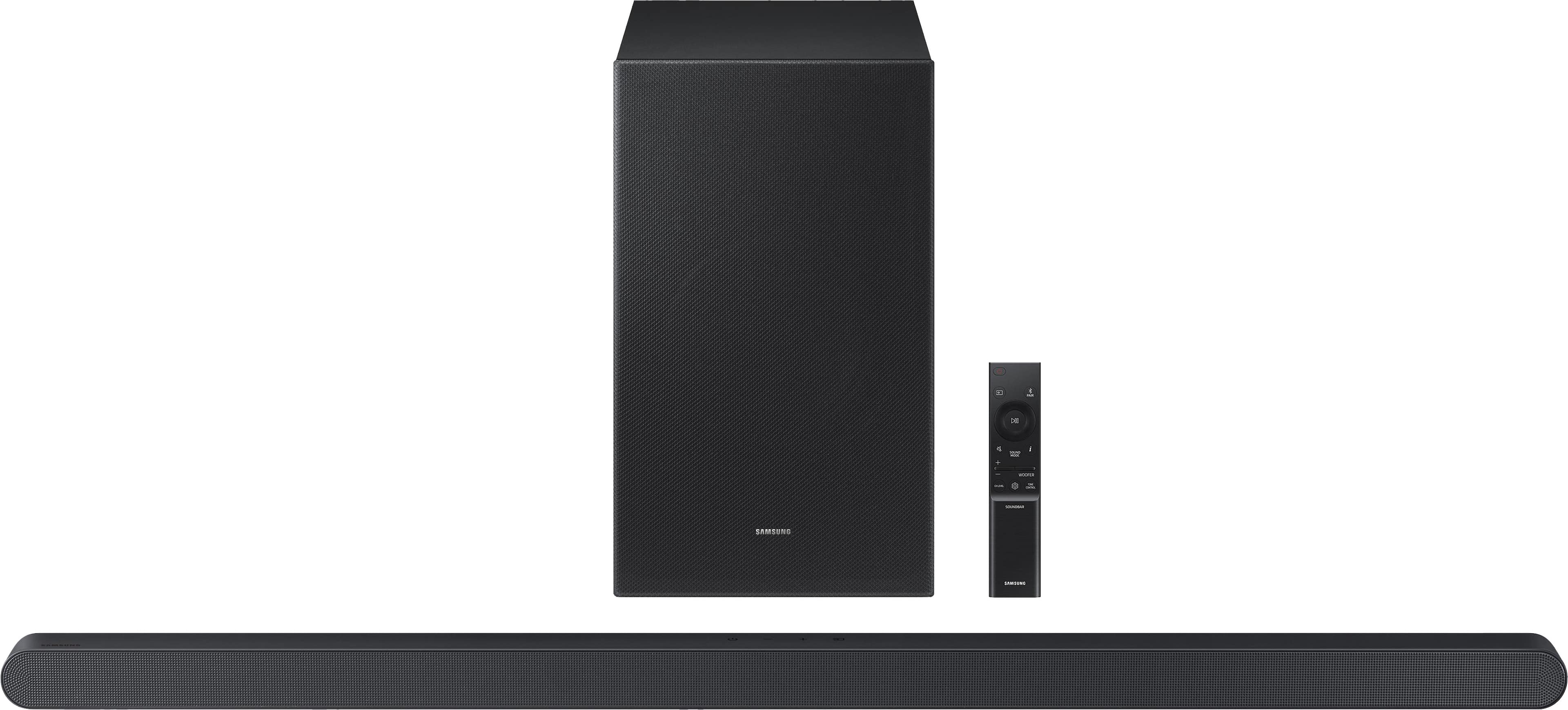
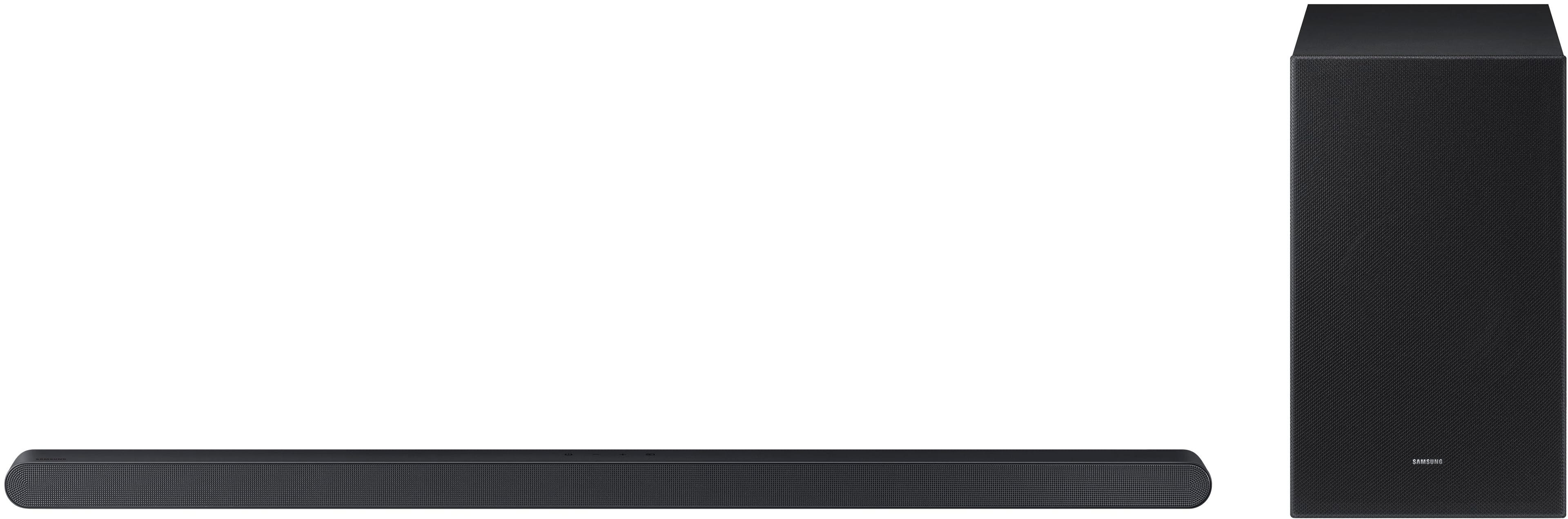
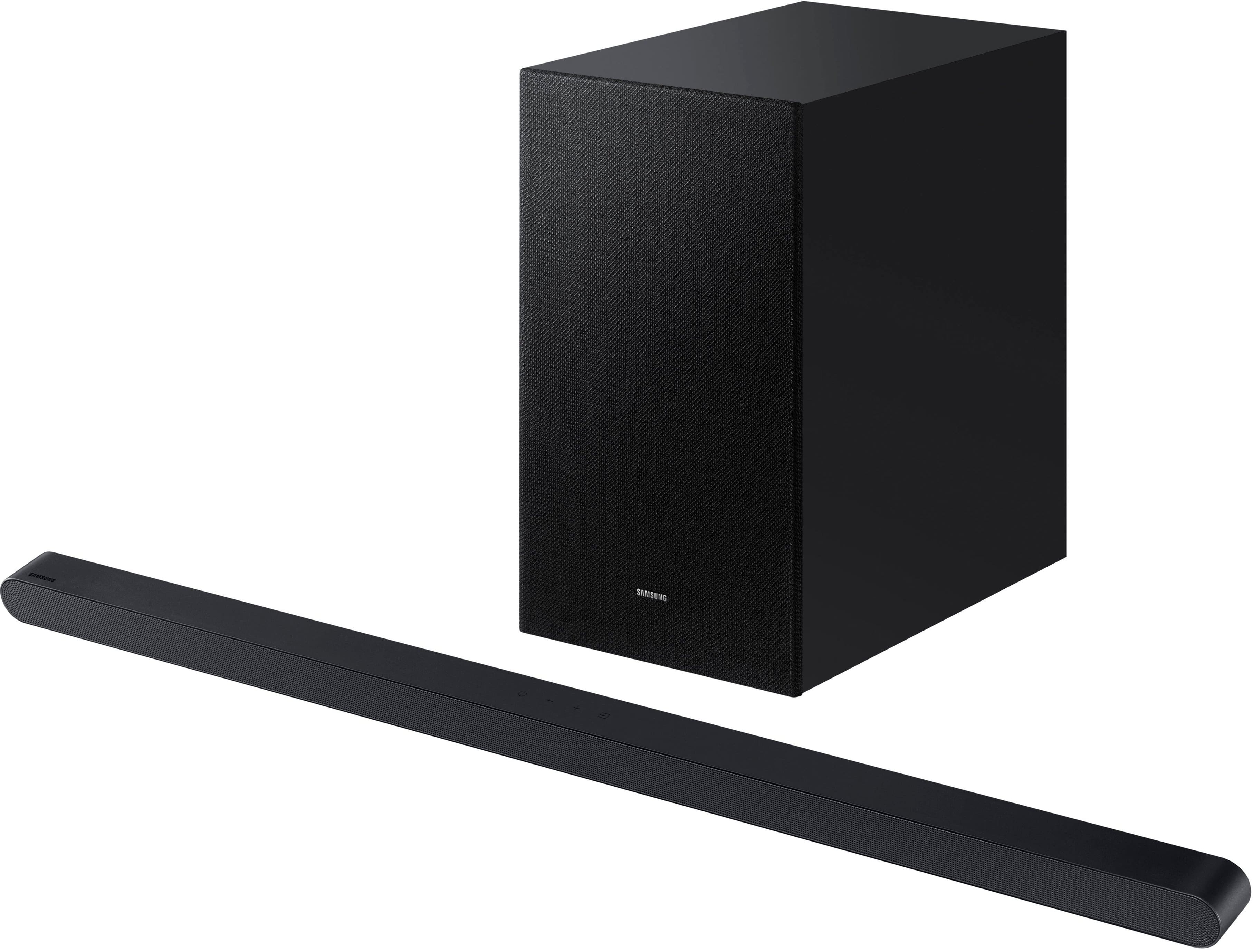
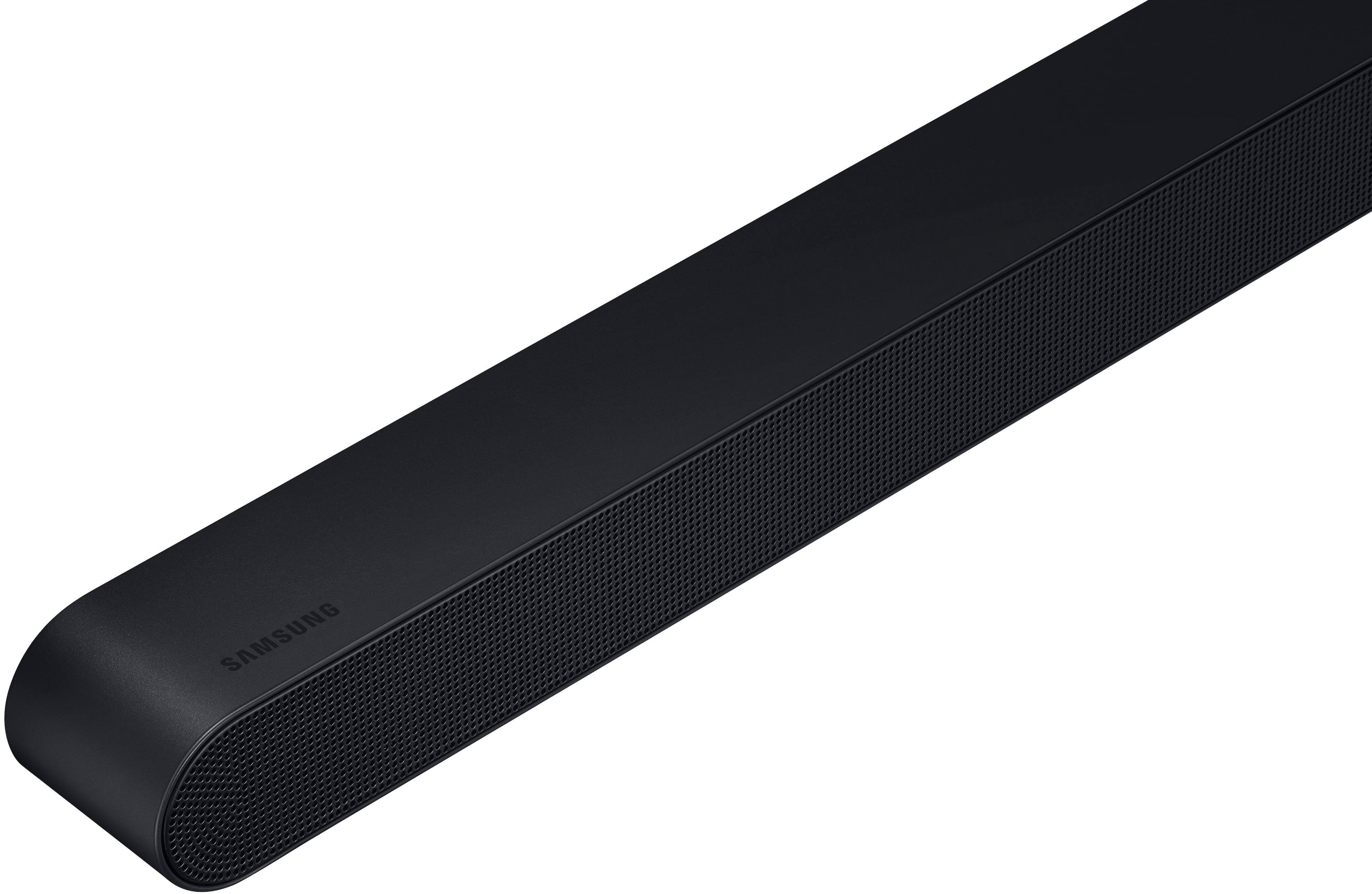
|Posted .This reviewer received promo considerations or sweepstakes entry for writing a review.Samsung isn't kidding when it calls this new S700D soundbar "ultra slim." At only about 1 1/2 inches tall and just 35 inches long, this thing is way more compact than almost anything else out there in the universe of soundbars. And while the sound quality produced by this tiny wonder is far better than you might expect for something so small , it does come with some tradeoffs. Most of them are related to the fact that to make a soundbar this tiny, some things had to be left out. Like a full sized HDMI port, and physical controls on top that provide some tactical feedback -- or even indicator lights that you can actually see. Turns out there are indicator lights, but like me, you might not even notice them at first. They are tiny LEDs hidden behind the front grill and can only seen when you are positioned directly in front of the soundbar and are looking directly at them. These omissions made setup of the S700D more difficult than it might have been since, in the beginning, it was hard to tell if it was even on (oddly,there is no "on" light) , much less how to change any settings. But more on this later. What most people are going to care about is the sound and on that front at least, this Samsung Ultra Slim performs quite well. With the help of a fairly hefty wireless subwoofter, the tiny speakers in the soundbar combine to produce the kind of full-bodied sound you might expect from something much bigger. You might even be surprised at how full the sound gets on soundtracks with properly engineered sound effects and music. . Bass is surprisingly strong and since it supports several flavors of surround sound, there is a broad sound field that expands up and out from the soundbar itself. Dolby Atmos, Dolby Digital Plus, Dolby True HD and DTS are supported but it's a little unclear how best to access the correct codec or even if any of them are being used. The small, minimalist remote, easily one of the worst designs I have seen on any device (which is saying a lot) , only allows you to cycle between unseen sound options with a single button. The soundbar annouces by voice (odd) what mode it is when you push that button but almost none of them are the familiar codecs. Instead, your choices are mostly generic names Samsung has decided to give them: Standard, Surround, Game and adaptive sound. The only familiar codec offered is DTS Virtual X. The soundbar does not come with any manual detailing what any of these various options do or why you should chose one over the other. I had to go online and search around to sort all that out. (Hint: Adaptive sound is probably the best all around option most of the time) I highly recommend that you download Samsung's generic Smart Things app (used by many Samsung devices) so you have some idea what is happening during setup and can more easily control what the soundbar is doing. And actually see the settings. Otherwise, you are mostly operating blind, unless you can decipher the various colors and flash patterns of the LEDs. The app also allows you to easily check and update the firmware, which is difficult if you are not using it, and to set the soundbar to auto update. One big advantage with the Samsung S900D is you have both wired and wireless options when it comes to connecting to your TV, The only wired option is HDMI (sorry no optical) But instead of a full HDMI port (which was too big for the tiny soundbar, I guess) Samsung provides a smaller mini HDMI port (same as USB C). Included with a soundbar is short cable with mini HDMI plug on one end and full HDMI plug on other. You will need an adapter if you have to make a longer run with an existing HDMI cable. On the wireless side, this soundbar uses bluetooth so your TV or streaaming device must support that. HDMI provides the best sound quality (via HDMI ARC or eARC from the TV) but if you prefer a less cluttered approach, a bluetooth connection is possible. That's easier, of course, but bluetooth compresses the audio so sound can be a bit flat and muddy. Samsung's propriatory Q Symphony feature is also also supported via HDMI or wifi (you must used the Smart Things app for this). It only works with compatible (ie newer) Samsung TVs. Q Symphony allows you to run your TV speakers and soundbar at the same time and provides more visual feedback on soundbar settings. Since the soundbar supports bluetooth, you can use it to stream music as well, via remote phones, tablets or the like. But I found the audio quality on music served up this way to be somewhat lacking. That may be because the tiny speakers in the soundbar seem to have trouble doing justice to the midrange frequences, where most music resides. OK for TV. Not so great for music. The S900D also comes with a very complete set of mounting hardware if you prefer that look over just setting it on a cabinet under the TV. Overall this is a pretty decent-sounding soundbar, given it's small size. It is a bit on the pricey side but if you are into the smaller-is-better design aesthetic, this might be a good way to go.
I would recommend this to a friend Not loud and has to be rebooted constantly
||Posted . Owned for 1 month when reviewed.This reviewer received promo considerations or sweepstakes entry for writing a review.Its okay but it goes in and out too often and the setup was not simple. Maybe I got a dud but it just doesn't improve the sound. Every time I turn my tv on I have to reboot this thing.
No, I would not recommend this to a friendBrand response from Samsung
Posted .Hello RachaelW,
Thank you for sharing your review of Samsung’s HW-S700D Soundbar. We’re sorry your experience didn’t match your expectations. Your feedback is very important to us as we continuously strive for best-in-class product and service. Samsung is committed to providing the best possible product experience, quality, and value. We back this Samsung Soundbar with a 1-year limited manufacturer's warranty, including authorized repair for manufacturer defect, if purchased brand-new directly from an authorized seller.
Updating the firmware on your soundbar gives you all the benefits of the latest improvements. When the Soundbar is connected to the Internet, Auto Update allows software to update automatically even when the Soundbar is turned off. You can also update by using the SmartThings app.
If not connected to the internet, you can download it onto a USB device, and then upload it to your soundbar - no wireless connection required. Connect the USB drive that contains the update firmware to the SERVICE port of the Soundbar.
1.Go to the Samsung Electronics website (www.samsung.com) → click on the “Support” option in the upper left corner.
2.Click on “Manuals & Software” from the pop-up list > TVs & Home Theater > Home Theater > Select your model
2. Download the firmware file (USB type).
3. Unzip the file to create a folder with the file name.
4. Store the created folder in a USB and then connect it to the Soundbar.
5. A sequence of “UPDATE” > “BYE” > “ON” will appear on the display 3 times. This will take around 6 minutes.
- During update, do not turn it off or remove the USB.
- If “UPDATE” does not appear on the display window, remove the power cord from the Soundbar and then reconnect it.
- When the latest version is installed, no update is performed.
- Depending on the USB type, update may not be supported.
6. After the 3 cycles are complete, the Soundbar will restart and last source used will appear on the display for about 20 seconds and then it will go off (“UPDATE” > “BYE” > “ON”) 3 times “D.IN” > off
If you need more help, Samsung is here for you. Please call us at 1-800-SAMSUNG, 8AM - 12AM EST (Ask for Soundbars), 7 days a week. Our Live Chat agents are also available by clicking on the ‘Support’ link on our website.
~ Samsung Solutions
- Pros mentioned:Bass, Size, Sound quality
A Great Sounding, Very Compact Soundbar
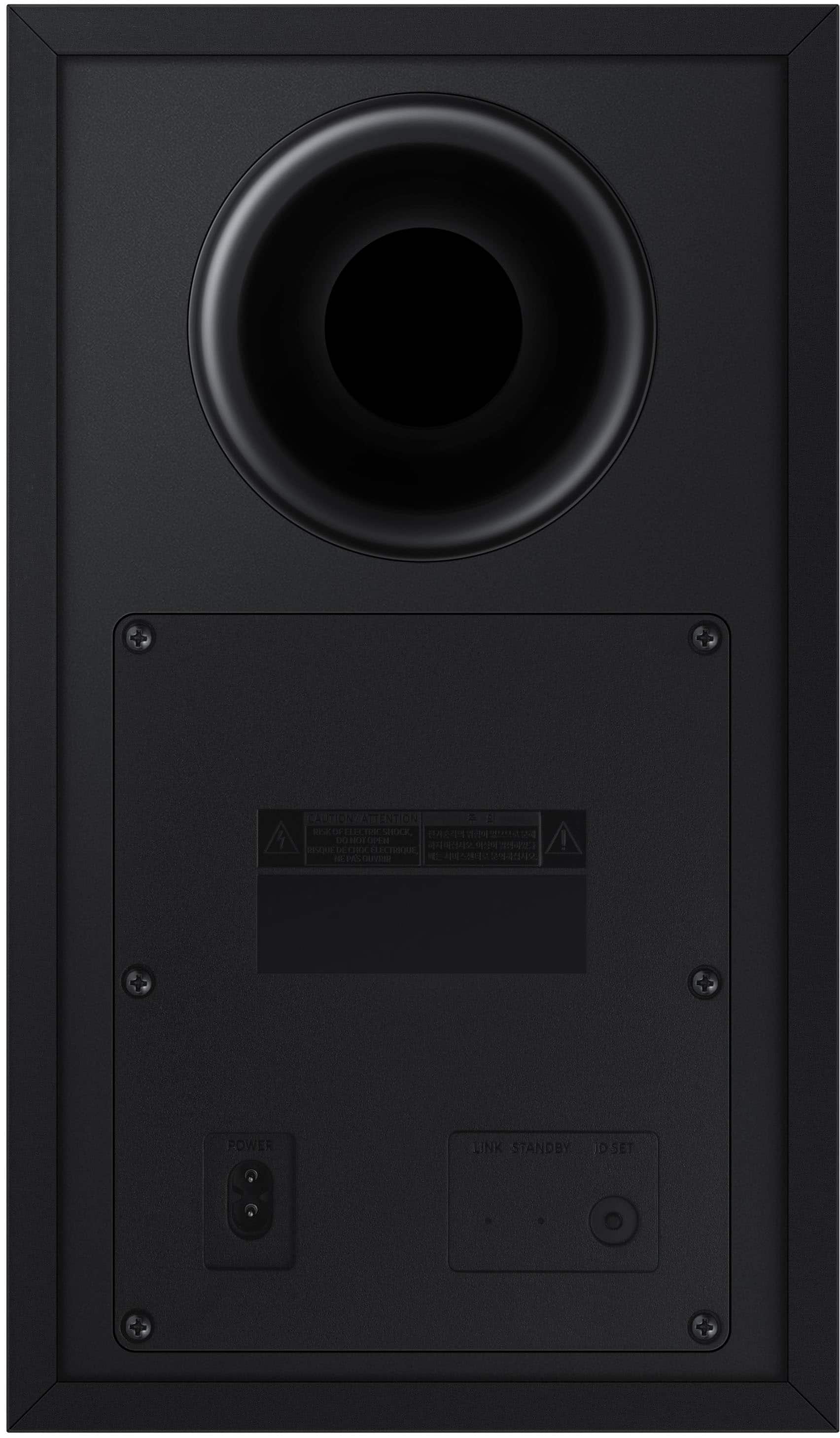
|Posted .This reviewer received promo considerations or sweepstakes entry for writing a review.Samsung S700D Soundbar I love this soundbar! It’s so compact and it sounds great! The highs are strong and clear, the base is solid and robust. There are touch buttons on the top of the bar for power, volume, and source. The size of the soundbar in front of your TV is amazingly compact (35 inch long, 1.5 inch high, and 1.5 inch deep) It’s one of the smallest soundbars I have seen, and yet the sound does not disappoint! The Sub Box is wireless to the Soundbar and measures 14 inch high, 12 inch deep, and 8 inch wide. The sub has a standard AC cord and plug. The Soundbar has a standard AC plug and cord with an in-line power block leading to a small cord that plugs in to the back of the soundbar making the install less cluttered and even more compact. There is a proprietary HDMI cable to connect to your TV and to the back of your Soundbar which is also of small diameter. This model does include Samsung’s Q Symphony which also utilizes the speakers in your compatible Samsung TV (Model years 2022-2024) to further enhance the sound. And Samsung included wall brackets with this model if you need to mount it. The included remote is compact with several features including a “pair” button for connecting to Bluetooth, a Sound Mode button for the 5 preset sound modes (I’m using the DTS Virtual X). There are built in voice prompts to announce what your current setting is. Of course, the remote has volume, pause, mute, and power. It also has a subwoofer level button for quick and easy adjustments along with a tone control button. If that’s not enough, download the “Smart Things” app from Samsung and you can control everything from it with a visual confirmation on your phone. There are also advanced Sound settings in the app for Voice Enhancement (dialogue enhance) and Night Mode options. You will need to download the App to set the Wi-Fi on the soundbar. After setting up Wi-Fi you can use Apple Air Play 2 to play your favorite streaming music on your iPhone and Airplay sends great bandwidth music right to the soundbar with a range as wide as your local router has coverage. I use Airplay exclusively over Bluetooth because I can walk anywhere in my home with the phone in my pocket and have no dropouts, in addition, the sound is better due to lossless compression vs Bluetooth. As you can tell, I use this soundbar for music listening as much as for watching TV and movies. FYI, this model does not include Alexa. I was able to connect Alexa to The Samsung Smart Things App, and could ask Alexa to change the volume, but never was able to play music to the speaker using Alexa. CONCLUSION: I really like this soundbar for features and great sound. The setup was straightforward and easy. The compact size is impressive considering the sound you get. Airplay 2 is a big feature I appreciate on this model. Being able to use the remote OR my phone to control this is a big plus. And don’t forget the top touch buttons right on top of the bar for a quick volume change. Yes, I would absolutely recommend this soundbar.
I would recommend this to a friend