Customer Ratings & Reviews





- Model:
- CB515-1HT-P39B
- SKU:
- 6103300
Rating by feature
- Value
Rating 4.5 out of 5 stars
- Quality
Rating 4.4 out of 5 stars
- Ease of Use
Rating 4.6 out of 5 stars
Customers are saying
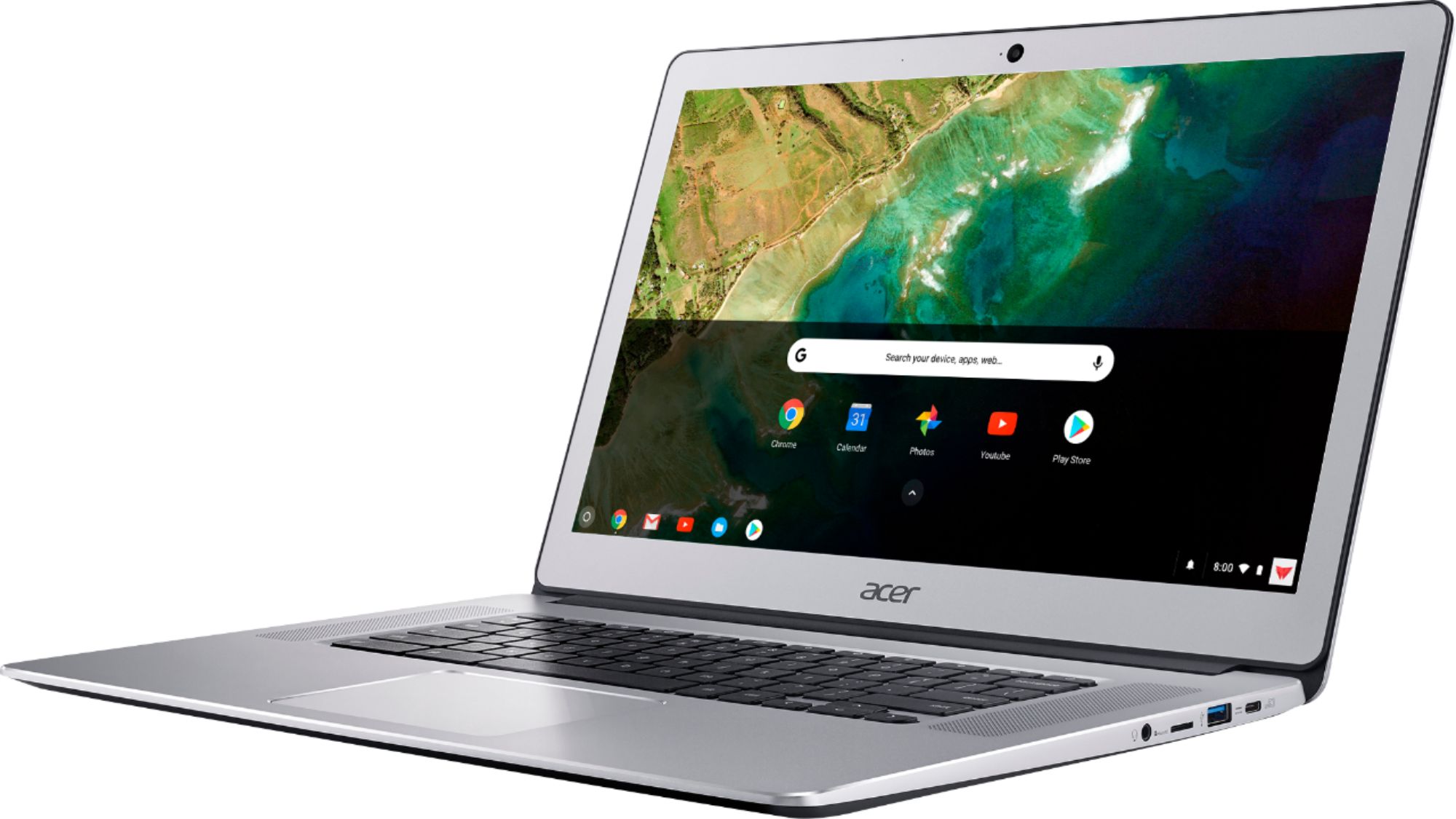
Customers appreciate the large screen size and responsive touchscreen of this 15.6" Chromebook. Positive feedback also highlights its long battery life, ease of use, and lightweight design. Many users find the speakers to be surprisingly good. A common concern, however, is the limited internal storage.
This summary was generated by AI based on customer reviews.

Compelling but frustrating to use
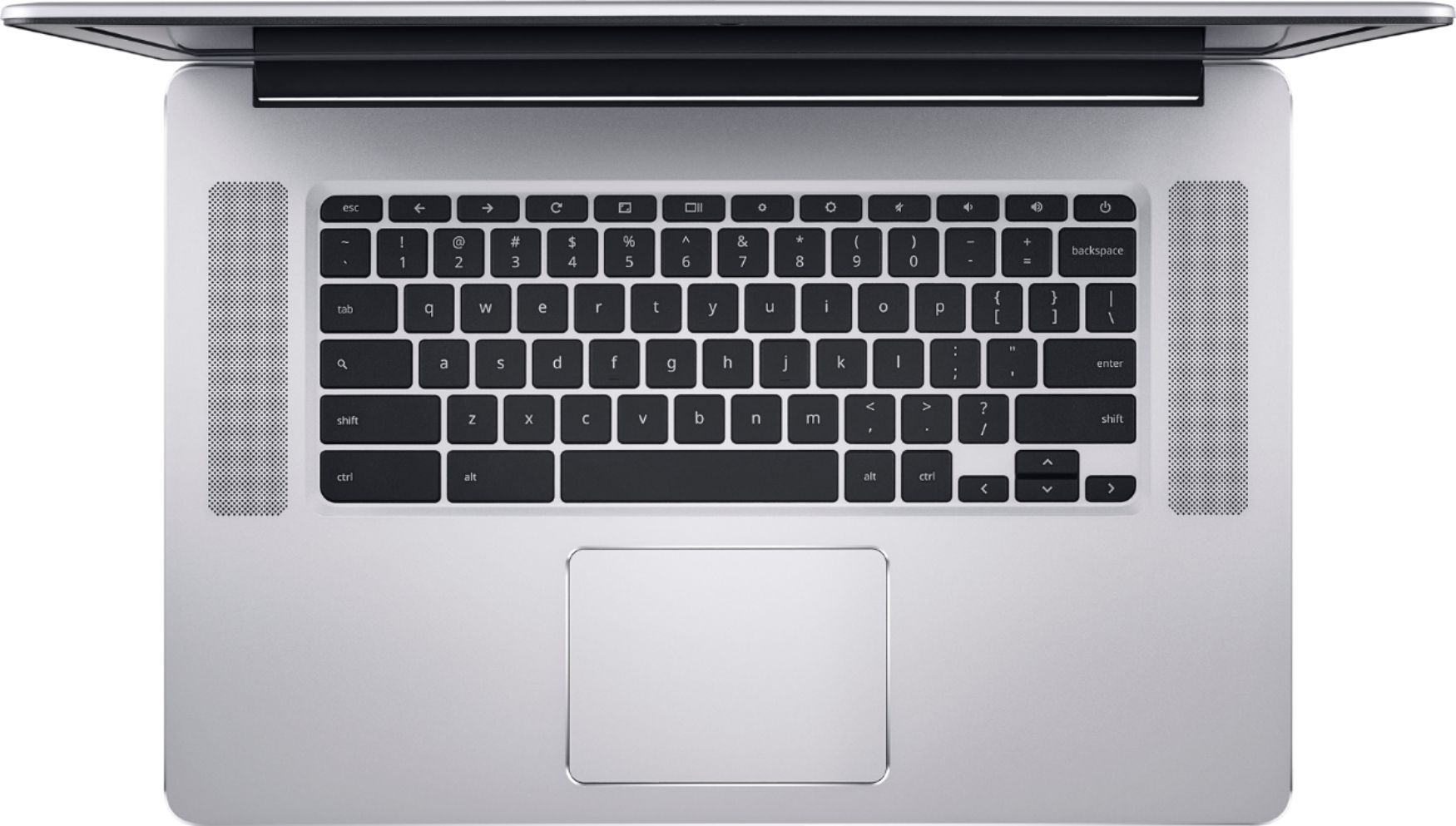
|Posted .This reviewer received promo considerations or sweepstakes entry for writing a review.I am pleasantly surprised by my first experience with a Chromebook. Out of the box the first thing I noticed was the lightning-fast bootup time. Logging in and setting up the device was straightforward and easy. After that is where things get interesting. For starters, there's no Caps Lock key. Yes, you read that right. Additionally it's apparently standard that Chromebooks just don't have a delete key. These two things have provided me no end of frustration in using this device. The "start button" (pops up the app chooser for the OS) is what's in place of the caps lock key. So imagine a Windows PC where the Caps Lock key fired up the Start Menu; that's what you get with this thing. Getting to the settings area and configuring the device is also weird. Everything appears to be within a browser which is a confusing layout and interface for most users, I would expect. It's cool that this device has a touch screen but let's be honest, what on the web is built for Touch anymore? While you can install Android apps on this (preview feature) and the touchscreen might come in handy there, they launch in a sliver of a window (think iPhone apps on the iPad) so the experience is less than optimal. I'm one who reverses the scrolling direction on the touchpad on every device I own. I'm dismayed to find there's no setting to do that on this machine. Other nuances are just a learning curve - where to go to install apps, uninstall apps, "pin" to the "taskbar" (aka Shell). More hardware things are: USB-C connectivity for power, but USB-A (aka "normal" USB) ports available as well. But note, those are the only IO ports on the device aside from a headphone jack. No video out - you'll need a USB-C adapter for that. I noticed, though the screen is touted as high-fidelity 1080p, TweetDeck in particular looked very bad. It appears any "crisp" or "skinny" text has a hard time rendering on this machine. During normal browsing, however, it looked ok. Sound is as good as laptop speakers can be.
No, I would not recommend this to a friend- Pros mentioned:Ease of use
I wanted to hate this laptop
Posted .This reviewer received promo considerations or sweepstakes entry for writing a review.My original intent in getting this Chromebook was the converted to a Linux laptop. After using it for a couple of weeks I really started to like the Chrome OS. Now I find myself using my Chromebook more than any other computer or laptop that I have. It's lightweight, secure, and very agile. If you're just looking for a device to use to surf the web and do some light browsing. This will address all your needs. It has a great screen resolution, quick internet, and USB C is a great option. Also, it's great for non-techie people. The Chrome OS has a lot of built in safe guards and automation.
I would recommend this to a friend - Pros mentioned:Battery life, Ease of use
Chrome book works great
Posted .This reviewer received promo considerations or sweepstakes entry for writing a review.First time owner of a chrome book. Heard a lot about them but never used one. This chrome book rocks. Very easy to use and operate. Battery life is great even with backlight keyboard.
I would recommend this to a friend I just wish...
|Posted .This reviewer received promo considerations or sweepstakes entry for writing a review.I just wish Manufacturers would start putting 1080p displays in laptops that span over 13". But other than that the front firing speakers are a first in a laptop for me and are world changing how much more into things immerse you.
I would recommend this to a friend- Pros mentioned:Battery life
Good, but AC adapter was dated
Posted .This reviewer received promo considerations or sweepstakes entry for writing a review.The computer for the price was great. I personally get about 5.5 hours of battery at 50% brightness. My one qualm was the AC adapter. It looks like EVERY other laptop power adapter. AC cord, brick, USB c cord. They could have just as easily given us a power brick and a 6' USB C cord.
I would recommend this to a friend Good enough!
Posted .This reviewer received promo considerations or sweepstakes entry for writing a review.After your Win 7 professional gets corrupted by MS update adversely reacting to a previously installed program (Nov 2017 patch Tuesday) that worked fine until the update... you learn to make a system image backup of your main Windows drives. Woe unto those that have to re install windows and hundreds of Windows updates just to bring their machines current... and of course there's that antivirus you just have to have, and may the powers that be protect you if a virus comes along that is not yet detected by your antivirus... All that goes away with this Acer 15.6 chromebook... which can browse in virus infected waters and not get wet... not a drop (so far, anyway)... I use the Win 7 Pro box for surveillance, and right now at 1AM I am making a system image which has so far taken 2 25 gig Blue Ray disks... a must have for Windows (all flavors) but not for this Chromebook.
I would recommend this to a friendGood Chromebook
Posted .This reviewer received promo considerations or sweepstakes entry for writing a review.I love this chromebook it's very nice but, the only problem I have is that sometimes the audio crackles when playing games. Not sure why but there has been others who have said the same thing. Other then that it's a good laptop.
I would recommend this to a friendExcellent laptop
Posted .This reviewer received promo considerations or sweepstakes entry for writing a review.Honestly the best laptop I have ever owned. It's fast start up is quick and looks nice.
I would recommend this to a friend