Customer Ratings & Reviews
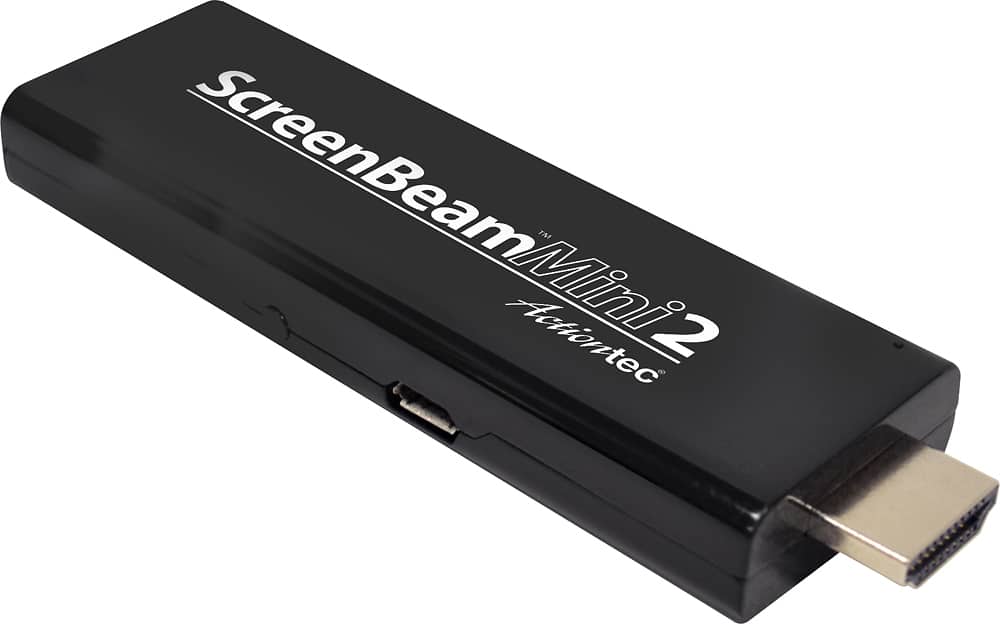
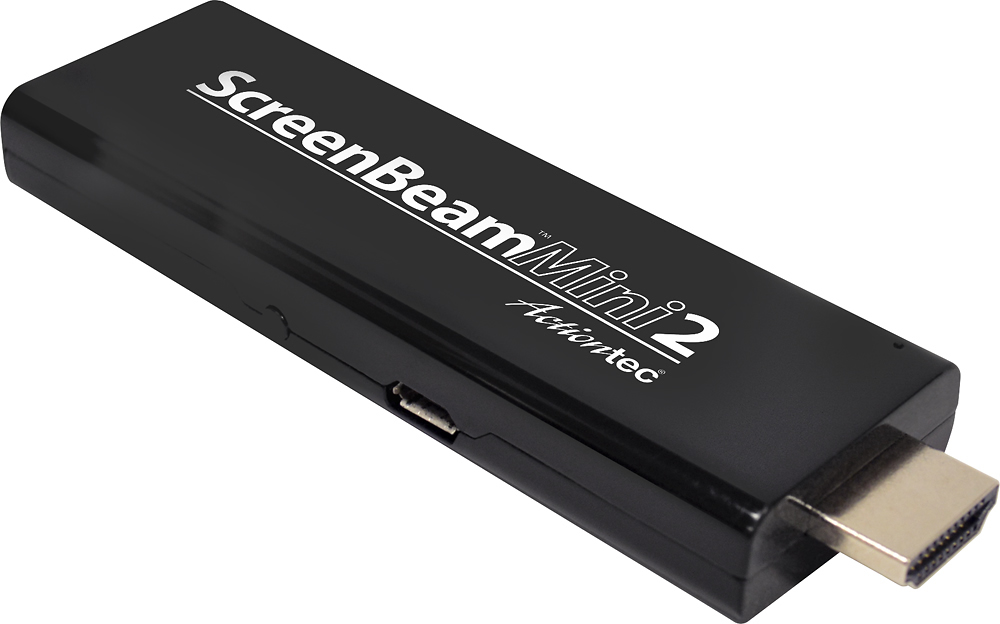
- Model:
- SBWD60A01
- |
- SKU:
- 5637023
Customer reviews
Rating 4.2 out of 5 stars with 2311 reviews
(2,311 customer reviews)Rating by feature
- Value4.2
Rating 4.2 out of 5 stars
- Quality4.4
Rating 4.4 out of 5 stars
- Ease of Use4.3
Rating 4.3 out of 5 stars
Customers are saying
Customers recognize the ScreenBeam Mini 2 Wireless Display Receiver's ease of use, wireless capability, and generally good picture quality as significant advantages. Many appreciate its straightforward setup and performance for streaming video from various devices. However, some users experienced connection issues and occasional overheating, while others noted compatibility limitations with certain streaming services. The product's price point is frequently praised.
This summary was generated by AI based on customer reviews.
- Pros mentioned:Ease of use, Wireless
Rated 5 out of 5 stars
Cut the cords ,wireless streamer is great
||Posted .This reviewer received promo considerations or sweepstakes entry for writing a review.ScreenBeam really works great and wireless is terriffic. Simple to set up and now can use my TV as a great computer screen. I would definitely recommend wireless over ethernet cord.
I would recommend this to a friend - Pros mentioned:Ease of use, Wireless
Rated 5 out of 5 stars
Great Product
||Posted .This reviewer received promo considerations or sweepstakes entry for writing a review.I really like that you can use this device without hooking up to a network. Worked smoothly right out of the box. I have used this with my Surface Tablet and my android phone.
I would recommend this to a friend - Cons mentioned:Connection
Rated 3 out of 5 stars
The product concept is great - but !!!
||Posted .This reviewer received promo considerations or sweepstakes entry for writing a review.I love the price and function screen beam mini provides however the hardware is glitchy , maybe this can be resolved with a product update Idk but mine reboots itself and drops connections 45% of the time. If this could be fixed it would be a great product. I would still buy it again
I would recommend this to a friend Rated 4 out of 5 stars
Easy Setup and Easy connect
||Posted .This reviewer received promo considerations or sweepstakes entry for writing a review.I was looking for another mirroring device and was offered this one. I was skeptical but when I unboxed it I was up and running in less that 4 minutes. I would have given it a 5, but the USB cable is in an awkward location. would have liked to have a little more streamline, otherwise, no big deal. Easy instructions and valuable customer service.
I would recommend this to a friend- Pros mentioned:Ease of use, Picture quality
Rated 4 out of 5 stars
great product
||Posted .This reviewer received promo considerations or sweepstakes entry for writing a review.set up easily and works great,,,would buy this again
I would recommend this to a friend - Pros mentioned:Ease of use, Wireless
Rated 5 out of 5 stars
Easy to use
||Posted .This reviewer received promo considerations or sweepstakes entry for writing a review.Easy to use. Had my windows tablet screen up on my TV in no time. And no cables! Well worth the price.
I would recommend this to a friend - Pros mentioned:Hdmi
Rated 3 out of 5 stars
1/2 of what you need to mirror your PC to your TV
||Posted .This reviewer received promo considerations or sweepstakes entry for writing a review.I purchased this device so I could mirror my PC display to my TV. But my PC was not equipped with Miracast. So the receiver by itself would not work. I needed the transmitter as well. Turns out most PC's purchased with Windows 8 should be equipped with Miracast. My PC came with Windows 7, so no Miracast. I was using a WiDi wireless adapter to mirror my PC to my television in Windows 7. But then I upgraded to Windows 10 and the WiDi device no longer worked with Windows 10. I explained all of this to the Best Buy salesman. Turns out he was only half way knowledgeable on what I needed now to stream from my PC to my TV. When I added the Actiontec transmitter to my PC, the receiver worked fine. It was just a little tricky setting up and both devices cost me twice as much together as my original WiDi Wireless adapter. Thanks a lot Microsoft.
I would recommend this to a friend - Pros mentioned:Picture qualityCons mentioned:Connection
Rated 4 out of 5 stars
I love the product mostly
||Posted .This reviewer received promo considerations or sweepstakes entry for writing a review.I really enjoy using this product. I have 3. of them. The first one worked well until it began showing static black and white after 2 years, but it still worked on a different tv so I kept it. I bought a new one for the first tv and it works fine. The most recent one that I bought for a friend worked for 3 days then the screen went black. I disconnected it abd pressed the reset button and it is working again. Sometimes it take a few times to connect, but when it does it makes life easy. I have been able to enjoy streaming from my phone to my older 2011-2012 TV's with this device.
I would recommend this to a friend - Pros mentioned:Hdmi
Rated 5 out of 5 stars
Works great!
||Posted .This reviewer received promo considerations or sweepstakes entry for writing a review.I purchased this to be able to share my Samsung Tab S3 for various lectures and presentations-- and it did not disappoint! It creates it's own network so there is never any interference with other networks and it allows me to walk around with my slide or AR presentation without being tethered. NOTE: You'll need an 180 Degree HDMI Female To HDMI Female Adapter Coupler if you want to plug in with an existing HDMI cable (typically provided to you by the conference).
I would recommend this to a friend - Pros mentioned:HdmiCons mentioned:Heat
Rated 5 out of 5 stars
Great for screen display!
||Posted . Owned for 3 weeks when reviewed.This reviewer received promo considerations or sweepstakes entry for writing a review.I like to use this product because I have unlimited data. So, I don't have to think about Wi-Fi. It's the only product I know that doesn't require a Wi-Fi connection. One can use Wi-Fi, but it's not required. I purchased several for the home and for travel! It does tend to get a little hot, but not so hot that it's an issue. It used to be sold with an HDMI extender cord and an outlet plug for the same price, but I don't see where the manufacturer still sells it that way. The HDMI extender cord was especially nice since sometimes the USB plug is right next to the HDMI plug on the TV. The product goes directly into the HDMI plug, and the USB cord comes out of the center of the product. If the plugs in your TV are too close together, you may need an HDMI extender or an outlet plug. The nice part about using the USB plug on the TV, is when the television is turned off so is the product. This will keep it from continually running.
I would recommend this to a friend - Pros mentioned:Screen mirroringCons mentioned:Battery life
Rated 4 out of 5 stars
Does what I expected
||Posted .This reviewer received promo considerations or sweepstakes entry for writing a review.Use it for screen mirroring, cannot cast which is not great. You also cannot cut your screen off and it still plays which in turns eats up your battery. The main reason I picked this over the chromecast is that chromecast must have a WiFi connection or you will need 2 phones to trick the chromecast. The screen beam has built in WiFi that connects directly to your phone or other device. This allows me to use it in my vehicle as well as at home. Only other thing that would be great is if these units had a built in rechargeable battery that powered the unit and it did not need to be plugged in to work
I would recommend this to a friend - Cons mentioned:Connection
Rated 4 out of 5 stars
Good for casting Android...
||Posted .This reviewer received promo considerations or sweepstakes entry for writing a review.I have previously tried using Chromecast devices for casting my Android devices to the television but my connections were constantly plagued by dropped casting and connection problems. I find that I also have to periodically reset this device by unplugging it from the power (using the reset button is not adequate) in order to connect or to cast sound, but the overall performance is much better than my Chromecast experience. For that reason I would recommend it even as I continue to search for a still better product...
I would recommend this to a friend - Pros mentioned:Hdmi
Rated 5 out of 5 stars
Works like a charm
||Posted .This reviewer received promo considerations or sweepstakes entry for writing a review.After a few missteps on my part, the device works amazingly well. (I didn't follow the instructions.) The device takes the screen and audio from my laptop and projects it nicely on my flat screen. It fits into the HDMI input on the TV and requires a quick download on my laptop. It's nice not to need an HDMI cable from my laptop. You aren't a instant gratification person like I am so you should have no problems setting it up.
I would recommend this to a friend - Pros mentioned:Ease of use
Rated 5 out of 5 stars
Works great....love it!
||Posted .This reviewer received promo considerations or sweepstakes entry for writing a review.This is a great device for sharing what's on your phone to your TV. Setup was as simple as reading the directions and then plugging it in. I do not have home internet. I was using my mobile hotspot through the Blu-ray player to watch Netflix. T-Mobile has changed the way their Hotspot usage works so that now when I try to stream Netflix through the Blu-ray player, it burns through my data allowance at lightning speed. As a result I was unable to watch Netflix except on the phone. I have unlimited streaming through T-Mobile, so I can beam Netflix onto my TV and binge all day if I so choose. Great product, great price. I would recommend buying it.
I would recommend this to a friend - Pros mentioned:Picture quality
Rated 5 out of 5 stars
More convenient than HDMI cables
||Posted .This reviewer received promo considerations or sweepstakes entry for writing a review.I bought this product after looking at options that would help me put on presentations. The distances between my laptop and any video screens would vary, sometimes making HDMI cables impossible to use. The ScreenBeam resolved this problem quickly. I use it at home to view and edit photos on my 48" tv while sitting in my favorite chair across the room. Great answer to a number of problems.
I would recommend this to a friend - Cons mentioned:Lag
Rated 4 out of 5 stars
Screen mirrors without wifi
||Posted .This reviewer received promo considerations or sweepstakes entry for writing a review.It does what I expected it to do. It shows exactly what's on my screen on the TV no blocked apps. There is a slight lag when watching movies but nothing unbearable.
I would recommend this to a friend - Cons mentioned:Compatibility
Rated 4 out of 5 stars
Great with non-apple devices
||Posted .This reviewer received promo considerations or sweepstakes entry for writing a review.Overall the ScreenBeam Mini 2 works great. I mounted the projector on the ceiling of our meeting room so distance of the signal wasn't an issue. I wish it worked with my Mac-Pro. It doesn't work with Apple products.
I would recommend this to a friend - Pros mentioned:Ease of use, Picture quality, Wireless
Rated 5 out of 5 stars
Works great!
||Posted .This reviewer received promo considerations or sweepstakes entry for writing a review.Bought this on the recommendation of a Geek. Installation was extremely simple. It connected to my laptop wirelessly in seconds and held the connection for hours. The pictures were in HD, great quality on the screen. I highly recommend this product.
I would recommend this to a friend - Pros mentioned:Ease of use
Rated 5 out of 5 stars
Great device
||Posted .This reviewer received promo considerations or sweepstakes entry for writing a review.Easy to use, small in size. The setup instructions very clear. The price very reasonable.
I would recommend this to a friend Rated 5 out of 5 stars
Worked Perfectly Easy setup
||Posted .This reviewer received promo considerations or sweepstakes entry for writing a review.Needed this for a remote training session. It is very simple to setup using Windows 10 and a TV with an HDMI port. It does require power, so you do have to have a power source, but the cable provided was long and easily reached to the one the TV was plugged into. Setup took less than 5 min and it worked flawlessly. Great video quality and no delay. Would definitely recommend
I would recommend this to a friend