Customer Ratings & Reviews




















- Model:
- ADO951800F158
- SKU:
- 6424570
to a friend
Customers are saying
Customers commend Photoshop Elements & Premier Elements 2021 for its ease of use and intuitive navigation, as well as its inclusion of both photo and video editing capabilities. The software's value and the range of features available are also frequently praised. Many users find the performance satisfactory, even on systems with moderate specifications.
This summary was generated by AI based on customer reviews.
- Pros mentioned:Ease of use

Easy with Professional Results
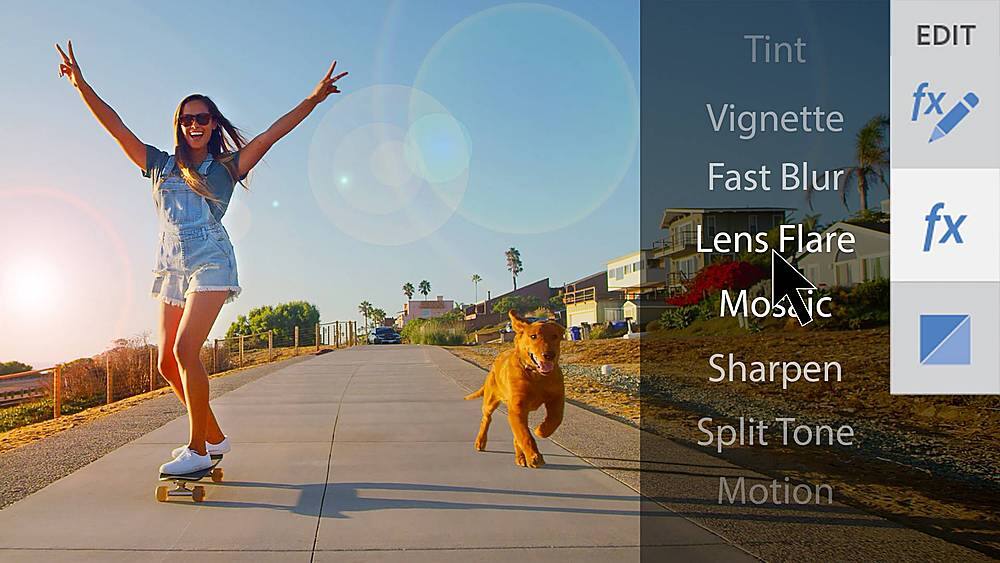
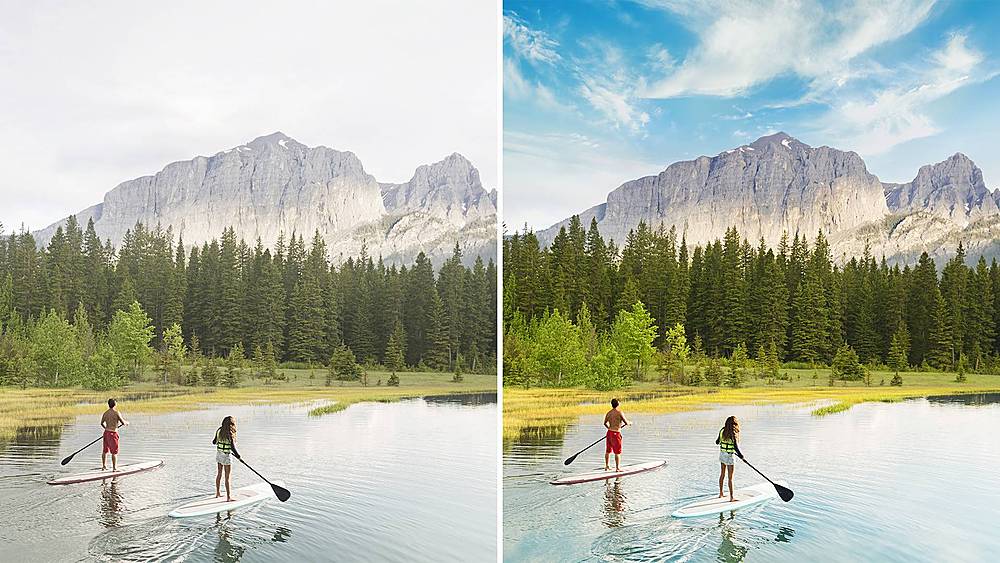
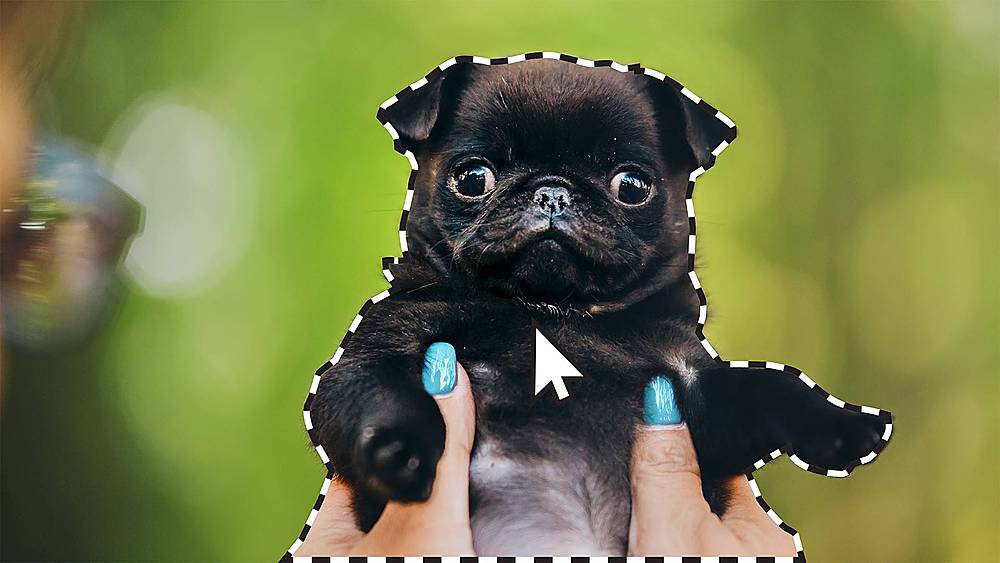
|Posted .This reviewer received promo considerations or sweepstakes entry for writing a review.Long time user of both Photoshop and Premier Elements, I can hardly criticize any of it. So please don’t expect me to be completely unbiased here. My focus is on the new since I simply can’t live without the more classic features and I like them all. Installing took a while even on my gaming/video PC with lots of RAM and processing power with Gigabit Internet but this has been normal for all the years I have used any Adobe product. Interface is what I expected, neither harder nor easier than the 2020 edition but the guided instructions for some of the new features are outstanding, especially for new users. Using the fine-tune face tilt was interesting. You could do that before but with a lot more steps than now. It basically automates the process for you. That saves a lot of time. Some people might argue that this type of trick takes the originality of the picture but Photoshop serves different purposes and one of them is the artistic side. Although you might argue it is not authentic, I would say that it meets the intent of the photographer. They could do it by retaking the picture many times, changing the scenes as much as possible by manipulating the subjects, even making the scene “artificial” without any post production. Thus, I disregard that type of comment unless you use Photoshop to distort reality with a deceitful intent. That being said, it is a great feature to be able to move a person’s face, especially selfies, to better match the scene. Animated GIFs are not for me anymore but many will enjoy the one-click transformation of static photos into moving ones, even 3D camera motion. Equally interesting is to use the pre-set, customizable templates for quotes and messages with cool animation options on photos. Easy and no time wasted. Adobe has added more guided edits and you now have 83 of them. It is the best and quickest way to learn. You can easily replace backgrounds and even the sky. Removing objects and keeping the photo realistic is not new but it has been made easier too. If you are having a hard time taking perfect pictures, this can be your life saver. You can even move, resize and reposition objects. Adobe has added new ways of ways of creating double exposure videos. You can play a video within a static picture, for instance. Animated overlays and different shapes on full videos by selecting scenes and even using them as transitions is so easy now. Seeing video effects in real-time is a dream come true. Again, not new but this update makes it easier and faster. That helps you decide whether to use or change them to your liking without waiting for processing. Finally, both Photoshop and Premier Elements 2021 are excellent for new and veteran users. Not just because the new features, addition of new soundtracks and guides but also for their professional result with minimum effort. Only the professional heavy user will miss features found in the more robust versions of these applications. For the rest of us, what's to like the most is the time it saves...and the ease of use.
I would recommend this to a friend Lots of tools/fixes, same old interface
|Posted .This reviewer received promo considerations or sweepstakes entry for writing a review.This software has separate Photo editing and a video editing components/software combined into 1 initial interface. I think both can be used for those looking for more basic photo/video enhancement or by those wanting to try more cutting-edge options. I recommend Photos with 4.5 stars and Video with 3.5 – so 4 overall. My first worry was would this run on my older desktop, but both ran fine. I am running Windows 10 Pro, Intel Core i5 4440 @ 3.10GHz, Intel 4600 graphics, 16GB Dual-Channel DDR3 @ 798MHz and 1TB Samsung 860 EVO SSD. It suggests minimum 8GB RAM for picture editing, 16GB for video or 32GB if using 4K. Having used Photoshop Elements 8 for years I was very excited to try this 2021 version. It now has 50 or so options for editing. Overall, I think this is a big leap forward with main menu now having “Guided Edits” that once selected walk you thru steps to help you learn that process. But the underlying interface, while easy to use, is more or less same as my 2010 version. Some of those 50 odd options I will probably never use so rather than try them all I focused on what was important to me. All of which worked well and included cleaning up older photos for speckles, folds, removing unwanted objects, correcting color or black/white balance, moving/tilting face (which is cool but a tad freaky), straightening pic, etc. Given my age most of my grandparents and parents early photos are black and white, as was my early years. The most fun was colorizing these black and white photos. Through trial and error, I was able to develop a “formula” that seemed to work best for me - certain options I use in a particular order that seemed to give the best results. So, I would plan on a little trial and error if you purchase product. While overall results were good, some photos came out better than others. The colorization is pretty amazing but didn’t work perfectly every time, small multiple objects seemed to give it the most trouble. What I really didn’t like was, depending on what options you used, when “saving as” – the photo defaults to PSD (photoshop) format – not JPG as original was and most of my photos are. Its easily corrected but I found it irritating to have to remember to select jpg. Still overall a nice product. Video was a tad more involved as it results are not immediate as with photo editing, Video needs to be “rendered” which for me took almost 30 minutes for an MP4 20-minute video. Initial menu has a template showing 4 potions – add media, create template base for movies, tell your story using titles, learn video editing. Each option opens more or less a tutorial. While interface works well it’s a tad old school looking. Once a video is loaded for editing it is shown graphically with a “timeline” and since mine had audio it also showed in timeline. Once selected you can choose from multiple “fixes” most have auto or manual options - fix, shake reduction, smart tone, color, color RBG, Gamma correction, Lighting, temperature and tint, volume, balance, treble, bass and audio gain. You can also add audio to video, titles, graphics, add affects, pan and zoom, freeze frame, trim, time remapping, motion tracking allowing to track and add affects and add menus if burning to disk. I edited an old super 8 video from my late teen years (hard to believe we thought the video looked good then) and had some luck trying to lighten, sharpen, etc. I guess it boils down to having the time and inclination needed to really drill down through options to get best results. Given time-frame for review I wasn’t able to get video where I wanted it but it is better. I would recommend but don’t really have anything to compare it to. Another issue was after installing I noticed 4 processes had been added to my desktop’s startup. I admit I am pretty freakish about what I have running at startup as I want desktop to boot as quickly as possible. So, I disabled all of the processes and software still worked fine, may have been a tad slower to open. Overall both good options but would suggest photo over video…..
I would recommend this to a friendAdobe-Photoshop Elements & Premier Elements 2021
||Posted . Owned for 1 month when reviewed.This reviewer received promo considerations or sweepstakes entry for writing a review.I'm very sorry to say that I feel that I wasted my money on this purchase. There are just no instructions or help aids available for this software and that makes it quite useless to me.
No, I would not recommend this to a friend- Pros mentioned:Ease of use
Adobe continues to add value to the Elements
|Posted .This reviewer received promo considerations or sweepstakes entry for writing a review.Adobe - Photoshop Elements & Premier Elements 2021 - Mac, Windows The combination of Photoshop Elements and Premier provides a complete and comprehensive photo and video editor along with the tools to manage your media library. Adobe provides industry leading tools for all levels of content creation and the Elements package brings a big part of those tools to an affordable package. For those on a prior version of Elements this is their yearly update. Adobe also provides free trials of both the Photoshop and Elements software on their website if you want to test the waters before buying. As the leader in photo and video editing Adobe has continued to improve their artificial intelligence logic and editing wizards. Like before you have all of the tools most people would need to create advanced effects for their photos and video. Although they have gone to great effort to keep this process simple there is a learning curve but the effort can be very rewarding. Any photo and video software can handle the simple cutting and cropping. So if that is all you need these tools are easy to use and the media management tools are always welcomed. For those that want more advanced features they won't be disappointed. For those that don’t know where to even start the AI and Wizards go a long way to produce professional results. There really is something for every level of user here. For those that share their work with family or the rest of us Adobe continues to refine their publishing tools. Either together as a complete package or bought separately Adobe Elements software is highly recommended for all levels of users.
I would recommend this to a friend BEWARE BEWARE BEWARE
||Posted .This reviewer received promo considerations or sweepstakes entry for writing a review.Purchased for this for my wife from my local best buy and when we attempted to redeem the code for serial it says not activated. Why sell something and not even work?
No, I would not recommend this to a friendAdobe
||Posted .This reviewer received promo considerations or sweepstakes entry for writing a review.Product was extremely confusing to use for beginners. Also redemption code did not work. Returned the software
No, I would not recommend this to a friendcode not working
||Posted . Owned for less than 1 week when reviewed.This reviewer received promo considerations or sweepstakes entry for writing a review.The redemption code won't work. Had to call BestBuy issue is not resolved.
No, I would not recommend this to a friendStay away
||Posted . Owned for 1 month when reviewed.This reviewer received promo considerations or sweepstakes entry for writing a review.Really the old Adobe Elements versions were much better IMO. They were more DIY, this version is for those which want everything done for them. It is also a giant resource hog, I like using the open source Paint.Net much better. I'm probably going to uninstall it soon, seems I threw a chunk of change away on this version of Adobe Premiere Elements.
No, I would not recommend this to a friendJust get creative cloud
||Posted .This reviewer received promo considerations or sweepstakes entry for writing a review.If you remember when adobe didnt con customers into subscribing (pre 2017ish), this isn't what you need. I wish they'd give the one time purchase option again for full ps not this shoddy version but they want to make money hand over fist but making another subscription service because it makes for better profit margins. Oh well
No, I would not recommend this to a friendWaste of Money
||Posted . Owned for 2 weeks when reviewed.This reviewer received promo considerations or sweepstakes entry for writing a review.I wish I wouldn't have bought this. No instructions of any kind. No customer support from Best Buy of any kind. Pathetic customer support from Adobe. For me, it was a waste of money as the software is useless to me.
No, I would not recommend this to a friend- Pros mentioned:Ease of use
Easy to use. Enough features for basic edits.
|Posted .This reviewer received promo considerations or sweepstakes entry for writing a review.Pro: -Easy to use for beginners -Enough features for basic needs -No additional cost Con: -**Possible conflict with other Adobe apps causing no audio in Premiere For both Photoshop and Premiere, it is user friendly to new users. There’s a quick mode for simple edits, a guided mode that shows step by step, and an expert mode which is closer to the layout of the full Photoshop and Premiere Pro. The UI is easy to navigate, with helpful thumbnails for effects and settings that are easy to understand. Some settings are tucked away under other panels, but nothing complex. Photoshop Elements The Elements version of Photoshop has changed quite a bit since I last used it. For photo editing, it has enough features to do most basic edits. It still has layers, blending modes, and layer styles along with the most used adjustments such as color correction, level adjustments, blurs, and various other filter effects. There are also smart edits that automate the enhancements, such as making the sky more vivid and adjusting the color tone of the picture, with good results. I haven’t tried them all the fullest, but from what I’ve seen it gets the job done and should be enough for common edits. For drawing and sketching, it’s somewhat limited. You have the various brush and pencil tools and some brush settings, but you won’t find the more advanced tool sets in the full Photoshop. It’s not meant for full scale artwork, but enough to do sketches and line work, Premiere Elements ** I had an audio issue with Premiere Elements. I tested this on three different computers, and two of them would not play any audio even though the audio hardware settings are right. The only common factor between the two is that I have other Adobe apps (Audition, Premiere Pro, and After Effects) and OBS installed. It’s only Premiere Elements that is affected, even the older version now no longer works. So it might be one of those that is causing conflict. It doesn’t seem to be a common issue so I won’t factor that in my review, but I’ve seen other users with the same issue.** I mostly used this for quick trimming, when I don’t want to bother setting up Premiere Pro. For doing simple home movies or quick projects, this is good. You can do basic keyframing with effects and transforms, add preset adjustments, and do some audio work. It’s also easy to add titles and transitions as well. One of the things I really like is the audio library included. There’s some nice background music and clips. There’s some clip arts and short animations you can add in, too. Both of these are great for beginners or users that need to do basic editing and not wanting to pay monthly fees for the full versions. A lot can be done with them and most of the common tools in the full versions are here. Overall good.
I would recommend this to a friend Good Choice Dependent on your Situation
|Posted .This reviewer received promo considerations or sweepstakes entry for writing a review.I have been using Adobe Premiere Elements 15 regularly for 4 years now on an HP Envy X360 laptop. I have used it to reliably create personal family videos, sports team highlights videos, and complex multi-camera productions for my church. This experience will shape much of my reactions to follow. There is a lot of good here with Premiere Elements 2021, to be sure. Installation is quick and easy. The interface can be toggled from a “Guided” mode to “Quick” mode that features a simple single timeline to a more involved “Expert” mode that features multiple layered video and audio timelines; this is where I do my work. And there are great features like 4k editing, ‘Shake Reduction’, ‘Motion Tracking’, Transitions, Titling, direct to YouTube and Vimeo ‘Sharing’, and much, much more. All of which work very well. With that said, there are a few issues. First, at least on Windows, Premiere Elements 2021 has no upgrade process. It will only install as a new program alongside a previous version. Second, I had an issue where my imported videos would not play correctly: They displayed with a harsh rainbow effect. To correct this, I had to disable ‘Use Hardware Acceleration’ and ‘Use GPU accelerated effects’. Third, I continue to struggle with stuttering when playing back my timeline, even after rendering. And finally, PE 2021 does not support Windows Edge Snap function. Some of these issues are surely specific to my laptop (rainbow and possibly stuttering). But others are with the software (no upgrade and no Edge Snap). So at the end of day, the question is; ‘Do I recommend Premiere Elements 2021?’ The answer to that depends. If you are coming in as a new user, assuming it plays nice with your hardware, for sure. PE 2021 is a more than capable editor and can grow with you as your skill level increases. But, if you’re an existing Premiere Elements user with an older version, the answer is more difficult. The PE 2021 interface is nearly identical to version 15, save for new icons over the timeline. While this minimizes the learning curve for existing users, it is also a bit disappointing given that 4 years and 3 full versions have passed. There are also precious few new options available. So unless you need one of the new options, like facial recognition, there is little here to entice you. Moving onto Adobe Photoshop Elements 2021. Installation is again quick and easy. The interface is also similar to Premiere Elements in that it features a simpler “Quick” mode, a “Guided” mode, and more detailed “Expert” mode. All of the tools you would expect to find for typical photo touch-ups are present: Various select tools, Paint, Clone, and others. There are plenty of Auto fixes offered, such Auto Tone, Contrast, Sharpen and others. All are easy to understand and work reliably. Personally, I found the Auto Smartfix to work quite well, producing an acceptable tone and brightness. For anyone looking to perform typical photo touch-ups or manipulations, Adobe Photoshop Elements 2021 should more than suffice.
I would recommend this to a friendDissatisfaction.
||Posted .This reviewer received promo considerations or sweepstakes entry for writing a review.Very dissatisfied. Product was corrupt. Store in glendale would not return my money. Will not buy software from best buy. Sales people would not help me.
No, I would not recommend this to a friend- Pros mentioned:Ease of use
Good like always
|Posted .This reviewer received promo considerations or sweepstakes entry for writing a review.I have had just a few days to try out this new 2021 Elements and Premiere Elements. My last version of these was Elements 2018 and Premiere Elements 2019. There ave been no major changes in the UI so both are familiar and did not take any time to get used to. As for Premiere Elements, I use it to put together short videos of mostly family events to share with other family members. As always the videos are easy to import, edit and share. Premiere Elements is a fantastic program to use if you don't want to pay for a subscription from Adobe. The possibilities are really limited to only your imagination, and you can easily put together a show that will dazzle and impress your friends and family. I always recommend Adobe Elements and the 2021 version is no exception. There is simply no other editing software that can perform like Premiere Elements. As for Elements 2021, this along with Capture One are my go to editing programs. Again no subscription required for Elements and it is a very powerful editing software. I have been using elements for several years and have never had a need or desire to go with Adobe's subscription format. Elements is good enough for anyone to the beginning or advanced photographer. As with Premiere Elements, Elements is easy to use. Improting, editing and sharing photos is a breeze, as is editing RAW or JPEG's. Of course it is much more powerful for RAW editing, but you can produce some very good JPEG's as well. Juts today I took delivery of the new iPhone 12 Pro Max and was hoping to see if Elements is compatible with Apple's ne ProRAW, but just haven't had the time yet. I will play with it later and see. The only issue I have with these programs is that when downloading Adobe installed the creative Cloud program as well, I could have done without this. Otherwise these are fantastic programs and are both highly recommended.
I would recommend this to a friend All in one media solution
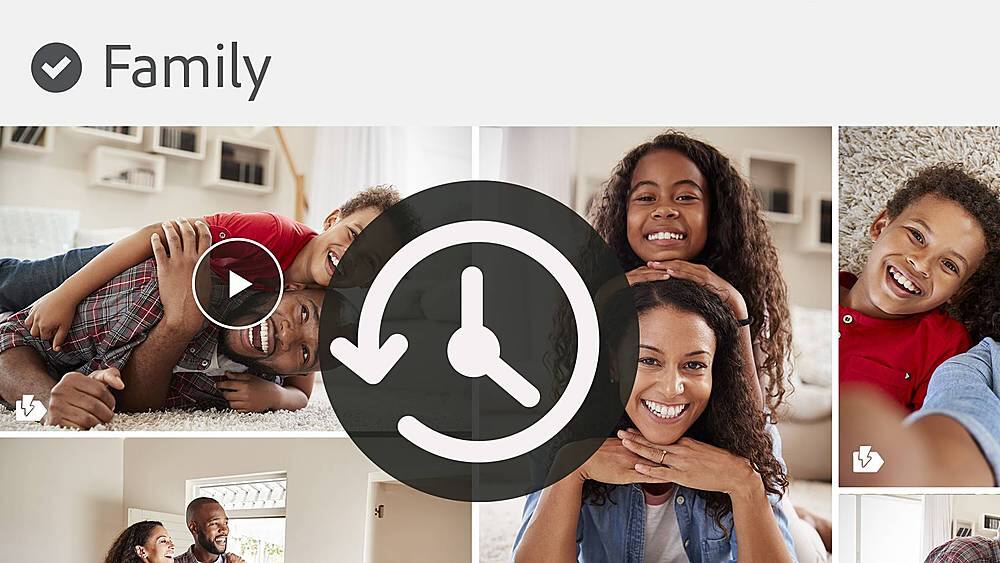
|Posted .This reviewer received promo considerations or sweepstakes entry for writing a review.Adobe Photoshop Elements 2021 & Premiere Elements 2021 are considered the “consumer” versions of Adobe Photoshop and Adobe Premiere Pro. I think that’s a misnomer since these are powerful tools that rival the highest price pro versions available just a few years ago. Photoshop Elements is an all in one image management tool, while Premiere Elements is for videos. These programs have always been the gold standard in photo and video tools. The latest upgrade incorporates Adobe Sensei which according to their website powers AI and machine learning across all their products to enhance the digital experiences. In Photoshop Elements this includes even more auto-generated creations from your media library that appear on your home screen! You can also now add motion to images, adjust fact tilts, make shareable creations that can include motivational quotes or personal messages with images. There are a lot of templates available that include animation! Guided Edits is the feature I’ve used most so far! There are 83 of these incorporated that show you step by step how to “fix”, adjust, personalize, and stylize your images! All your final creations can be saved in various file formats, and the program includes options for ordering prints and gift items right from the program. Premier Elements incorporates most of the features available in Photoshop Elements including Guided Edits but geared towards videos. The video selection process is intuitive, and the customization options include audio as well as video effects with real-time feedback! No more waiting for rendering! The photo/video management tool allows searching and sorting by albums, people, places, tags to name a few. And the catalog structure backs up with the media files for so none of your information is lost. The new features and the incorporation of Adobe Sensei make this a worthwhile upgrade from any version.
I would recommend this to a friendDon't buy this product
||Posted .This reviewer received promo considerations or sweepstakes entry for writing a review.you have to sign in for account to be active if you sign out the program doesn't work what happens if you don't have internet don't buy this product
No, I would not recommend this to a friend- Pros mentioned:Ease of use
Very easy to use and stunning result
|Posted .This reviewer received promo considerations or sweepstakes entry for writing a review.Photoshop Elements has many guided tutorials for all the common tasks you need for photos making it very easy to use for editing photos. It has these amazing features: change face tilt, perfect landscape feature can remove haze, replace sky etc. Duotones feature convert photos to 2 colors. It can seamlessly move and scale objects on a photo. It can create moving photo with 3D effect. You can use it to easily create quote graphics on photo. The package comes with Organizer that help organizing photos, it auto categorizes your photos. As for Premiere Elements, it is also very easy to use with guided tutorial. You can easily apply effect on a selection on video. It can do real time rendering saving me time. You can create double exposure video combining video and a photo. I like that you can add animated matte overlays and create cool transitions. Both Photoshop and Premiers has expert mode if you desire more powerful tools. Installing the apps is no sweat, Photoshop takes 5 minutes to install, it does prompt me to install flash player. Premier only takes 2 minutes to install. Exporting your Premier Elements video project is very fast, a 15:04 minutes video takes about 10 minutes to export but it does change the size from 234MB to 680MB.
I would recommend this to a friend SERIAL NUMBER NOT WORKING
||Posted . Owned for 1 month when reviewed.This reviewer received promo considerations or sweepstakes entry for writing a review.CANNOT ACTIVATE WITH SERIAL NUMBER , CANNOT RETURN BECAUSE I DID NOT FIND OUT IN TIME......?????
No, I would not recommend this to a friendGreat options...if you've got the time
|Posted .This reviewer received promo considerations or sweepstakes entry for writing a review.I absolutely love the idea of Adobe - Photoshop Elements & Premier Elements 2021 and I'm sure if you aren't a novice this software is fantastic. The problem is I am a novice when it comes to this software. I love the options it promises, however I never seem to really have enough time to read through all the help sections and watch enough YouTube videos to actually understand how to apply it to the projects I want to use it for. I've used plenty of programs oer my years including 20+ in the workforce, but this software just isn't very intuitive. The reality is I don't have the hours upon hours it takes to fully understand how to apply all the fantastic functionality. Overall, I don't doubt this software is fantastic as it is another iteration of the quality Photoshop software Adobe produces so I gave it 4 stars but if you are a novice plan to spend some time...days...weeks...learning how to actually use it. Don't expect to download and go with any quick deadlines you are facing.
I would recommend this to a friendFamiliar Features with New AI Smarts
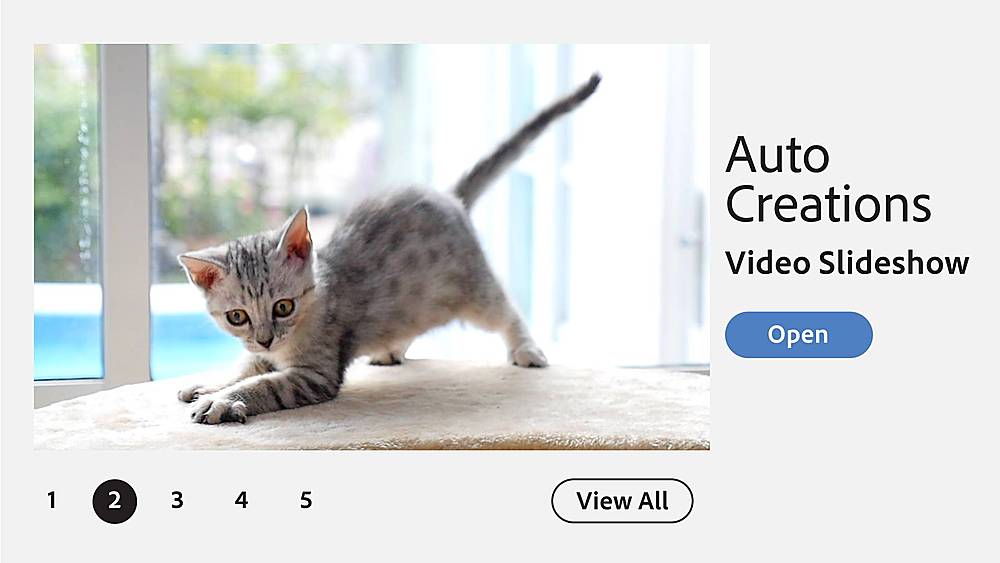
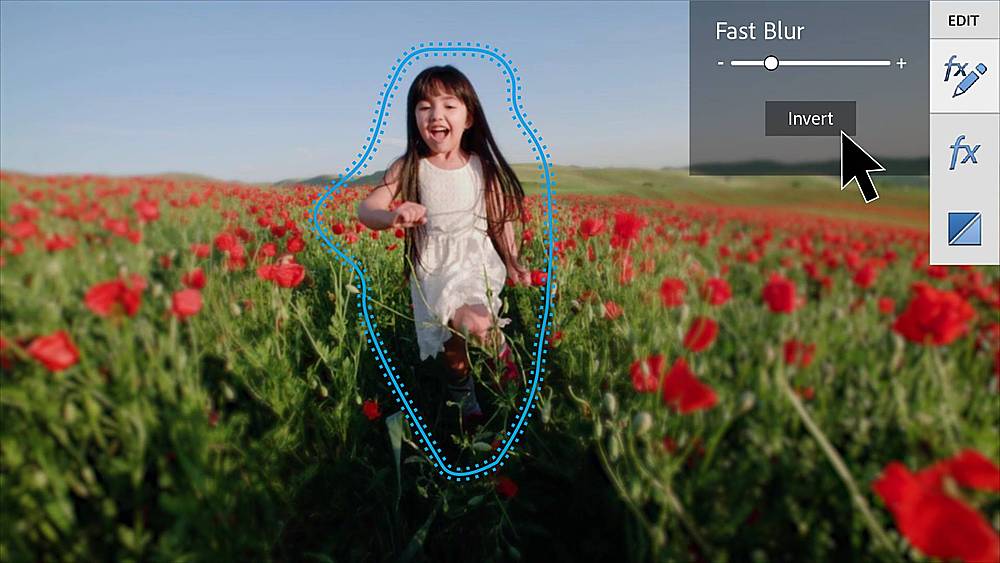
|Posted .This reviewer received promo considerations or sweepstakes entry for writing a review.Photoshop and Premier have been staples of the entertainment and creative industries for years, and the Elements versions of those products have continued to get incremental updates to make them user friendly, while retaining some of the creative power of their more expensive versions. In this review, I'll touch on some of my favorite features, mostly focused on Premiere Elements since it feels like Photoshop Elements hasn't changed a ton in recent years. Across both programs, the familiar layout and UI from previous versions has returned. This is good, as everything is laid out in an intuitive and easy to use manner. Included in this bundle is Adobe Organizer, which is a good utility for organizing and managing your media. It also has an incredibly useful auto-tagging feature which helps you find your media by search terms, as well as the auto-creations feature which generates some nice collages, stylistic edits, etc. Finally, Adobe has also continued to integrate some of their Sensei AI functionality into the Elements level programs. This has some interesting features, including things like head tilt adjustment on photos. Adobe says these features continue to evolve and improve, so it'll be interesting to see how they work in the future. To me, one of the biggest updates to Premiere Elements is the masking feature; you can now make a mask selection that abides by motion tracking. This is in line with industry competitors (I have the most experience with Pinnacle Studio) and in my experience, it works great. Generally, I don't use this feature for video editing because it tends to come off a bit forced (I clearly am not great at creatively using masks) but again, it works well here in my experience and could be hugely useful if you're into that. Another huge upgrade comes in the form of hardware GPU acceleration. Finally! My main computer consists of an AMD 5900x and an Nvidia RTX 3080. While the 5900x is a beast in its own right, it's hard to beat GPU acceleration, so it's great to see Adobe add this feature. My main issue with Premiere comes down to format support. Currently, it doesn't support 3D or VR video. This is a slight disappointment, since I have many hours of footage captured on a Rylo cam of various family vacations and random adventures, and it would be nice to edit this footage using Premiere Elements. Additionally, I wasn't able to find a way to get multicam footage to work either. Again, slight disappointment since I have some multicam footage shot on Sony camcorders that would be nice to edit. Overall, these two omissions are acceptable in my book (though, both are supported in aforementioned Pinnacle Studio), but anyone needing this functionality will need to look elsewhere. Overall, this is a great package, providing trimmed down versions of the industry's best photo and video editing programs. They don't require a subscription, they're easy to use, and they're powerful enough for most any enthusiast level editing task.
I would recommend this to a friend