Customer Ratings & Reviews









- Model:
- ADO951800F147
- SKU:
- 6366190
to a friend
Customers are saying
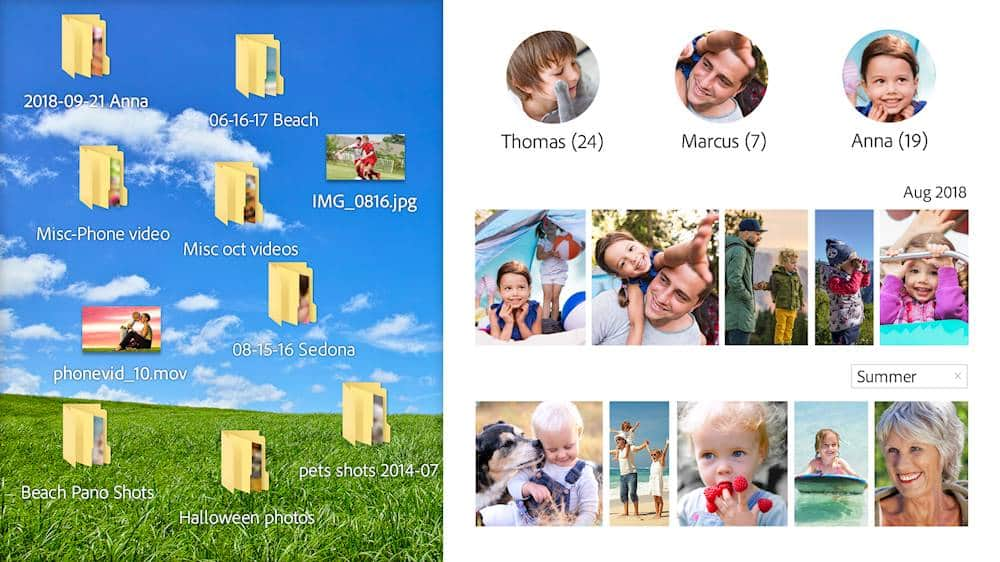
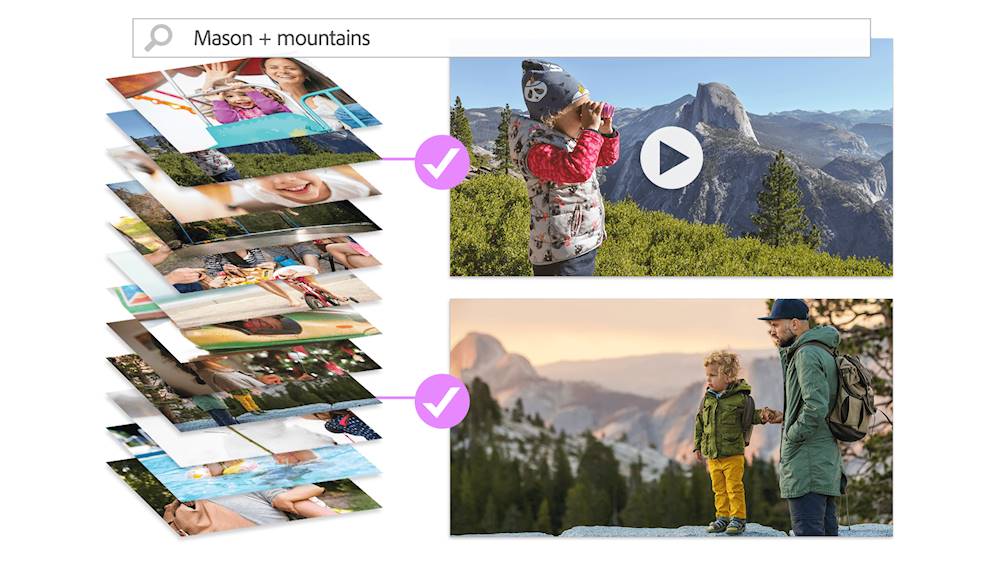
Customers recognize Premiere Elements 2020 as a user-friendly video editing software with an intuitive layout and smooth transitions. They appreciate its affordability compared to Adobe Premiere. While some users find the installation process time-consuming, many acknowledge the software's smart tags and face recognition features.
This summary was generated by AI based on customer reviews.
- Pros mentioned:Ease of use, Video editing

Create Cinematic Masterpieces
|Posted .This reviewer received promo considerations or sweepstakes entry for writing a review.Adobe Premiere Elements 2020 is an outstanding platform for creating amazing high quality videos that you can easily share with your friends and family directly from the Adobe Premiere Elements application to you favorite social media service. Adobe Premiere Elements makes editing easy and fun. You have access to hundreds of editing options and templates to help you create a truly unique masterpiece. The Adobe Premiere Elements 2020 application installs easily and runs great. I recommend using a computer with higher RAM available if you plan to work with 4K video quality. The menus and options are very intuitive. Even if you are new to video editing, you can start creating spectacular movies within minutes thanks to the step-by-step help prompts.. Some of my favorite features are the image correction options, the auto-arranging file tool, the fun animations available to add to your videos and the GIF creator that allows you to create bounce-back segments of your favorite moments. Adobe Premiere Elements can help you turn your videos into professional projects that you can display on nearly any device. Adobe Elements supports all of the popular video formats, so you can import video files from any recent camera or video recorder. I highly recommend Adobe Premiere Elements 2020. Easy to use, compatible with a variety media, and efficient distribution options. You'll be excited about all the wonderful memories you can create.
I would recommend this to a friend Earphones do not work with 16 MacBook Pro
||Posted . Owned for 1 week when reviewed.This reviewer received promo considerations or sweepstakes entry for writing a review.I use the earphones to help me edit videos. This does not work with earphones. The sound comes out of the speakers when the earphones are plugged in - though as soon as I change the app (ex. Spotify), the sound goes through the earphones. I've checked every single setting for this. Since its software - I can't get a refund. If you use earphones/headphones to edit videos - skip this.
No, I would not recommend this to a friend- Pros mentioned:Ease of use, Video editing
Excellent Video Editing in a Easy To Use Package
|Posted .This reviewer received promo considerations or sweepstakes entry for writing a review.Adobe Premiere Elements is an excellent app for video editing. I've got about 20 years of (amateur) video editing experience using a number of name brand products. I am really impressed with this package. This consumer-level version of Adobe Premier simplifies video editing, providing novices to experienced video editors with the power and flexibility of a quality video editing solution. Adobe Premiere Elements offers three modes to make videos including Quick, Guided and Expert. Given my experience with Video Editing tools, I jumped straight to expert mode for some work I needed to do to a short walkthrough video of our business product. For this particular project, which which was comprised of about 5 1/2 minutes of video, I used the product to easily mark points in the video where I wanted to chop things up a bit, added some overlay graphics and titles, a few basic transitions, cut up and reorganize some of the existing video clips and also lay down a new audio track which itself required some editing. I am really impressed with this piece of software. While I still plan on using my heavier duty app for some of my more complex editing needs, Adobe Premier Elements fits the bill. It's easy to learn, easy to use, and financially, easy to buy. I’ve already loaded it on to my MacBook Pro so that I can edit some of my work on the road.
I would recommend this to a friend - Pros mentioned:Interface
Friendly UI, Good Automation But Still Lacking
|Posted .This reviewer received promo considerations or sweepstakes entry for writing a review.First, the disclaimer, this is a Windows only review, running on a relatively high end system(I7, 16gig ram, Nvidia 1060, ssd). There are some differences between the Windows and Mac versions, but the differences are fewer and fewer. Unfortunately, one of the differences is a major ding for the Window version. Installation was easy, although huge. Download the 3.6GB (yes, GB) file, unzip it, and click 'Set-up'. Installation takes about 5 min and was uneventful. I would say the installation is huge, but if you're editing 2K or 4K video files, you're used to huge. Adobe Premier Elements is focused on the home/consumer market and is heavily weighted towards automated processing. Tagging has been added to video as well as photos, identifying individuals by facial recognition. The user interface is pretty consistent across the product line, once you figure it out. The new home screen provides access to all functions and apps, which is very convenient. Unfortunately, it also assumes that you want to use Photoshop Elements and clutters things up a bit with functions only available there. Once you are in the Premier editor, you have a choice of Quick, Guided, or Expert edits. The Guided edits have been expanded over 2019 and the new functions are pretty useful. I found the Guided edits really useful while learning the new capabilities of Premier. One really nice improvement over 2019 is that the video processing is faster. As I said, there are a couple of serious deficiencies. Launching Premier requires an Adobe Creative Cloud account and login, which I find really intrusive. But the most serious deficiency was the lack of an included HEVC codec; you have to buy an add-on from Microsoft. Granted it's only 99 cents, but most 4K action cams, especially GoPro, require it, and the Microsoft codec is a bit cranky. Adobe should be supplying it's own (and fully supported) codec. One other failing is the lack of support for 3D formats. With the wider availability of 3D cameras in the consumer/action cam market, support for spherical or rectilinear video would be really nice. Overall, the expanded user interface and automated edits make Premier Elements even more user friendly than previous versions. Hopefully, Adobe will address the deficiencies in an update soon and make this a real winner.
I would recommend this to a friend - Pros mentioned:Ease of use, Video editing
Great Program for Beginners or Professionals
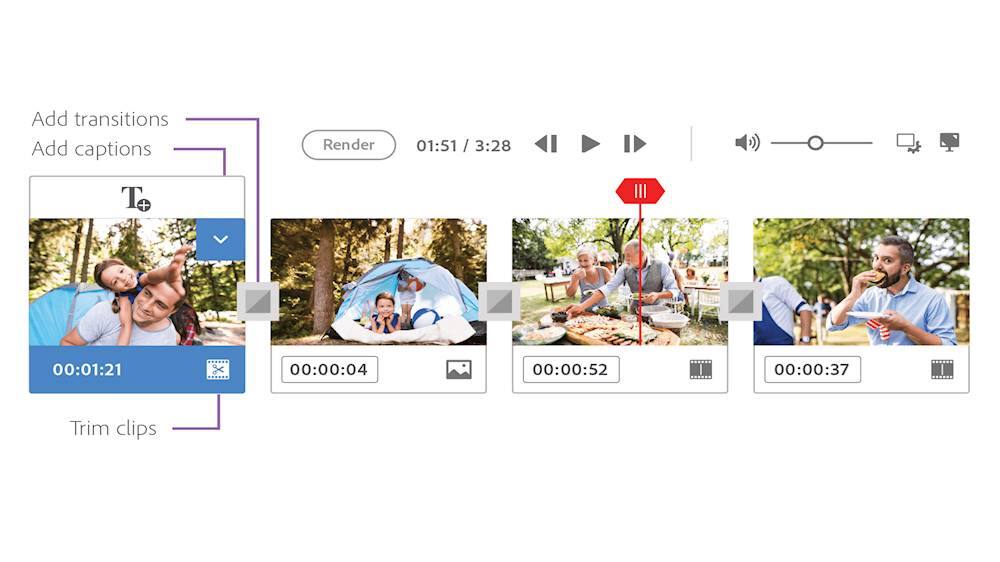
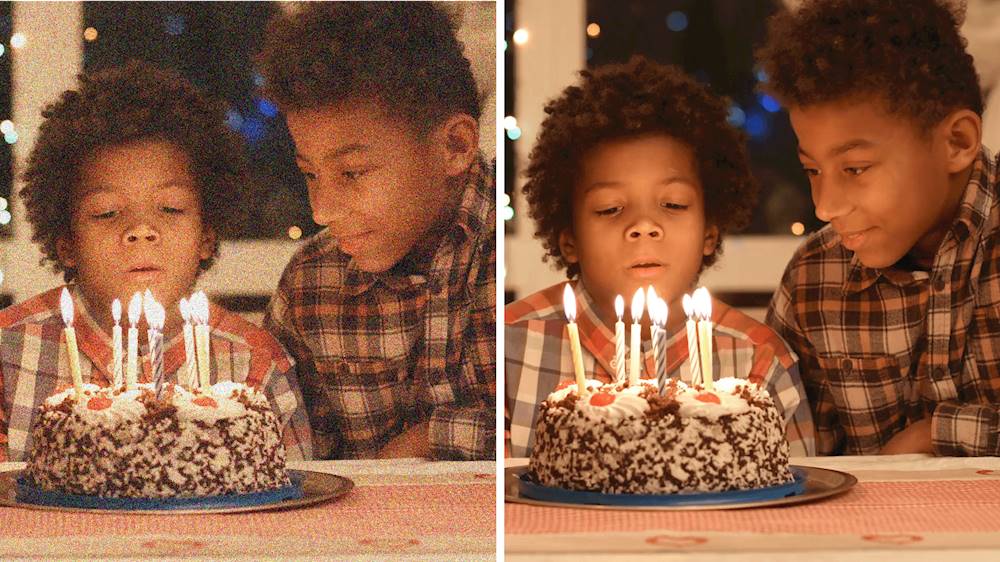
|Posted .This reviewer received promo considerations or sweepstakes entry for writing a review.I have always used Adobe products for work, Adobe Illustrator, Acrobat, Photoshop and many more. In the past some of the video programs that Adobe offered were very complex and would take a lot of time to create even a basic video. Premiere 2020 has three different ways to create a Video for exporting, Quick, Guided and Expert. Here are the basic differences between the three. Quick: just what it says, you import photos and videos arrange them the way you want. Then you can Edit add special effects to the photos or videos; add titles, transitions and music and your done. You can do a lot more, but if you need something fast this is it. Guided: this is more in depth; it gives you a tutorial on how to do anything you would want to do in a video. Expert: this gives you a lot more control, Multiple Audio and Video, Add Narration and Animated graphics. Plus, all the other features mentioned above. Adobe Premiere Elements 2020 also has Smart Tags and Face Recognition. You can improve grainy videos, which will really be nice when converting older home movies and VHS tapes. It has a ton more features than I have listed, it is a great program for all skill levels, from beginner to professional.
I would recommend this to a friend - Pros mentioned:Ease of use, Video editing
New users will have some learning to do
|Posted .This reviewer received promo considerations or sweepstakes entry for writing a review.Adobe Premiere Elements 2020 The Adobe Premiere Elements is a very powerful video editor and has many features to make your movie creation have a professional look. But video editing is one of those computer uses that takes time to learn to get good results. All of the tools are here for both the beginner and vetran use alike. For those new to video editing Premiere has wizards like features that do a good job and can give you a good start. But be prepared to spend time learning. There is a quick edit mode for those projects where you just want to do some basic cropping or join videos together. A guided edit mode for more detailed edits such as transitions, adding titles and correcting the images such as for brightness color and contrast. And an expert section for more advanced projects. There are helpful tutorial for those times when you might get stuck so you should take the time to take advantage of. Video editing is also one of those tasks that can make what you thought was your fast web browsing computer come to a crawl. This is a mature software by the industry leader. Just take the time to learn it and you will get out of it what you put into it.
I would recommend this to a friend - Pros mentioned:Video editing
Very powerful, very steep learning curve
|Posted .This reviewer received promo considerations or sweepstakes entry for writing a review.If you have aspirations of turning your photos and videos into a Hollywood-style production that will amaze your friends, Adobe Premiere will do it for you. But only if you have plenty of time and patience. There is a very steep learning curve here, which means it will take you many hours just to learn the basics. Becoming an expert would probably take years. Those looking for a simply, easy piece of software to quickly and automatically produce what they want should look elsewhere. There are some guides and automation tools built in here to help you get started but Adobe Premiere is clearly designed for those with a deep interest in the topic and a willingness to spend many, many hours learning the ins and outs of this very complex and comprehensive video production toolkit. Make no mistake. This is very powerful package that will allow you to produce top-notch professional looking audio-visual presentations. Premiere is geared mostly to deal with video but also gives you the flexibility to combine videos and still photos into a single package, complete with animated titles and transitions and music. Yep, a large variety professional music tracks are included, or you can use your own. Just be aware it will be a very slow process. Especially for beginners who have never attempted anything like this before. The Adobe Premier home screen will probably seem something more akin the control panel of a nuclear power plant than a tool for producing videos. The good news is you have complete control over every intricate detail. The bad news is you have complete control over every intricate detail. It all takes a lot of time -- to learn how to do it and then to actually do it. Nothing here is very intuitive, even for those with good computer skills. It'a bit like learning a foreign language. What all the bits and pieces are, what they are called, the bewildering number of options for manipulating each one and then learning how to actually assemble them into a coherent package. All of which is probably not surprising to anyone who has attempted to use Adobe's other more well-known product, Photoshop. It also is mind-numbingly difficult to learn for the same reasons. One other caveat. This kind of work requires massive computing power. Even my high end Core i7 computer with max memory and SSD took a very long time to render even a very short finished project. Be prepared to take a long break when you hit the "render" button. The bottom line here is if you really, really want to become proficient at video editing and creating multimedia productions, there is no doubt Adobe Premiere will do the job. It is very comprehensive and gives you endless control over every aspect of the production process. Just be prepared to devote a lot of time to the effort.
I would recommend this to a friend - Pros mentioned:Ease of use, Video editing
The step by step directions are awesome
|Posted .This reviewer received promo considerations or sweepstakes entry for writing a review.So I've tried several free programs and cheap programs because I am not the most hip on spending money sometimes.... However, I gave up on that once I tried Adobe Elements (Premier in this case, though I do own photoshop as well) They are just too nice. They are geared towards people like me that want to have nice pictures and videos but don't have the time to dive deep to learn another new skill. I love how this is gear toward somebody that doesn't know anything and makes my videos that aren't always the best look pretty darn good. I can put something together that looks good and it fixes all of the flaws that I end of having in a video. The layout is intuitive too. Most of all it has lessons and step by step procedures to do something new. I love that. I am learning a little more each time I use it while at the same time actually getting something done. Sometimes you get what you pay for isn’t totally accurate, however in this case, for myself with all of the lessons built in, the intuitiveness, and capabilities of the software I feel that I am getting much more than I paid for it.
I would recommend this to a friend - Pros mentioned:Video editing
I'm a fan of Adobe Elements
|Posted .This reviewer received promo considerations or sweepstakes entry for writing a review.I've been using Adobe Elements for several years now, and the organizer is my favorite part of the software. This is my first time using the Premier Elements version, so I'm going into the video editing part as a beginner. A few of my observations as a long-time user -- Adobe, please put some more thought into your setup and installation for users who are upgrading from a previous version! It would be really cool if you had the option to upgrade the existing installation rather than install the new version in parallel. That includes upgrading the catalog(s) rather than importing and creating copies. I had Photoshop Elements 2019 when I installed Premier Elements 2020, so it created a new catalog and installed in parallel. I can still use the 2019 software. However, Elements 2020 doesn't seem to know that I have the 2019 version with Photoshop, so it offers to sell me software when I try to edit a photo rather than just load the 2019 version. Another wish list item -- it would be cool if I could just upgrade Premiere to Premiere + Photoshop rather than having to buy yet another copy of the software. So -- the Organizer. It works much like the previous versions, but somehow it doesn't seem to be as powerful. Previous versions were really good at recognizing faces, identifying known faces, and grouping similar faces for identification. This version just doesn't seem to identify faces as well, and it doesn't recognize additional known faces. I used to get the blue triangles showing me dozens of faces to add to recognized names, and this just doesn't do that. I have over 30,000 items in my catalog, so I know I'm working the software pretty hard, but previous versions handled it better. The Video Editor -- I really like this. I've been pretty intimidated by video editing, so it really helped me set expectations. As a newbie, I really appreciate all the ideas and guidance it gives you in the Guided mode. I can go in with a vague idea of what I want to do, like -- hey, I want to make a slide show of my dog -- and it really walks me through the steps I need to take. Get started. Choose pictures. Pick a style. Sound, music, or what? And it produces a professional-looking result that can be shared in a number of ways, even as a Facebook post. Overall -- I'm really happy I get to use the Video Editor. I wish I could add the photo editor without having to buy the entire software package. I wish it could upgrade from previous versions. I wish the organizer were more powerful.
I would recommend this to a friend - Pros mentioned:Interface, Video editing
Slick Video Creator and Editor
|Posted .This reviewer received promo considerations or sweepstakes entry for writing a review.Adobe Premiere Elements 2020 is extremely powerful in working with videos and video clips. It is fairly fast except when it has to fix several minutes of video at a time. You can create some very unique projects with this software. It is very fast at importing and editing videos. It would be nice if both the photo and video editor were in the same package but I guess that's the way it is marketed right now. The interface is easy to use for beginners but has much functionality.
I would recommend this to a friend - Pros mentioned:Ease of use, Video editing
Awesome Software for Basic to Advanced Users
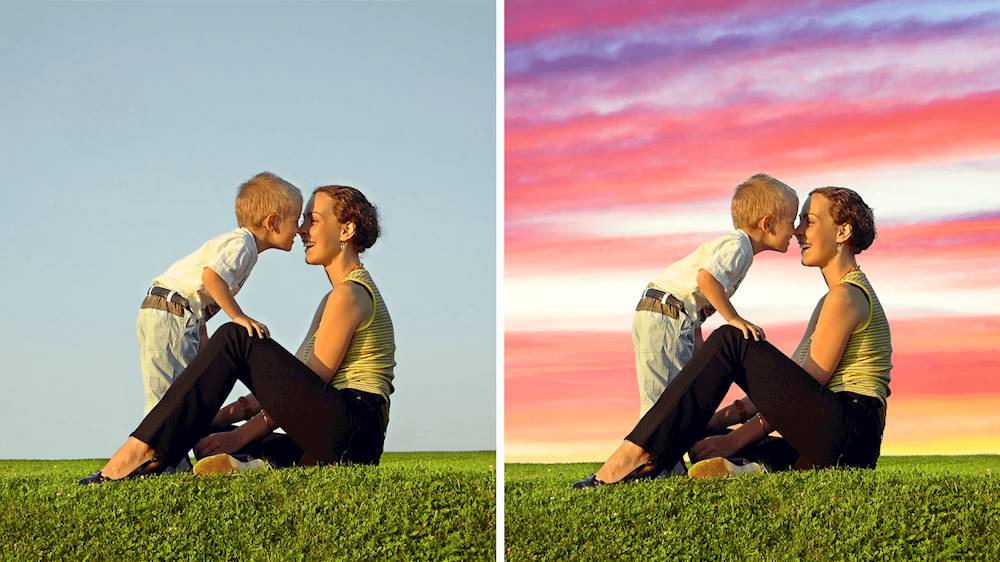
|Posted .This reviewer received promo considerations or sweepstakes entry for writing a review.I must say, after 2 weeks of use, I am still finding new ways to use Premier Elements 2020. I am pleased with the updates to the previous 2019, mainly the Dynamic Time Lapse videos. I have been creating some great time lapse events with my kids and of racing events, so simple and get lots of great reactions on social media. Smart Tags for the videos are a great touch, especially when making a family video and needing to find 4 or more at a quick pace. I have only used Premier Elements for video editing as I use Photoshop for picture editing. The videos you can make with moving skies and backgrounds, adding beautiful transitions and animated text is so easy and look great. If you want an easy to use software for home video or even big videos for social media, Premier Elements is your go to software.
I would recommend this to a friend Not a good product
||Posted . Owned for 2 months when reviewed.This reviewer received promo considerations or sweepstakes entry for writing a review.I wouldn't recommend this product to anyone. I came, could find the person that sold it to me. I finally found someone that worked in the department and he knew nothing about it.
No, I would not recommend this to a friendNot good for this beginner
||Posted . Owned for 1 month when reviewed.This reviewer received promo considerations or sweepstakes entry for writing a review.I wanted to crop (the term is not crop) a video but couldn't get it to work. went on line for help still could not get it to do it. It just made me mad, stopped using it.
No, I would not recommend this to a friend- Pros mentioned:Ease of use
Joy for Non-Pros
|Posted .This reviewer received promo considerations or sweepstakes entry for writing a review.Pros - Automatic video tagging - Easy for beginners and non-pros - Most current formats supported - Many easy-to-use effects Cons - Not suitable for complex, professional video editing To start, I have used either the full version of Premiere or just Elements ever since they first came out. Premier Elements is my go-to option when I need quick video editing. I know Elements for both Premier and Photoshop are targeted at beginners but even for people like me with more experience, can benefit with simplicity. For that reason, I do not make comparisons between the two version types because they target different users or needs. In addition, I do not have the latest release of the Pro version. Any comparison, especially with older versions would be pointless. The first thing I liked about the Premier Elements 2020 is that it now has auto tagging for videos in addition to photos, which was introduced a few versions before this. Actually, “liked” is not a good word here because I loved it. Adobe has made it so easy to find portions of videos just by clicking on people, location and even events. That feature alone is worth the upgrade. Ease-of-use has not changed much. It is still intuitive. Beginners and even pros will enjoy features such as fixing shaky footage or trimming clips. In some cases, it is easier than counting to three and I am not kidding. It can do all that automatically. If you do not have any video footage to edit, Premier Elements can help you create videos from pictures. Well, it is more like an advanced slide show but you can do much more than that. Things like popping up colors by making everything but a specific object black and white, animating photo backgrounds or even creating stop motion videos. It came with about two dozens of step-by-step guides. Even my 10-year-old could follow some of that. It is that simple. Premier Elements can actually cheat by creating slideshows automatically while still giving you the option of modifying them to your taste, using a LOT of effects and transitions. As usual, you can export your videos to any format to be played on computers, social media or TV. It supports 4K, which has become a must for me. If you are a professional video editor or an enthusiast and need more than the basics, this is not for you. You’d better go with the Premier Pro. Otherwise, this is it. I would just recommend to also purchasing Photoshop elements, especially if you are going to use photos with Premier. I do not own the 2020 version to say much about it but previous versions were very good. That it just a recommendation if you want to improve your photos before importing to Premier, which has only very limited photo capabilities.
I would recommend this to a friend - Pros mentioned:Ease of use
very versatile and easy to use
|Posted .This reviewer received promo considerations or sweepstakes entry for writing a review.It would take probably months of daily use for me to make use of every feature Photoshop Premiere Elements 2020 offers. I have done two of the basic things the program does. I created a “movie” out of a collection of related photos and added a soundtrack to it, and I extracted a portion of a longer video, added opening titles to it, and saved it as a separate movie. Both of these tasks were accomplished fairly easily and without resorting to any instruction manuals or guides. Adding photos to create a movie montage is very easy. Just select them, arranged them in the order you like, and save them. You can do several things to dress up the presentation, such as changing the length of time each photo is displayed and changing the transition style from photo to photo. There are many music choices included, and I chose one of those, or you can add something of your own. One thing to keep in mind is that the created video will stretch in length to accommodate the full audio track added. In my case, I had 11 photos displayed for five seconds each. That’s a 55-second video. If the audio track is longer than that, the video will continue to run beyond the last photo, with no photo displayed, until the audio ends. This can be fixed several ways, such as adding more photos or increasing the length of time each photo is displayed (this can be varied from photo to photo), or choosing a shorter audio track. I’m sure there are other options, but I haven’t yet explored them all. Regarding the video editing capabilities, I recently converted several lengthy home videos from VHS to digital format. This resulted in probably 30 hours of video, most of it run together as, back when they were first created, I transferred the video from the camera to the same VHS tape each time until the tape was full. One tape could thus have two or three years’ worth of video segments, one after the other in chronological order. The result is that each transferred video contains a number of clips of different subjects and dates in series, and my plan is to eventually go through each video, extract, and save separately each segment (“Christmas 1995,” “Johnny’s seventh birthday 1996,” etc.). So far, I’ve done this once as I noted above, and it is really very easy once you get the hang of it. There are many options and features to allow tailoring of many aspects of the video as well as many options for cleaning up problems, editing out unwanted portions, and so forth. It will take you a little time to become familiar with them, but remember that the program’s greatest asset is the “undo” button! If you have any video you want to work with, this program will do the job.
I would recommend this to a friend - Pros mentioned:Ease of use
Fantastic as always
|Posted .This reviewer received promo considerations or sweepstakes entry for writing a review.Used this for a project for my daughters school assignment . It took us two weeks to complete, this is a big project and is going to be used for advertising for a local business. Adding video and editing was very smooth and very easy. I was previously using Premiere Elements 2018, so using this was not an issue. The UI is familiar, transitions are easy and very smooth. Overall I’m very pleased with this version and look forward to using it more in the future. If it is good enough for for professional work, it is good enough for the everyday user. Highly recommended.
I would recommend this to a friend - Pros mentioned:Video editing
Excellent value for the occasional family video
|Posted .This reviewer received promo considerations or sweepstakes entry for writing a review.In another lifetime I made extensive use of professional video editing software (mainly Premiere's 'non-elements' full version). I remember the countless hours spent putting together timelines and effects in Premiere and After Effects to put together even a basic video from DV or computer generated clips. I found Premiere Elements to be a huge step up from 'free' editors included with the OS, like iMovie or the editor in Windows 10. Especially in the automation department, there is just no comparison. With a small amount of learning a motivated novice can create a really fun family video that will look much more professional than you should be able to create with no skills. There are some cheesy templates built in, but all of the automated features (including the analyzer that finds the best clips in your movies) are pretty well thought out if you don't want to invest a lot of time in making the perfect video yourself. You do have to have a relatively high end PC to get the most out of it, but that should go without saying with any video editing software. I don't believe it was using my AMD GPU for encoding, but it did seem to be getting utilization when decoding the videos. My quad core haswell i7 @ 4.3ghz was pushed to the max on all 8 threads. That's not truly a downside as GPU encoded videos are lower quality, but it's something to be aware of if your CPU isn't up to the highest standards. I think Adobe knows the market well for this product and it's a great value for a casual video editor. If you want to move up from the basic tools you get with your OS, this is a great place to start, and the skills will translate to the pro version if you decide to move up later.
I would recommend this to a friend - Pros mentioned:Video editing
Really neat product
|Posted .This reviewer received promo considerations or sweepstakes entry for writing a review.After running the install, had a difficult time figuring out how to use my activation key. You actually have to "pretend" like you're going to edit something (run the program) before you get to the license agreement and activation code. Other previous versions and similar software may be like this but I was confused. However, once installed I was amazed at the number of things that can be done with photos and videos. Things as simple (sounding) as making a photo into black and white, changing backgrounds, adding background images (like hearts) to a photo - all seemed easy to do, Will spend more time with this and I'm sure will be even more pleased with the endless possibilities.
I would recommend this to a friend - Pros mentioned:Ease of use
Fun, video-editing software
|Posted .This reviewer received promo considerations or sweepstakes entry for writing a review.It's been a few years since I've played around with any of the Adobe Photoshop or any of their other products. I consider myself a novice when it comes to video editing, but I was pleasantly surprised of the ease of Premium Elements. It has a rather user friendly interface and allows for a lot of customization. I edited a few short videos and had fun playing around in it. I'm a little sad that I'm not more knowledgeable in the software, so I could really see all the potential it has. Overall, I think it is easy to use and is fun just to be able to edit and make videos more enhanced.
I would recommend this to a friend - Pros mentioned:Ease of use
Easy to use, guided fixes and great web support
|Posted .This reviewer received promo considerations or sweepstakes entry for writing a review.I'm a relative newbie when it comes to editing videos and as a Dad to a new son, i know that I will be taking tons of videos and pictures of him and his siblings. I have the new iPhone 11 Pro Max and while im still getting used to the ins and outs of its features, having this software adds to the fun and ease of editing. My biggest problem has always been shooting videos either out of focus or in low light. Adobe Premiere Elements easily makes repairing those issues with a simple drag and drop. If you want to add effects or make the video darker or lighter, another drag and drop effect. You also have guided text to give step by step instructions on what you are doing. There is also the smart fix feature which analyzes your video and make the corrections it thinks are needed. All in all, i think I will have a lot of fun with this software and with my newest addition, he will be the star of many family videos.
I would recommend this to a friend