Customer Ratings & Reviews






- Model:
- ADO951800F160
- SKU:
- 6424571
to a friend
Customers are saying
Customers admire Premiere Elements 2021 for its user-friendly interface and reasonably priced app. Beginners and seasoned pros alike appreciate the guided edits that make video editing easier. The software is considered a great video editing program for those just starting out.
This summary was generated by AI based on customer reviews.
Pretty useful
||Posted . Owned for 4 months when reviewed.This reviewer received promo considerations or sweepstakes entry for writing a review.Pretty useful I recommend buy it, if you are good with computers
I would recommend this to a friendGood Product
||Posted . Owned for 1 month when reviewed.This reviewer received promo considerations or sweepstakes entry for writing a review.This is a good product. Easy to use and very much needed. Video projects are very nice using this software.
I would recommend this to a friendAdobe Creativity
||Posted .This reviewer received promo considerations or sweepstakes entry for writing a review.Great inspiration for creativity. Pick up was effortless and item was ready. Adobe makes a great product.
I would recommend this to a friend- Pros mentioned:Interface

Closing the Gap with the Pro Version
|Posted .This reviewer received promo considerations or sweepstakes entry for writing a review.Every year Elements adds a few incremental features and is beginning to close in on it's professional cousin. So much so, in fact, that anyone trying their hand at amateur filmmaking or even event videography should be able to do so with Elements alone. Elements gives you the choice of two interfaces, one an iMovie-like interface for simple drag and drop editing, or a Premiere-Pro like full editing interface. I've mostly played with the full interface so far, which allows for three layers of video and three layers of audio along with a voiceover track. That should be plenty to work with for most projects outside feature filmmaking. I generally think the effects that they build into editing software are pretty cheesy, but Adobe did include some nice Matte effects for overlays and for inserting video inside shapes which can be effective if used sparingly. One interesting feature is the ability to trace roughly around a subject and have the software automatically track the subject. This used to be a complex task that was only found in really expensive software but is making it's way into the consumer stuff now. Really cool! The other major gap-closing feature is the ability to use your graphics card to render effects in real time. If you have a decent gaming card or high-end integrated card like an Intel Iris the software will use it to crunch the numbers to render effects while you play back, rather than forcing you to render and then play. Now you can see the included video effects like lens flares (please avoid over-using the lens flares...) in real time playback. As someone who has used Premiere in a professional situation for a long time, I really think Elements has evolved to a state where it's easily considered semi-professional (all that's missing is some of the more esoteric video compression, which no one will use outside of broadcast anyway) and less of a consumer-only platform. My only complaint so far has been the inability to use the Nvidia video card on my Surface Book 3 for real-time rendering. The software uses my Intel card and doesn't see the Nvidia for some reason, but I'm working on it. Also, the start screen feels unnecessary and seems like a way to upsell Photoshop Elements, as there's a button to start it up that just results in a pop-up inviting you to a trial version.
I would recommend this to a friend Perfect Video Software
||Posted . Owned for 3 weeks when reviewed.This reviewer received promo considerations or sweepstakes entry for writing a review.Produces quality video at reasonable price. Does everything expected and more.
I would recommend this to a friendBest Buy - best products
||Posted . Owned for 3 weeks when reviewed.This reviewer received promo considerations or sweepstakes entry for writing a review.Have never been disappointed with any purchase at Best Buy!
I would recommend this to a friend- Pros mentioned:Ease of use, Features
Fantastic Video Software
|Posted .This reviewer received promo considerations or sweepstakes entry for writing a review.Whether a novice beginner or more experienced video editor, Adobe Premiere Elements has the tools and features you need to make outstanding videos. While I would not label this software as “pro level”, it certainly isn’t a slouch. For beginners there is built in automation that allows for the creation of some pretty stellar videos. It really takes the guesswork out of what can seem like a daunting task. The problem with some video editing software is either it is too complicated for the person looking to make a cute little home movie of the kids, or so watered down that experienced users become frustrated and left looking elsewhere. Adobe has done a great job finding the sweet spot and creating a program that will meet the needs of both sides quite well. There are so many features, yet the layout and design don’t make the creative process overwhelming. Whether making a funny little GIF, or a short video clip you’ll find the ease of use second to none. Yet the software seems to grow with you as you move to more advanced projects. Adding audio, sounds, visual effects, transitions, etc. can be accomplished with relative ease. Adding titles, embedded pictures into videos, intros, outros, etc. are all available. You will be creating projects that have a professional look and feel in no time. Other features include double exposure, which is pretty awesome and if you’re like me you’ll find yourself playing around with this feature quite a bit. Editing and creating is really a breeze with Adobe’s latest software. I’m incredibly happy with Premiere Elements and will be using this software for some time to come. I really don’t have a negative thing to say. I would certainly recommend to my friends, family, and colleagues.
I would recommend this to a friend - Pros mentioned:Ease of use
A refreshing balance of power and ease
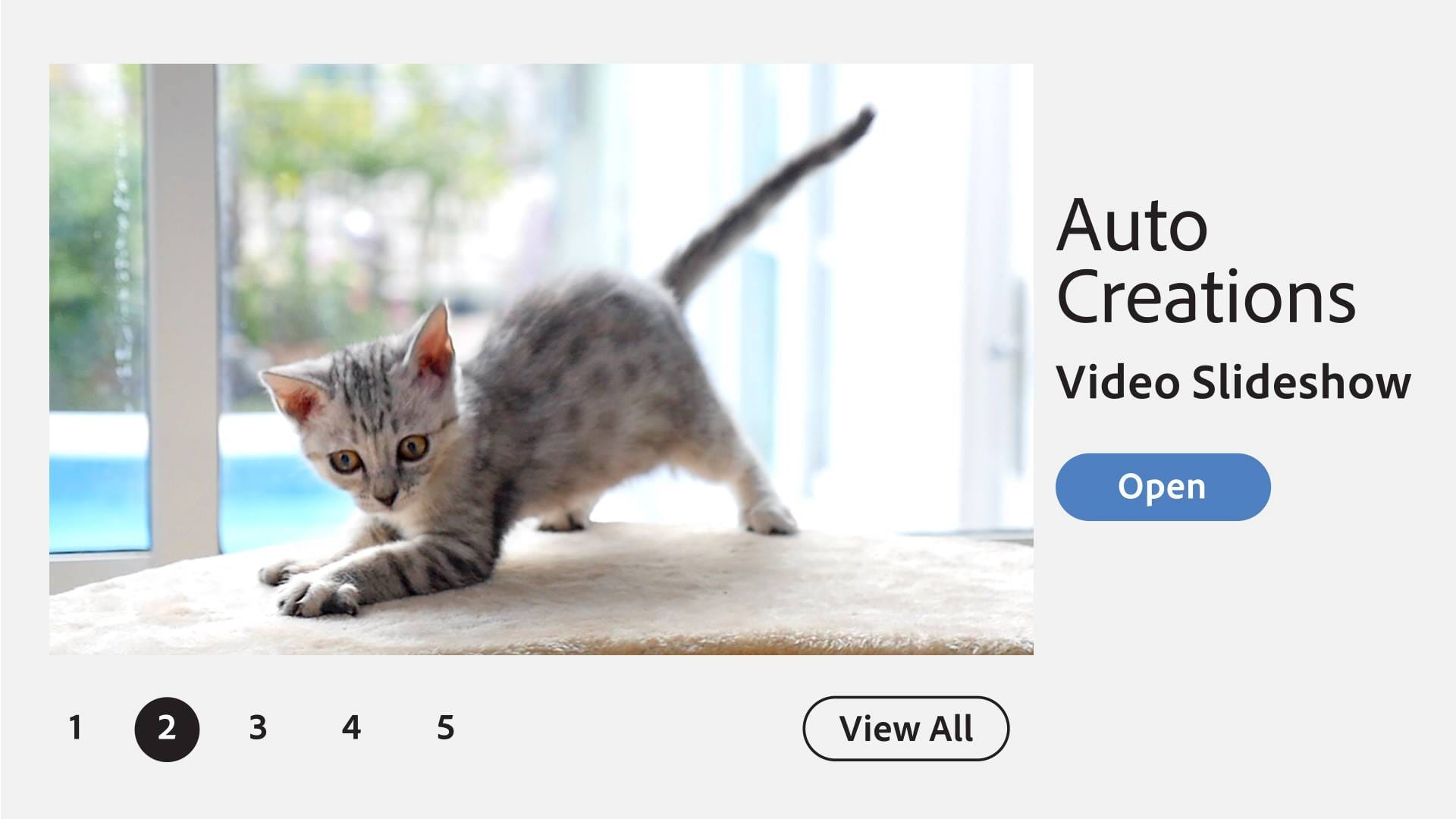
|Posted .This reviewer received promo considerations or sweepstakes entry for writing a review.I first started using Adobe Premiere Elements (APE) about 4 years ago. It is not overstating it to say it has revolutionized my family, hobby, and youth videos. I’ve been using it for 4 years and continue to come across new options and possibilities. A standout new feature in APE 2021 is the ability to select an object or area of the video, apply an effect, and then have that effect track the object throughout the clip. Or invert the effect to apply to everything BUT the selected object. The prior is useful, for example, if you want to put an “anonymous haze” around someone’s face, the latter if you want to blur out the background and keep just the subject in clear focus. Also new is that APE can lean on your GPU to expedite realtime effects and enhancements without the need to render the video as a separate step. The list of supported GPUs isn’t long but it does cover a lot of popular/mainstream GPUs. If in doubt you can always open the project properties and it will show at the bottom if your project is currently benefiting from a GPU. The list of currently supported GPUs is available at www.adobe.com/go/pregpu if you want to see beforehand if what you have is supported. Another artistic new addition is the ability to do double-exposures -- to embed a video within a photo as a “frame” to make for some very nice visual expression. E.g. You can embed your video into a picture/frame the shape of a family pet, a star, a wreath, a wave, or… you-name-it! Whether you’re new to APE or a long-time user one of the best ways to learn new features and skills is the included “guided edits” mode which literally walks you through the steps to apply a particular feature until you’re comfortable with it on your own. I can’t say enough good things about this software. As a family and enthusiast videographer I’ve lost myself in many an afternoon just trying new things until I get it just right. If you have the time and patience to make precise tweaks and edits for a specific result the software gives you the tools to have as precise control as you want. Or you can just let the software kind of put it all together for you as an “auto creation” if you just want something in a snap that has more visual pizzazz than a simple slideshow.
I would recommend this to a friend - Pros mentioned:Video editing
Simple and Easy, not much different than 2019's
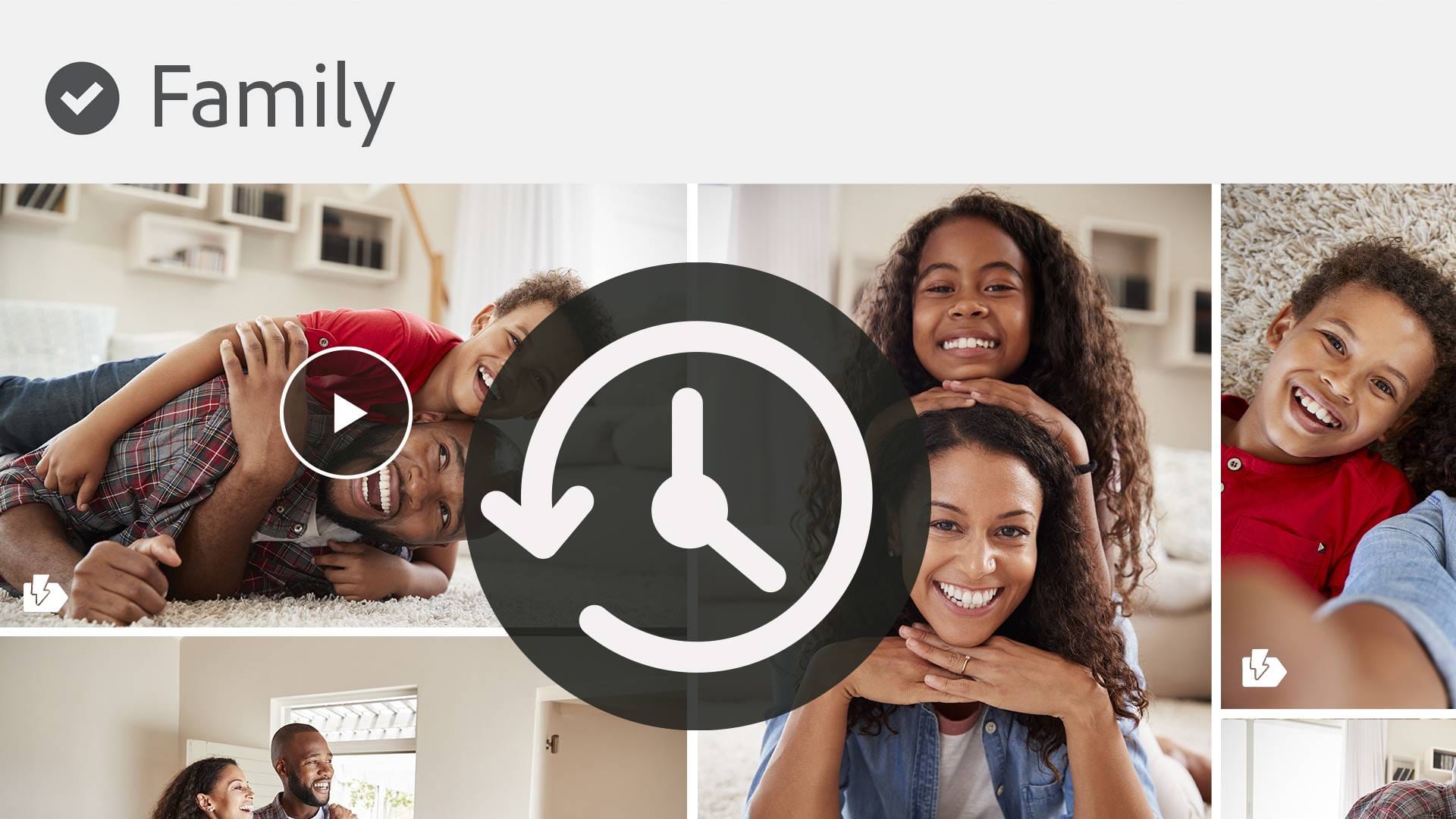
|Posted .This reviewer received promo considerations or sweepstakes entry for writing a review.I will be first to admit that my knowledge and comfortability on using Adobe products are really limited. I know enough to make easy and simple edits and compilations. I was really pleased with the 2019 edition of Adobe Photoshop and Premiere Elements as they gave you easy steps and guides on making these edits and changes to your photos and videos. So, I was hoping for a leap forward with the 2021 edition. There are some cool new additions, but I was left wanting more. I guess there really wasn't much that changed except for more Video Effects. I know that Adobe Premiere Elements had Gen-Xer's in mind when they came up with this. There are a lot more Video editing abilities, and I was immediately drawn to adding several of my home videos that I had converted from VHS years ago, as well as some old videos of my children when they were toddlers and mixing them in a large video with music and lettering. I am not a professional and never claimed to be one, but I felt that this was way better and more professional than the app versions. Tools like adding Motion tracking, Animated Matte Overlays, Adding Inspiration Quotes, Precise Selections in videos, etc all enhance your editing skills. I am really happy that they kept almost all of what was included in the 2019 edition. I really enjoyed how Adobe followed Apple with organizing photos based on when it was taken, identifying who was there. Maybe they were there before but the 2019 and 2021 are my first really entries into this world. It appears that 2021 builds on 2019 on making Photo/Video editing easier, simple and fun. The Organizer is a fun tool as it helps you import your photos and are able to use that as a staging ground of uploading on your social media sites. Again, Adobe is trying to make it simpler for the user to access and organize your TB's full of photos and videos. Overall, I am very well pleased yet overwhelmed with this product. I am glad that the more I use it the more familiar and comfortable I am with it.
I would recommend this to a friend - Pros mentioned:Interface
Great Guided edits!
|Posted .This reviewer received promo considerations or sweepstakes entry for writing a review.THE BREAKDOWN: If you have used Adobe in the past you know they have a good product depending on which product you use. The Adobe premier is easy to use and does offer a lot of assistance with editing. This software is compatible with 64-bit editions of Windows 10 and macOS 10.12 and higher. I used it on the Windows 10 platform. It did use around 6GB of disk space to install. If you have used Premier Elements in the past some of the new features are the mask selection tool with motion tracking, 21 new background music tracks and guided edits such as Double exposure and Animated Mattes. When opening Premier Elements, it opens in a separate Organizer app which to me seems a little clunky. I just want to click the icon and it opens directly to the app not an organizer then into the app. Some may find this feature great but for me it didn’t seem intuitive. You have autocreations which when you download clips and photos it makes some automatics clips which can be a good starting point for your project. The editing interface was pretty much the same as previous versions. It now supports H.265 High Efficiency Video Codec (HEVC) on Windows. There is still no support for 3D or 360-degree VR clips. The basic editing such as the smart trim can identify poor-quality sections of media and delete them. I found this to be a helpful tool. Guided edits hold your hand through a series of steps to help make great edits. I found this feature great as well, if you don’t use this product very often it is a great feature. PRO’s: -Clear and simple interface -Great guided edits -Excellent text tools CON’s: -The rendering output speed is kind of slow -No screen recording capability SUMMARY: Overall, this product worked well and as intended, and I would recommend this to a friend if they are in the market for device like this.
I would recommend this to a friend - Pros mentioned:Ease of use, Video editing
Easy for beginners and powerful for advanced users
|Posted .This reviewer received promo considerations or sweepstakes entry for writing a review.As somewhat of an amateur video editor I appreciate having a tool that can guide you through basic tasks while providing more advanced features when needed and as you get more proficient with the tool. If you are not sure how to do something chances are the software can guide you through it or point you to help resources for getting it done. I help my daughter edit videos for Youtube and find Premiere Elements to be the perfect software to get the job done. Importing videos is a snap and there are so many cool effects that can be applied to make your videos really stand out. One of the great features that I like in the 2021 version is that you are able to see what effects will look like immediately in your playback window rather than having to wait to render the final output. Rendering is fast, and the more powerful your computer the faster it will go. It also seems as if the speed has improved a little bit over previous Premier versions. If you need full featured yet easy to use video editing software that doesn’t break the bank I would recommend this one.
I would recommend this to a friend - Pros mentioned:Ease of use
Easy to work with
|Posted .This reviewer received promo considerations or sweepstakes entry for writing a review.I downloaded the program and in about 30 minutes of downloading the program I had “produced” a video. Its that simple. The Adobe Premiere Elements 2021 is a really cool program. My wife and I celebrated our first grandchild back in May, and I must say, with Covid its been difficult to see and spend a lot of time with our grandson. So the next best thing is FaceTime/video/pictures. I took those pictures and and video’s and again, within 30 minutes had a really, quality video of our grandson, that was so easy to share with them. The program does the work, you open it up, you import the video/pictures and it does the work. You can pick which music to play, you can edit the pictures (which is simple) and plug it into the video. It works so well that we have decided to upgrade. The technology is amazing, Adobe calls it “Adobe Sensei AI” and it literally does everything, to the point, it even picks the best pictures to use. It helps me, because I want to share the video’s, all I have to do is import the pictures to the program, and then pick music. If you want a program to enhance your pictures into a video, this is as simple as it gets. I would HIGHLY recommend it!
I would recommend this to a friend I would've recommended this product
||Posted . Owned for 3 weeks when reviewed.This reviewer received promo considerations or sweepstakes entry for writing a review.I hate this editing software. I would perfer to have the 2018 edition. It seemed to have worked way better.
No, I would not recommend this to a friendSad Service
||Posted . Owned for 1 month when reviewed.This reviewer received promo considerations or sweepstakes entry for writing a review.I bought this from Best Buy and the redeem code would not redeem Best Buy would not give me a refund.
No, I would not recommend this to a friend- Pros mentioned:Video editing
Great for the novice or advanced user
|Posted .This reviewer received promo considerations or sweepstakes entry for writing a review.I've only been using Adobe Premiere Elements for two years now. I started with the 2020 version and have now upgraded to the 2021 version. Let's face it, everything in 2021 is bound to be better than it was in 2020...and Adobe - Premiere Elements is no exception. I really enjoyed the tutorials and learning new and different ways to edit my home video projects. Now that my phone shoots 4K video automatically I was worried about editing with it, but with the right laptop (2020 MacBook Pro) and amount of RAM, this application runs like a dream and allows me to feel like I'm a professional editor. Which I am certainly not. If you're looking to edit videos but need something more extensive than Windows Movie Maker or iMovie, but you don't want to shell out the big bucks for the Final Cut Pro or full Adobe Premiere suite, this is the right option for you.
I would recommend this to a friend i never buy again
||Posted . Owned for 6 months when reviewed.This reviewer received promo considerations or sweepstakes entry for writing a review.never work all the code numbers were wrong, I waste my money
No, I would not recommend this to a friendWaste of money
||Posted . Owned for 1 month when reviewed.This reviewer received promo considerations or sweepstakes entry for writing a review.Sales rep sold me the wrong item. Not sure how this works
No, I would not recommend this to a friend- Pros mentioned:Features
The Good Leads To The (Almost) Bad
|Posted .This reviewer received promo considerations or sweepstakes entry for writing a review.SO here's the deal... It does A WHOLE LOT! And it does it well, but here is the not greatest... While it does a whole lot, it is (to my experience) not at all intuitive. There are countless hours of how to resources out there for getting used to using it correctly but I am used to things being at least a little more intuitive. In all, I would recommend it to a friend BUT I would caveat it that you will need to set aside the better part of a weekend or two to learn how to fly.
I would recommend this to a friend Dissatisfied
||Posted . Owned for 1 month when reviewed.This reviewer received promo considerations or sweepstakes entry for writing a review.This product deserve no stars too hard to use waste of money
No, I would not recommend this to a friend- Pros mentioned:Video editing
Must have for your Instagram & Youtube Videos
|Posted .This reviewer received promo considerations or sweepstakes entry for writing a review.SUMMARY ------- This is just an excellent tool for editing video for sharing on the internet through your social media application such Instagram or youtube. My wife does cooking videos as a hobby and this software really helps out in editing her cooking videos and posting it on Instagram/youtube. I love the software, it is complex and has a little bit of learning curve but once you are through with it, using it is a breeze and i am sure you will love it. DETAILS ------- Pros ---- 1. Excellent software with good amount of customizations 2. 2021 version now includes selection tool (Blur someone's face) and it tracks the object through out the video 3. Its GPU enhanced and it is faster! 4. User friendly Cons ---- 1. Too much functionality, its lot to learn Setup & Installing ------------------ you download the software and install it using the provided key. I Chose the windows version, you may also choose the Mac version if you have a MacBook. Usage ----- Once installed, you can launch the software and you can import the videos for editing. There are basically 3 modes, Quick, Guided and Expert modes. Love the Guided edit modes which actually shows you how to use transitions or overlays. you can overlay a photo against a video etc. The software lets you cut videos, cut and stitch videos, add effects and music to the videos and your own text on the videos. i found the features really helpful to add tags on food items and create recipes also add music to cooking video There are some free software's on the market but nothing beats Adobe connect which is a leader in video and photo editing software. I am also going to try the photo editing software next. I think for the price this is a worthy buy if you want to edit videos and post them on social media.
I would recommend this to a friend