Customer Ratings & Reviews

- Model:
- AW510H-L
- SKU:
- 11799880
Rating by feature
- Value
Rating 4.4 out of 5 stars
- Quality
Rating 4.6 out of 5 stars
- Ease of Use
Rating 4.6 out of 5 stars
Alienware Mic
||Posted . Owned for 1.5 years when reviewed.This reviewer received promo considerations or sweepstakes entry for writing a review.The mic does not last. nearing the 2 yr warranty and gave out. solid duration
No, I would not recommend this to a friendBrand response from YourDellTeam
Posted .Hello So1ution,
We would like to thank you for taking the time to provide us with your feedback. We are sorry to hear you are not too happy with your Alienware Wired Gaming Headset because the microphone on this headset is not working anymore. This is certainly not the experience that we like to hear from our customers. We appreciate your feedback and will use it to help improve our current and future products.
Please take a moment to contact Dell Support Team at the information provided below at your earliest convenience so we can help you to resolve this issue.
Best,
Katarina@Dell
Should you need further assistance, you can contact Dell directly with the information below.
Chat or call: https://bit.ly/DellSupportTeam
Phone number to Dell: 1-800-624-9896
Awesome Headset, Horrible Retailer
||Posted . Owned for 1 week when reviewed.This reviewer received promo considerations or sweepstakes entry for writing a review.Nice headset. Comfortable and do not hurt my head like others. Keeps out sound. The headset is awesome but not Bestbuy. Bought this Alienware x17 and did not get the advertised Win11. Bait and switch tactic they do not care to fix or too incompetent.
I would recommend this to a friend
So Comfortable and Sleek
|Posted .This reviewer received promo considerations or sweepstakes entry for writing a review.I'm no professional gamer, but this is what I imagine they wear. While I don't have the best ears, I can say that these headphones sound amazing. I truly feel immersed in a way in which I have never experienced, even with a full room surround sound setup. What's most important to me though, is comfort, these feel great, Considering the sound they produce, I;'d expect them to get uncomfortable after an hour or so, but they feel great, for as long as I feel like using them. I also love the pull-out mic. It makes the design so sleek, and you never have to hunt for the mic since it isn't detachable.
I would recommend this to a friendThis Beauty is a Beast
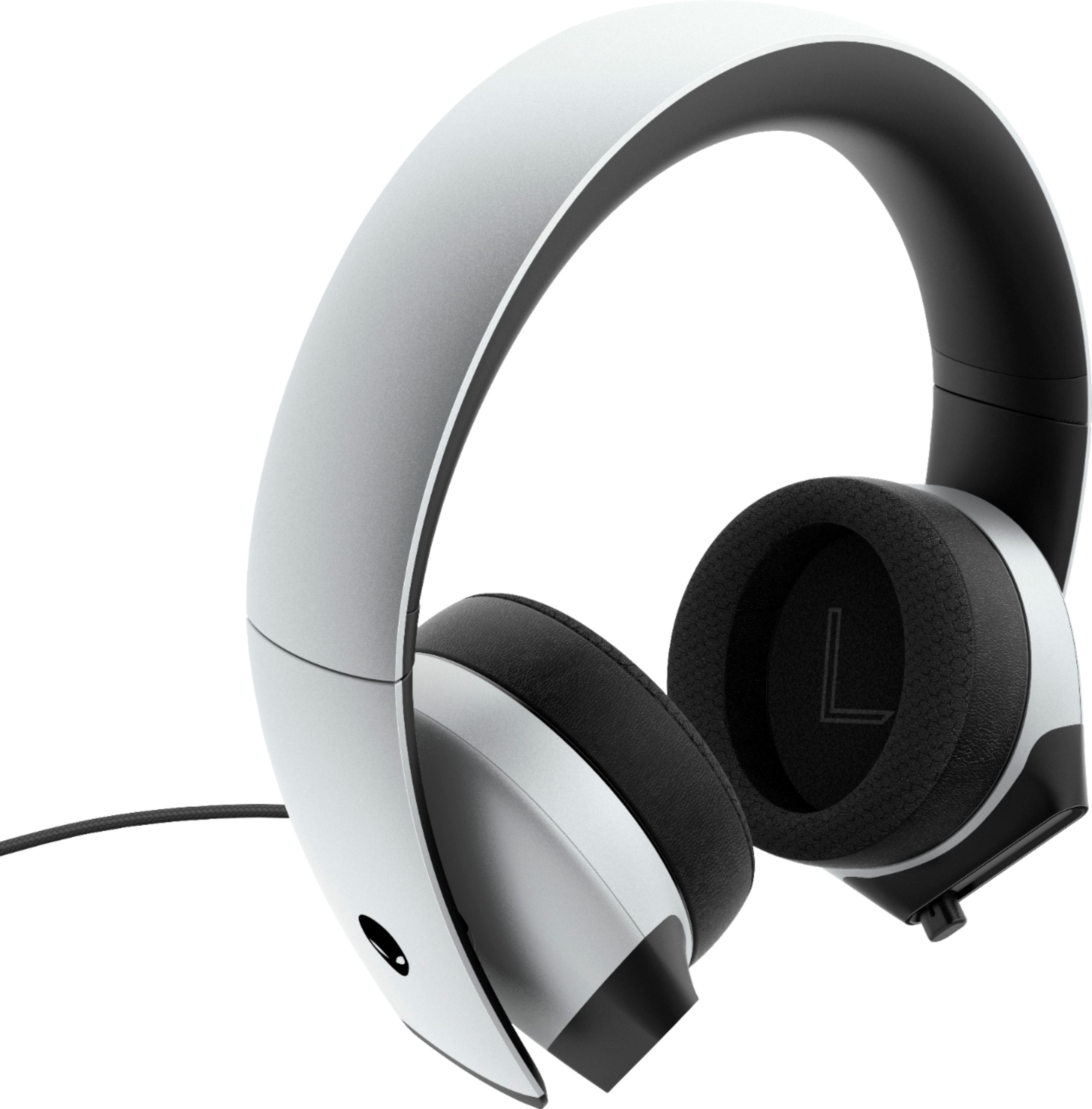
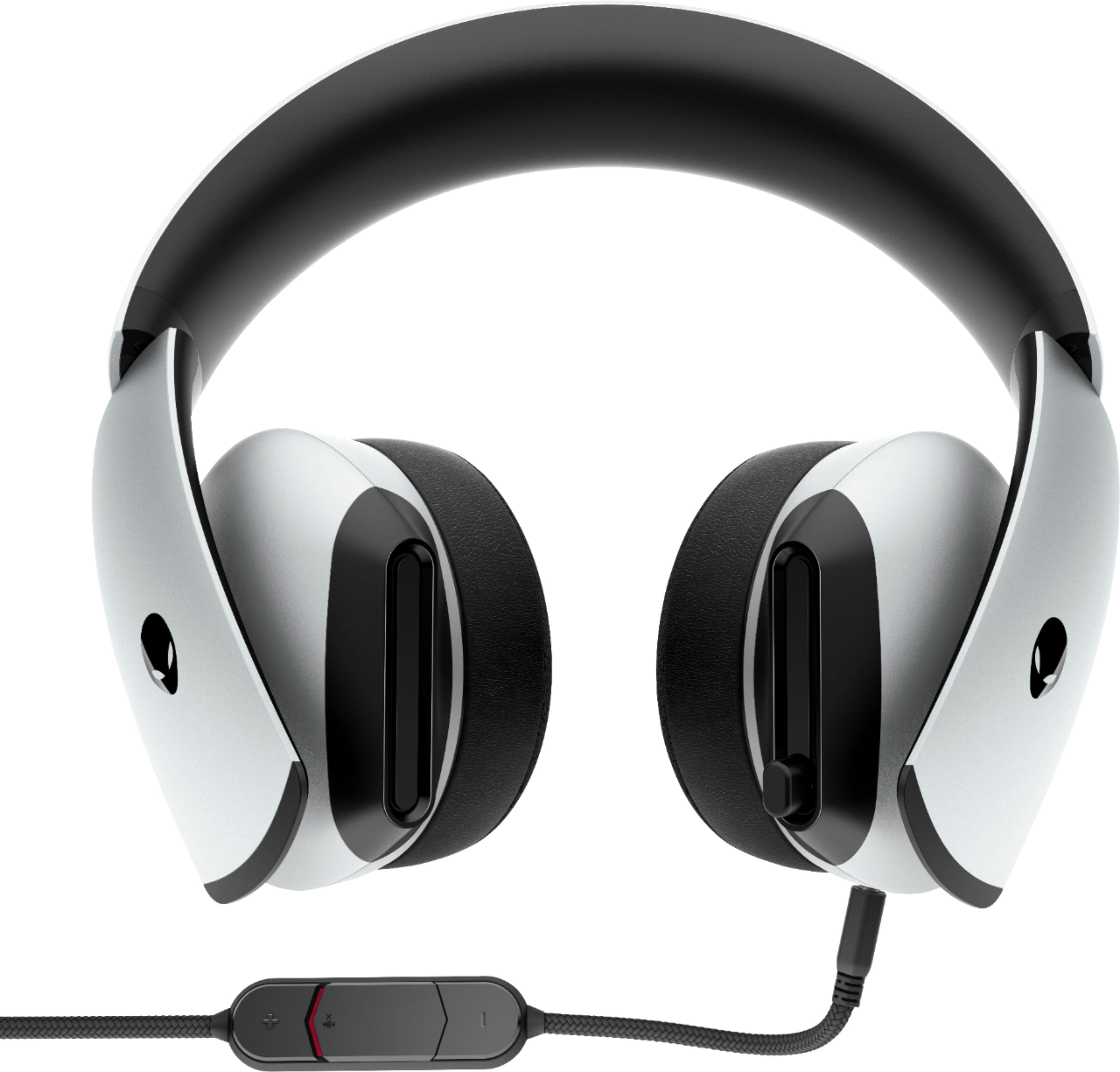
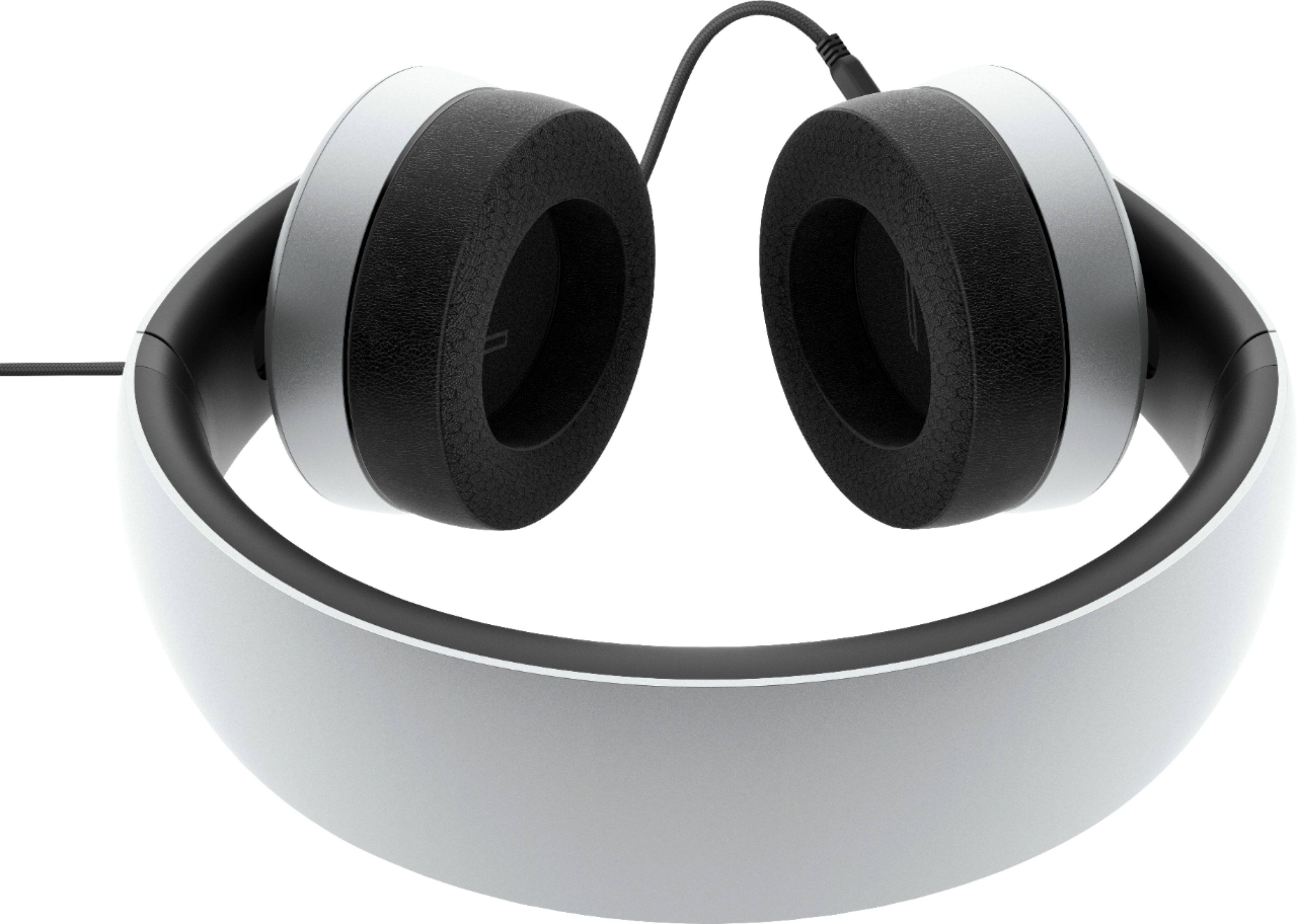
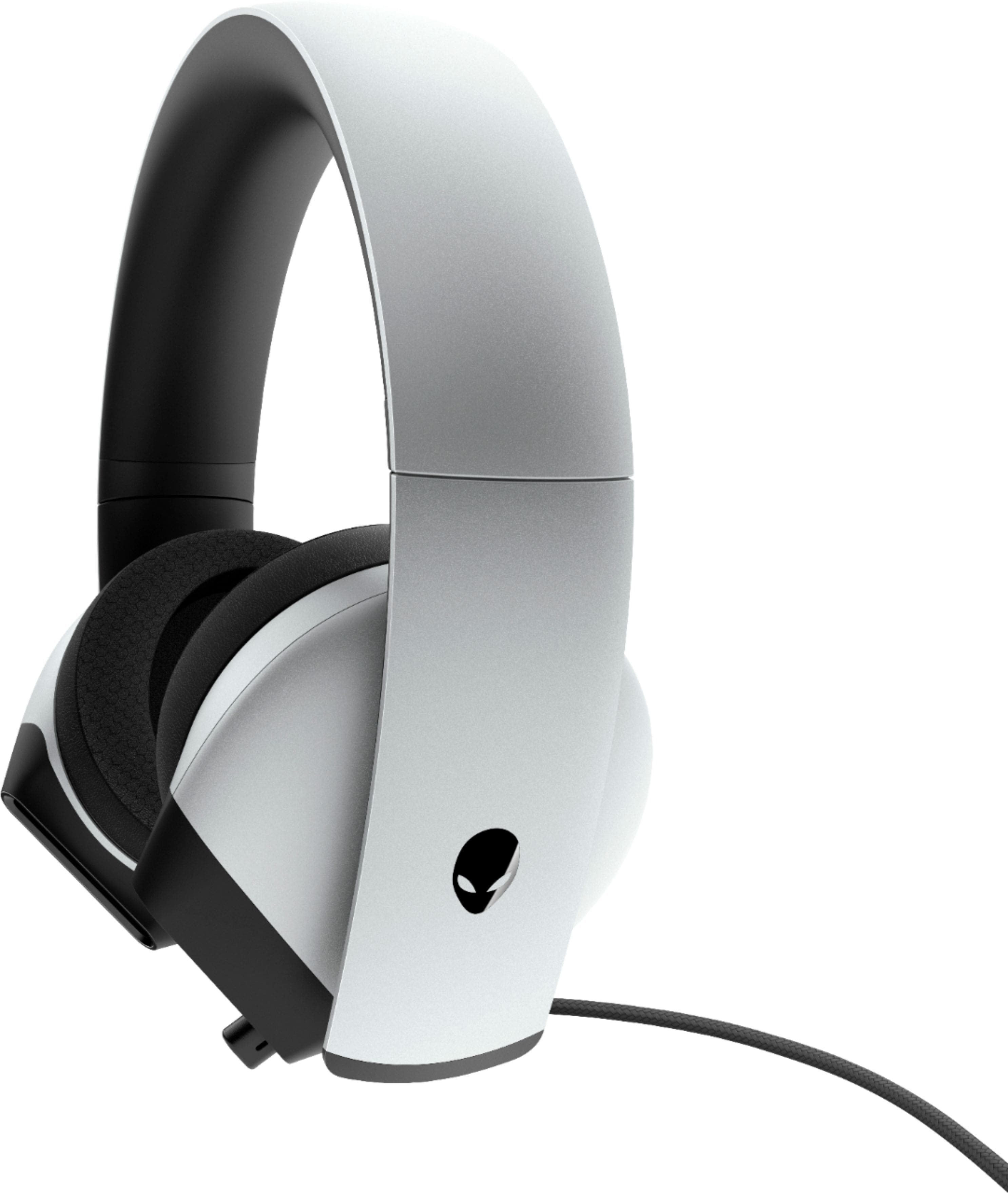
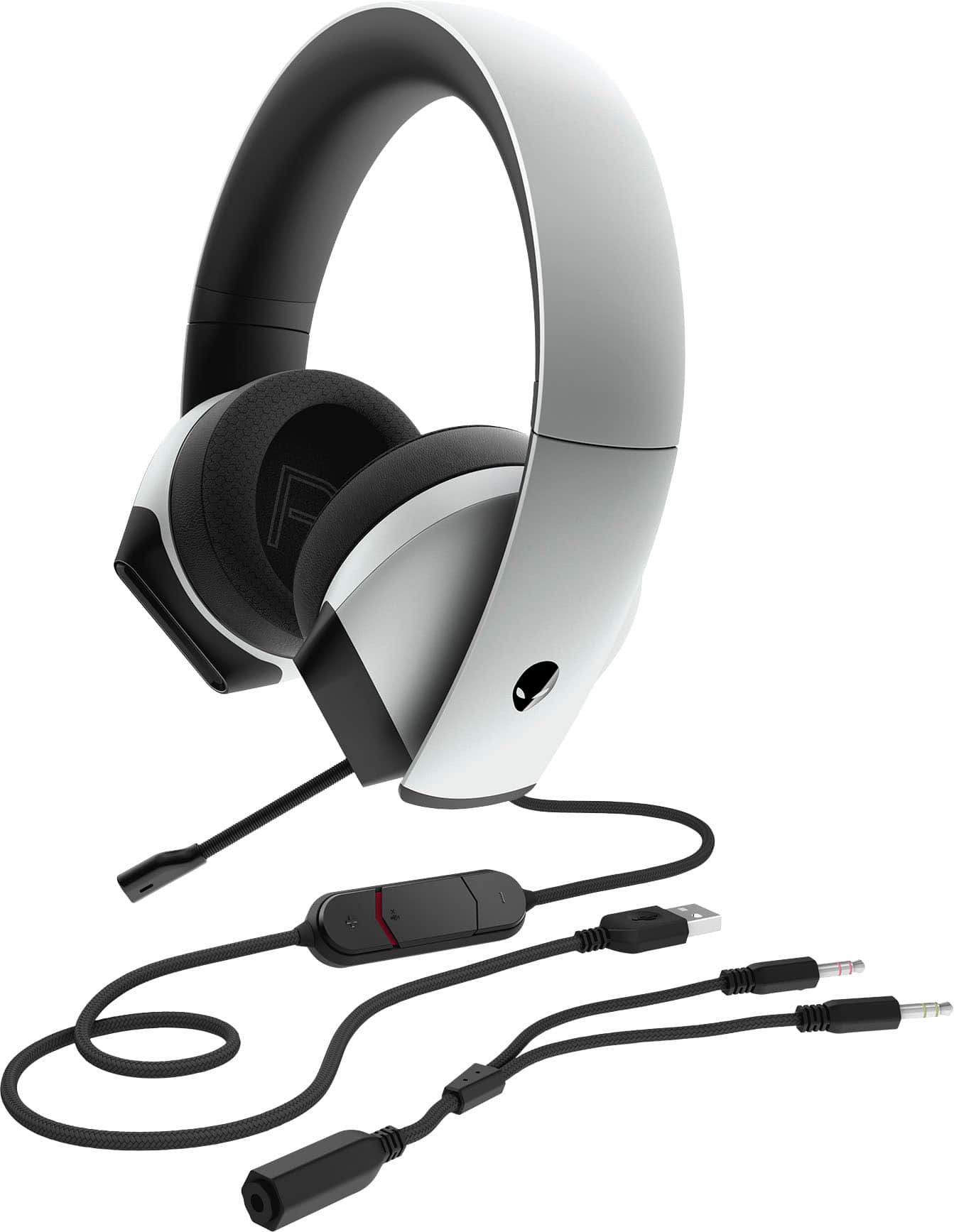
|Posted .This reviewer received promo considerations or sweepstakes entry for writing a review.Impressive. This Alienware AW510H Wired 7.1 Gaming Headset is, quite simply, a beautiful piece of tech to look at. The matte textured surface is an ‘off-white’ almost light gray color, which I really like, and gives it a noticeable unique difference when compared to the standard black headsets you often find. Installing the Alienware Command Center (AWCC) software onto your laptop or PC allows you to make the most out of what this gaming headset has to offer. With the AWCC, you can scan your computer for the games you play, or add them manually to your game library, and even launch them from there. You’re able to create individual game profiles and themes, configure power management settings, adjust sound equalizers, assign lighting effects, and much more. Two audio cables and a ‘Y’ adapter are included which are used to connect the headset to either a PC/laptop or tablet/phone (although a USB-C to 3.5mm converter is not included), along some video game controllers having a 3.5mm jack. The cords themselves are nice and thick, sheathed in a braided woven material, which should help prevent kinking. The bendable, retractable, boom mic stays put where you position it. Voice quality was crisp and clear, both in audio playback and “live” chat, with the noise-cancelling feature performing adequately enough. The earcups have L&R imprinted on the inside, and are made of a soft leatherette type of material, with ‘memory foam padding.’ They are designed to swivel and lay flat for easy portability (and storage), as well as, being able to be worn around the neck. I found the headset comfortable to wear, as they are relatively lightweight and have the same leatherette “cushioning” on the headband as the earcups do. Although my ears did begin to get a little warm, so I would suggest taking a break during extended gaming sessions. The amazing stereo sound quality reproduced by this Alienware headset, really did deliver a range of depth to the ambient noises, as well as, levels of complex sounds in the gameplay, lifelike dialogue, and music. I truly felt immersed in the environment and surrounded by the ‘atmosphere’ created by the RPG I was playing. One thing I found rather frustrating was that in order to understand how to setup the headset, and find basic information about its features, I had to look up the manual online. A simple, easy-to-read user’s guide included with the headset, would have been much more helpful. Overall though, this Alienware AW510H Wired 7.1 Gaming Headset is a beautiful beast of wearable gaming tech. Not just for hardcore gamers, but it’s truly an all-around great headset. I highly, highly, recommend!
I would recommend this to a friendIts ok
||Posted .This reviewer received promo considerations or sweepstakes entry for writing a review.Its weird , sometimes its okay sometimes its not !
No, I would not recommend this to a friendBrand response from YourDellTeam
Posted .Dear Rutba,
Thank you very much for your valued feedback. We are sorry to hear that you are not happy with your Alienware Gaming Headset because it is not working well all the time.
To help with this issue, we recommend making sure that drivers are updated (there are two drivers for this product). I have included a link to the drivers and downloads page, where you can check for any applicable updates. I have also provided a link to the usage and troubleshooting guide for your headset. Please refer to the troubleshooting section.
Drivers and Downloads Page: https://dell.to/3G7WAU9
Dell Alienware Gaming Headset Usage and Troubleshooting Guide: https://dell.to/35bg4u1
If the issues with your headset are still not resolved after utilizing the troubleshooting options above, please contact the Dell Support Team at 1-800-624-9896 for further guidance.
Best,
Katarina@Dell
Should you need further assistance, you can contact Dell directly with the information below.
Chat or call: https://bit.ly/DellSupportTeam
Phone number to Dell: 1-800-624-9896
Great Gaming Headset
|Posted .This reviewer received promo considerations or sweepstakes entry for writing a review.The Alienware - AW510H Wired 7.1 Gaming Headset is a fantastic gaming headset. The sound is fantastic regardless of what hardware you are plugged into. This headset can fill all your gaming needs. The headset itself is sturdy. The overhead padding is rubberlike but is very comfortable, even the first time you wear it. The ear muffs are soft and breathable so your ears don't get hot after wearing them for a while. Also the ear muffs rotate easily to provide a smooth, perfect fit. Also the microphone can be extended out for game chat or retracted back into the ear piece to be out of the way when not in use. And at the end of all of that, the headset just looks awesome. The packaging it comes in looks nice as well. There isn't a lot of documentation that comes with this headset though. There was just a small leaflet which described the features and uses. Connecting the headset should be intuitive, but you will need to rely on yourself figuring it out rather than clear directions on what or what not to do. As far as use, it comes with a few different ways to connect to your hardware. One way is to connect via USB. I used this method with the PS4. The PS4 software was able to recognize the Alien headset and setting this up for use was simple. The sound was much fuller than the other headsets that I have used with the PS4. The only thing I wish it did that it didn't was tied to game chat. I like headsets that let me hear myself talk. This headset didn't do that so I was afraid I was really talking louder than what I needed to. I also used the USB input to play on my desktop computer. The Windows 7 system was instantly able to detect the headset with no issues and performed great. Sounds in the games were crisp and chat was great. Even watching movies, this headset was great. If you need to, you can remove the USB cord and connect to hardware via 1/8" jack. The jack is configured for stereo sound as well as chat capability. I tried this method on my gaming laptop and it worked amazingly. I really loved it. The surround sound on the headset is really nice and again, it just sounds fuller than other headsets. This Alienware headset is great for gaming and even other uses. It connected easily to all my hardware. I recommend it to anyone wanting a gaming headset.
I would recommend this to a friendGreat feel even on a big head
|Posted .This reviewer received promo considerations or sweepstakes entry for writing a review.Let me start by saying that I seem to have a larger head than most. One size fits all caps usually have to be set to nearly the last notch to fit. That makes most headsets pretty uncomfortable during a long gaming session. I've started using this headset in place of my Logitech G933 pair connected to my gaming PC. Comparing the two, this set just feels better - it sits better on my head and feels lighter. I have been told that over Discord my mic sounds different with this headset from the G933 - I don't know if that means it doesn't sound like 'me,' but no one has complained about the quality. The top of the headset is very forgiving, and the fit on the ears is great. They block out other sounds quite well, and the quality is phenomenal. I have been using these around 50% max volume and that is plenty loud. Some people may find issue with the following: -No lights -Corded I'm fine with both however. I found that with a wireless set I would forget to plug it in, and since I'm more casual than serious gamer, would end up with an unusable headset - no issue with that here. I also don't understand the lights on a headset (or mouse) - I can't see them while I'm wearing them and I don't have an audience. Long story long - neither of these 'features' are required for me to be happy. The one thing I do fear is that the corded port over time starts to get 'sketchy', which I have had with every other corded headset I've owned (from the $10 level to the +$100); only time will tell if that issue will occur here. No issues with installation - these were just plug n play.
I would recommend this to a friendRip off
||Posted . Owned for 1 month when reviewed.This reviewer received promo considerations or sweepstakes entry for writing a review.head set didn't work out No sound feedback on conference calls. Best buy 2 week return policy was impossible to abide because of crazy long lines or my store closed during the day for no posted reason. Now I'm stuck with product I can't use and I need to purchase another headset that works. I'll never set foot in Best Buy again - why too much hassle. Rip off, lousy service
No, I would not recommend this to a friendBrand response from YourDellTeam
Posted .Looey2020,
Thanks for your review. We're sorry that your headset did not work the way that you hoped it would. Dell does offer a One Year Limited Warranty on our products if you'd like to see if your product qualifies: http://dell.to/2tNsVOs.
Best,
Bryan
1-800-624-9896
Comfortable, Great Sounding Headphones
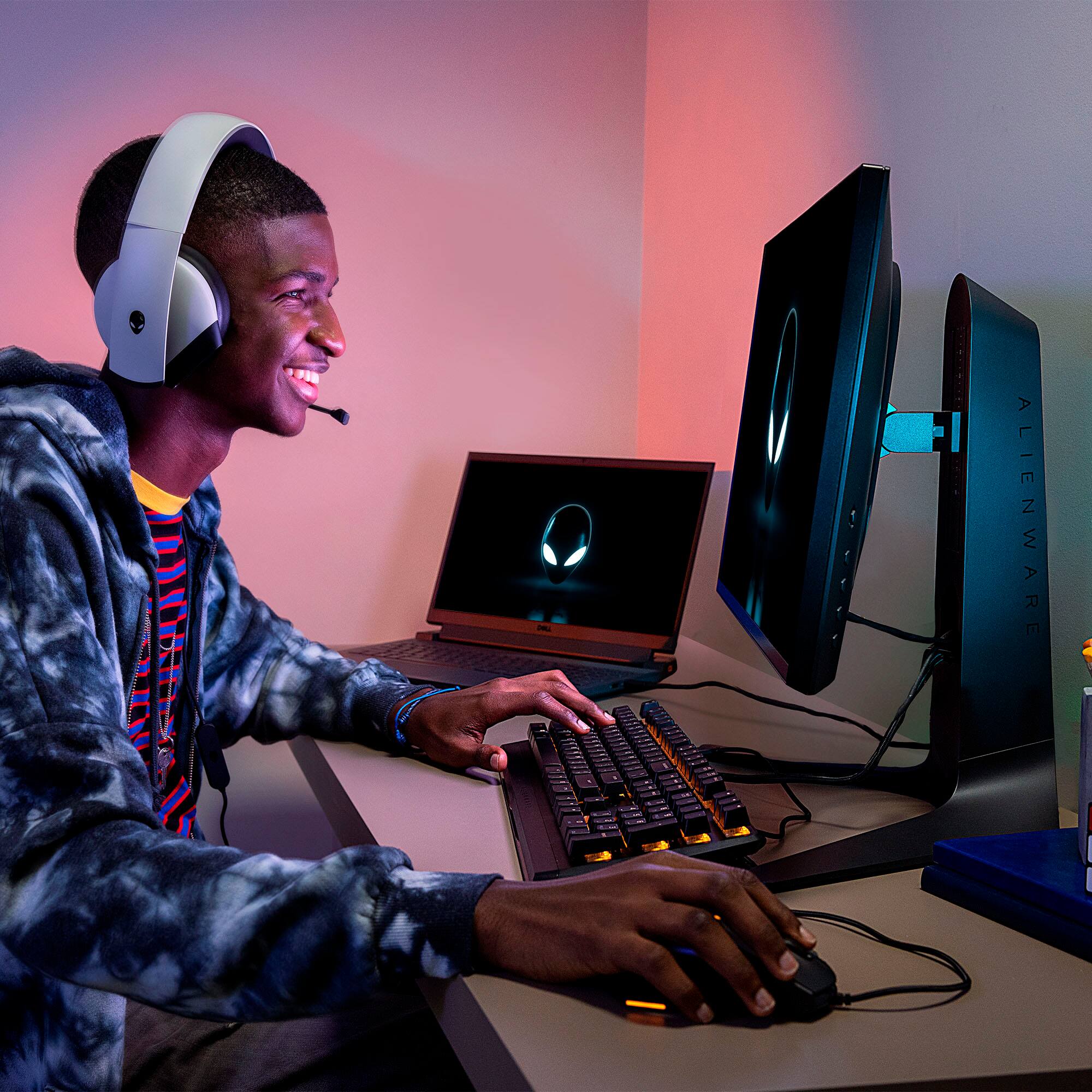
|Posted .This reviewer received promo considerations or sweepstakes entry for writing a review.As a gamer that plays multiplayer games that require communication, you need to have a reliable headset. I used the Alienware headset for about 12 hours and had great results. I use discord as primary source of communication with other players. I ran two raids in Destiny 2 (which requires a lot of player communication) and PVP games making callouts. The players that I played with said that my voice through the microphone sounded crisp and clear. I didn't experience any voice cut-out. The 7.1 sound that comes through the headset also is very good. I knew which way to turn my character based on the sound coming through my earbuds. Last, but definitely not least, these headphones were very comfortable. I played for roughly 12 hours using these and did not experience any discomfort. If you're looking for a crisp and reliable wired headset, I recommend giving these Alienware headphone a try.
I would recommend this to a friendDO NOT BUY
||Posted . Owned for 1 week when reviewed.This reviewer received promo considerations or sweepstakes entry for writing a review.Garbage product , learned about the common microphone echoing to party issue first hand experience, then went online to see that many people have had this issue and it’s never been addressed by neither dell nor Alienware. Even though it’s been asked, an answers never been given, and I myself was unable to get a response from Alienwares customer support Twitter.
No, I would not recommend this to a friendBrand response from YourDellTeam
Posted .Hi Theo,
Thank you for your valued feedback. We are sorry to hear you are having issues with your New Alienware 7.1 Gaming Headset. We suggest making sure the microphone is fully extended when in use. If the microphone is in the stored position, it picks up the sounds from the earcup. I have provided the steps below to help resolve this issue, along with a link to the Usage and Troubleshooting Guide for your product, where this information and more can be found.
Resolution
1. Ensure that the microphone is fully extended when in use. If the microphone is in the stored position, it picks up the sounds from the earcup.
2. Check the microphone levels in the Control Panel, by performing the following steps:
Right-click the Sound icon located in the lower right-hand corner.
Select the Recording tab.
Select the Alienware Headset from the list.
Touch or click Properties.
Select the Levels tab.
Adjust to the desired level.
Touch or click OK.
Touch or click OK again.
3. You can also increase the microphone's pick up sensitivity by going to Alienware Command Center (AWCC), by performing the following steps:
Open the AWCC.
Note: The Alienware Sound Center installation window may appear, if so, follow the prompts to download and install The Alienware Sound Center.
Touch or click Fusion.
Click the Audio icon.
Under the Headphones section, select the Microphone tab.
Change as desired.
Usage and Troubleshooting Guide: https://dell.to/3jYWKFm
After utilizing the troubleshooting steps provided above, if the problem is not resolved, please feel free to reach out to our support team here: https://bit.ly/DellSupportTeam.
If you require further assistance, you can contact Dell directly with the information below.
Chat or call: https://bit.ly/DellSupportTeam
Phone number to Dell 1-800-624-9896
Best,
Ashley@Dell
So comfortable, awesome sound!!
|Posted .This reviewer received promo considerations or sweepstakes entry for writing a review.These headphones are perfect. So comfortable and the swivels will conform to any size head. I have a small head and have had issues over the years finding headphones that fit this nicely. I love over the ear headphones and these block out virtually all the outside noise. I have the USB cord plugged in to my computer and use the 3/8 jack for my laptop. Since the USB is plugged into the back of my PC, not having to unplug from there to use them somewhere else is a great feature since they unplug right at one of the headphone cups. Easy swapping. Sound quality is top notch on both my systems. Especially the laptop. Just watched The Dirt on Netflix and songs sounded incredible. Great bass response and crystal clear highs. Watching movies with headphones on is the audio equivalent of HD video. If you never tried it, try it. Love these!!
I would recommend this to a friendDidn’t use for long.
||Posted . Owned for 7 months when reviewed.This reviewer received promo considerations or sweepstakes entry for writing a review.Kept coming over the mic as if I was under water. Couldn’t resolve the issue so I returned it.
No, I would not recommend this to a friendBrand response from YourDellTeam
Posted .Hello ThorMolecules,
Thank you for your review. We apologize for the issues you have encountered with the microphone. If you ever are in need of help in the future, we have provided this link to identifying your microphone issues: https://dell.to/3zTWtJ4. If you come across any questions, issues, or concerns, please visit the Support Page of the product.
Best regards,
Wendy C.
https://bit.ly/DellSupportTeam.
Phone number to Dell: 1-800-264-9896.
Bad mic engineering
||Posted . Owned for 7 months when reviewed.This reviewer received promo considerations or sweepstakes entry for writing a review.Mic will slip back into headphones and not come back out
No, I would not recommend this to a friendBrand response from YourDellTeam
Posted .Hello AnthonyB,
Thank you for taking the time to leave us a review of your Alienware headset. We are sorry to hear that you are experiencing an issue with your microphone on your gaming headset. That is not the type of feedback we like to hear from our customers. I have provided a troubleshooting link below to help resolve your issue. your issue. your issue.
Alienware Headset Troubleshooting Link: https://dell.to/3h9oZlJ
After visiting the link above if you need further assistance we recommend reaching out to a member of our support team with the toll-free number or chat link provided below.
Best Regards,
Summer@Dell
Should you need further assistance, you can contact Dell directly with the information below.
Chat or call: https://bit.ly/DellSupportTeam
Phone number to Dell: 1-800-624-9896
Open box was missing item.
||Posted . Owned for 1 month when reviewed.This reviewer received promo considerations or sweepstakes entry for writing a review.Product itself is great for Alienware. Don't have any FX which is kind of a bummer. I got mine open box and it was supposed to have all original items but I'm guessing previous handlers were able to swipe the Y cable which I didn't know was missing because there were no manuals but yeah bummer on my part.
I would recommend this to a friendTo small
||Posted . Owned for less than 1 week when reviewed.This reviewer received promo considerations or sweepstakes entry for writing a review.I have small ears but this was small and tight I like different once that are much more louse and comfortable
No, I would not recommend this to a friendBrand response from YourDellTeam
Posted .Sharon,
We're sorry that this headset was not more comfortable for you. We hope that you'll be able to find another Dell gaming headset that better fits your needs.
Best,
Bryan
1-800-624-9896
Band does not adjust
||Posted . Owned for 1 week when reviewed.This reviewer received promo considerations or sweepstakes entry for writing a review.Did homework with research with these. Trying to buy impressive Christmas present for son. When he tried on. Was discovered that the headset is not adjustable. The ear part twists however the band does not adjust at all. I personally was very confused by this. I though surely it slides somehow. But it did not. Very disappointed
No, I would not recommend this to a friendBrand response from YourDellTeam
Posted .MomTried,
We're sorry that this headset is not meeting your needs. The specifications of this headset mention that the headband is not adjustable and we're sorry if these do not fit properly. If you would like to find out about your return or exchange options you can reach out to Best Buy directly: http://bit.ly/2v2IVhI.
Best,
Bryan
1-800-624-9896
It’s ok good for kids maybe but not a gamer
||Posted . Owned for 2 months when reviewed.This reviewer received promo considerations or sweepstakes entry for writing a review.There is an echo to these headphones do you hear yourself talking to others somewhat annoying
No, I would not recommend this to a friendBrand response from YourDellTeam
Posted .AzEssential,
Thanks for your review. We'd recommend checking our Product Support Page to see if there are any software and driver updates that may help with the echo in your headphones: https://dell.to/2OpOFJ2.
Best,
Bryan
1-800-624-9896
Good Product at this Price
|Posted .This reviewer received promo considerations or sweepstakes entry for writing a review.This is a good product. I am not an avid gamer but this is not my first gaming headset either. Overall, I thought that it was quite comfortable. There is flexibility in the physical contours of the set. It comes with several input options and wires like USB, twin jack, single jack etc. Though it is not noise cancelling yet I thought that it had a good way of cancelling outside noise. I loved the microphone. It is crisp and precise. It is not that heavy but can it be lighter? Of course it is not wireless and you are saving in that regard. I would recommend this product provided the price point remains at the current level.
I would recommend this to a friendBasic headset
||Posted . Owned for less than 1 week when reviewed.This reviewer received promo considerations or sweepstakes entry for writing a review.This unit It's like basic headset, it's same sound no other featues
I would recommend this to a friendBrand response from YourDellTeam
Posted .Hello,
Thank you for your review. We are sorry to hear that your gaming headset has not met all your expectations. Your feedback is incredibly valuable as we build current and future products. We invite you to review the product Support Page if any other questions or concerns arise.
Sincerely,
Wendy C.
https://bit.ly/DellSupportTeam.
Phone number to Dell: 1-800-264-9896.
Really
||Posted . Owned for 2 months when reviewed.This reviewer received promo considerations or sweepstakes entry for writing a review.Microphone broke after a couple of day of average use. Was not abused!
No, I would not recommend this to a friendBrand response from YourDellTeam
Posted .Armstrong,
We're sorry to hear about the microphone on your new headset. If you'd like to read Dell's One Year Limited Warranty you can read it here to see if your headset qualifies: https://dell.to/39iwZuX.
Best,
Bryan
1-800-624-9896