Customer Ratings & Reviews
- Model:
- Q3277FQE
- |
- SKU:
- 5890410
Customer reviews
Rating 4.6 out of 5 stars with 5 reviews
(5 customer reviews)to a friend
Customers are saying
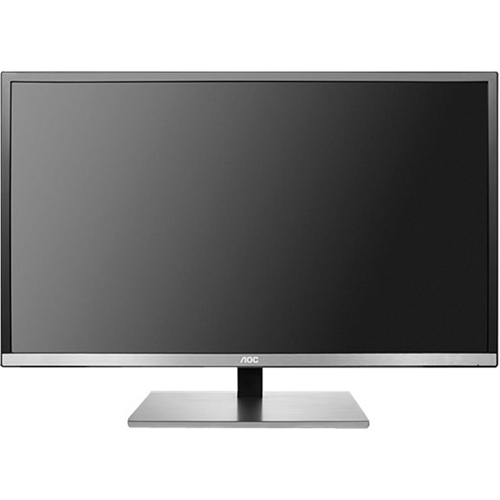
Customers recognize the 77 Series Q3277FQE 32" LED QHD Monitor's large screen size as a significant advantage, praising its suitability for gaming and its excellent picture quality at 2K resolution. The monitor's high resolution (2560 x 1440) is also frequently highlighted as a key benefit. No significant drawbacks were reported by customers.
This summary was generated by AI based on customer reviews.
- Pros mentioned:Resolution, Screen size
Rated 5 out of 5 stars
Great display for price
||Posted .This reviewer received promo considerations or sweepstakes entry for writing a review.Wow this is a large monitor, it completely dwarfs my desk. For the price this display is a great value, it’s not IPS but it has display angles equivelent to IPS. Colors are great. Make sure your computer can output 2560x1440, and if you have a Mac use a minidisplayport to DisplayPort cable, for whatever reason I tried using HDMI my max was 1920x1080.
I would recommend this to a friend - Pros mentioned:Screen size
Rated 3 out of 5 stars
Nice Picture with a side of poor reliability
Posted .This reviewer received promo considerations or sweepstakes entry for writing a review.Pros: Picture looks nice - 2k makes it easier to deal with the size Screen size - Nice for gaming Inputs - plenty of options. VESA mountable for those that do this. Cons: (At least for mine) Longevity - 1.5 months of very light use and I have a vertical line... Not G sync or Free sync - response is okay but nothing special. Screen size - can be too big for non gaming and streaming Other Thoughts: This may be a rare issue to have come up but the fact that it's not yet two months old and already has issues scares me. If you get this at Best Buy get the warranty. The B.B. return policy is horrid...absolutely horrid. I didn't even have this in the mail and setup before the return ended. Neither of my ASUS monitors have ever had an issue. One is 10 years old. I will follow up after dealing with AOC's customer support.
No, I would not recommend this to a friend - Pros mentioned:Resolution, Screen size
Rated 5 out of 5 stars
Great 32" monitor
||Posted .This reviewer received promo considerations or sweepstakes entry for writing a review.Needed not only a bigger screen, but with same pixel pitch I was used to. This monitor has the needed resolution to do that.
I would recommend this to a friend - Pros mentioned:Screen size
Rated 5 out of 5 stars
Excellent 1440 32" PC monitor
Posted .This reviewer received promo considerations or sweepstakes entry for writing a review.This is an excellent PC monitor with MVA panel technology. That means it has the viewing angles of IPS panels with the contrast ratio of a VA panel. It has an antiglare coating, necessary for this larger panel, that is not "pebbly" and yet almost completely eliminates glare. It does not use a power brick (that's good) and is just plug-and-play with Windows 10. My personal opinion is that 1440 is an excellent resolution for the size monitor. Full 2K will make things overly small unless you have excellent eyesight. I can't really think of anything bad to say about this monitor. Keep in mind that when you plug it in there are 2 physical on switches. Forget one of them and think it is DOA. :-) A good all-around general-purpose high-resolution 32" monitor
I would recommend this to a friend - Pros mentioned:Resolution, Screen size
Rated 5 out of 5 stars
Awesome monitor
Posted .This reviewer received promo considerations or sweepstakes entry for writing a review.Very happy with this purchase. It is an excellent widescreen monitor for the price point. Displays perfectly at the native 2560 x 1440 resolution. Played a number of games with no ghosting or color lag. Used the display port cable and then realized that Windows defaulted my audio output to the display port cable. Was getting no sound since monitor does not come with a built in speaker; which I consider a plus. Just had to tell Windows to change default audio back to my speakers. I am curious why the software mentioned in the manual (i-Menu, eSaver, & Screen+) are nowhere to be found on the AOC website, but I just sent them an email inquiring. Saw some mentions on Internet that there may be compatibility issues with Win10. Still, a great monitor that won't cost you over $500+!
I would recommend this to a friend