Customer Ratings & Reviews
- Model:
- MXQT2LL/A
- |
- SKU:
- 11201813
Customer reviews
Rating 4.7 out of 5 stars with 4355 reviews
(4,355 customer reviews)Rating by feature
- Value4.3
Rating 4.3 out of 5 stars
- Quality4.8
Rating 4.8 out of 5 stars
- Ease of Use4.8
Rating 4.8 out of 5 stars
Rated 4 out of 5 stars
Is it worth the money?
||Posted .This reviewer received promo considerations or sweepstakes entry for writing a review.So I decided to bite the bullet and give this keyboard a try. However, after only a few days of use, I found that there were a few issues that I had with it. First of all, the price point is just very high. Which is more of the familiar arguments that you hear about this product. But when you can buy a logitech keyboard that does the same thing for almost half the price it’s hard to debate. And second, the weight. Combined with the weight of the iPad it gives a significant amount of weight to have to carry around. Along with that, it is very easy to damage because of the material it’s made of. You would almost want to have a case for the case just to keep it in decent shape. To his credit however, it integrates almost seamlessly with the iPad, and if used often could be a great help In getting work done. As long as you can overcome the aforementioned problems. All in all however, I had to make the decision that it was not worth my money.
This review is from Apple - Magic Keyboard for iPad Air 11" (M2) - Black
No, I would not recommend this to a friendRated 4 out of 5 stars
Love it. Would recommend above others.
||Posted . Owned for 1 month when reviewed.This reviewer received promo considerations or sweepstakes entry for writing a review.Tried the “cheaper” Logitech option first. I did not get on with that and didn’t want to waste any more money on “just as good but cheaper” alternatives that would be a hit or miss - so i bite the bullet and got this case. I LOVE IT and would recommend over other “keyboard case” alternatives. Pros: 1. Great typing experience AND clicking experience (clicking on the logitech keyboard is a nightmare). 2. Great compact “laptop” or laptop replacement for the average (non- creative) user. 3. Sleek and effective over-all design and functionality The Cons: 1. it’s weighted so expect some tumbles if using on lap or bed. 2. the battery life on the whole setup is not get on the go - you have the case and the pen feeding off the ipad. The same setup is always a reason why it’s great when using in one space - one charger to charge them all ** An obvious (bonus) con - price point. I suggest trying the open-box option for some $ off.
This review is from Apple - Magic Keyboard for iPad Air 11" (M2) - Black
I would recommend this to a friendRated 5 out of 5 stars
Far Exceeded My Expectations for a Valued Tool
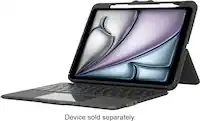
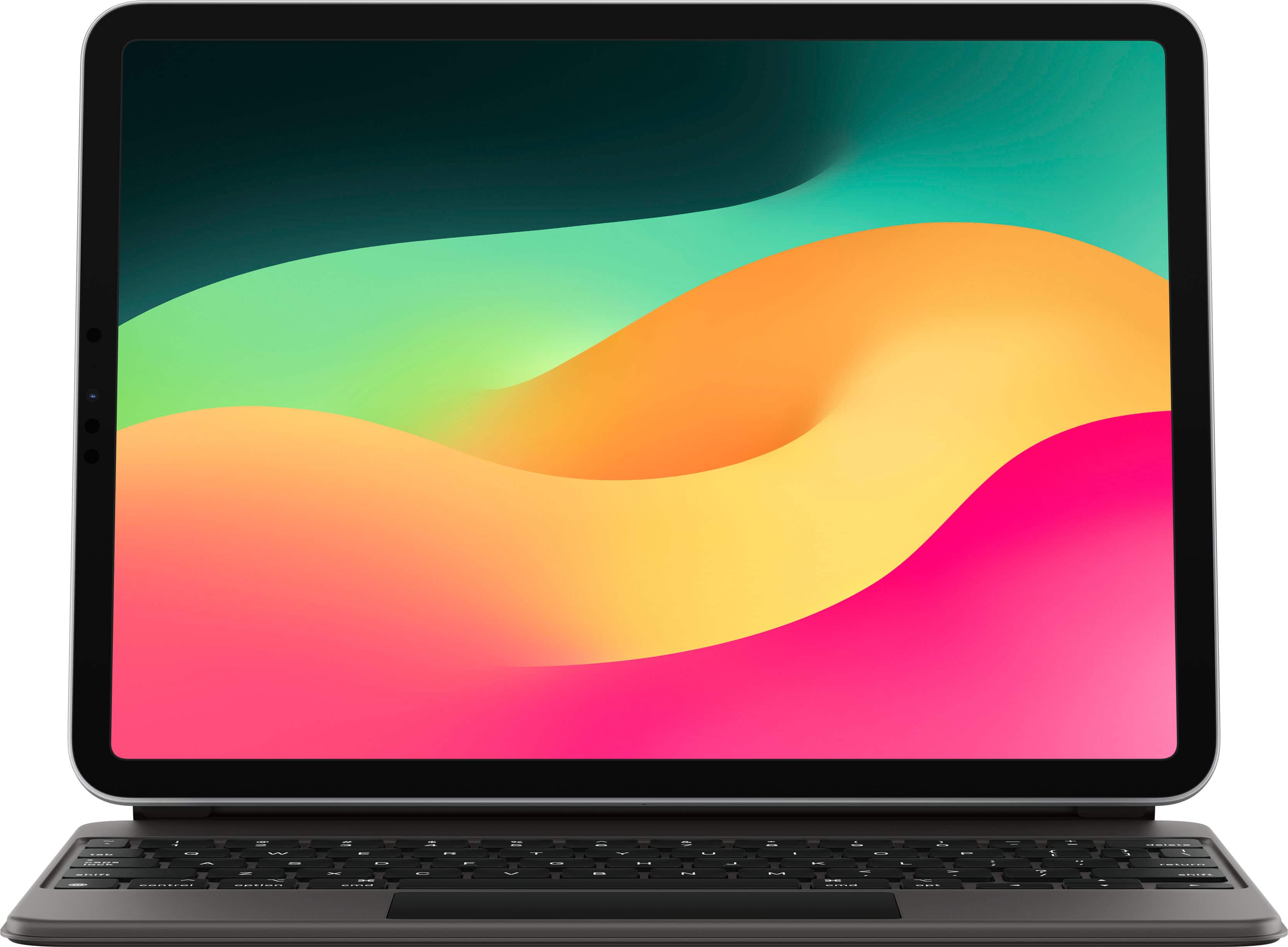
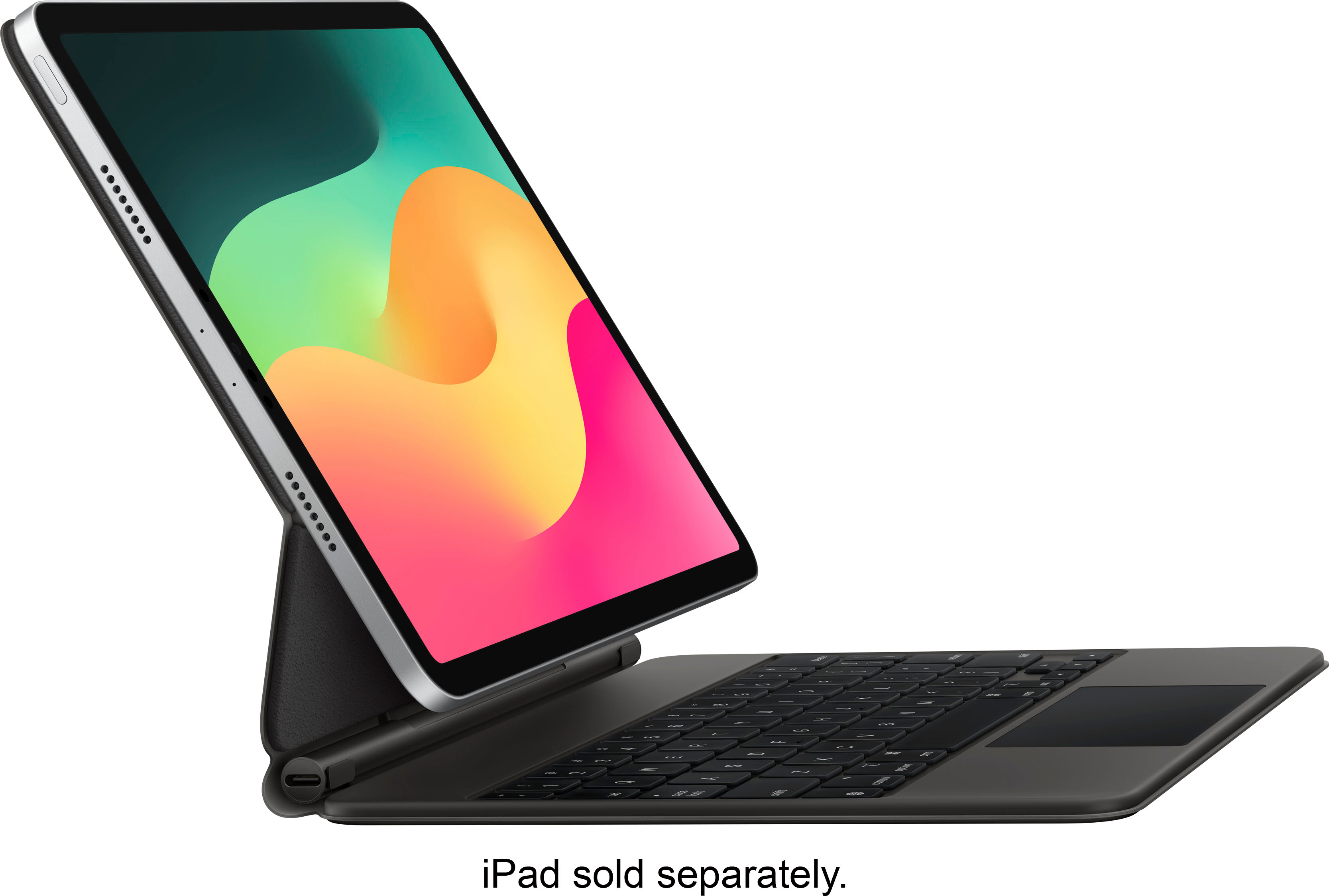
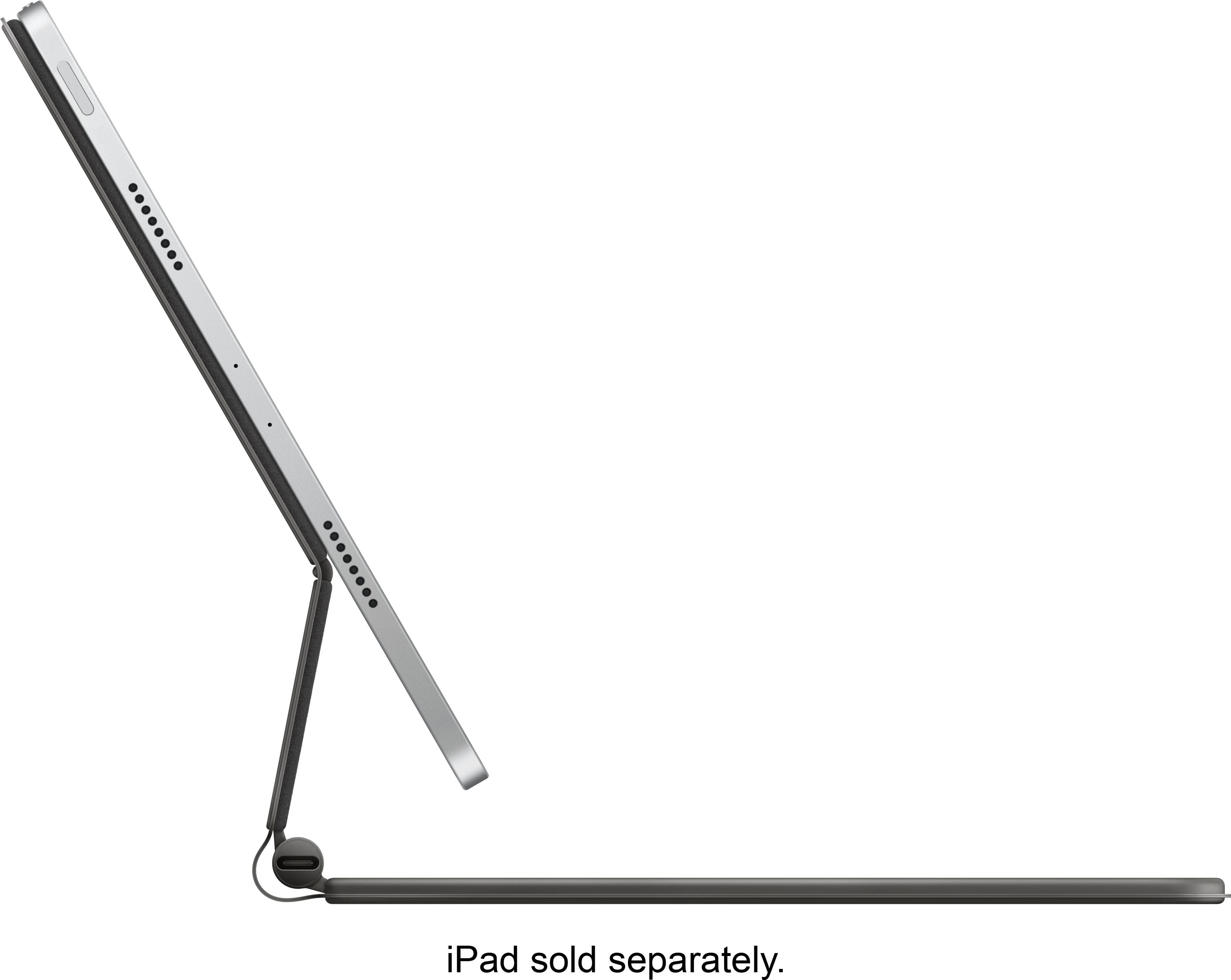
||Posted . Owned for 1 month when reviewed.This reviewer received promo considerations or sweepstakes entry for writing a review.On my fifth iPad with keyboards, this Full function concept is long over due and is a great success. Every aspect of the keyboard works as cited in the descriptions on the Best Buy and Apple web pages. The magnet works well and together with the adjustable back offers many incremental positions and angles. The keyboard is very light so working off of a desk or table is easy and not cumbersome. I appreciate the lighted Caps lock feature to help protect against typing in capitals more than intended. Also, the immediate connection between keyboard and iPad and the charging feature save time.
This review is from Apple - Magic Keyboard for iPad Air 11" (M2) - Black
I would recommend this to a friendRated 5 out of 5 stars
Best Keyboard for iPad if you can afford it.
||Posted . Owned for 3 weeks when reviewed.This reviewer received promo considerations or sweepstakes entry for writing a review.So I’ve been on the market for a new keyboard for my iPad. I actually used a Zagg one before getting this one but I had been hesitant since this keyboard came out and only because a) it was kind of pricy for what it is and b) it offers no protection. Anyhow, it finally went on SALE on Labor Day and Best Buy knocked out $50 off of it. I was looking for a new keyboard because my ZAGG one was already giving out. And truth be told, this is probably the best keyboard I could have bought for my iPad. It’s so smooth, just like typing on my MacBook and since I used my iPad a lot for work, it’s important that the key feedback feel reliable especially since I type a lot on my iPad. It’s so easy to use. I do have really only two concerns for this keyboard. 2) price. I could have easily bought a zagg one which cost almost half and it would have worked just as well. However, what I don’t like about those keyboards is the hassle of constantly having to pair them with your iPad or the lag whenever you’re typing stuff. Plus the keyboard themselves feel cheap. This feels very premium. It feels like I’m typing on my MacBook. I don’t blame if this is a deciding factor because it was for me. 2) Protection: This keyboard offers no protection for your iPad. I was a little concern about this as well but because I usually store this in my work bag, it’s not as bad. I’ve come to the conclusion my bag will protect it. And also this may be another deciding factor for some people: 3) weight. It does make your already heavy iPad heavier. It feels a bit heavier than my old zagg keyboard. Also, battery tends to drain a little faster on my iPad I noticed. I used to be able to go about 2 days not charging my iPad and I’m noticing now that I do have to charge it every night. I mean, I don’t mind. I was used to charging it every night however to some people this may be a deciding factor. Overall still recommend because apple is apple and one thing they’re very good at is making high quality products that just work seamlessly.
This review is from Apple - Magic Keyboard for iPad Air 11" (M2) - Black
I would recommend this to a friendRated 5 out of 5 stars
Absolute Game Changer
||Posted . Owned for less than 1 week when reviewed.This reviewer received promo considerations or sweepstakes entry for writing a review.This basically turns your ipad into a full on computer. I absolutely love all the features it includes. 1. Adjustable viewable angles 2. track pad 3. backbit keyboard (also, the caps lock key has a green button that lights up so that you can tell when caps lock is on) 4. extra charging port on the bottom 5. Better keyboard (better than the smart folio keyboard case) 6. minimalist printed apple logo on the back (better than a simple black design). All of these features are jammed into one device making it pretty tough to not buy this.
This review is from Apple - Magic Keyboard for iPad Air 11" (M2) - Black
I would recommend this to a friendRated 5 out of 5 stars
Great device
Posted .This reviewer received promo considerations or sweepstakes entry for writing a review.I love this iPad! Got it when it had just come out for my first year of college and I kid you not it has never failed me. I got the smaller size bc I thought it would be easier to haul around campus and I made the right decision. You get used to the smaller ration of everything and it has so many capabilities. Once you learn how to use it really well you can see that most times it is more convenient than a laptop. High recommend!
This review is from Apple - Magic Keyboard for iPad Air 11" (M2) - Black
I would recommend this to a friendRated 4 out of 5 stars
Sturdy, Reliable but heavy and difficult to open.
||Posted . Owned for 1 year when reviewed.This reviewer received promo considerations or sweepstakes entry for writing a review.This keyboard has held up well in the past year. It is sturdy and holds the iPad in multiple angles an is also very protective. The keys are easy to press. The main cons are that it makes the iPad much heavier and it's also not the easiest to open from a closed position as the top lid is the iPad and the (heavier) keyboard doesn't stay down when opening. Opening is basically a 2 handed operation.
This review is from Apple - Magic Keyboard for iPad Air 11" (M2) - Black
I would recommend this to a friendRated 4 out of 5 stars
Cool and functional utility.
||Posted . Owned for 2 weeks when reviewed.This reviewer received promo considerations or sweepstakes entry for writing a review.Cool look and excellent keyboard w/mouse. Like the size and keyboard action. Trackpad works great! Like the ease of mounting and un-mounting the iPad from the keyboard; and like that the keyboard is powered by the iPad so there is only one power cord. My two issues are can’t flatten out the keyboard case to get a flat, table-top writing experience; and of course the price/value. Yes, it’s great, but it’s also expensive. The first issue is tolerable because mounting and un-mounting is so easy, effortless really. The second issues, the price, well I bought it and enjoy it. Still pretty expensive, ugh. You will enjoy this keyboard, especially if you don’t think out out how much it cost!
This review is from Apple - Magic Keyboard for iPad Air 11" (M2) - Black
I would recommend this to a friendRated 4 out of 5 stars
Solid Keyboard with a Few Trade-Offs
||Posted .This reviewer received promo considerations or sweepstakes entry for writing a review.The Magic Keyboard for the 11-inch iPad is a nice upgrade for anyone looking to boost productivity. The keys feel good to type on, though they are a bit cramped and expected for an 11-inch device. It definitely adds some weight to the iPad Air, which makes it feel less portable, but the build quality is solid. It protects the screen well when closed, and the magnetic attachment feels secure. The adjustable angles are a nice touch, and the trackpad works smoothly. Overall, it’s a good case and keyboard combo, but keep the added weight in mind if you’re looking for something ultra-light.
This review is from Apple - Magic Keyboard for iPad Air 11" (M2) - Black
I would recommend this to a friendRated 5 out of 5 stars
I know how Eve convinced Adam
||Posted . Owned for less than 1 week when reviewed.This reviewer received promo considerations or sweepstakes entry for writing a review.The best possible option in keyboard and cases, especially in keyboard/case combinations. The magic keyboard brings together the feel of a tiny laptop that can still disassemble into a tablet when that option is more suitable, and vice versa. The keyboard is so easy to use, had no glitches or lag/delay. No pairing or programs to install, just place the tablet in position and type til your heart is content. Apple has won me over.
This review is from Apple - Magic Keyboard for iPad Air 11" (M2) - Black
I would recommend this to a friendRated 5 out of 5 stars
Makes iPad Pro awesome work companion
||Posted . Owned for 4 months when reviewed.This reviewer received promo considerations or sweepstakes entry for writing a review.A little pricey for what it is, but it works great. I use it with an iPad Pro. Makes the iPad Pro so much more than an internet device and allows me to do a lot of work without having to carry my laptop. It's nice it has a USB-C port as well so you can charge the iPad while still having another port for hard drive or other accessory.
This review is from Apple - Magic Keyboard for iPad Air 11" (M2) - Black
I would recommend this to a friendRated 5 out of 5 stars
Ipad Keyboard
||Posted . Owned for 1.5 years when reviewed.This reviewer received promo considerations or sweepstakes entry for writing a review.Easy to use and works like it says. I like it. :)!
This review is from Apple - Magic Keyboard for iPad Air 11" (M2) - Black
I would recommend this to a friendRated 5 out of 5 stars
Love this iPad Magic Keyboard!
||Posted . Owned for 3 weeks when reviewed.This reviewer received promo considerations or sweepstakes entry for writing a review.I was skeptical about the benefits vs cost of this keyboard. I feared for nothing... its totally worth every penny! I love how it holds the iPad at whatever angle you set it to and the trackpad is awesome! It really does give the iPad a very laptop feel! I find myself actually using my iPad more than my laptop! If I had a complaint, it would be that it is a bit on the heavy side. Other than that, its a keeper!
This review is from Apple - Magic Keyboard for iPad Air 11" (M2) - Black
I would recommend this to a friendRated 5 out of 5 stars
The best keyboard case you can have for an ipad
||Posted . Owned for 3 weeks when reviewed.This reviewer received promo considerations or sweepstakes entry for writing a review.This keyboard is amazing for the iPad Air or iPad Pro to turn it into a Mac lite as i call it so you can be productive with it or you can use it as a stand for watching netlifix when not in major use. It does feel a tiny bit cramped but you get over it when using it for a while. The extra usb c port is very nice to have as well
This review is from Apple - Magic Keyboard for iPad Air 11" (M2) - Black
I would recommend this to a friendRated 5 out of 5 stars
iPad Pro + Magic Keyboard = Laptop
||Posted . Owned for less than 1 week when reviewed.This reviewer received promo considerations or sweepstakes entry for writing a review.As my title suggests, this accessory completes the transformation of your iPad Pro into a laptop. This is the quintessential accessory for your Pro, and can't be passed up. It's quite pricey ($300), especially the 12.9" model ($349), but the productivity boost that this gives your device is honestly worth it. You can leave your laptop behind at home once you get this, and your entertainment and work devices are reduced to one. Pros: ++ Unlocks the productivity potential of the iPad Pro in a way that honestly hasn't been done before ++ Awesome trackpad with full gesture support + Trackpad/keyboard integration is flawless with iPadOS + Floating suspension is unique and minimalist + Rock-solid stability on your lap or on the table + Apple Pencil can still be snapped onto the side of the iPad when the iPad is locked into the magic keyboard for storage/charging Cons: -- Price. I feel like another brand would've provided a similar batch of features for half the price, but then again, it's Apple - Limited angling of iPad screen when locked into the accessory, it only rotates to a fairly shallow angle beyond vertical
This review is from Apple - Magic Keyboard for iPad Air 11" (M2) - Black
I would recommend this to a friendRated 5 out of 5 stars
Apple Perfection
||Posted . Owned for 1 month when reviewed.This reviewer received promo considerations or sweepstakes entry for writing a review.We purchased this for my nephew to go with his new IPad. It is perfection. Light, beautiful, easy to use. He loves it.
This review is from Apple - Magic Keyboard for iPad Air 11" (M2) - Black
I would recommend this to a friendRated 5 out of 5 stars
Expensive, but excellent!
||Posted . Owned for 3 weeks when reviewed.This reviewer received promo considerations or sweepstakes entry for writing a review.I have not been an iPad person. I bought an iPad in 2013, barely used it, and ended up selling it shortly after, never buying one again, until this year. The iPad itself wasn’t compelling enough to convince me to purchase, but when it began running its own, much more capable software, iPad OS (instead of being a blown up iPhone) the idea became much more intriguing. THEN, I saw the the Magic Keyboard for the iPad Pro advertisement and I was instantly sold. I almost immediately ordered an iPad and, nearly as soon as the Magic Keyboard could be ordered, I placed my order. Finally, the iPad can be a capable tablet and a much more capable computer replacement. I am using my magic keyboard to type this review. At first, I worried that the 11” version of the keyboard would be too crammed for comfort. I almost bought the bigger iPad so that I could have a full-sized keyboard. I am glad I didn’t. The 11” keyboard did take a little getting used to, but became a quick adaption. I can meet or exceed my typing speeds that I achieve on a traditional MacBook, full-sized, keyboard. The delete and return keys are shortened a bit, so that adjustment was the hardest part of adapting to the keyboard. The keys are tactile, yet on the quieter side. The backlighting is just as nice as it is on any recent MacBook keyboard. The function row of keys is missing, which is a little bit of an adjustment when you are used to having those. Really, though, all of the adjustments that could be made with the function row are quicker and easier to access on the iPad and its touch screen than they are on a MacBook, so missing that row is a quick and easy adjustment, leaving the only really missed key being the escape key (though this can even be rerouted and another key can be used as the escape key). The trackpad feels great, sleek and smooth. The palm rests have a soft nature to them rather than the cool, jagged edge you can feel while on a MacBook. The hinge itself is great and strong. It provides resistance, that it can be a little difficult to figure out the ideal way of opening the case with the iPad inside. The magnets provide a strong confidence that your iPad is secure and safe while in place. As soon as the iPad is docked, the keyboard and trackpad are ready to use, with no lag holding you up. This works every bit as smoothly and seamlessly as a MacBook’s keyboard and trackpad, but has a more modern appeal to the way the curser looks and magnifies areas where it hovers. I do not find myself needing a wider range of flexibility for viewing angels. I typically sit either at a desk on the couch with my legs crossed with this iPad and the Magic Keyboard tandem resting on my lap. I am so happy to report that this really does work well as a “lap” top, in the ways I use it. The case itself is heavy - like in similar weight as the iPad itself. It has to be in order to balance the top-heavy design it has when the iPad is connected. The material is very appealing, though I hear it doesn’t wear well over time (though I have no reason to support this idea itself, yet, through my personal use). The material is soft, yet smooth. It looks great in its all black design with its subdued Apple logo on the back. The Magic Keyboard case, in all of the great things I have to say about it, does not have a “tablet” mode other than simply and easily removing the iPad itself and going from there. For this reason, I have an inexpensive backup magnetic folio case to snap my iPad into and out of when I want to simply use my iPad in tablet mode. I am uncomfortable using my iPad “naked” and always want my iPad to be protected, especially the protruding lenses on the back side. I applied a d-brand skin to the back of my iPad, too, and this has not hindered using the Magic Keyboard in the least. Overall, this case looks great, feels great, functions extremely well, and has overall made my iPad capable of replacing my computer in most cases (though not all, yet, due to limitations in the software itself; the hardware is exceedingly capable and, more times than not, even more capable than my MacBook). I would not have made this leap for any other iPad keyboard, as I always find there to be an issue that makes it not laptop like. I am a lover of a traditional laptop, so it really has to be something for me to want to move over to doing most of my work on an iPad. This Magic Keyboard has changed the way I will use a “computer” and I believe will continue to pave the path to making the iPad line more and more capable of replacing the traditional laptop as software evolves to catch up with the hardware. This year, I was going to upgrade my current MacBook to a MacBook Pro (since they now have the new scissor-switch keyboard), but the Magic Keyboard was released for the iPad Pro line and compelled me to purchase the iPad setup instead of making that decision and I am very happy with the decision I made.
This review is from Apple - Magic Keyboard for iPad Air 11" (M2) - Black
I would recommend this to a friendRated 5 out of 5 stars
My Wife Got The UPGRADE
||Posted . Owned for 4 months when reviewed.This reviewer received promo considerations or sweepstakes entry for writing a review.Although its A lil PRICEY, YOU GET WHAT YA PAY for! And this is an awesome Swiss Army Knife of kewl. Its keyboard, like REAL keyboard, its backlit, and its a chargable case that helps to charge other Apple Peripherals? I was Sold, and my wife fell in love with it once she began long winded emails and realized that onscreen touch keyboard was a thing of her past.
This review is from Apple - Magic Keyboard for iPad Air 11" (M2) - Black
I would recommend this to a friendRated 5 out of 5 stars
Well worth the price!
||Posted . Owned for 1 month when reviewed.This reviewer received promo considerations or sweepstakes entry for writing a review.Love this addition to my IPad Air. I found myself struggling with the on screen keyboard and wasn’t able to type fast or easily edit documents or spreadsheets. While this device is pricey, it’s worth every penny to be able to use the iPad like a laptop and plug other usb-c devices into it and charge through the case. Love love love this product!!!
This review is from Apple - Magic Keyboard for iPad Air 11" (M2) - Black
I would recommend this to a friendRated 5 out of 5 stars
love this Magic Keyboard
||Posted . Owned for 1 month when reviewed.This reviewer received promo considerations or sweepstakes entry for writing a review.I love my new Magic Keyboard. It makes taking notes and doing other communications so much easier. I love that it is also the case for my IPad and makes using this as a stand more functional. Being able to angle it as needed.. Using it for zoom meetings… The magnet is very strong and holds my iPad in place. perfect! Highly recommend
This review is from Apple - Magic Keyboard for iPad Air 11" (M2) - Black
I would recommend this to a friend