Customer Ratings & Reviews
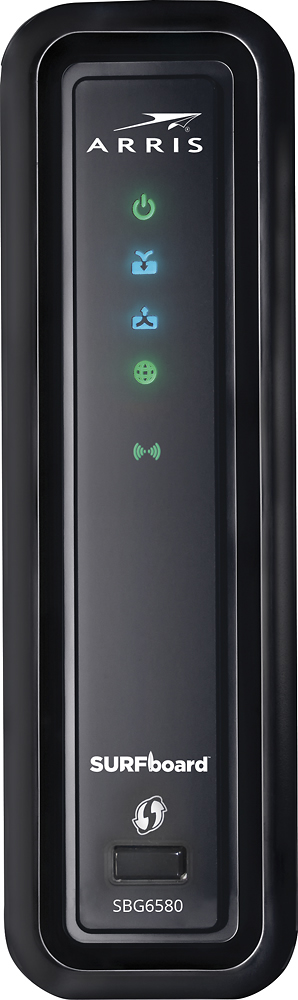
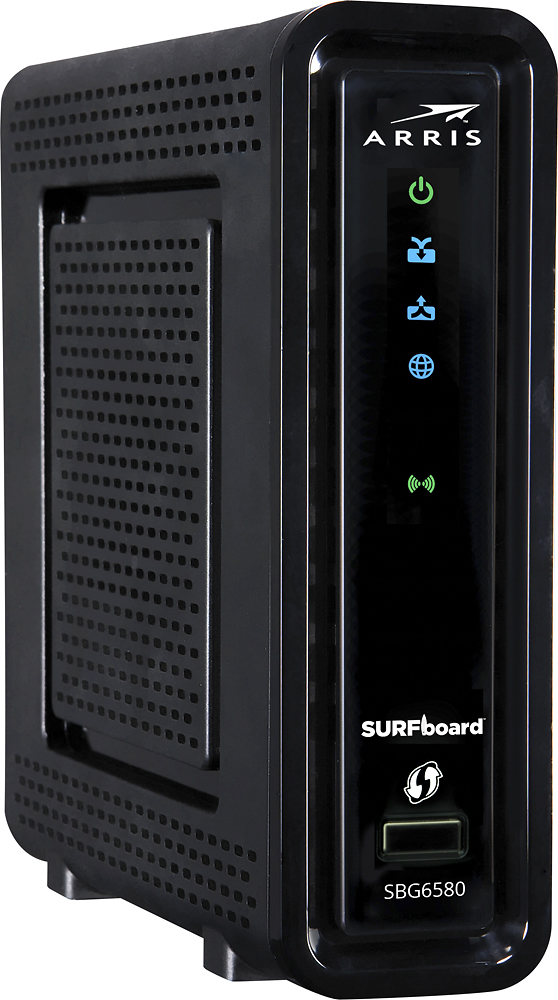
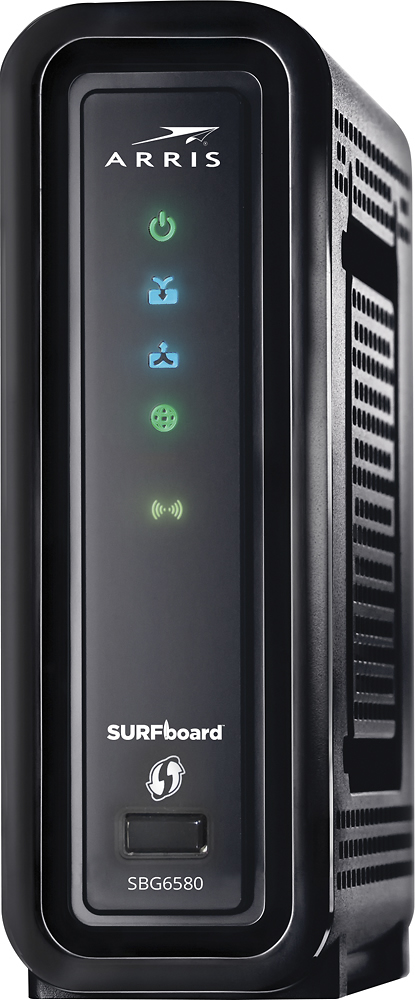
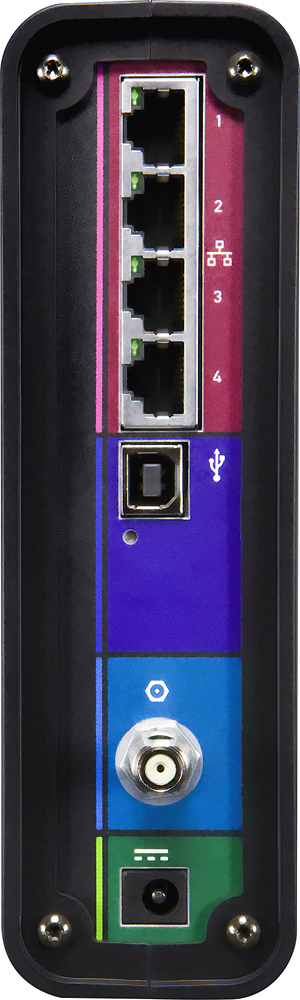
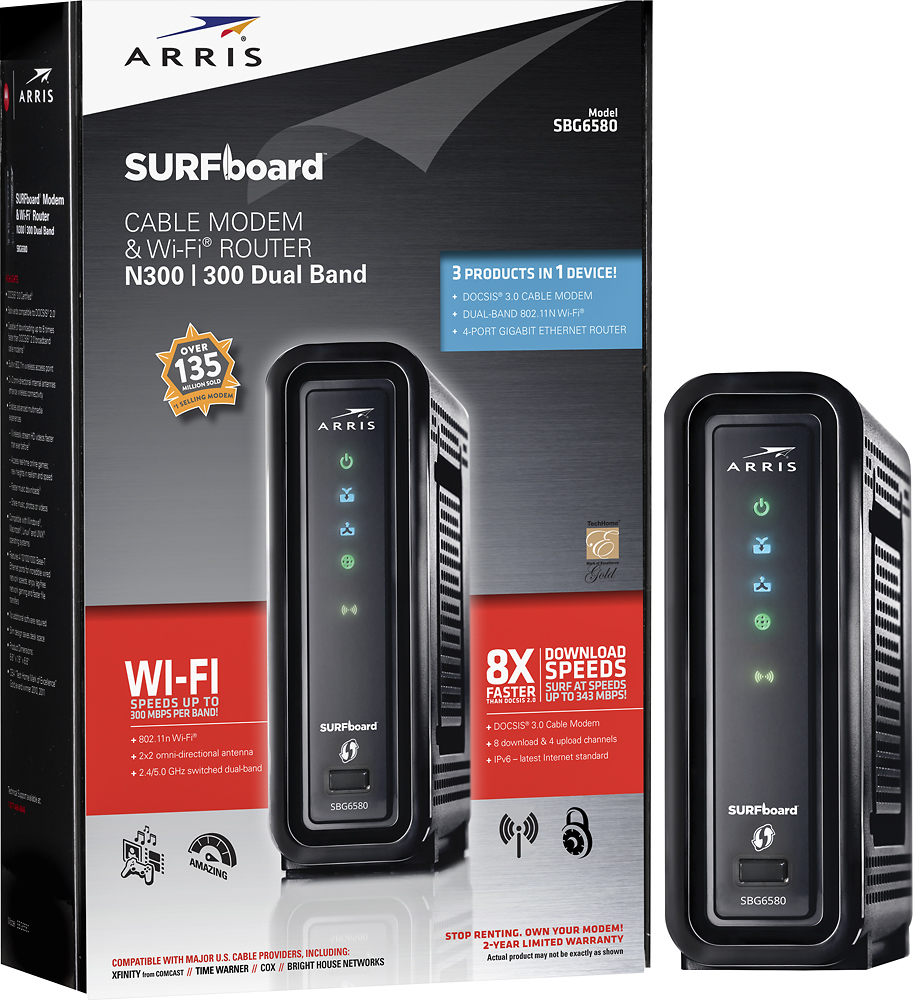
- Model:
- SBG6580
- |
- SKU:
- 9962417
Customer reviews
Rating 4.2 out of 5 stars with 4238 reviews
(4,238 customer reviews)Rating by feature
- Value4.5
Rating 4.5 out of 5 stars
- Quality4.3
Rating 4.3 out of 5 stars
- Ease of Use3.9
Rating 3.9 out of 5 stars
Customers are saying
Customers highly value the SURFboard eXtreme N300 Dual-Band Router with DOCSIS 3.0 Cable Modem for its ease of use, reliable performance, and straightforward setup. Many appreciate its reasonable price and compact size, along with its compatibility with various cable providers. Positive feedback also highlights the modem's functionality and decent range. While some users noted that the signal strength could be improved, the overall experience is largely positive.
This summary was generated by AI based on customer reviews.
- Pros mentioned:Speed
Rated 4 out of 5 stars
Works better as a cable modem
Posted .This reviewer received promo considerations or sweepstakes entry for writing a review.We bought the SBG6580 about 3-4 months ago to replace a Time Warner Cable provided modem that was nothing, but problems. We are subscribed to Time Warner Extreme with 30mbps down/5mbps up and it constantly delivers the speed we pay for and gives us a ping range between 30&40ms. For awhile after purchasing we had multiple problems with our service with the modem rebooting and causing slow downs and giving us a page full length of error codes, but after we had Time Warner come out and replace our drop cable we have not had anymore issues. If you live in a big house such as I do I would suggest bridging the modem and set it up with a Airport Express to expand your WiFi coverage. Overall this modem may have a few problems, but all in all it works, easy to setup and delivers the speed we pay for
I would recommend this to a friend - Pros mentioned:Ease of use
Rated 5 out of 5 stars
Works Great
Posted .This reviewer received promo considerations or sweepstakes entry for writing a review.This works great! If only my internet provider didn't suck... But I can only control so much. I just didn't want to pay $10 a month to "rent" a box from them, so I did my research, talked to the guys at the store, and landed on this model. It works beautifully & was really easy to set up. I created a "hidden" and password protected network & have been doing good so far. I do reset it occasionally when the signal lags (but it's probably because it's peak usage time & has little to do with the box - it's good to reset it occasionally anyways). Plus, it's more than paid for itself since I've had it a year now (& was able to buy it on sale).
I would recommend this to a friend - Pros mentioned:Ease of use, Speed
Rated 5 out of 5 stars
Super Easy to Install and Super Fast Speeds
Posted .This reviewer received promo considerations or sweepstakes entry for writing a review.After having problems with my Linksys WRT160N crashing several times a day and resetting many times, i gave up and went to my favorite Boy Toy Store - Best Buy - to find a new router. As it happened, our Best Buy store had just received the Motorola SURFboard eXtreme Wireless Cable Modem Gateway. It listed for $149 but I was able to get it on the matching plan from my local cable service that had this modem listed on their web site that would work with the new upgrades. What I liked most was the fact that it was a higher speed capable modem, but also included a built-in wireless N router. The ease of the setup was so fast, I didn't realize it was done as there was no indication popup saying it was done. Minor issue once I figured it was up and running. There was no need to hook up hard wire ethernet first as it has the option for direct hookup with a wireless laptop. I went from 2 to 4 MGBs download and 1.2 upload... to 29.8 MGBs dowload and 3.0 upload. Of course my cable company already had the hardware upgrade done to accept the new modem/router.
I would recommend this to a friend - Pros mentioned:Setup
Rated 4 out of 5 stars
Easy Comcast installation
Posted .This reviewer received promo considerations or sweepstakes entry for writing a review.Brought this to replace a Motorola SBG900. Setup with Comcast was quick and all automatic on line - no phone calls were necessary and my internet on my desktop was up and running in less than 15 minutes. Connecting with my smartphone & ipad were another story. The devices showed the Motorola, however, asked for a password. I mistakenly thought the password was the generic "motororla", but this only applies to logging on to the Motorola website. In reading the manual which, by the way, shows a different screen shot than what you actually see when logging on to their site, it still was not clear to me how to connect these other devices. Enter tech savy son who figured out that you have to enter the VERY long wi-fi security key number found on the bottom of your unit. You can change this to something you can actually remember on the Motorola website by clicking the Wireless tab. All in all I am very pleased with this product , but not so much the set-up instructions. Tip: make sure you copy all info from the bottom of your unit before you hook it up!
I would recommend this to a friend - Pros mentioned:Performance, Speed
Rated 5 out of 5 stars
Knowing what your doing
Posted .This reviewer received promo considerations or sweepstakes entry for writing a review.Outstanding modem for those who know how to use it. Not for the average user. Very fast, reliable and great range. Have 2 of these in different homes and same results for both. For the whiners make sure you ISP is compatible and READ the manual or get a Pro to set it up.
I would recommend this to a friend - Cons mentioned:Signal strength
Rated 2 out of 5 stars
Modem portion is good, wifi range is terrible
Posted .This reviewer received promo considerations or sweepstakes entry for writing a review.I bought this modem as I wanted an all-in-one modem/router solution and did not want to rent from the cable company. What you really end up getting is a jack-of-all-trades, master-of-none situation. The modem portion is fine - when I hardwired in via ethernet I got 100 Mbps+, however when connected over wifi, I could get anywhere from 3 Mbps to 20. The router also had difficulty reaching the back rooms in our 1500 sqft house. I ended up throwing this in bridge mode and connecting an OnHub router...sure enough, signal strength issues and wifi speeds improved immediately. You would be better off paying less for just a compatible modem and then picking out a stronger router, instead of trying a combo.
No, I would not recommend this to a friend - Pros mentioned:Speed
Rated 4 out of 5 stars
Cuts down on the clutter, but...
Posted .This reviewer received promo considerations or sweepstakes entry for writing a review.I replaced a linksys WRT610N router and a ubee modem. Charter is my broadband provider. The equipment itself is attractive and decreases the look of clutter substantially. Installation was a breeze for my wired desktop. The instructions for changing the router username and password were ambiguous to say the least. A quick call to customer service cleared it up, however (8 chars. max w/o symbols for the pass., input prior password in last box contrary to the CD instructions). Now setting up the myriad wireless devices was a challenge at first, as no device (iPod touch 4th gen, xbox 360, netbook, tv, blu-ray player, network printer) was recognized at first. About 45 minutes of playing around with the interface (which is user-friendly when you get used to it) and suddenly all my devices were discoverable. Everything set up like a breeze, and for now I'm good to go. I'm also confident that my network is secure, and my speeds seem to increase on the speedtest.net web (18Mb service, getting 30Mb!), although that was one test. Provided it doesn't drop my device discovery or my speeds, this was very well worth the money.
I would recommend this to a friend - Pros mentioned:Setup, Speed
Rated 5 out of 5 stars
Great device for internet combos
Posted .This reviewer received promo considerations or sweepstakes entry for writing a review.Got tired of the company's cable modem box, slow as hell and had to reset four five times a day. So we got this motorola modem and wireless router combo, and we first start up. Set up was very easy, internet was faster and now i can operate internet on all of my computers and laptop without wires. And the best thing is, I haven't even reset the gadget once since first powered up. I would definitely referred this to anyone.
I would recommend this to a friend - Pros mentioned:Ease of use, Speed
Rated 5 out of 5 stars
Great Modem..
Posted .This reviewer received promo considerations or sweepstakes entry for writing a review.Very good modem, does get warm, but all my other stuff gets hot too, so I don't care.. It's not overheating, just slight warmth to the touch. I have a Netgear N600 Dual Band from BB. I have no dropped connection issues. All my major stuff is wired to the Netgear. I also have a rocketfish Powerline adapter, solid signal transmission all the time. I got this modem for FREE from my ISP, I couldn't imagine paying upfront for another modem after buying a worthless Clear4g home and laptop modem. I get a solid 22 Mbps, I only pay for 20 Mbps... I like this modem a lot. Too easy to setup, just screw in the cable before powering up.. It found internet signal in 10 seconds.. I didn't want the wifi, so TWC turned that ability off. I don't mind.. I have a very busy network, I gotta have something like this modem to meet my demands. Clear4g didn't meet my requirements. Get this thing, you won't regret it. Most ISP's give this unit away.. Obviously if you get rid of the service you return it, but I don't wanna own them anymore. I'm more interested in keeping my own Router, that thing cost a lot.
I would recommend this to a friend - Pros mentioned:Ease of use, Performance
Rated 5 out of 5 stars
Overall, Very Good Stuff
Posted .This reviewer received promo considerations or sweepstakes entry for writing a review.It's blazing fast for Wi-Fi, easily customizable and no problem at all to install. I'm having some issues with the cable internet provider, so if/when you install your new Surfboard, have a chat with the Tech Support guys at your ISP and make sure all the setting are right - it helps to log in to your modem (usually 192.168.0.1 on your http dial) and go over the details with them just to make sure. Other than a rocky start with the connection sometimes failing, once I got the settings right, it's performance is excellent compared to other wireless cable modems that I've used.
I would recommend this to a friend - Pros mentioned:Ease of use, Speed
Rated 5 out of 5 stars
Very stable router and modem
Posted .This reviewer received promo considerations or sweepstakes entry for writing a review.I am very impressed with the ease of setup with Time Warner Cable. All I had to do was call TWC and give them the equipment number from the device and then plug and play. The setup of the router was nothing more than a typical router where you setup the network name and passphrase. That's all you need to do. As far as technical compliments, it runs the latest modem protocol (3.0) and is much faster than my previous modem. The most interesting thing is that my Nest WIFI thermostat was having issues with my previous router but now I am having no issues at all. The newer router side of the device is very stable. The best thing is that I am now saving about 10 bucks a month on my internet bill which will pay for the device by in 12 months. This is a great buy at $125.00
I would recommend this to a friend - Cons mentioned:Signal strength
Rated 2 out of 5 stars
Modem great/wifi terrible
Posted .This reviewer received promo considerations or sweepstakes entry for writing a review.I bought one of these 3 months ago to replace my 7 year old SB5101, and it seemed to work ok for a while. Tweaking the settings a little bit got me awesome speeds on my wired connection, but over time the wifi got worse and worse. I tried tweaking the wifi settings, and it got me the same great speeds as the wireless connection, but still had the same stability problems. It drops out all the time, and you have to reboot it to get it back. Streaming over wifi was an absolute nightmare! I stream live events through my Roku, and you can't imagine my frustration when the signal would drop down to where the Roku would compensate by dropping the quality of the feed, or drop the feed altogether. You can set it up to bridge to another wifi router, but I didn't read the instructions carefully enough, and something happened where I couldn't even access the settings anymore. I read many forums with the same issue, so it's definitely not just me (google "sbg6580 wifi issues" for yourself). The forums also go on and on about how ineffective their customer service has been in trying to resolve the issue. I gave up, and bought a Motorola SB6141 modem only. I'm not trying to bash on Motorola altogether, as they seem to make very high quality and dependable modems, but this particular unit has unfixable wifi issues. I connected with my old Netgear router, and I'm now getting no drop outs at all in my wifi signal. I would not recommend getting a combination modem/router. I would recommend getting the best modem you can find (the 6141 has great reviews and is highly recommended) and the best router you can find (Netgear routers are usually highly recommended as well).
No, I would not recommend this to a friend - Pros mentioned:Speed
Rated 4 out of 5 stars
Excellent modem...but careful with Cox Internet
Posted .This reviewer received promo considerations or sweepstakes entry for writing a review.Bought this modem to upgrade from my Surfboard 5101 which has been a stellar performer for a number of years. Spent 2 days struggling with signal being dropped after a few minutes or couple of hours. After several calls - Cox insisted that there was nothing wrong with their service and Motorola kept pointing to the high upstream power level (57.5 dBmV) as the culprit...Called Cox to get them to switch back to the old modem and presto - the tech on the line diagnosed the problem as being old firmware shipped by Motorola (3.1) - He upgraded the modem to 3.2 firmware and off we went....Very disappointed with Motorola tech service, which was quick to dump the blame on Cox. I am getting about a 20% increase in download speeds - approximately 30 MBps (Premier with Powerboost). If this thing craps out one more time then this is going straight back to Best Buy.
I would recommend this to a friend - Pros mentioned:Performance, Speed
Rated 5 out of 5 stars
Fast and Easy
Posted .This reviewer received promo considerations or sweepstakes entry for writing a review.I needed to replace my outdated modem. This was the most reasonably priced unit on my provider's recommended list. I was somewhat apprehensive because some of the reviews warned about set-up and reliability issues. I took a chance on it am I'm very satisfied. I read and followed the directions, but basically it was connect, let the providers "discover" it, and done. I haven't thought about it since... no crashes, good speed for a home application with four computers (both PC and Mac), four iPhones, and an iPad accessing at any given time. Glad I made the purchase.
I would recommend this to a friend - Pros mentioned:Speed
Rated 5 out of 5 stars
Excellent Modem, All-In-One Wireless Unit!
Posted .This reviewer received promo considerations or sweepstakes entry for writing a review.I bought this modem to replace my Cablevision modem (a/k/a Webstar). 3 reasons for this: 1) Cablevision has substandard gear 2) They like to give you used, nasty, refurbished units. 3) I rather have my own equipment, without having to worry about replacement fees, etc. Now, here's why you should get this modem as a replacement: 1) A speed increase of at least 2X (DOCSIS 3.0)! 2) STABLE connections (no dropouts). 3) Wireless built-in; you don't even need a separate router! This unit works FLAWLESSLY. My experience, so far, has been nothing short of EXCELLENT. I initially plugged in the unit, then had to call Cablevision to get the modem registered. After a successful reboot, they registered the modem and I was online in minutes. Previously I was running the Motorola SBG900 (older model from many years ago). This modem would drop signal after 40-45 minutes, then reconnect in 10 seconds. I was so frustrated, I went out to purchase this, and have never looked back since! The new modems (like the SBG6580 here) are the latest, DOCSIS 3.0, which gives you greater connectability, along with enhanced speed! Security setup is a snap - or a workaround, depends on your situation. The great thing about this modem is you don't even need to type in any codes for the wireless to work right out of the box. All you have to do is to click on the network in Windows, then the system will prompt you to 'press a button' on the modem to connect. It's that simple! For most users who just use the service with a laptop, etc. this will be all you need. Now, if you want to connect a Wii, cell phone, blu ray, etc. off the network, you'll need to setup an access code. To do this, you type 192.168.0.1 in the address bar, type 'admin' for the user name and 'motorola' for the password, and follow the instructions provided online at their website (motorola.com)... look for the 'User's Guide'. Click 'Wireless' at the top, then look for 'Primary Network' on the left. A great purchase! I won't be returning this! Anyone looking to BOOST their service, and get the wireless router BUILT-IN, check this out! It is an absolute wise investment!
I would recommend this to a friend - Pros mentioned:Speed
Rated 5 out of 5 stars
Best Modem I've used so far.
Posted .This reviewer received promo considerations or sweepstakes entry for writing a review.I bought this modem for the fact that it has a built router. There was one thing that almost made me change my my mind about getting this modem. When I was checkingout, One of the store associates saw what I was purchasing and flat out told me I better get the Black Tie Service plan with modem, he said he works in the computer section and that he was getting alot of complaints about this modem having problems. I was using an older Motorola Surfboard and NetGear N150 Router that I got from Comcast. I did have a bit of a problem actually trying to connect the modem but after some time with Comcast Tech. Support we finally got it working. I'm a heavy bandwidth user so the first thing that I noticed was that on the wireless connection my speeds were 10 times better than my old set up. Same with my upload speed. I really like this modem for the that fact. The one thing I am worried about is also the fact of how quickly it heats up. When I put my had on the modem even when I ain't doing anything it is pretty hot, not burning hot but the type of hot that you can tell there's going to be a problem down the line if it keeps up. So I'm keeping and fingers crossed and I'll see what happens down the road. And for the record yes I did get the Black Tie Service plan, but I get that with pretty much any electronic product I buy.
I would recommend this to a friend - Pros mentioned:Performance, Speed
Rated 5 out of 5 stars
Perfect!
Posted .This reviewer received promo considerations or sweepstakes entry for writing a review.I've had this modem for over a year and I haven't had to do a single reset (common problem with modem+router setups) Blazing fast speeds, sometimes even higher than my internet plan. Low ping 32-50 ms (important for gaming.) I can stream a movie on my laptop, while having another video playing on my tablet, AND game at the same time without a single hint on frame rate drop, or lag. Granted, my internet plan is higher than maybe the average person, but I throw a lot at this thing and it doesn't flinch! LOVE IT! One tip: for best performance, use LAN connection when possible (especially gaming.) you don't have to, but if you want peak performance, any gamer will tell you the same.
I would recommend this to a friend - Pros mentioned:Speed
Rated 5 out of 5 stars
Another great "All-in-One" from Motorola
Posted .This reviewer received promo considerations or sweepstakes entry for writing a review.I purchased this to upgrade from my old SBG900 gateway. My gateway is located with my home theater equipment so a simple clean look is necessary. I've been waiting for an all-in-one from Motorola that offered 802.1n for a while now. I've seriously been stalking this product online, waiting for it to become available. I have Comcast high speed internet right now. I usually average 3-5 Mbps down & 2 Mbps up. (over wifi) After installing this last night, my speeds were at 7.2 Mbps down & 2.5 Mbps up. I'm not sure yet if this can be attributed completely to the new gateway or if Comcast was just having a good night. I am very pleased with this purchase & it was a good way to "future-proof" my network for the next few years. I sold something on eBay last week that paid for this upgrade. It was basically free to me so it was worth every penny. ;-) However, if you currently have a decent 802.11g gateway such as the SBG900, it might not be worth the $150 you'll have to shell out for this. The benefits aren't really there yet. If you are looking for an all-in-one & don't own anything yet, spend a couple extra bucks & get this model. "But you don't have to take my word for it. (da da dun, Reading Rainbow sound effects)"
I would recommend this to a friend - Pros mentioned:Ease of use, Speed
Rated 5 out of 5 stars
Easy, automatic setup. High speed.
Posted .This reviewer received promo considerations or sweepstakes entry for writing a review.My LinkSys wireless cable modem died. Picked up the Motorola. Plugged it in and Xfinity and the Motorola configured themselves. Noticed an immediate speed increase in both desktop and laptop wireless connections. The setup was truly plug and play. It set the wireless network up secured but be sure to change the admin login and password.
I would recommend this to a friend - Pros mentioned:Performance, Setup
Rated 5 out of 5 stars
Fast, Great, Perform
Posted .This reviewer received promo considerations or sweepstakes entry for writing a review.I've been reading a lot of review from other people before buying it and there was good and bad reviews. It got me nervous and had a second thought. However, aside from that this is my personal experience. I have Comcast, and installation was quick and easy. I got my internet up in a hour if you know read and follow directions. It works perfectly fine by me and deliver the performance like it says. Email, Gaming, Web browsing, and wireless are terrific. One of the reason this is better is because why go through the head ache of having two device : one that streams internet, second unit that distribute wireless. Doesn't make sense and too much device to set up.
I would recommend this to a friend