Customer Ratings & Reviews





















- Model:
- H7606WV-P16.R3704060
- SKU:
- 11277521
Rating by feature
- Battery Life
Rating 4.3 out of 5 stars
- Speed
Rating 4.6 out of 5 stars
- Display
Rating 4.6 out of 5 stars
It's defective
||Posted .This reviewer received promo considerations or sweepstakes entry for writing a review.It comes defective, it just reboot itself randomly or it could just get freeze making me to force the shut down buttom.
No, I would not recommend this to a friendBrand response from ASUS Answers
Posted .Dear JoseantonioH,
Thank you for your comment.
We do understand the inconvenience this may have caused if this laptop will randomly reboot and freeze up. During the initial Windows, while this laptop installs and applies updates to the System Registry, it will typically do several auto-reboot, black screen temporarily or it may seems unresponsive. Once the initial setup and WINDOWS Update installation are completed, these instances will go away and system stability or performance will be optimized. Keeping this laptop updated will maintain optimum system stability and performance. Additionally, while accessing web applications, please ensure this laptop has access to an established router and internet service is working properly since poor and unstable internet connection will definitely affect system speed and performance. If these steps were performed to no avail, please try to run a diagnostics or optimization test using the "My ASUS" utility software or application. If this is not pre-installed on the laptop, please download the application at the Microsoft Store. For details on how to use "My ASUS", please go to: https://www.asus.com/support/FAQ/1041686/. If you need further assistance with this product, please email me at [email protected] and I would be more than happy to help. Or, you are most welcome to call Product Support Hotline at: 1(888) 678-3688. Also, you can chat with an ASUS live support agent from the link: https://www.asus.com/us/support/article/1135/.
Thank you for choosing an ASUS product.
Regards,
Rodel
ASUS Customer Loyalty
Best Buy support sucks
||Posted .This reviewer received promo considerations or sweepstakes entry for writing a review.Constantly crashes, mediatek wifi chip is the worst wifi chip imaginable constantly goes offline. Best Buy customer service is atrocious the only thing Best Buy reps can do is transfer you to someone else in another department until youre exhusted and hang up.
No, I would not recommend this to a friendBrand response from ASUS Answers
Posted .Dear Cyress,
We're sorry to hear that the laptop is constantly crashing, and we apologize for the difficulties you have encountered with the reseller's support team. We would like to make your experience with us a better one.
To troubleshoot the issue described, we recommend following the steps in the FAQ below. Should the issue persist, please contact our support team directly at https://www.asus.com/us/support/CallUs to further investigate the problem or assist with repairing the device.
We stand behind our products and continuously strive to improve our products and processes to achieve customer service excellence. For more information, email us at [email protected] and include the case number "N2408027095-0040" as a reference. We will do our best to resolve your case quickly. Your feedback is very important to us and enables us to improve our support channels. Thank you for choosing ASUS.
Best Regards,
Chantae
ASUS Customer Loyalty US Support
[Windows 11/10] Troubleshooting - Resolving System Error Messages or Unresponsiveness (Freeze/Black Screen/White Screen during usage) - https://www.asus.com/support/faq/1038855/
[Windows 11/10] Troubleshooting - Wireless Network (Wi-Fi) Issues - https://www.asus.com/support/faq/1015073/
Complete disappointment
||Posted . Owned for less than 1 week when reviewed.This reviewer received promo considerations or sweepstakes entry for writing a review.I orded this laptop a week ago. Was suppose to be here days ago but Bestbuy continues to use fedex to ship. This is the second device this has happened in the last ten days. The stores never have products in stock and force you to order the product, when/if there is anyone to assist. Then fedex cannot even deliver in the stated time frame. I may as well order from Amazon because they accept accountability and responsibility for how they ship products to customers. Bestbuy just says sorry, shipped it.
No, I would not recommend this to a friendBrand response from ASUS Answers
Posted .Dear Frederick B,
We're sorry to hear that the device was not delivered on time and we apologize for the inconvenience caused. This is not the kind of experience we want our customers to have with our resellers. To file a formal complaint, we recommended contacting Best Buy customer service at 1-888-237-8289.
We do stand behind our products and continuously strive to improve our products and processes to achieve customer service excellence. If you require any further assistance, email us at [email protected] and include the case number "N2408027095-0006" as a reference. We will do our best to resolve your case quickly. Your feedback is very important to us and enables us to improve our support channels. Thank you for choosing ASUS.
Best Regards,
Chantae
ASUS Customer Loyalty US Support

Beautiful design and powerhouse performance!
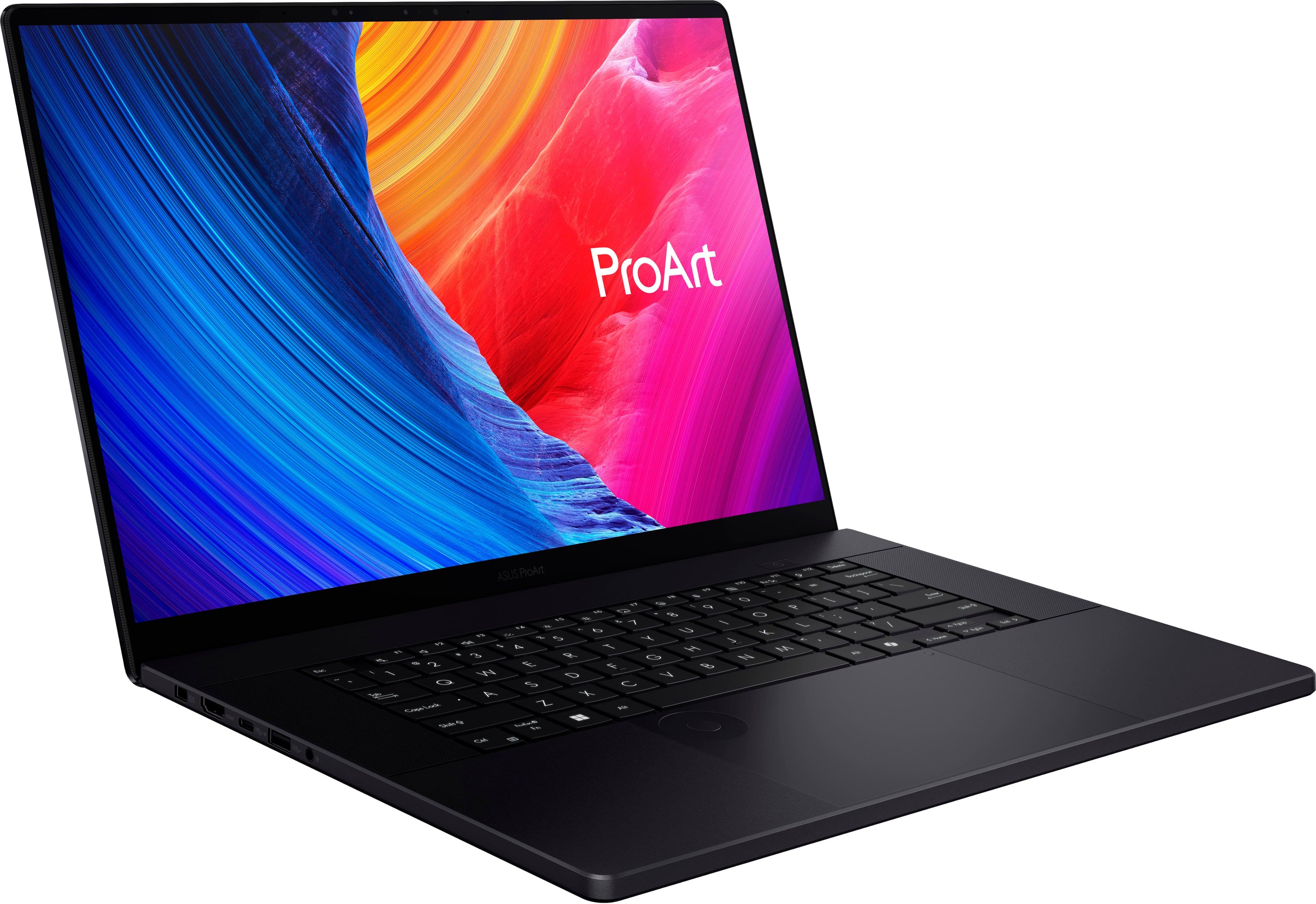
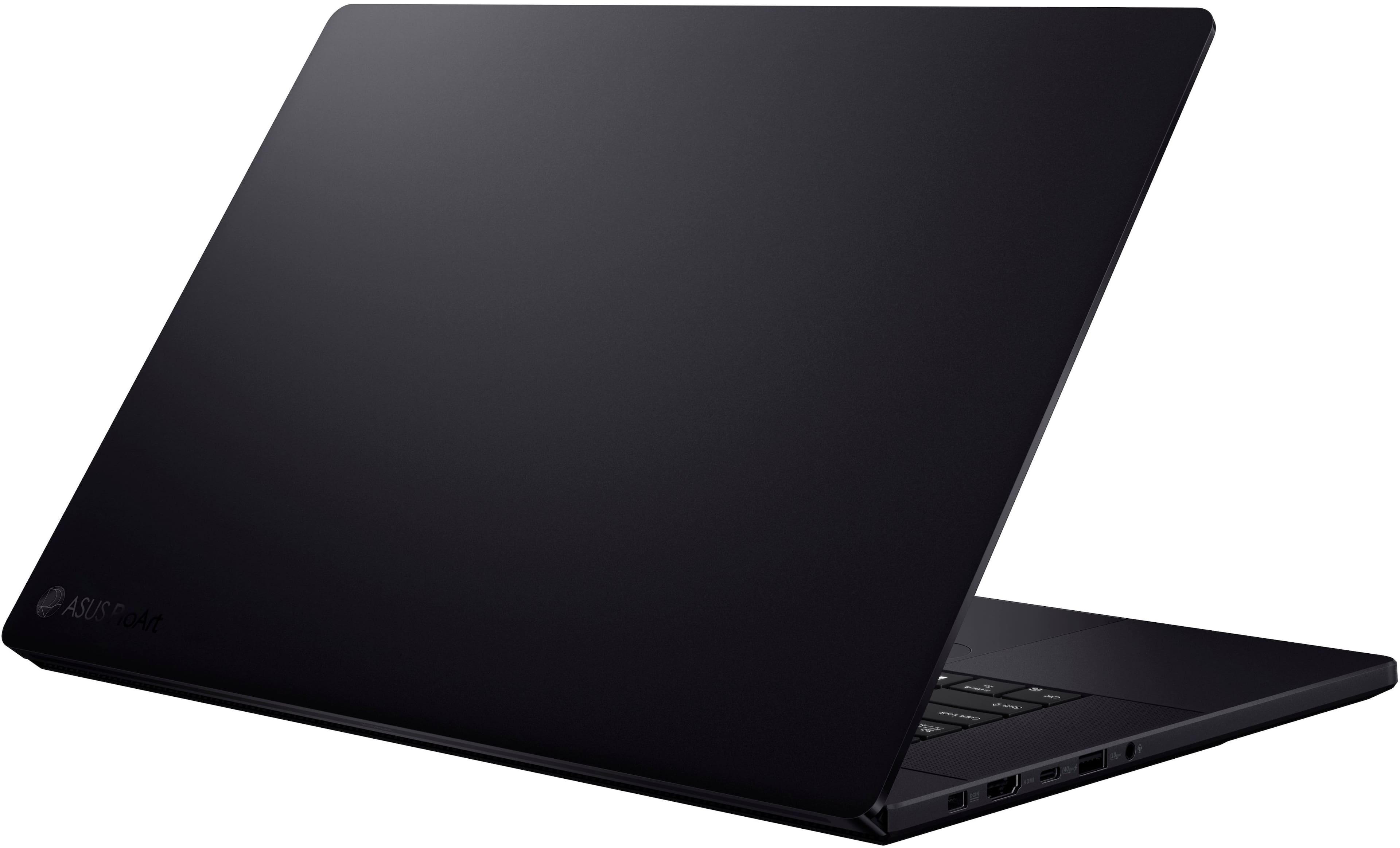
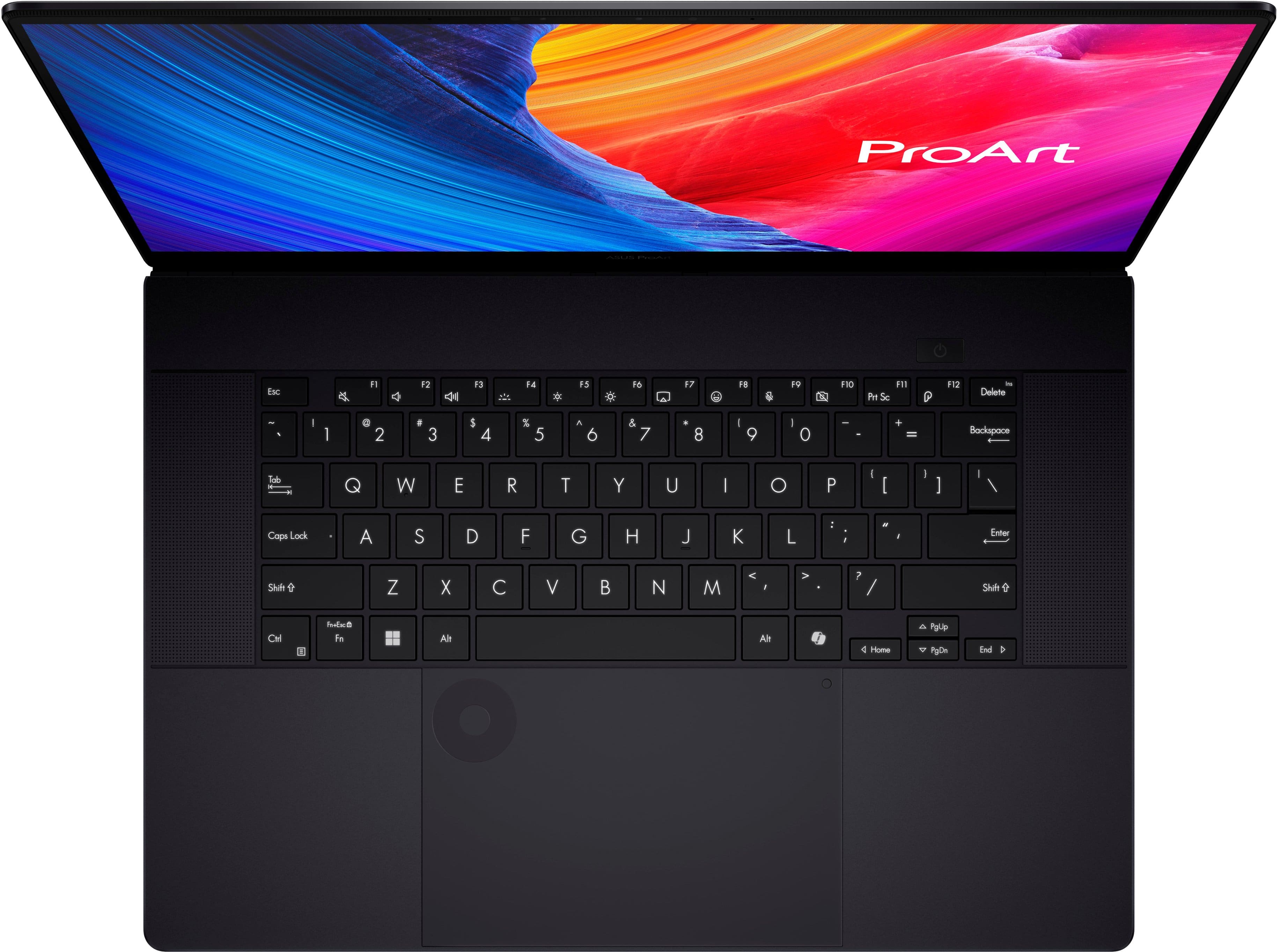
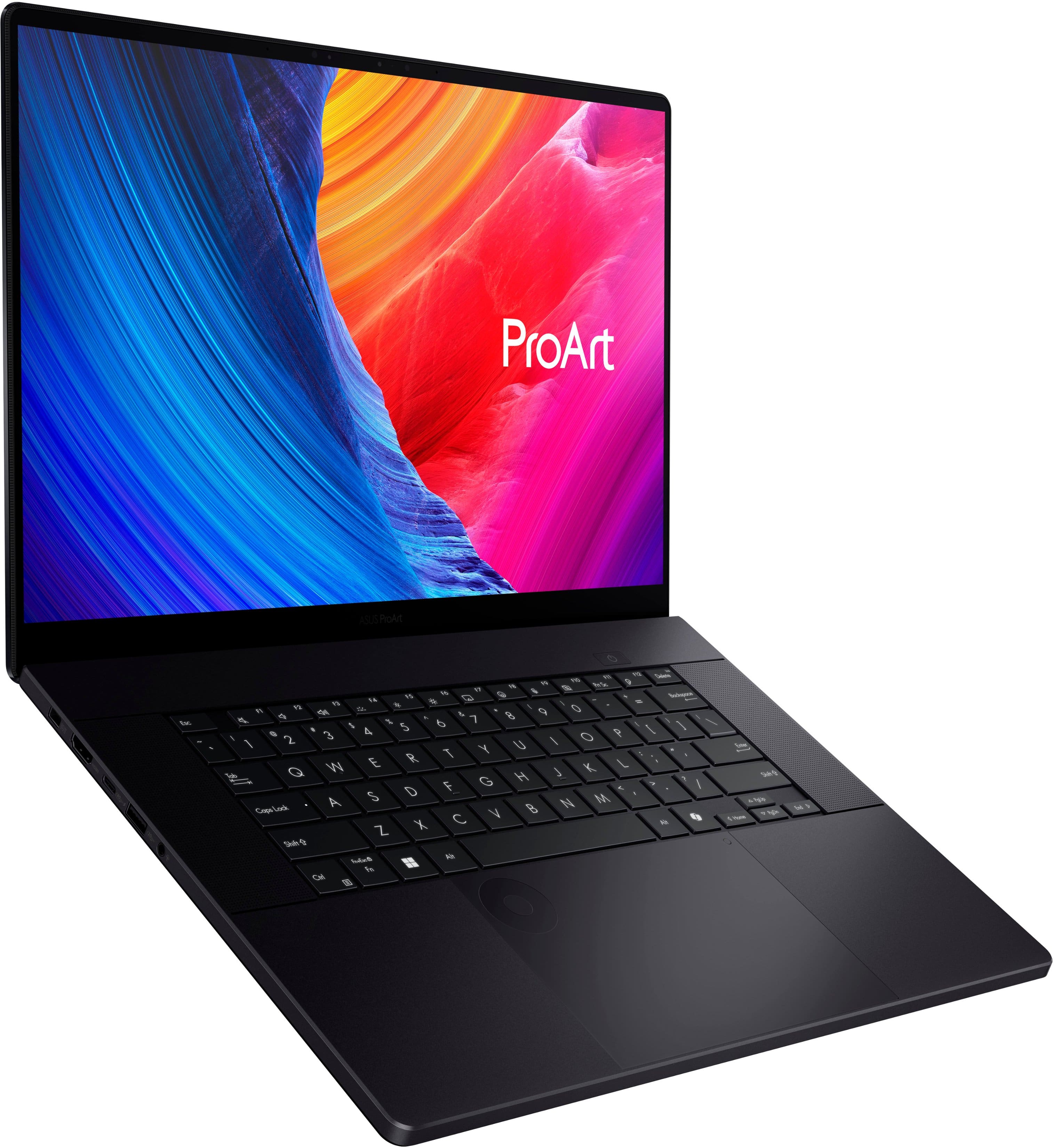
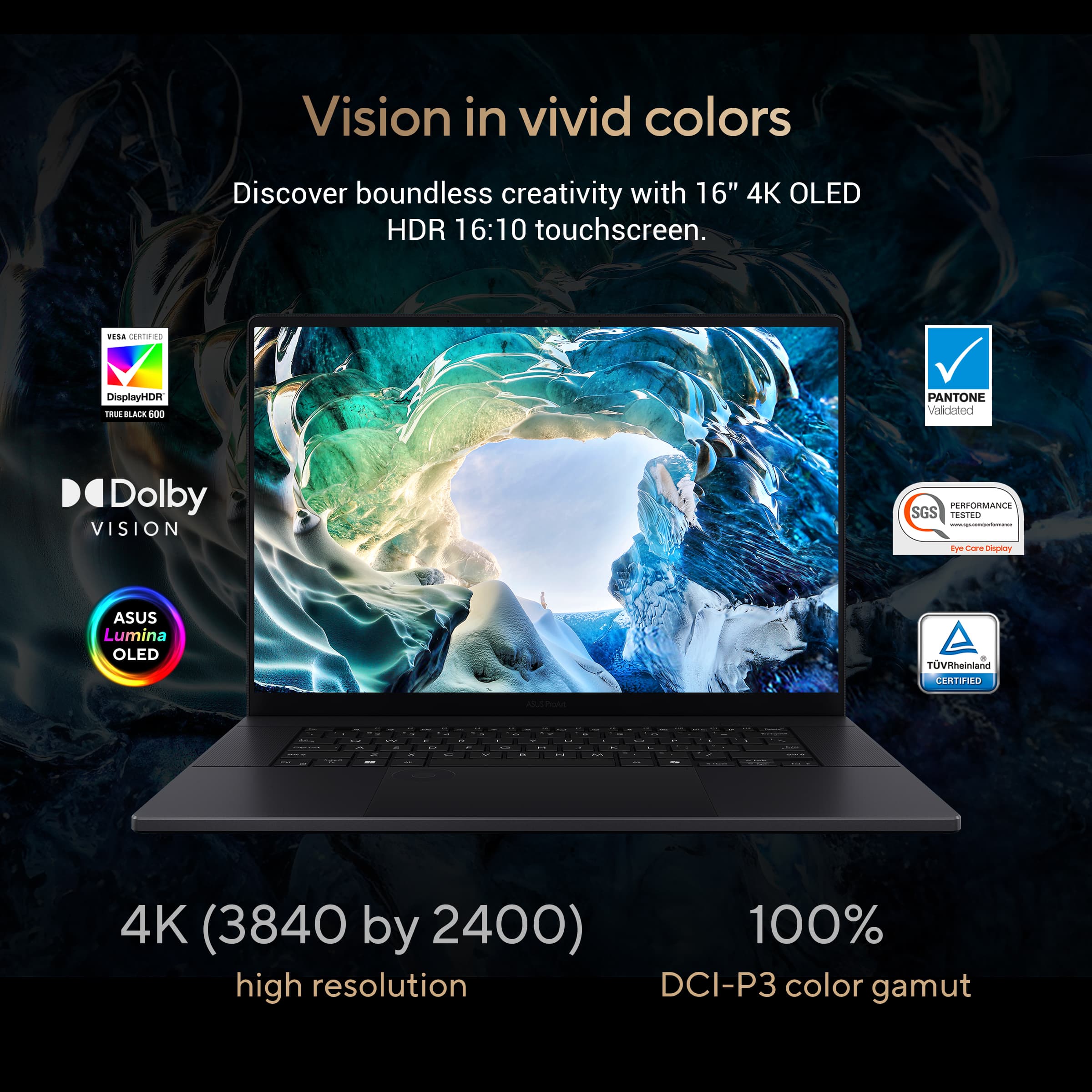
|Posted .This reviewer received promo considerations or sweepstakes entry for writing a review.First a foremost, this laptop is amazing! Incredibly powerful. Beautifully designed. Engineered to compete and last for years to come. Design and Build This ASUS ProArt P16 laptop is a gorgeous specimen of new age cutting edge technology. Its refined and professional aesthetic look has a sleek and sturdy aluminum chassis. The entire laptop feels premium and durable, well-suited for professionals who need a strong and reliable device for demanding tasks. It’s incredibly portability with compact size and lightweight despite the large 16-inch display, making it an excellent machine for someone like me who travels frequently. Display This 16-inch 4K touch screen is absolutely stunning and definitely one of the major highlights of this machine. It boasts an incredible 4K resolution of 3840 x 2160 pixels. This provides stunning visuals with unparalleled sharpness and detail. The display has impressive color accuracy, covering 100% of the Adobe RGB color space, which is crucial for content creators, photographers, and video editors – it’s like looking through a window, not a screen – simply amazing! The touchscreen adds increased functionality, is ultra responsive and enhances the overall user experience. Performance Powered by the AMD Ryzen AI 9 HX 370 processor and NVIDIA GeForce RTX 4060 GPU, this version of the ProArt P16 delivers outstanding performance and simply dominates any task I can throw at it. Serious processing and image rendering power here. It's capable of handling intensive tasks such as 3D rendering, video editing, and graphic design with ease. The 32GB of RAM ensures smooth multitasking no matter how many programs are running, or windows are open. Also comes with a super-fast nice and large 1TB SSD to provide ample storage and lightning-fast access/load times. Connectivity This ProArt P16 offers a variety of ports, including USB-C, USB-A, HDMI, and an SD card reader, accommodating all the various needs of creative professionals. The inclusion of Thunderbolt 4 support allows for high-speed data transfer and connection to multiple external devices, enhancing productivity at high-speed. Keyboard and Touchpad The keyboard definitely seems designed for functionality and comfort, featuring good key travel and feedback, making it suitable for long work, gaming, or typing sessions. The touchpad is large and supports multi-touch gestures, contributing to a seamless user experience. Battery Life The battery life is fairly decent considering the processing power of this machine. Lasting around 6-8 hours with moderate use. However, as to be expected, during intensive tasks like gaming, 4K video editing or 3D rendering, the battery life certainly decreases, necessitating plugin or simply frequent charging during heavy workloads. Software Running on Windows 11 Pro, the laptop includes ASUS’s ProArt Creator Hub, a software suite designed to optimize performance for creative applications. This software allows for easy customization of performance settings, color calibration, and workflow optimization, catering to the needs of professional users. Pros • Absolutely beautiful and stunning 4K touch display with excellent color accuracy • Incredible Powerful performance for a laptop with AMD Ryzen AI 9 HX 370 and NVIDIA GeForce RTX 4060 • Solid and durable build quality • Comprehensive connectivity options, including Thunderbolt 4 • Well-developed and customizable software suite for creators of all kinds Cons • Getting on the higher ended price point • Battery life could be better for intensive tasks – but would reduce portability • Slightly heavier compared to standard laptops due to its size and firm build Conclusion The ASUS ProArt P16 with AMD Ryzen AI 9 HX 370, 32GB Memory, NVIDIA GeForce RTX 4060, and 1TB SSD is an exceptional choice for creative professionals seeking a powerful and portable workstation. Its premium build, stunning display, and robust performance make it a worthwhile investment for those who need top-tier capabilities in their creative workflows.
I would recommend this to a friendRestart randomly, did it during a test.
||Posted . Owned for 3 weeks when reviewed.This reviewer received promo considerations or sweepstakes entry for writing a review.Got an open box one, Exchanged it. Returned it. Apparently there is a know issue with this model. Mine kept rebooting randomly. Did it to me during a test and all the time in class.
No, I would not recommend this to a friendBrand response from ASUS Answers
Posted .Dear Chris,
We sincerely apologize for the automatic reboot issue you've faced with the ASUS ProArt P16 Laptop and for the inconvenience this has caused you. What you've experienced was not intentional or representative of our brand. Our top priority is providing our customers with high-quality products, and we'll forward your feedback to our team for review.
We understand that you have returned the device, and we hope that you were able to obtain a functional replacement.
We stand behind our products and continuously strive to improve our products and processes to achieve customer service excellence. If you require any further assistance, please email us at [email protected] and include the case number "N2408027095-0037" as a reference. We will do our best to resolve your case quickly. Your feedback is very important to us, and it enables us to improve our support channels. Thank you for choosing ASUS.
Best Regards,
Chantae
ASUS Customer Loyalty US Support
Asus proart p16
||Posted . Owned for 1 week when reviewed.This reviewer received promo considerations or sweepstakes entry for writing a review.It's a very beautiful laptop with a good screen. It's a shame that it goes black when you're using it, it freezes and you lose everything. I had it for 12 days. I really don't recommend it.
No, I would not recommend this to a friendBrand response from ASUS Answers
Posted .Dear Camus D,
We sincerely apologize for the performance issues you've faced with the ASUS ProArt P16 Laptop and for the inconvenience this has caused you. What you've experienced was not intentional or representative of our brand. Having returned the notebook, we hope that you were able to obtain a functional replacement.
We stand behind our products and continuously strive to improve our products and processes to achieve customer service excellence. If you require any further assistance, please email us at [email protected] and include the case number "N2408027095-0031" as a reference. We will do our best to resolve your case quickly. Your feedback is very important to us, and it enables us to improve our support channels. Thank you for choosing ASUS.
Best Regards,
Chantae
ASUS Customer Loyalty US Support
Not the quality expected from Asus
||Posted . Owned for 3 months when reviewed.This reviewer received promo considerations or sweepstakes entry for writing a review.Constantly flickering/flashing display. Updated all drivers without success. Asynchronous flickering and loss of screen for up to 3s aperiodically.
No, I would not recommend this to a friendBrand response from ASUS Answers
Posted .Dear CR01,
We sincerely apologize for the display issue you're experiencing with the ASUS ProArt P16 Laptop and for the inconvenience this may have caused you. To troubleshoot the screen flickering issue described, we recommend following the steps in the FAQ below. Should the issue persist, please contact our support team at https://www.asus.com/us/support/CallUs to further investigate the problem or assist with repairing the device.
We stand behind our products and continuously strive to improve our products and processes to achieve customer service excellence. For more information, email us at [email protected] and include the case number "N2408027095-0038" as a reference. We will do our best to resolve your case quickly. Your feedback is very important to us and enables us to improve our support channels. Thank you for choosing ASUS.
Best Regards,
Chantae
ASUS Customer Loyalty US Support
[Windows 11/10] Troubleshooting - Main (Internal) Display problem - https://www.asus.com/support/faq/1015072/
dont bother buying one
||Posted . Owned for 2 months when reviewed.This reviewer received promo considerations or sweepstakes entry for writing a review.Bought it 2 months ago, now it would not even turn on. went back to bestbuy but realize that their 60 days return policy expire a week ago
No, I would not recommend this to a friendBrand response from ASUS Answers
Posted .Dear SumanP,
We're sorry to hear that the notebook no longer powers on and we apologize for the inconvenience this has caused you. This is not the kind of quality to expect from ASUS products and it's not the norm. Based on the issue described, we recommend performing a Hard Reset.
Hard Reset
1. Remove the AC adapter.
2. Press and hold the power button for 60 seconds.
3. Reconnect AC adapter.
4. Turn on the power of the device.
Should the issue persist, please contact our support team at https://www.asus.com/us/support/CallUs to further investigate the problem or assist with repairing the device.
We stand behind our products and continuously strive to improve our products and processes to achieve customer service excellence. For more information, email us at [email protected] and include the case number "N2408027095-0029" as a reference. We will do our best to resolve your case quickly. Your feedback is important to us and enables us to improve our support channels. Thank you for choosing ASUS.
Best Regards,
Chantae
ASUS Customer Loyalty US Support
Amazing laptop for creatives, office or school
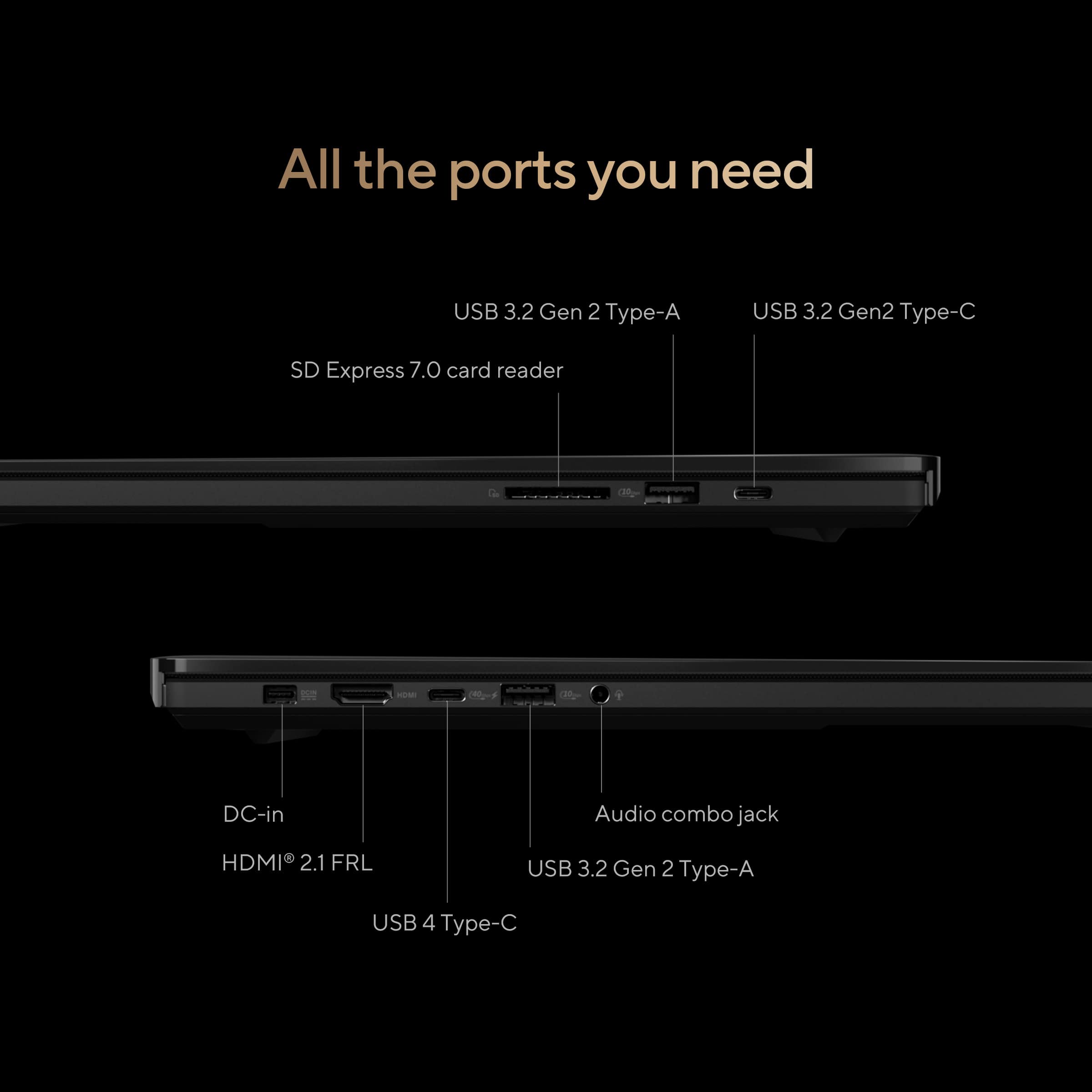
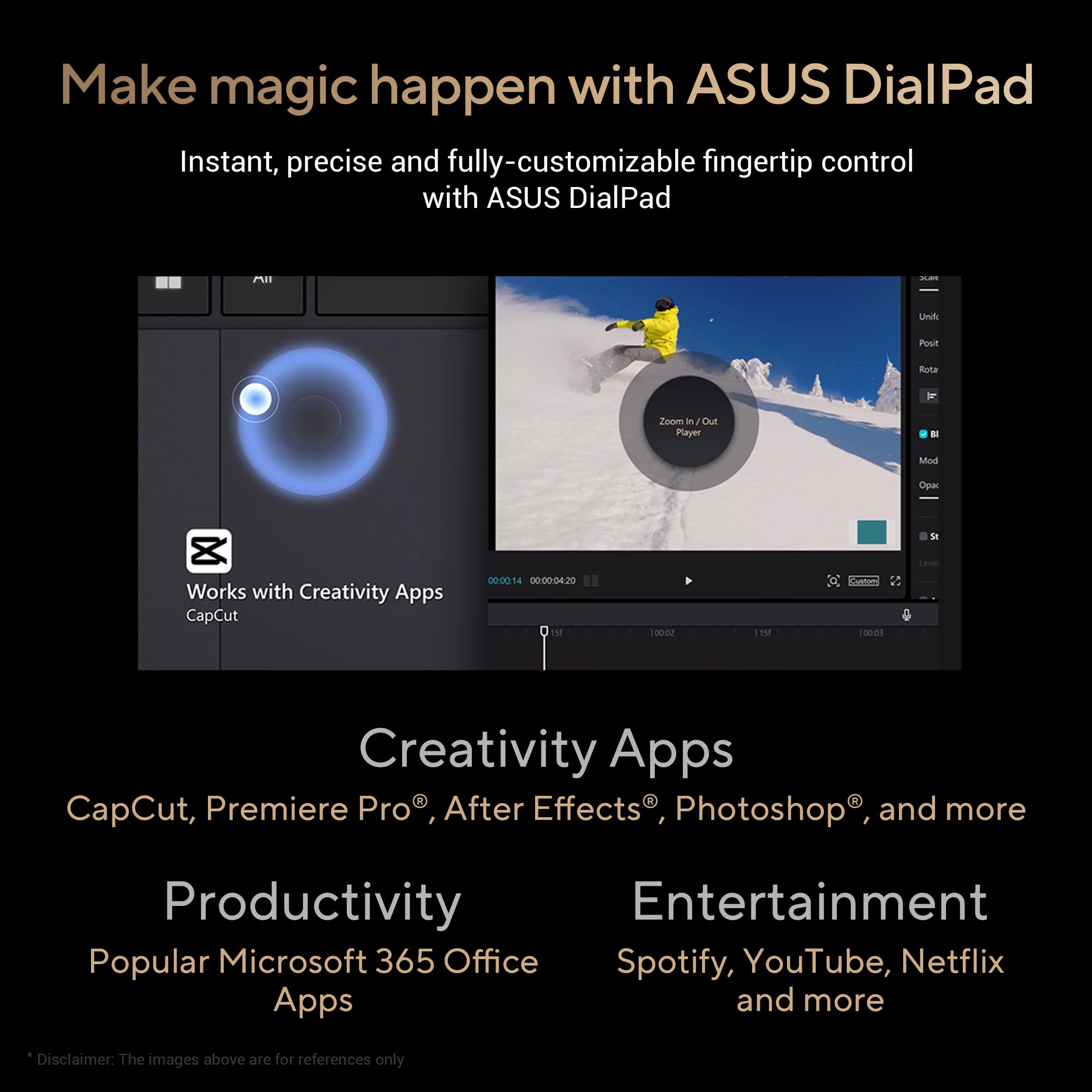
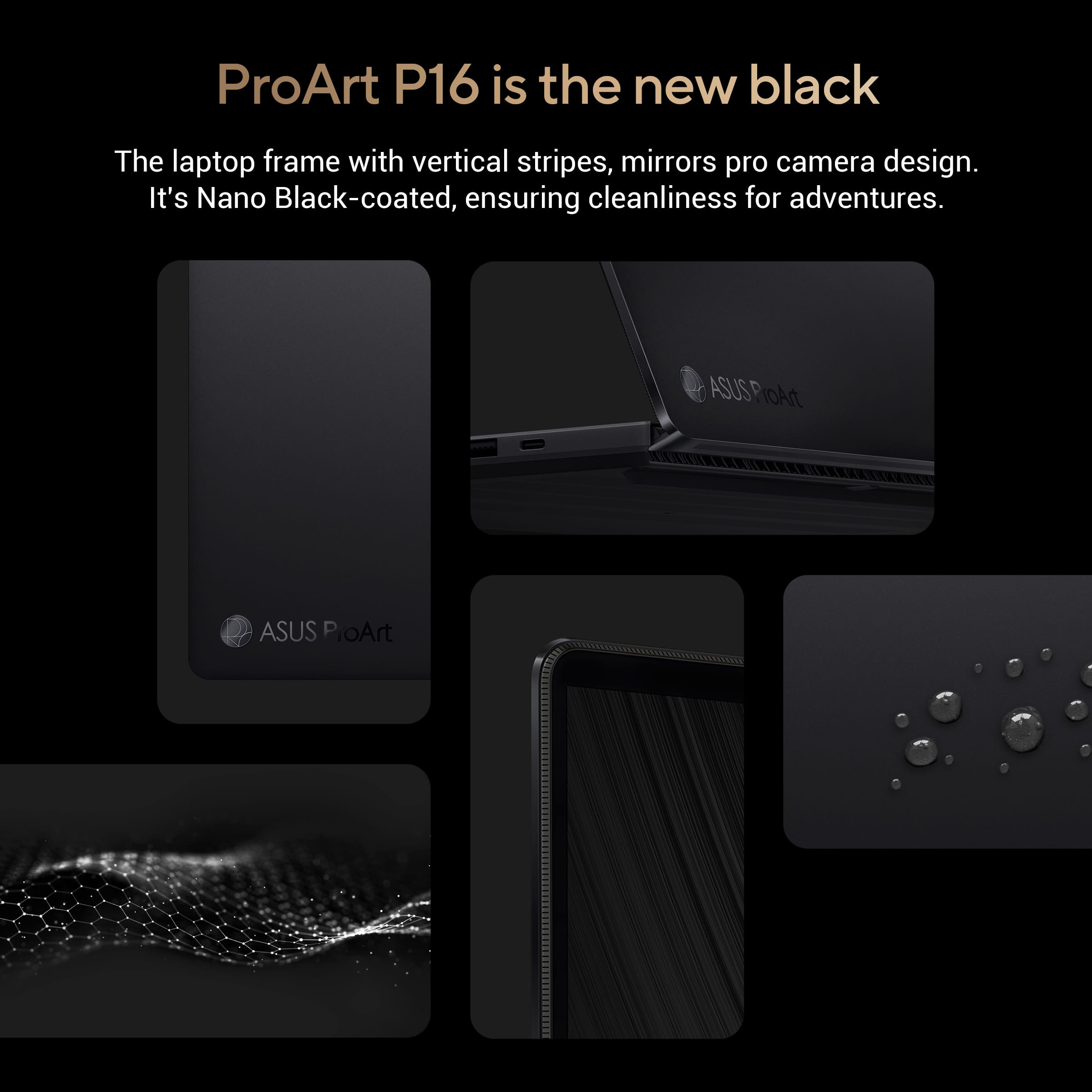
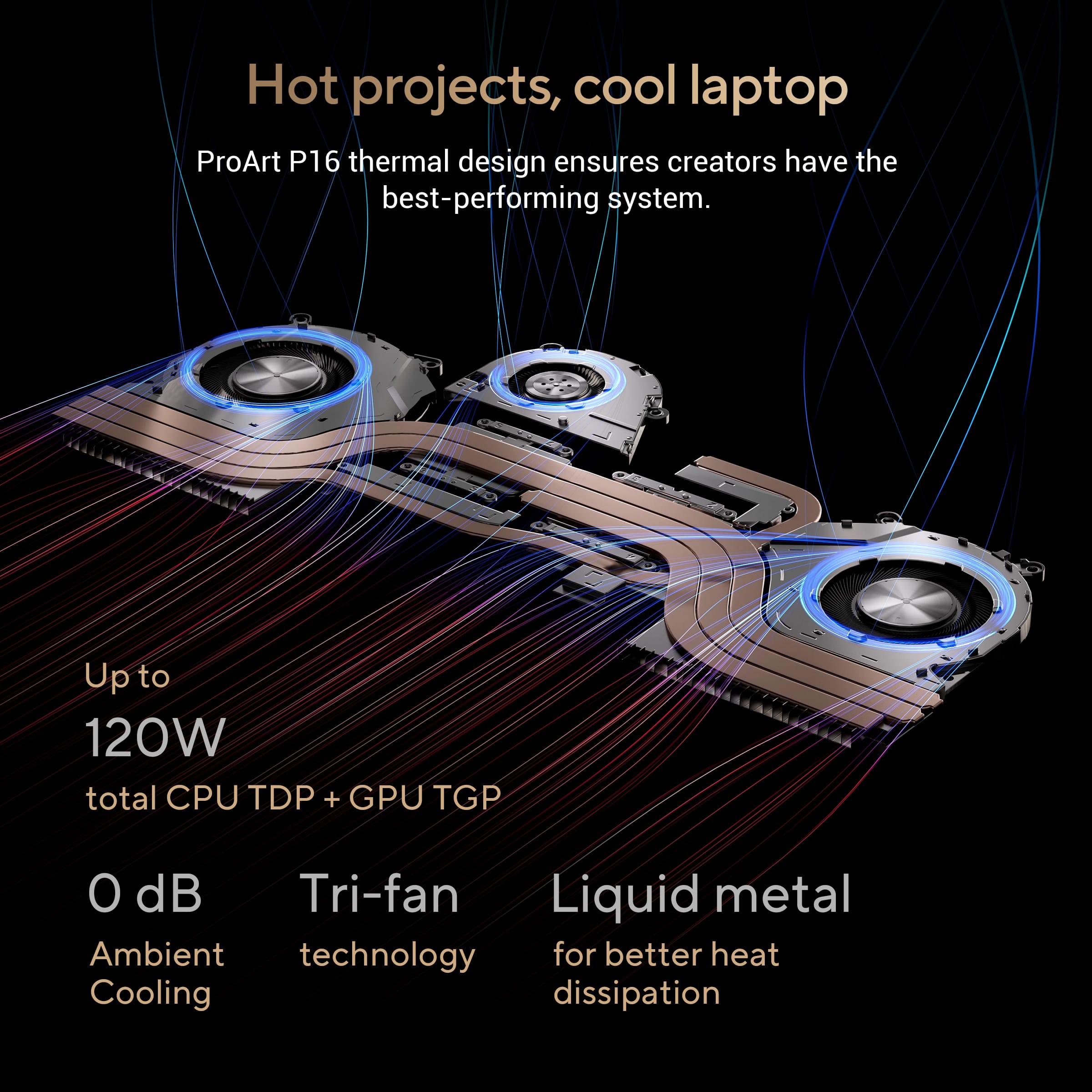
|Posted .This reviewer received promo considerations or sweepstakes entry for writing a review.Summary: This laptop is outstanding in almost every way! It is perfect for creatives but also amazing for everyone else. The new Ryzen 9HX 370 processor is something to behold. I primarily do photo editing, light video edits, gaming, and office work and this is the perfect laptop for my needs! Pros: -Amazing screen -Powerful and efficient processor -Fast SSD and RAM -Loud and clear speakers -Durability -Upgradable and easily repairable Cons: -Screen is very reflective -NPU is not widely supported yet -Front-facing camera low quality Build quality: The laptop feels more like a 15” laptop to me thanks to the minimal bezels on the screen. The overall build is hard to tell what it is made out of in various areas because of the new “nano-black” coating which covers the entirety of the unit. Still, the build is either a lightweight metal or sturdy plastic. Either way, this unit is built to last as Asus claims that it exceeds MIL-STD 810H specifications and can withstand dust, sand, and 95% relative humidity. The only part which showed any flex was the keyboard, but only slightly. The overall style is very professional with minimal “showy” aesthetics. The monitor is sturdy in whichever position it is in. Speakers: The six speakers sound amazing and get LOUD! 50% was a bit too loud for me so I never went past that in my testing. The system only supports 16bit 48khz through the speakers. Plugging in my headphones, it allows for 24bit 96khz which was nice. The speakers sound best with Dolby Atmos enabled in the settings. Screen: This screen is amazing! The only feature the screen is lacking is a high refresh rate. It is limited to 60hz, but it does feel smoother than other laptops I have tried with 60hz and was rarely an issue in my testing. The OLED is stunning at 3840x2400 4k resolution. The screen supports 10bit HDR at 500 nits but if you use this it will disable DC Dimming which can be controlled in the MyAsus app. The touchscreen is great and supports MPP 2.0, so I could use my Surface Pen Slim with it with no issues. The screen also has Gorilla Glass NBT for added durability and scratch resistance. It supports 100% DCP-P3, so with the large canvas and amazing color accuracy, you will love editing photos and videos on this. Though the screen has high reflectivity, I would have preferred a matte finish. Performance: The new Ryzen HX370 series is amazing! Benchmarks are at the bottom of the review, but I was stunned by how well it performs and how efficient it is for x86. The SSD is extremely fast providing read speeds around 5000 MB/s and the included LPDDR5X RAM is going at a fast 7500mhz. there is nothing you will not be able to do with this machine. The GeForce 4060 is wonderful for rendering and gaming and the integrated Radeon 860M is plenty quick while running on battery. The laptop mostly runs silent unless you are rendering, gaming, or exporting photos with the only part getting hot being the back. The device used liquid metal which is great for transferring heat. Of note, the NPU does not get much of a workout at the time of this review. There are multiple AI apps included with the device, but they all use the CPU and not the NPU as demonstrated in the performance tab of task manager. I was not able to find “Studio Effects” which usually supports the NPU for camera features, maybe this will roll out later. The NPU supports 50 TOPS, but the laptop does not currently support any copilot features even though there is a copilot key on the keyboard. This is supposed to roll out in a future update to x86 machines. Battery life: With a very efficient processor, it runs at a base of 2 GHz and can boost up to 5.1 GHz. When set to whisper mode (in the MyAsus app) and best power efficiency in Windows, a 45-minute show streamed on the Edge browser only drained 6% of battery. I then watched a 60-minute show on Standard / balanced settings which drained a bit more at 11%. If you ensure you are using the proper power mode for your needs, this laptop will easily run all day for office work and light editing. At high power, it will drain fairly fast with the high-powered hardware. Connectivity: All the ports you need are here including HDMI 2.1, USB 3.2 C, USB 3.2 A (x2,), USB 4.0 C, a 3.5mm headphone jack, and an SD Express 7.0 card reader. The power uses a proprietary port for the 200W adaptor, but you can use USB-C if you wish, I wouldn’t expect to do anything power-intensive with that option. After opening the device, there is a removable MediaTek MT7925 adaptor providing Wi-Fi 7 and BT 5.4 so this will be future-proof for a decent amount of time. Keyboard and mouse: The keyboard is great, but it took a little getting used to due to the placement of the large speaker grills. Buttons are nicely placed and had good travel. The mouse is accurate and very large. The DialPad is a neat feature, but it will take some tweaking with the included software to get the full use out of it. When using it, you can change brush sizes, font sizes, volume control, scroll through photos, or anything else you might wish to assign to it. It can easily be turned off when not in use with a swipe from the upper right. Repairability: The laptop is extremely easy to open with 11 six-sided star screws (two are hidden under rubber feet). Once you pry it open, most components are easily accessible and easily replaceable with various Phillips screws. The SSD and Wi-Fi module are replaceable and there is an extra slot for a 2280 NVME drive on the left side. The RAM is soldered on and is not replaceable. All other components such as the battery, fans, etc. are replaceable. Benchmarks: Lightroom export 156 24MP RAW: 2 min 16 seconds Lightroom AI denoise: 11 seconds Geekbench 6 Single core: 2886 Geekbench 6 Multi core: 15279 Geekbench 6 GeForce 4060 Vulcan 91219 / OpenCL 87042 Geekbench 6 890M Vulcan 46290 / OpenCL 42932 GeekbenchML CPU 3452 (no NPU) GeekbenchML 890M 7347 GeekbenchML GeForce 4060 12087 Crystaldiskmark 5037 MB/s read 3033 MB/s write Doom Eternal – Ultra settings native resolution 90FPS avg
Don’t trade in your Mac!
||Posted . Owned for 6 months when reviewed.This reviewer received promo considerations or sweepstakes entry for writing a review.Why did I think this was better than Apple? Grrr..I want to throw this thing. Where is my MacBook?
No, I would not recommend this to a friendBrand response from ASUS Answers
Posted .Dear HollyR,
Thank you for your comment.
We do understand your disappointment with the laptop and the inconvenience this may have caused if it didn't meet your expectations. On the contrary, lots of satisfied customers, having positive experience using the product, will agree with that it is a powerful, upgradeable and a versatile laptop than a Mac. To maintain optimum speed and performance, ensure Windows, drivers, BIOS and applications are up to date. Additionally, while accessing web applications, ensure this laptop has access to an established router and internet service is working properly since this will definitely affect system speed and performance. Should you need further assistance with the product, please email me at [email protected] and I would be more than happy to help. Or, you are most welcome to call Product Support Hotline at: 1(888) 678-3688. Also, you can chat with an ASUS live support agent from the link: https://www.asus.com/us/support/article/1135/.
Thank you for choosing an ASUS product. Regards,
Rodel
ASUS Customer Loyalty
Failed at 12 days
||Posted . Owned for 1 week when reviewed.This reviewer received promo considerations or sweepstakes entry for writing a review.It stopped working twelve days after purchase. Resolution pending.
No, I would not recommend this to a friendBrand response from ASUS Answers
Posted .Dear George D,
We're sorry to hear that the notebook failed after 12 days and we apologize for the inconvenience caused. This is not the kind of quality to expect from our products and it's not the norm. If you are still within the return window, we recommend contacting the place of purchase for an exchange or return. Please rest assured that if you cannot gain resolution when contacting the place of purchase, we will be glad to provide further assistance.
We stand behind our products and continuously strive to improve our products and processes to achieve customer service excellence. For more information, email us at [email protected] and include the case number "N2408027095-0011" as a reference. We will do our best to resolve your case quickly. Your feedback is very important to us and enables us to improve our support channels. Thank you for choosing ASUS.
Best Regards,
Chantae
ASUS Customer Loyalty US Support
The Next Best Thing In AI
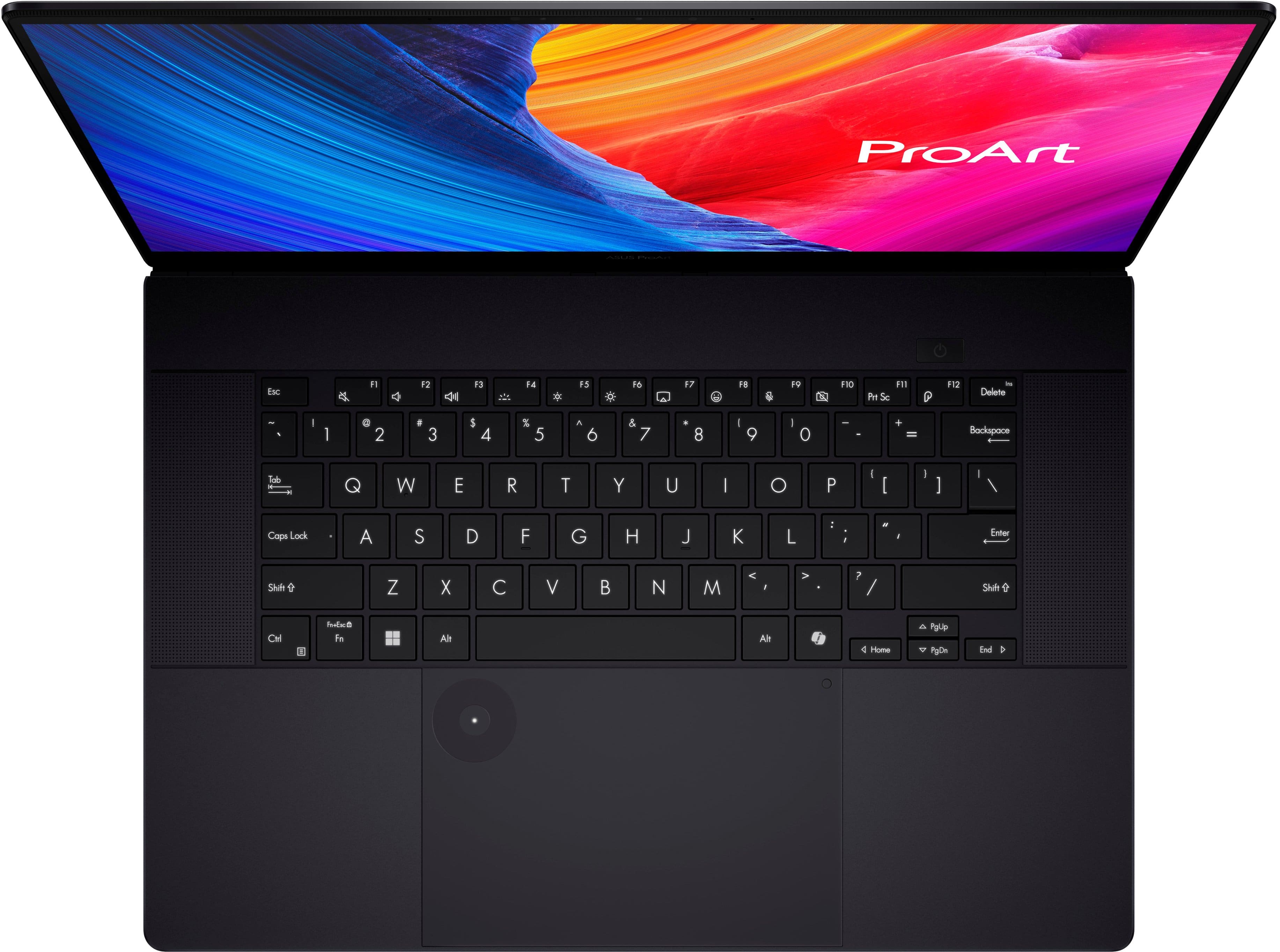
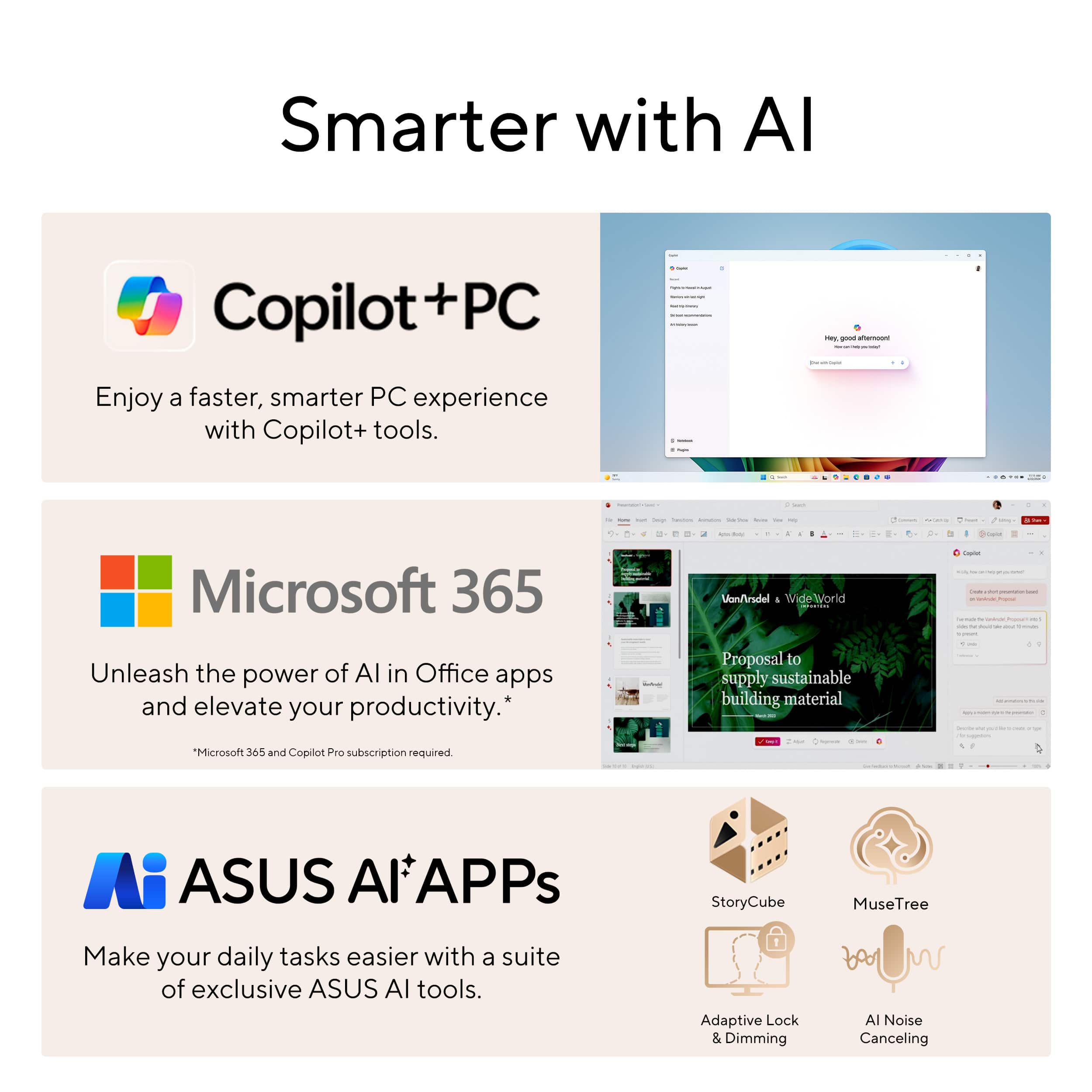
|Posted .This reviewer received promo considerations or sweepstakes entry for writing a review.This 16” laptop comes packed with many things you need for video content, gaming, photography and much more. With the 1TB SSD hard drive, you should have enough room for most anything you are working on. There are quite a few inputs compared to other laptops which give the bare minimum. You get 1 HDMI, 2 USB-A, 2 USB-C, a full sized SD card reader and an audio jack all positioned on the sides of this machine. This comes with a touch screen display, which I find useful and a camera and mic are built in for any video calls or conferences you may need to make. The look of this laptop is amazing with its slim size, black smudge resistant finish and amazing durability. You can take this anywhere and get your work done or just have fun with it. The screen is made of Corning Gorilla Glass, meaning it is harder and much more scratch-resistant than what the majority of screens are made from. The 4K OLED display is brilliantly colorful. It has a wider range of colors and higher contrast. It even has burn-in prevention for the screen. If you are like me and just leave the computer on and don’t have a screensaver set up, you don’t have to worry about images being burned into the screen and causing problems. The screen also has low blue light, so you don’t have to worry about your eyes getting tired from all the editing of content that you may be working on or any games you may play for an extended period of time. One great addition is the Asus Dial. This can be used for an array of different things depending on which program you are in. You can do anything from adjusting brush sizes or undoing an action to make work simpler and easier. You can customize this per app to do many different things. For example, I set mine up to adjust the volume up or down when not in any app. This laptop has an array of software already installed that you can use for your digital content. The StoryCube software has become a game changer for my digital content. I can manage the huge array of digital photos and videos I have taken. With the AI technology this software uses, I can organize and categorize all of my content to my preferences. I can also easily find what I am looking for either by a name, location, timeline and even which device I used. The MuseTree software is another AI app that can really help let your inner artist out. It can help you generate images by simply entering keywords into the Idea Map or even from your own sketch. In my opinion, this laptop is a perfect choice for anyone who needs a versatile and powerful laptop. The price range of this device is not that bad considering all the software you will be able to use for your digital content, the speed and so much more to learn.
I would recommend this to a friendStunning picture quality and performance
|Posted .This reviewer received promo considerations or sweepstakes entry for writing a review.Asus just continues to take gaming laptops to a whole other level! They have a bit of something for every budget and use. The ASUS - ProArt P16 16" 4K Laptop is a stunning creation with SO much to offer. For starters, OLED PLUS 4K display is an absolute perfect match! The picture quality is so fluid and sleek which makes for an incredible gaming and video experience. Not only that, they've added Gorilla class for the touch screen display to, not only make the display streonger, but to enhance picture quality and clarity. The performance of the ASUS - ProArt P16 16" 4K Touch Screen Laptop is just as great. Coming from an Intel computer, the Ryzen AI HX processor offers incredible performance with low power usgae. Ther is so much customaziation at your fingertips that allows the computer to perform flawlessly. The included StoryCube, MuseTree, idea canvas, etc. makes video and image editing so much more enhanced. So far, the ASUS - ProArt P16 16" 4K Touch Screen Laptop has handled every game that I've thrown at it beutifully. I really enjoy working on Adobe with the ASUS - ProArt P16 16" 4K Touch Screen Laptop because it really makes my work pop so much more. From being able to make changes via touchscreen, all the way to stunning picture quality, I can see the smallest of details and make the necessary fixes. All of this technology comes at a price, but it's really hard to beat for the ultimate creative/gaming experience. You just can't go wrong with the ASUS - ProArt P16 16" 4K Touch Screen Laptop. I would HIGHLY recommend it.
I would recommend this to a friendPROART IS TRULY ARTISTIC!!!
|Posted .This reviewer received promo considerations or sweepstakes entry for writing a review.I have the opportunity to test out multiple Asus devices and I must say that they have yet to let me down and the Asus ProArt is no different. The Asus ProArt P16 is a fantastic mobile workstation that is geared towards graphic designers, video editors or just someone looking to let loose their inner creativity. So, let’s dive into what makes this laptop stand out. Configuration: DISPLAY: 16IN AMOLED 3840 X 2400 4K TOUCHSCREEN DISPLAY RAM: 32 GB LPDDR5X (7500 MHz) CPU: AMD RYZEN AI 9 HX 370 (2ghz up to 5.1ghz) STORAGE: 1 TB PCIe 4.0 SSD GRAPHICS CARD: NVIDIA GEFORCE RTX 4060 WLAN: WI-FI 7 PORTS: 2 x USB-A 3.2, 1 x USB-C 3.2, 1 x USB-C 4, 1 x HDMI 2.1 •4K OLED Display: The centerpiece of ProArt P16 is its stunning 16-inch 4K OLED touchscreen display. The 4K OLED touchscreen boasts sharp resolution (3840 x 2400 pixels), vibrant colors (100% DCI-P3 color gamut), and deep blacks (1,000,000:1 contrast ratio). Ideal for color-critical work, it minimizes motion blur, making it perfect for video editing and animation. The display's touch functionality adds another dimension to your workflow, allowing you to easily scroll through timelines, scrub through video footage, and manipulate objects in 3D design software with the touch of a finger or even a stylus. •Powerhouse Performance: The ASUS ProArt P16 packs a serious punch when it comes to processing power. Powering this beast is the AMD Ryzen AI 9 HX 370 processor, boasting 12 cores and 24 threads. To put this into simplest terms this processor handles demanding creative workloads effortlessly. Whether you’re editing high-resolution photos, rendering 3D models, encoding videos or even gaming on high settings, it delivers exceptional performance. Further enhancing your workflow is the NVIDIA GeForce RTX 4060 graphics card with 8GB of GDDR6 memory. This graphics card is built for content creation, providing a significant boost in performance for applications and gaming. Additionally, the ProArt P16 leverages AMD's FidelityFX Super Resolution (FSR) technology, which can significantly boost frame rates in games and creative applications without sacrificing image quality. The AMD Ryzen AI 9 processor with 32 GB LPDDR5X memory coupled with the GeForce RTX 4060 graphics card ensures top-notch performance across all tasks. Whether you’re gaming at high settings, streaming your favorite shows, multitasking or running demanding applications, this laptop delivers consistently smooth performance. • Titles Tested: • Red Dead Redemption 2 • Horizon Forbidden West • God of War Ragnarok • COD: Modern Warfare III • ProArt Creator Hub: Optimize creative performance and access color inspiration. • MuseTree: Generate creative images via an intuitive interface. • StoryCube: Automatically organize and classify digital photos or videos. • ASUS Dial & Control Panel: Allows for personalized and more precise control • Adobe Creative Cloud • PORTS: The ASUS ProArt offers a variety of ports to cater to your connectivity needs: • HDMI 2.1 port: For connecting to an external display • Two USB 3.2 Gen 2 Type-A ports: For connecting USB devices • USB 3.2 Gen 2 Type-C port that supports DisplayPort • Type C USB 4 support DisplayPort that also supports power delivery • SD card reader: For reading data from SD cards • Propriety Charging Port •STORAGE: This laptop offers a storage capacity of up to 1TB. While this is generally sufficient for most users, the substantial storage demands of certain AAA Titles may leave some desiring additional space, but this is upgradeable with the extra 2280 NVME slot. •Built for Creators: This laptop is packed with features that cater to creative workflow. The ASUS Dial, a unique rotary control knob, provides a convenient way to adjust brush sizes, change colors, and navigate through menus in creative software. ProArt P16 also includes pre-installed software specifically designed for creative professionals, such as Adobe Creative Suite and DaVinci Resolve. Additionally, the long-lasting battery life ensures you can stay productive on the go without constantly worrying about finding an outlet. •Thin and light design: Despite its powerful specs, the ProArt P16 is surprisingly portable, measuring just under 0.8 inches thick and weighing around 5 pounds. This makes it portable and easy to bring along to wherever your creativity might take you. •Military-grade toughness: This laptop is built to withstand the rigors of everyday use, meeting MIL-STD 810H standards for durability. Whether you're working in a busy everyday hustle and bustle or traveling to different locations, the ProArt P16 can handle the bumps and knocks of daily use. Overall, my experience with the Asus ProArt P16 has been nothing but amazing. It delivers exceptional performance, a beautiful display, and thoughtful features to boost productivity. It's a versatile mobile workstation that empowers you to create your best work anywhere. This is a laptop that deserves your serious consideration.
I would recommend this to a friendPortable Powerhouse
|Posted .This reviewer received promo considerations or sweepstakes entry for writing a review.I have owned many laptops over the years. I usually choose the latest and greatest technology because I feel it’s worth the upfront investment to have a computer that I can use for several years. The last laptop I purchased for general use was an HP Spectre x360 with a 15-inch screen. It has been a great machine and has performed well over the last 4 years, but it’s time for an upgrade. I use my laptop when I travel for my job managing software development and design. I also use it for my personal photography and video editing hobbies. The ProArt seemed to be a good fit for both of these situations. For my business needs, I always look for a fast hard drive and plenty of RAM for running local copied of SQL Server and Visual Studio. I do quite a bit of work using ETL tools and manipulating huge amounts of relational data. For my personal needs, I need high-end graphics, a fast hard drive, and a clear screen for using Adobe Photoshop and Premiere. When Asus announced the new ProArt P16, I was intrigued, and it checked all the boxes. I have been an Asus fan for years. I have used many of their desktop motherboards over the years building my own systems. I bought a Zenbook for my wife last year, and I’ve been using their mesh Wi-Fi routers in my house since they came out with the technology. It was really a simple choice, so I ordered my ProArt P16. My first impression out of the box was how sharp it looks. The Nano Black finish really looks rich. The thinness of the OLED screen gives it a truly modern feel. The hidden screen hinges operate with a high-end smoothness, and the keys on the keyboard feel secure with almost no “wobble”. The nicely slim power supply “brick” is not too bulky. At about 4lbs, the ProArt is reasonable to travel with and comparable to the HP that it will replace. Overall, it has the quality feel to be expected at this price point. There are many great things about this laptop, but some areas where it falls short. First, I’ll highlight the good things. It has plenty of power! The AMD Ryzen AI 9 CPU is super-fast as is the NVIDIA GeForce RTX graphics subsystem. The NVMe SSD screams. I was amazed at how fast the ProArt handles video encoding in Premiere. I also threw a huge data processing task at it, and it ran in record time. I was able to import and transform over 150 million rows of complex data using Visual Studio 2022 and SQL Server 2019 and it finished the task in less than 30 minutes. On my dedicated high-end server, it takes over four times as long. I’m not sure I’ll be replacing my server with the ProArt, but I might consider using it to supplement some of my heavier data processing tasks. I like the feel of the touchpad. It works well, and the DialPad feature is useful, although to get the most of it requires spending some time in its app programming the features. The speaker system is beyond anything I’ve heard out of a laptop. Of course it’s not going to compete with a true audio system or even a mid-range soundbar, but to get that level of sound out of the tiny speakers packed into a laptop is amazing. The assortment of connectivity options is good, with four USB ports, an HDMI output and a full-size SD card reader. Although I don’t have a Wi-Fi 7 capable router system, it still amazingly fast with W-Fi 6 and easily handles all the 500Mbps of my Internet service. Beyond all that good stuff, the real work of art is the screen. First of all, I love the 16x10 ratio. I know that with the introduction of HDTV, 16x9 became the standard, but that extra 10% in height makes a huge difference when working with graphical content and even business applications. The 4K 120Hz OLED display is amazing and really sets this laptop apart. It’s bright, with fabulous contrast and color rendering that is always perfect at any viewing angle. It’s great whether working on graphic content or staring at a spreadsheet for hours. So, with all that good stuff, the ProArt P16 might seem like the perfect laptop, but there are a few bits that fall short. First of all, I hate the proprietary power cord. I need a spare to keep in my go-bag, and I can’t even find it on the Asus website. I did find an aftermarket charger, but it’s priced at what I expect to pay for the OE charger. I guess I’ll wait until Asus offers one. In the meantime, it will charge through the USB-C port, but the charger I have (from my Zenbook) only outputs 100w, which is not enough to operate the ProArt in full performance mode. I am not sure if the USB port can accept the 200w that the dedicated charger outputs anyhow. Another complaint is the keyboard. While the keys feel solid and operate smoothly, there is something odd about the spacing or geometry of the keyboard layout. I’m not the world’s best typist, but I am stumbling all over this keyboard. This must be an Asus thing, because I recall the same issue with the Zenbook I bought for my wife. One final disappointment, which really isn’t a big deal, but I do wish this were a “convertible” where the screen folds a full 360-degrees. My HP Spectre does this and I’ve become used to flipping it around to tablet mode when I’m working in a small space or walking around, such as at a trade show. I know it’s not designed or marketed as a convertible, but I sure would have liked that feature. Overall, I am very pleased with the ProArt. It does everything I need and I can easily overlook the few minor issues I have with it. I have not spent much time with its included software, but it looks decent and offers some interesting features. I was pleased to find that it wasn’t loaded full of “bloatware”. If you need portable power, whether for business or graphic applications, this is a great choice. The display alone is worth consideration. I highly recommend the Asus ProArt P16.
I would recommend this to a friendGood, Impressive Laptop
|Posted .This reviewer received promo considerations or sweepstakes entry for writing a review.Nice black laptop. Nice size -- 16” of thin, lightweight goodness (not heavy at all). Nice monitor – 4K, OLED with vivid colors, touchscreen. A lot of AI-push. Creative’s workshop. It has powerful hardware and processing to support it all. Setup is easy and the usual. When starting it up, there is no fingerprint reader (Is that not a thing anymore? How sad). When everything powers up, it will just look like a regular desktop. There are applications that play a huge role in this laptop that you have to get to and get them running. They are not needed for basic laptop use, but if you want to start taking advantage of the “creative” parts of this laptop, then… get them going… One of them is the Creator Hub. Type it in the search to get to it. And follow along. You will have to install it. It shows you what is going on with your laptop (somewhat as like the first level of settings on your laptop). But it does more, you can adjust the color settings of the display. This is good for photo and video work. The other apps that this laptop pushes are within the Creator Hub… They include Muse Tree, Story Cube and the ASUS Dial (which the physical dial is on the trackpad on the keyboard). Muse Tree is supposed to help with your creativity when designing or trying to design something digital. It is supposed to pull from any idea, by way of keywords, and start putting things (bubbles) together, which is supposed to help you shape your ideas into a product or works towards a final product. I found this to be pretty weak. I will continue to mess around with it just to keep testing its abilities. But it didn’t seem to mesh with my mind (which was really throwing out basic keywords). Ahh well. Muse Tree is cool because it can pull all of your media together – photos, videos; on your phone, on your laptop, in the cloud, etc – and it can group them in various ways. This is helpful when editing videos, so that you can find things easily and pull them into your work. Both of these applications utilize heavy AI, so beware. We are indeed in an AI age. There is also the ASUS Dial, which you can customize. You can also use the dial to increase/decrease the size of your photo editor tool (for example). It’s cool. These are just the ASUS-included applications. Other things: touch-screen, backlit keyboard with three levels of brighness + off, nice sound. No number pad, which is disappointing. And of course the laptop does all the other basic laptop things – internet, office applications (or other office-type suite), the keyboard feels good and types easily. This is a really good and impressive laptop. I recommend it, particularly if you are a creative and want to be able to use a powerful enough laptop. Peace.
I would recommend this to a friendSuperior Hardware Powered by AI
|Posted .This reviewer received promo considerations or sweepstakes entry for writing a review.AI is the ultimate buzzword nowadays where lately it has made its way to the various functionalities of laptops. I`m constantly cycling through various desktops and laptops and seem to always find my way back to ASUS as my daily driver. Thus with ASUS constantly being at the forefront of the PC space they have actually integrated components of AI with their superior built computers to create essentially the near perfect laptop here. First right out of the box you get that premium ASUS unboxing experience where the quality is second to none. Right away you notice the new "Nano Black" color which I absolutely love as all the weird colorways and RGB lights have ran its course in my opinion and thus it is so nice to have such a sleek refined look. The new logo is a nice touch as again it only builds on that premium aesthetic. However, this is not simply for looks as this new color actually serves a purpose for it results in absolutely no fingerprints or smudges at all so you`re not constantly having to clean the exterior with a microfiber cloth. Opening the actual laptop is buttery smooth with the way ASUS has built the hinge here and I understand you may be saying who cares about a laptop hinge, but when you`re constantly opening and closing it I assure you that you will notice the difference. ASUS has kinda taken both sides here as it has went with that premium feel, but also the ruggedness is amazing as even down to the corning gorilla glass on the screen this laptop is made to be used in a portable setting and not simply sat on a desk. I will say when it comes to ruggedness ASUS has definitely taken it to the extreme with their testing on this one as they supposedly tested it in the rainforest (95% humidity), mountains (-32 degrees Celsius and 15,000 feet altitude), and in the desert (70 degrees Celsius). So yea for most of us we are good and you can even leave it in your hot/cold car without worry, but for those adventurists out there I suppose you can rest assured as well. Powering this computer on though is where it really begins to shine. Firstly, setting everything up was quick as there is not a bunch of bloatware and it provides an exceptionally smooth experience. However, the screen is the big feature that stands out as the OLED screen really pops here for this screen is obviously 4K, but also hits 500 nits of brightness which with many OLED laptop screens you only get "Ultra HD" and half the brightness at 200-300 nits. This extended brightness only makes the true blacks pop even more. One thing I have to touch on with the screen is the burn in protection that ASUS offers as they offer a free screen exchange policy if issues do come up for some reason though I can confidently say with OLED screens nowadays burn-in is truly an issue of the past. Some other hardware items to note here first are all of the various ports as ASUS didn`t go the cheap route and give you a lonely USB-C port and charging port like many other laptops today where you`d have to buy additional dongles. They have included all the ports you need from your USB-A and USB-C to your HDMI, SD card reader, and audio jack to which these are all high speed ports so no corners were cut. They did all this while also keeping the laptop extremely thin and sleek. Back on the inside though everything is also very sleek and refined as there are not a bunch of weird keys and buttons as the co-pilot key is the only added key on your standard keypad. I`ll touch on the performance in a second, but one thing to note on the keyboard is the unique ASUS DialPad which as a heavy Photoshop user this thing is absolutely great! However, if you`re just going to be using this laptop for school and office work you may not use it as much though for watching videos it does come in handy to fast forward and rewind. It essentially acts as additional shortcut keys if you so wish. Anyways, I`m just so impressed with the aesthetics here that I had to mention all of those items, but onto actual performance though. I could write paragraphs with how well this thing tackled various creative and content creation apps along with some gaming as well, but essentially this thing is an absolute powerhouse! You should not have any hesitations at all with whatever it is that you wanna throw at this laptop as it will perform exquisitely!! When I get new computers I always wanna push those limits to see where the hiccups start, but ASUS has put this thing through the ringer and identified any shortcomings as there is nothing I couldn`t do here and with the RAM and storage you`re not gonna have any lag issues at all! With the extreme performance the key drawback with a lot of laptops is the cooling component, which every brand has their buzzwords as to why theirs is the best. ASUS doesn`t boast any "Winter X Cooling" or "Xtreme Temperatures" as they have focused on what actually keeps the laptop cool in order to optimize performance. ASUS has went with a triple fan setup with the biggest facet being how the warm air is pushed out of the laptop as it doesn`t go out straight up through the keyboard or straight down through bottom, but instead is angled out the bottom away from the user which provides a perfect experience in my opinion. The other nice feature is there is a dust filter that helps preserve the internals for optimal performance. As I mentioned earlier it wouldn`t be a computer in 2024 without "AI." However, ASUS has actually implemented some useful features here that us normal people can use outside of just a solely business perspective. First though theses features won`t bog down the rest of your processes as ASUS has incorporated a dedicated AI chip to help power the laptop. Two minor features that work in the background I want to note revolve around the screen and sound. First is that AI is used for adaptive dimming on the screen to adjust the brightness based on your presence and the screen will also auto lock when you leave. Then when it comes to sound for calls and meetings AI is supposedly used to reduce background noises. Aside from those two background items I`m sure we are all probably familiar with Copilot by now to which there is a dedicated key on the keypad here and works flawlessly just as you would any other AI chatbot. Aside from those couple things there are four major AI applications ASUS has incorporated here which the two I want to touch on briefly are the Creator Hub and Dial Control. The Creator Hub essentially is your performance hub for the laptop where you optimize laptop performance and can play with some unique color palette items if you work heavily with image production. Then the Dial Control is again used for the Dial Pad I mentioned earlier which for those that may use the various creative apps out there definitely check this out! The two I really want to focus on are StoryCube and MuseTree. StoryCube is geared toward all users as it essentially can organize and classify all of your photos and videos. This is not solely from one device either as it can take those from numerous devices. It can recognize faces, categorize scenes, and even auto generate videos for you. This is one of those apps where even non-creative professionals can benefit from and have a good time playing with. MuseTree is also fun to play around with, but for creative professionals it is extremely handy! Essentially here it can combine ideas and concepts to help you out with inspiration or an overall concept. Additionally, the Canvas feature is neat where you provide a sketch for an idea and it expands upon that to create dynamic images. Then the Library is similar to StoryCube where it organizes and preserves all of your ideas. All in all, I know what you`re thinking in that everything can`t be positive here and that I`ve glowed over this laptop for multiple paragraphs to which I mean yea a limitless battery when editing videos would be nice, but that`s not realistic haha. In all honestly it really seems that ASUS has thought of everything here from the aesthetics and ruggedness to the performance elements while also incorporating the various AI features for productivity and creative professionals. Thus, whether you are a student, creative professional, or just the everyday video streamer that checks their emails this laptop has it all and I would not hesitate to recommend it!
I would recommend this to a friendBeautifully built laptop
|Posted .This reviewer received promo considerations or sweepstakes entry for writing a review.Unwrapping this box was an experience. This came packaged securely and I felt like I was opening something precious with how well it was wrapped and supported. I immediately fell in love with the sleek look of this laptop. It's a satin black with minimal badging that looks and feels luxurious. The screen is bright and big and the speakers seem to do well with anything I've played on it so far. I do a little bit of everything on my laptop so I wanted something that could handle that. I recently got into gaming and have been playing a first person shooter that required a lot of space to download and needed quality graphics to be played and enjoyed properly. This game runs flawlessly on my laptop and I was easily able to connect a wireless controller to play as well. We also have a small business we run and we post on social media so I wanted something that had the ability to edit pictures and videos while still being user friendly. I was impressed with the ProArt programs that came loaded on the laptop and have had fun using them and seeing how I can integrate that in my editing. The track pad on this laptop is amazing too, it has a specialized circle on it that you can use to really have control over editing. Copilot was also loaded on this and it's been fun to play around with the AI and see how I can incorporate that as well. Set up was super easy and so far it's been fairly user friendly as well. This packs the storage you would want if you are a gamer or into editing/social media/etc. and looks good while doing it. This is a solidly built laptop with a nice bright screen for daily use or work. The battery life has been great as well, I was worried with the big screen it wouldn't last as long but I've been pleasantly surprised. My kids have enjoyed using it as an extra screen for streaming movies and have no complaints about the video quality or the sound for that. I'm excited to keep learning and doing more with this laptop.
I would recommend this to a friendAsus outdid themselves again. Well done
|Posted .This reviewer received promo considerations or sweepstakes entry for writing a review.If you want a laptop that can help you create media, well this is one that you should take a look at. Asus made sure to include high end components from its processing power AMD Ryzen 9 to the 32gb of ram at 8333mhz. To the Nvidia studio GPU etc 4060. Plus the 4k OLED touchscreen. Add 1TB of hard drive space and you should be having no issues at all. Now the bonus features the Asus dial pad , AI copilot, amazing sound and 3 cooling fans. You have yourself a very well made machine. Physically it's really a beautiful laptop. Durable, lightweight and has amazing sound. I even played a few games on there obviously I had to tweak some settings but none the less the laptop was running fine. Now photo editing is so much easier when you have a touchscreen , so was editing videos with the capcut that is already installed . Using the dial pad on the mouse is new, I'll be honest it's still something I'm still learning. the only thing I wish Asus did was like make the dial either pop out or dented in the mousepad, I'm always rotating outside the actual display zone which is annoying. I know it's meant to help give you shortcuts while editing and creating but having to look at the mousepad to place my hand in the right position gets to be too much sometimes. Other than that this laptop is awesome.
I would recommend this to a friendGreat performance. Display and audio are awesome
|Posted .This reviewer received promo considerations or sweepstakes entry for writing a review.Pro: -OLED display is amazing -Speaker audio is good -Light and portable for a 16” -The dial can be customized per app -Expandable storage Con: -60Hz refresh rate -AI features not fully supported yet -Big power brick The Build The Asus ProArt P16 is a sleek and clean laptop designed for content creators on the go. For a 16” laptop, it still manages to be light and portable, weighing at about 4 lbs. It has a matte black, fingerprint resistant, “Nano Black” finish. The keyboard only has white backlit and gets smudges from fingers after a short use. It has plenty of connections on either side. On the left, there is an HDMI, USB 4 Type C, USB 3 Type A, and a headphone out. On the right is another USB Type C, USB Type A, and the SD card reader. It comes with a 1TB M.2 SSD with another slot available for expansion. The power brick is big and heavy, weighting almost half the laptop so it takes away from the portability a bit. Display and Audio As expected from an OLED, the screen is gorgeous, despite having a refresh rate of only 60Hz. I don’t do much work requiring color accuracy, but the colors look great to me, with vivid colors and deep contrasts. It does support HDR up to 500 nits, which is decent. To protect burn in, the Asus OLED Care will kick in, when idle, shifting and illuminating pixels. The audio, six Harman/Kardon speakers, are loud and better than what are normally found on other laptop speakers. They are up firing, or at least seems to be, and sound very good especially with Dolby Atmos. Performance I mainly do 3D modeling in Blender, art in Clip Studio Pro, and some occasional casual video editing and motion graphics. For those tasks, this laptop handled them just fine. Powered by the Ryzen AI 9 HX 370 and 32gb of ram, this laptop performs equally or even outperforms against the competitors with a lower power usage, keeping it cooler and extending battery hours. The 4060 can handle tasks like Blender just fine, but it’s not powerful enough to play more demanding games at 4K without turning the graphics down. It can still handle less demanding games, but maybe at a lower resolution. It’s also limited to 60fps. Cooling is great. The CPU uses less power already, but the laptop uses Thermal Grizzly’s liquid metal, so the CPU temperature stays cooler. The fans stay quiet under normal workload with the temperature being around 80C, but can ramp up and get a bit louder under heavy load. The chassis can feel warm, mostly at the top and middle, but doesn’t get too warm to be uncomfortable. Battery life can vary depending on the tasks. Doing light work and just watching streams, it can last about 6 hours. Gaming with demanding graphics will get you about an hour. This is pretty much the norm for any high spec laptops, so I would say the battery life is average. One unique feature is the Asus DialPad, which is a touch dial built into the trackpad. It works very much the same as the dial for drawing tablets. It can be customized to various shortcuts or functions per app. It can be used to adjust brush sizes, scrolling and zooming, or to control media. It feels somewhat gimmicky and takes a bit of getting used to, and I still prefer to use an external peripheral, but it’s nice to have in case I’m without my usual drawing tools. The Creator Hub is the control center for the laptop. You can monitor the system resource, adjust the fan profiles, and optimize system resources to your apps. Color Control allows you to calibrate the display, which is nice, but I didn’t use it. Work Smart lets you group up to four applications together as a shortcut so that it can open simultaneously. A really handy feature is the Color Management, which can extract color information from an image or screen and create a color palette to be used later. This is a time saver since I don’t have to pick colors one by one and I can save the palettes for future projects in other applications. AI Features This is where I’m ambivalent about. I stay away from any generative AI, but test out the StoryCube and MuseTree features for a bit. Though the AI features are heavily pushed, at the time of this writing, most of the AI functions, like Copilot, are not fully functional yet. The StoryCube organizes your pictures and video files using AI. It can pull files locally on the device or from other cloud services. It can also do some trimming and light editing. This can be a nice add-on if you deal with a lot of media files, but I don’t have that much to fully test it out. The Muse Tree is a free concept idea generator. It is totally offline so that’s a plus to me since it’s not taking artwork from other creators. It can use prompts or sketches to create ideas, which then can be organized and combined. It’s pretty cool and sometimes yields unexpected ideas. Conclusion Overall, the core feature of this laptop is great for creators. The display is rich with good contrasts and audio is great. It’s relatively light, but has a big and heavy power brick. The CPU has the power to handle most creative work, while using less power. Gaming is doable but not the best with the 4060 and 60Hz refresh rate. The DialPad is functional, but I don’t see myself using it that often. The AI features, to me, aren't that useful except for maybe the Color Management feature.
I would recommend this to a friend