Customer Ratings & Reviews







- Model:
- G814JZR-G18.I94080
- SKU:
- 6570224
Rating by feature
- Battery Life
Rating 3.9 out of 5 stars
- Speed
Rating 4.8 out of 5 stars
- Display
Rating 4.7 out of 5 stars
Customers are saying
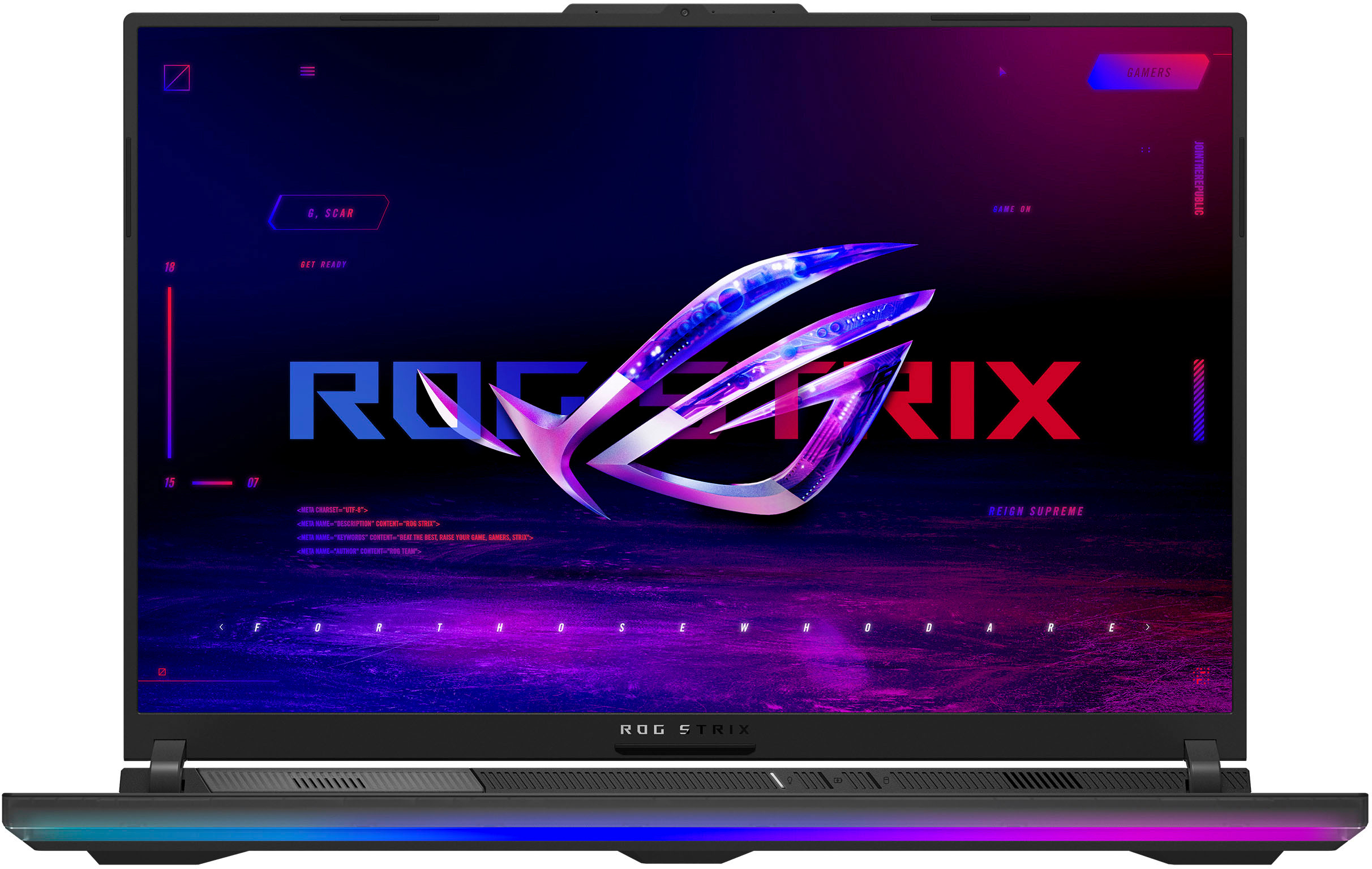
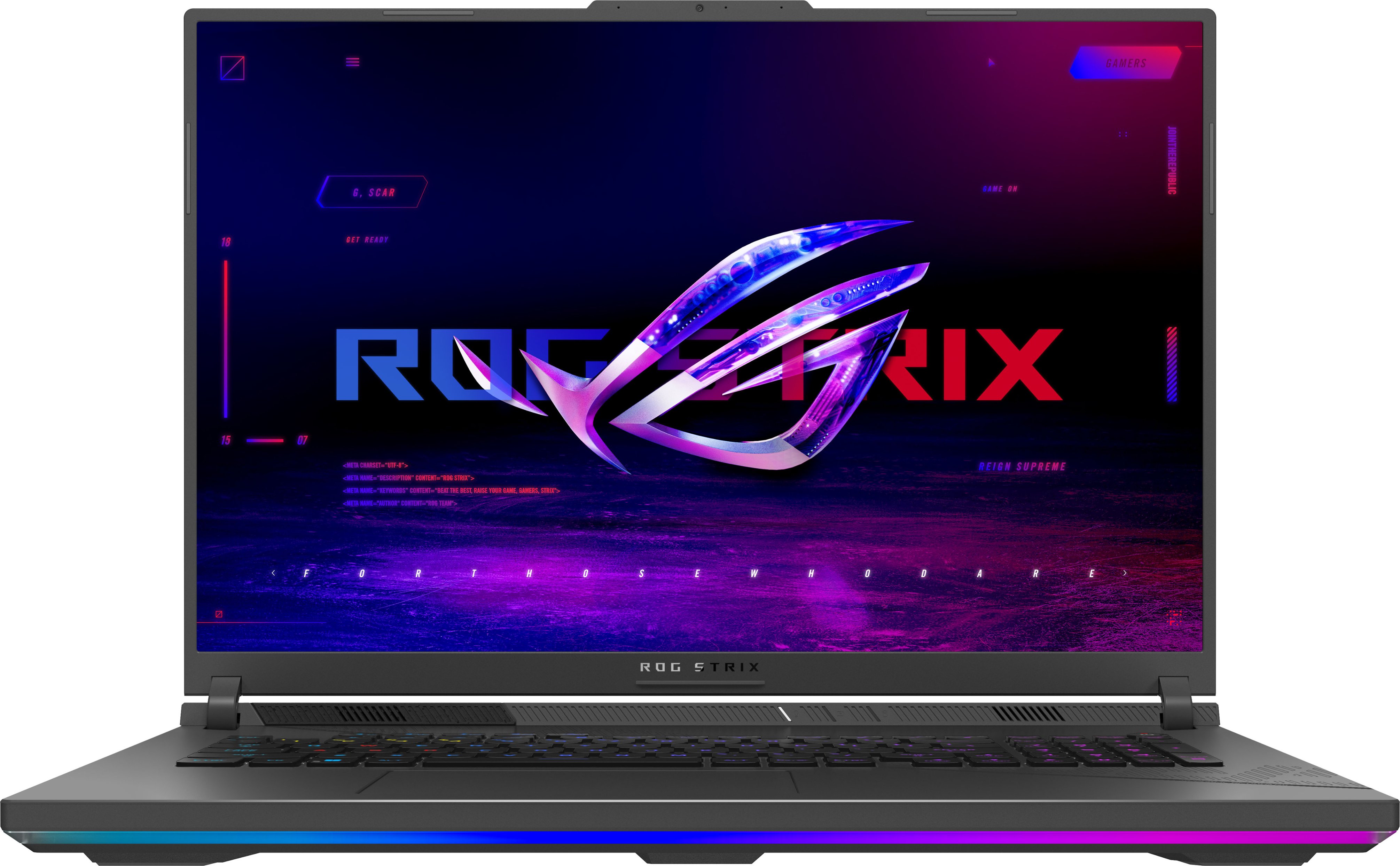
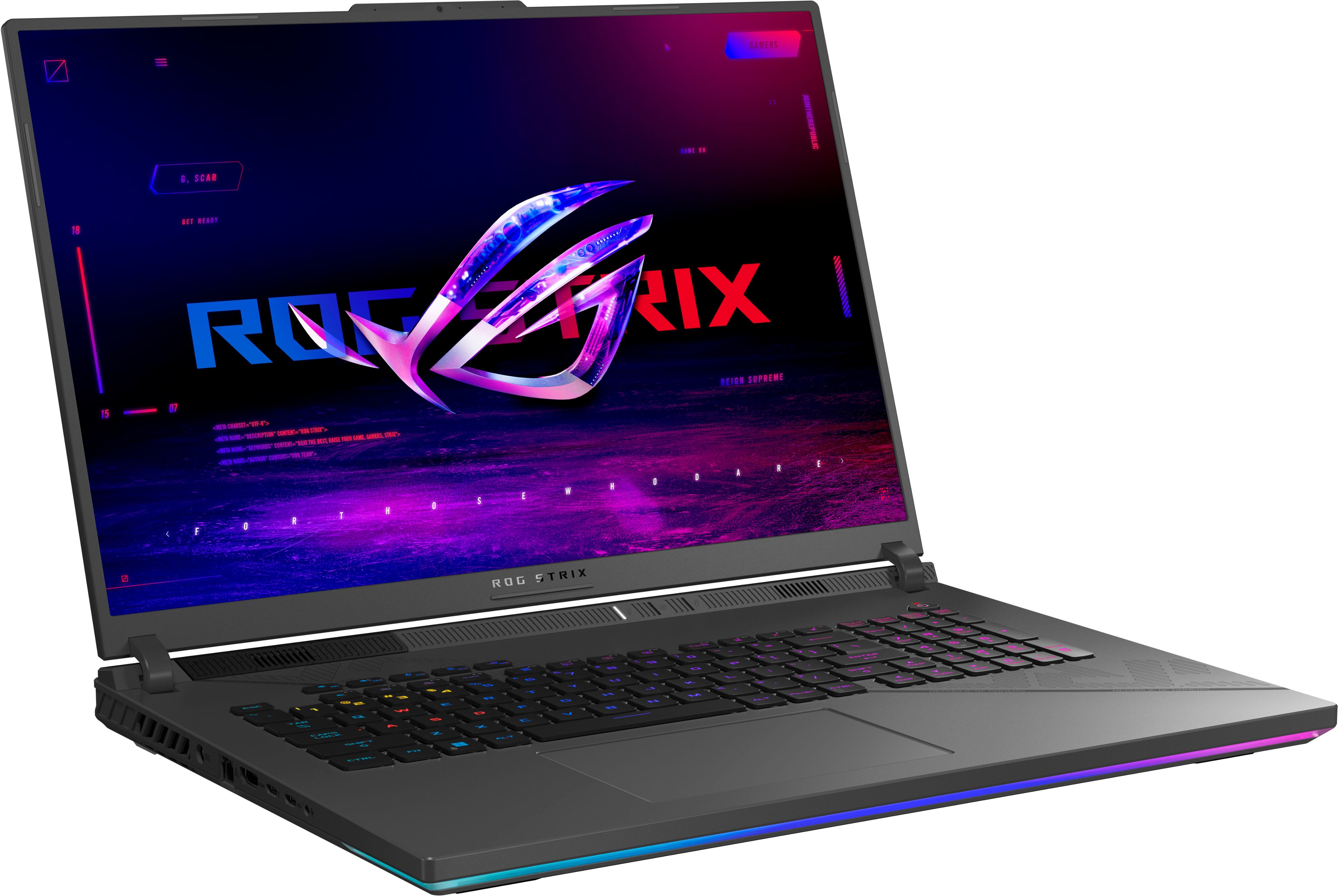
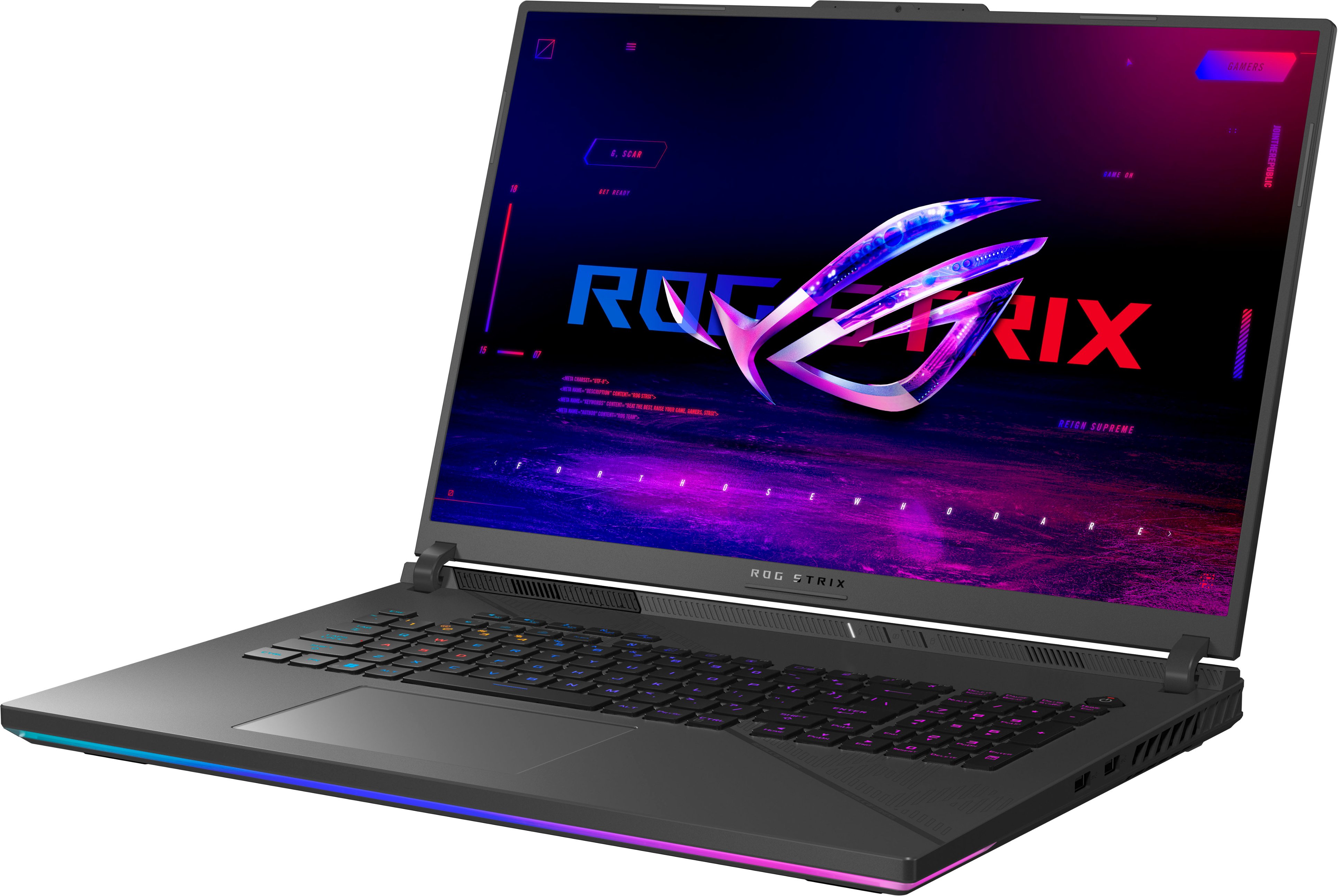
Customers regard the ROG Strix 18" QHD 240Hz Gaming Laptop as a high-performance machine, particularly praising its powerful processing capabilities, stunning visuals, and smooth refresh rate. The large screen size is also a major plus for many, though some users note the significant weight and relatively short battery life as drawbacks. Positive feedback frequently highlights the impressive frame rates achieved in various games. However, the substantial size and weight may be a consideration for those who frequently transport their laptop.
This summary was generated by AI based on customer reviews.
Buy a ITX PC instead
||Posted . Owned for 1 month when reviewed.This reviewer received promo considerations or sweepstakes entry for writing a review.Not worth the price. I bought yet my 2nd laptop from asus and it was a disaster. The bios is not letting laptop to get fully turned on without lag. Multiple times on powering laptop on it crashed and returned to restarting and crashed again. Defects are among all of asus laptops which I recommend not to take as a joke.
No, I would not recommend this to a friendBrand response from ASUS Answers
Posted .Dear Ardasher,
We sincerely apologize for the system performance issues you're experiencing with the Gaming Notebook and for the inconvenience caused. This is not the kind of quality to expect from our products and it's not the norm. To troubleshoot the issue described, we recommend following the steps in the FAQ below. Should the issue persist, please contact our support team at https://www.asus.com/us/support/CallUs to further investigate the problem or assist with repairing the device.
We stand behind our products and continuously strive to improve our products and processes to achieve customer service excellence. For more information, email us at customerloyalty@asus.com and include the case number "N2402038043-0014" as a reference. We will do our best to resolve your case quickly. Your feedback is very important to us and enables us to improve our support channels. Thank you for choosing ASUS.
Best Regards,
Chantae
ASUS Customer Loyalty US Support
[Windows 11/10] Troubleshooting - Resolving System Error Messages or Unresponsiveness (Freeze/Black Screen/White Screen during usage) - https://www.asus.com/support/faq/1038855/
Not packaged properly, arrived damaged
||Posted . Owned for less than 1 week when reviewed.This reviewer received promo considerations or sweepstakes entry for writing a review.I bought the open box "Excellent condition". It is supposed to be like new in original condition in original packaging with accessories. It arrived in a plain box with hardly any packaging with a power supply without a power cable. Needless to say, it was damaged. I took it to the store and was told they could not replace it, only refund. Waste of time
No, I would not recommend this to a friendBrand response from ASUS Answers
Posted .Dear GaCp,
We regret to learn about the condition in which you've received the device. We understand that this has caused inconvenience and we apologize sincerely on behalf of ASUS and the reseller. This is not the quality of service we aim to provide and it is not representative of our brand. Having returned the device, we understand that you were unable to obtain a replacement. We hope that you were able to obtain a functional alternative device instead.
We stand behind our products and continuously strive to improve our products and processes to achieve customer service excellence. If you require further assistance, please email us at customerloyalty@asus.com and include the case number "N2402038043-0010" as a reference. We will do our best to resolve your case quickly. Your feedback is very important to us and enables us to improve our support channels. Thank you for choosing ASUS.
Best Regards,
Chantae
ASUS Customer Loyalty US Support
- Pros mentioned:PerformanceCons mentioned:Battery life, Portability

A heavy gaming powerhouse
|Posted .This reviewer received promo considerations or sweepstakes entry for writing a review.I am so incredibly relived that the ROG Strix is truly capable. Literally the last two "gaming laptops" that I have owned were not powerful enough on day one. It is such a punch to the gut to boot up a brand new gaming laptop only to find that average games max out system performance running with reduced framerates. Thankfully this ROG was able to immediately win me over when I booted up Windows Flight Simulator and the system recognized that the simulator could run at max performance. My only critiques are rather minor: - The webcam does not have a cover. - There is no fingerprint sensor for ultra fast login - No touch screen - Screen is not OLED (black levels are not striking) - Battery performance is unimpressive - Finish picks up smudges and fingerprints - Ergonomics is an issue: The laptop sits rather high in order to increase airflow. This is quite noticeable as the edge of the laptop presses uncomfortably into your wrists as you type. - The laptop is big and heavy. 6.5 pounds doesn't sound like much, but if you move the laptop around frequently - you will absolutely notice that it is hard to simply pick up by grabbing a corner of the laptop. You literally need to use two hands which can make the system feel clunky and less convenient for an all purpose laptop. This laptop is an absolute beast that truly puts gaming first. I usually hate any software added by the manufacturer, but thanks to my ROG Ally - I have grown quite fond of the ROG Armory Crate. It helps to easily monitor settings and performance - and it also does a great job of consolidating your game library into one screen (listing all of your games from Xbox Game Pass, Steam, etc). I love this laptop, but if gaming is not your main focus - I probably wouldn't suggest the ROG Strix. The system is very capable, but it is large, heavy, and not comfortable for a great deal of typing. Its size of nearly 12 inches by 16 inches makes it too large for many bags. Take a look at my pictures to see just how large it looks compared to a standard backpack. But if you are a true gamer, prepare to fall in love!
I would recommend this to a friend Screen turned white after 4 months.
||Posted . Owned for 2 months when reviewed.This reviewer received promo considerations or sweepstakes entry for writing a review.I'm besides myself. I heard a buzzing then a pop! And now my screen is white. Not 100% though. I can barely see some lines. During the time it turns on the screen is perfectly fine until windows takes over. It's like trying to see the the screen during a white squall.
No, I would not recommend this to a friendBrand response from ASUS Answers
Posted .Dear Gerald Pait,
We sincerely apologize for the display issue you're experiencing with the Gaming Notebook and for the inconvenience this may have caused you. This is not the kind of quality to expect from our products and it's not the norm. To further investigate this problem or to obtain assistance with getting the device repaired, we recommend contacting our support team at https://www.asus.com/us/support/CallUs.
We stand behind our products and continuously strive to improve our products and processes to achieve customer service excellence. For more information, email us at customerloyalty@asus.com and include the case number "N2402038043-0015" as a reference. We will do our best to resolve your case quickly. Your feedback is very important to us and enables us to improve our support channels. Thank you for choosing ASUS.
Best Regards,
Chantae
ASUS Customer Loyalty US Support
They send me a secondhand laptop. (SCAM)
||Posted . Owned for less than 1 week when reviewed.This reviewer received promo considerations or sweepstakes entry for writing a review.They send me a secondhand laptop and still have someone account in it. Its not right with the prices of $2400. They give me secondhand laptop. And when it come. Its dirty and the label have been opened. I got scammed for sure.
No, I would not recommend this to a friendBrand response from ASUS Answers
Posted .Dear Noris,
We're very sorry to hear that you have received a used laptop after paying for a brand-new product. This is not the kind of experience we want our customers to have with our resellers. If you are still within the return window, we recommend contacting the place of purchase for an exchange or return. Please rest assured that if you cannot gain resolution when contacting the place of purchase, we will be glad to provide further assistance.
We do stand behind our products and continuously strive to improve our products and processes to achieve customer service excellence. If you require any further assistance, email us at customerloyalty@asus.com and include the case number "N2402038043-0012" as a reference. We will do our best to resolve your case quickly. Your feedback is very important to us and enables us to improve our support channels. Thank you for choosing ASUS.
Best Regards,
Chantae
ASUS Customer Loyalty US Support
Bad computer and bad company
||Posted . Owned for 1 month when reviewed.This reviewer received promo considerations or sweepstakes entry for writing a review.I bought this expansive laptop only one month , but when I open it , it goes black and only have a mouse. The Best Buy do not help me return and you have to pay a lot to repairs. I was a Best Buy loyal customer but I deeply hope the company fail down.
No, I would not recommend this to a friendBrand response from ASUS Answers
Posted .Dear Valued Customer,
We sincerely apologize for the black screen issue you've faced with the notebook and for the inconvenience caused. This is not the kind of quality to expect from our products and it's not the norm. At ASUS, we take quality control, testing, and inspections seriously to ensure our products meet high standards. What you've experienced was not intentional. Please allow us to make your experience with ASUS a better one.
To troubleshoot the issue described, we recommend following the steps in the FAQ below. Should the issue persist, please contact our support team at https://www.asus.com/us/support/CallUs to further investigate the problem or assist with repairing the device.
We stand behind our products and continuously strive to improve our products and processes to achieve customer service excellence. For more information, email us at customerloyalty@asus.com and include the case number "N2402038043-0008" as a reference. We will do our best to resolve your case quickly. Your feedback is important to us and enables us to improve our support channels. Thank you for choosing ASUS.
Best Regards,
Chantae
ASUS Customer Loyalty US Support
https://www.asus.com/support/faq/1014276/
- Pros mentioned:PerformanceCons mentioned:Portability
Big screen and powerful GPU for a great experience
|Posted .This reviewer received promo considerations or sweepstakes entry for writing a review.The Asus ROG Strix 18" sure deserves serious consideration for gaming and design, and well overall use if you want to show off a big powerful laptop. One of the most noticeable things is that it comes with an 18" screen, big enough to not require an external monitor, and better yet, capable of a 240Hz refresh rate. With its RTX 4080 GPU and other physical characteristics, I think it is one of the most powerful laptops out there. In addition, it comes with a full keyboard, with a numeric pad, which was one of the reasons I chose it. The sound is crisp and clear if you choose to use its speakers. It is a little heavy, but given its screen size and specs, it is not an obstacle for choosing it. Almost all in this machine merits a thumbs up. This is my first Asus ROG gaming laptop, and I am very happy with it. I have other gaming laptops from other manufacturers and an Asus ROG gaming PC machine, and this machine has been an awesome upgrade as it outperforms them all (well this is expected as it has newer and more powerful hardware). I had mixed feelings about giving this a 4 or a 5 rating, but from an overall view of the device capabilities and experience with it so far, I chose the latter. - Pros: big 18" screen size, powerful i9 CPU, new RTX 4080 GPU, high RAM 32GB, plenty of storage 2TB, high refresh rate 240Hz, numeric pad. - Cons: numeric keyboard a little small. >> Setup Initial basic setup was about half an hour. After signing on the computer with my Microsoft account, there were lots of updates applied, both for Windows and Asus apps, as well as BIOS updates, with multiple restarts. So, all in all it took over an hour to get the laptop with all the updates, and this time doesn’t include what was needed for installing Games and Video apps. A little surprise here since I thought setup would be faster. Some notes: - I chose to set up Windows as a new machine. I have an Asus gaming PC and other gaming laptops, from which I could have imported a lot of the stuff, but I preferred to have a clean setup. - Easy Asus registration in the setup process. I usually don’t register my products, but in this case, there was just a single form with name, email and phone. - The laptop comes with a 3-month XBox ultimate license. I already have one 12-month pass, which I can extend with this 3-month pass. - It looks like the machine already came with Windows 11 23H2 (or I didn't notice it getting updated). >> Gaming I had a “small” hiccup the first time I tried to play games on this laptop. After installing Xbox and applying any pending updates, I installed the Forza series (Motorsport and Horizon) to play. I started Forza Horizon and the laptop stopped responding all together. The fan went up very high and the machine got really hot. It became unresponsive, with the keyboard flashing red on a black screen. I had to manually turn off the laptop (crossing fingers that nothing got ruined). I decided to do a quick diagnostic on the hardware using the BIOS setup diagnostics utilities (Hint: press Esc to get into the BIOS). I ran all the Asus system diagnostics tests and besides the storage test one, that was taking over the half hour estimated time and I had to cancel, all tests passed. I tried the cancelled storage test once more, and this time it took a couple of seconds to finish, well this was very odd. Well, after that initial experience, so far, the machine has been performing great with the couple of games and design apps I’ve tried so far. >> Designing Given that Gaming Laptops are also used for designers and architects, and especially this one that has a big screen that appeals to graphics designers, I decided to give a shot at Lumion Software and see how this machine performed rendering different videos. It does its job extraordinarily well. The machine still is responsive while the GPU is cracking at the video generation, so this is great, as it allows multitasking with multiple monitors. >> Performance This machine is awesome and seems to perform at the highest level, but hard numbers are needed to have a more accurate view of this machine’s performance. Images attached show the different results in PCMark10 and 3DMark for reference. >> Hardware Overall, the machine feels well built. The 18” screen size with 60Hz and 240Hz settings is perfect for playing games and creating and consuming media. In terms of connectivity/ports, it comes with a HDMI and USB-A and USB C ports, plus a network interface for added network speed and reliability. I've used the USB-C port with a high refresh rate external monitor and the signal coming out of the USB-C port could be tuned at 60Hz or 120Hz, not 240Hz but not bad at all. A special section needs to be devoted to the keyboard. One of the reasons I chose this machine was that it featured a numeric pad, which is usually lacking in most laptops. I've seen it available in laptops with big screen sizes (as this one is), though. I assume most people (including me) will have this machine connected to an external full-size keyboard and mouse, a good chunk of time. But in cases where none of the former are not available, having the numeric keyboard makes a huge difference. For example, for entering numbers, assigning shortcuts for your games, and using the Alt+code for special characters. I frequently use the Alt+code feature to write especial characters in Spanish, and it is a problem if there is no numeric pad. I'd bet it'd be something similar for people writing in other languages. Of course some would say, why not change the keyboard layout, well I am not fond of that as I want when I press a key to clearly see what key it is. The only critique to the keyboard is the size of the keys, they are small for the main panel and very small for the numeric pad. I think people with fat fingers might have issues typing. >> Random Notes - I only had one perceivable freeze while playing Forza Horizon 5, it was clear that the video froze for perhaps a second or so, but it was clearly noticeable. Hopefully nothing will go wrong in the coming future. - Aesthetically, the laptop overall feels a little "rough" when turned off, just the feeling of the case and overall appearance. Once it comes to life, then it changes into this beautiful machine. - One thing that I still need to replicate is that after some usage time the laptop got really sluggish with some of the Asus software reporting errors/warnings in the Event Windows System. Overall the machine was very slow at responding, opening new apps, typing, clicking the mouse, etc. Task Manager didn’t report any resource being consumed highly. After rebooting, the machine was up and running smoothly again. I wonder what it might be, the only thing that comes to mind is that the machine was up for a long time and in that period o
I would recommend this to a friend Laptop came with broken screen
||Posted . Owned for 1 week when reviewed.This reviewer received promo considerations or sweepstakes entry for writing a review.The side of the laptop came smashed, the upper left side of the screen is with a different color them the rest, that must be because of the visible hit on the side of the laptop. Can't even return the laptop because I'm using it to work and can't keep a few days without a computer.
No, I would not recommend this to a friendBrand response from ASUS Answers
Posted .Dear Nikollas C,
We regret to learn about the condition in which you've received the device. We understand that this has caused inconvenience and we apologize sincerely on behalf of ASUS and the reseller. This is not the quality of products or services we aim to provide and it is not representative of our brand. At ASUS, we take quality control, testing, and inspections seriously to ensure our products meet high standards. Customer satisfaction is our top priority, and we strive to make every purchase enjoyable. We will do our utmost to ensure that such an incident does not occur again.
Please allow us to make your experience with ASUS a better one. Based on the issue described, we recommend contacting the place of purchase for an exchange if you are still within the window. Please rest assured that if you are unable to gain resolution when contacting the place of purchase, we will be glad to provide further assistance.
We stand behind our products and continuously strive to improve our products and processes to achieve customer service excellence. For more information, email us at customerloyalty@asus.com and include the case number "N2402038043-0002" as a reference. We will do our best to resolve your case quickly. Your feedback is very important to us and enables us to improve our support channels. Thank you for choosing ASUS.
Best Regards,
Chantae
ASUS Customer Loyalty US Support
- Pros mentioned:PerformanceCons mentioned:Battery life, Noise level, Portability
Gaming laptop
||Posted . Owned for 1 year when reviewed.This reviewer received promo considerations or sweepstakes entry for writing a review.Beautiful display, can handle high end games (with a lot of fan noise). It gets very loud, get a laptop cooler. The keys feel very nice and the trackpad is smooth to the touch. It is a gaming laptop so do not expect an excellent battery life. This thing is also heavy, so if you are planning to carry this up stairs every day just be prepared.
I would recommend this to a friend - Pros mentioned:Build quality, Performance
Serious replacement for your gaming desktop
|Posted .This reviewer received promo considerations or sweepstakes entry for writing a review.It's been many years now that you've seen ads claiming a laptop to be a replacement for a gaming desktop. Well, this may be the one that convinces you to set aside your current gaming hardware. First off, it's just the sheer gaming real estate that you're getting. When I opened the lid for the first time, something just struck me as being "different." The reason for this is the decision Asus made to change the standard aspect ratio. The majority of laptops are in a 16:9 format, this ROG presents a 16:10 ratio, giving it a more squarish appearance. Just wanted to point that out up front, as you may have a preference dependent upon your usage. In my case, when not gaming, I do a lot of side by side screen splits with different browsers, I found this afforded me the ability to have to do less scrolling as it presents more of each page lengthwise. The downside of this would be if you're streaming, you'll be getting a slightly larger letterbox on the top and bottom of your screen. But you're dealing with an eighteen inch screen, so your actual picture still has more screen space than a standard 17". In my case, this is a replacement for my Alienware M17, I can say that I'll never want to go back to the old format. Your opinion/needs may vary, but that's why I wanted to highlight this feature which you might not immediately pick out when browsing through multiple ads. While unboxing, the first thing to mention is the box itself. It's in a slideout format, which is handy in the event you do want to transport the unit. Easy to use; compact, not much bigger than the unit itself, and has a carrying handle. Good design. As for the setup, you have of course the standard Windows updates; the Asus updates took some bit of time consisting of their Armoury crate, and it also required a Bios update. I'm always apprehensive when doing a Bios update for fear of bricking a unit, after the download and install procedure was done it took some minutes staring at a blank screen; far longer than I've ever experienced previously before it rebooted; which had me a bit nervous, but it finally did start up without a hiccup. Whew! The ROG has a nice lighting strip along the front of it, and the keyboard is nicely lighted, all of this had a myriad of different effects; via the Armoury Crate & Asus Aura. There is a choice to hand this over to Windows Dynamic Lighting; however I'll need to do some research as to how all this integrates. For the moment I set the keyboard backlight to my preferred color & level, I'll do a deep dive when I get the time. There is no lid lighting ala the alien had, but that's ok. Another feature I immediately noticed are the lid hinges. Unlike other laptops I've owned, they are very robust, as is the screen frame itself. This is a very weighty and solid unit; there is no flex when raising & lowering the lid, it has a very reassuring feel. Also reassuring is the abundance of ventilation ports. Aside from the two USB ports on each side there is the RJ45 and power input. There is no card input. As a result, the entire back, bottom, and most of the sides are dedicated to making available space for this puppy to breathe, which is what you want in a power laptop. The charger itself is sizable, and in the time I've been using it, did not appear to become unreasonably warm. There was an option in the settings to only charge the battery to 80% to increase its lifespan, I enabled this as I've previously had laptops where the lithium battery started to expand; it's one less thing to worry about. If there's something to pick at, I would've preferred the keyboard to be slightly larger given the space available; however, the trackpad is oversized, certainly the largest I've ever seen. As for performance, the specs on this unit speak for themselves - it's just a powerhouse. While I don't do first person shooters that require high frame rates; my personal gaming preference is for Civilization 6, which after loading my Steam account, I raised all the lighting and shading effects to their upper levels. I can say that when I've gone late game with an expansive world, my M17 would start sounding like it had emphysema; the ROG took it all in stride. All in all, Asus has put together a great package that's hard to beat in its class. Very well built, and should provide me with many years of service.
I would recommend this to a friend - Pros mentioned:Build quality, Heat dissipation, PerformanceCons mentioned:Noise level
ASUS ROG Strix 18 Laptop
||Posted . Owned for 2 weeks when reviewed.This reviewer received promo considerations or sweepstakes entry for writing a review.I’ve been using the ASUS ROG Strix 18 for a couple of weeks now, and I’m impressed. It has a sleek design and solid build quality. The 18-inch display is sharp, vibrant, and smooth, making gaming a joy. Performance-wise, it’s a beast. This laptop handles everything effortlessly. The cooling system is also surprisingly effective—no overheating so far, even during long sessions. You do hear the fans blow during heavy gaming, so it's not distracting. The keyboard is surprisingly comfortable to type on, and the sound quality is top-notch for a laptop. Battery life is decent for a machine that is this powerful, and it charges quickly. Overall, the ASUS ROG Strix 18 is worth every penny.
I would recommend this to a friend - Pros mentioned:Performance, Speed
Amazing gaming laptop that can do everything!
|Posted .This reviewer received promo considerations or sweepstakes entry for writing a review.Amazing gaming laptop that can do everything you need in a computer! It's main purpose is high quality gaming but you can multitask and do everything you need for work, business or casually. The i9 processor and 32gb memory work together to do everything efficiently and quickly. High end gaming with the gforce graphics card makes games look and feel amazing with the qhd display, refresh rate is seamless and smooth on the games i played. Always go with a SSD hard drive as it makes a world of difference in load times and generally everything else. The screen and computer are huge but lightweight compared to other 18 inch gaming laptops. Doesn't feel like you are lifting weights when traveling with it. Being able to bring high end gaming with you anywhere without logging around an xbox is a huge plus, as you can play most of the game pass games with no issue. Space is no problem with the 2tb hard drive. Audio is also great and clear when gaming. Fans are pretty quiet once things start working together. High price but you will get that once you start putting together the components needed. The best gaming laptop I've ever owned, highly recommend!
I would recommend this to a friend - Pros mentioned:Build quality, Heat dissipation, PerformanceCons mentioned:Portability
It’s a powerhouse!
||Posted .This reviewer received promo considerations or sweepstakes entry for writing a review.This thing runs great! I haven’t had a single performance issue on anything that I’ve ran on here. Stays plenty cool, and I can run graphics at any quality I like! It’s a little heavy but it’s solid and very dependable.
I would recommend this to a friend - Pros mentioned:Build quality, PerformanceCons mentioned:Noise level
Powerful Beast Gaming Laptop
||Posted . Owned for 1 week when reviewed.This reviewer received promo considerations or sweepstakes entry for writing a review.For a number of years, I was running an MSI as my gaming laptop and I was very satisfied with that brand. While I have used ASUS components and regular laptops in the past, this was my first venture with an ASUS Gaming Laptop. This machine is awesome! It is huge, heavy, but really powerful. I have only had this a couple of weeks but so far whatever I have thrown at it has run perfectly. A few things to consider: 1. The screen is a matte finish which I love...no glare and the colors and well done. 2. The keyboard is great for gaming, but maybe not the best for typing. The numeric key pad is a bit small, but very usable. I never use the trackpad (mouse only for me) but is serves its purpose. 3. I don't really worry about battery life and this machine will only be plugged in when running. When not plugged in I am sure it won't last long, but again, I will it plugged in 95% of the time. 4. Build quality...well it is plastic, but that is fine with me. 5. Fans and Heat:. Yes, this machine has fans that will get a bit loud when gaming and parts of the bottom will get hot. But again...this is a loaded gaming laptop so heat and fans are par for the course. I did purchase a larger cooling pad and it does help a bit. 6. The 4080, I9 14th gen, and vast storage further prove this laptop has crazy power. 7. Speaker sound is okay and this par for the course. I used external speakers (Pebbles) or a headphone (Hyper X) and they sound perfect. Overall, I am very happy with this purchase and looking forward more gaming!
I would recommend this to a friend - Pros mentioned:Build quality, Heat dissipation, Performance
HIGHLY recommended!
||Posted . Owned for 2 weeks when reviewed.This reviewer received promo considerations or sweepstakes entry for writing a review.Backstory: I've been a Macbook Pro user for over a decade. In fact, I'm on my 3rd one that has an M2 Max. Love the machines, but there are some areas where Apple keeps missing the bar - gaming and development in areas that require high end GPUs. I finally decided to dive into the world of Windows. Took me about 6 months of reading countless reviews and watching Youtube to figure out what would be the best laptop for the buck, and settled on this beast. Long story short, this laptop has FAR exceeded my expectations! I am genuinely impressed! I purchased this to do a combination of machine learning and AI development work in Python, and Unity VR development. (And of course, high-end gaming in VR when I have the time.) Everything I have thrown at this thing has been astounding. My VR development pipeline is SO much better than on the Mac. VR games look absolutely amazing with AirLink (though I am using the VR AIr Bridge from DLink, as I found the mobile hotspot on the machine didn't give me enough bandwidth from my tests.) Half-Life: Alyx at max settings? Brilliant. Truly a masterpiece of a game. Cyberpunk 2077? Forza Horizon 5? I have the settings maxed out, and all are performing very well. I've had the machine for a few weeks now, and have had no problems. The one thing that concerned me with getting a high end GPU in a laptop was going to be the temperature control. But the airflow in this beast is incredible. When pushing the GPU, I have rarely seen temps climb above 80, usually hovering in the 70s on even intense GPU tasks. The BIOS lets you undervolt the GPU a bit, and ASUS's Armoury Crate app lets you tweak performance and fan settings of the CPU and GPU. After doing some minor tweaking, I was able to get over 19000 on the Time Spy DX12 benchmark in 3D Mark! Beast, indeed! The screen is bright and clear. Nice colors and contrast. I really can't comment on battery life too much. I won't do any of my work or gaming without power plugged in. I had it unplugged for a bit here and there when I was just browsing and dealing with e-mail, and it dropped maybe 10% in that time. I also have the battery set to top off the charge around 80% to maximize the life of the battery. Seems like the battery would be good for several hours at least, as long as you aren't doing anything intense. This is really a good machine. Well done, ASUS. Seriously, well done. This is the first time in nearly 15 years where I am contemplating moving my life entirely back to Windows, all because of this little beast. I can't recommend enough.
I would recommend this to a friend - Pros mentioned:Performance
Excellent machine (sorry i ramble sometimes)
||Posted . Owned for less than 1 week when reviewed.This reviewer received promo considerations or sweepstakes entry for writing a review.I have to say i've owned some powerful laptops in my time. This Asus machine takes the cake though. It runs circles around my desktop i built last year just for gaming. The hardware is solid. well designed, cooling is excellent, sound quality of the speakers is really good for a laptop, and the keyboard is top notch. My MSI GE75 Dominator i bought back in 2020 has a cheap laptop feeling keyboard that you think you are going to break it just by typing on it. not the ROG though. the keyboard reminds me of a silent mechanical keyboard. has good travel and feels nice to type on. The lighting on the machine is nice. i'm not a huge fan of RGB but i don't mind this. Performance is really awesome but if i were to complain at all, i would complain that asus did a poor job with their windows image build. meaning there were security policies built in to where you could not do basically anything. downloaded files nope. execute web shortcuts. nope. i'm a IT tech of 30 years. i know my way around the OS but even I couldnt fix it. so i just reloaded the machine from scratch. the machine is way too new yet to carry any built in drivers for pretty much anything on the laptop so you will need to put the intel IRST drivers in uncompressed form on the flash drive before you nuke the OS. otherwise you will not be able to do much unless you have another computer or laptop to get the drivers from asus's website. it felt like the windows xp days but i actually didn't mind that. i don't mind installing drivers and software. This particular machine came with a single 2TB NVME m.2 drive. there are 2 m.2 nvme drive interfaces in the machine. so i added another m.2 2TB from the MSI i had. The display is awesome. i have failing eyes so it is nice to be able to see what's going on. also the Asus Amour Crate is really nice software. you can also connect it to your cell phone or tablet and control your laptop's functions from there or even just monitor the hardware. anyway, you can't go wrong with this machine. it has power, it is nicely built and so far i have yet to make it choke even once.
I would recommend this to a friend - Pros mentioned:Heat dissipation, PerformanceCons mentioned:Battery life
An 18" laptop is what I've needed all this time.
||Posted . Owned for less than 1 week when reviewed.This reviewer received promo considerations or sweepstakes entry for writing a review.This model surpassed my expectations. It is a true workhorse and gaming machine with no issues running games at max settings. It is NOT Mini LED; you must purchase the Strix Scar version. The display on this works just fine and gets plenty bright. Max battery life is 1-2 hours, depending on how you use it in correspondence with the brightness level. The keyboard is excellent, but I wish they had removed the number pad, centered the keyboard, and added more speakers on the top. That would've created the perfect laptop for me. Compared to my old Asus Zephyrus M16, the heat dissipates much more efficiently thanks to a third fan blowing the heat out of the sides and back of the laptop. Unless you want an OLED, Mini LED, or an RTX 4090 laptop, this model has the best price/performance. Don't sleep on this. Get an open box in excellent condition to save even more money.
I would recommend this to a friend - Pros mentioned:Performance
Definitely powerful, "laptop" may be a stretch
|Posted .This reviewer received promo considerations or sweepstakes entry for writing a review.The short version is this is an incredible machine. It's an 18" laptop with a 240hz display, and an RTX4080 graphics card, and you really do get everything you expect out of a beast of a machine with those kinds of specs. As you can imagine, this thing pumps out a lot of heat, which aside from the size, is the biggest reason I put "laptop" in quotes. I have a laptop pad for my 15" laptop I've been getting awkwardly by with while trying to find a good setup for an 18" laptop, but haven't managed to find exactly what I'm looking for yet due to 18" being a less standard size. If you're using this on a desk, you won't have any issues, but if you're using this on a couch like I often enjoy doing, you'll definitely need to invest in a cooling pad or lap pad of some kind. For quite a while now, Ark has been my benchmark game for testing new graphics cards as most setups struggle under Ultra maxed settings. My previous laptop boasted an RTX3070 and was able to handle Ark on High without any problems but ran into frame rate issues under Ultra settings. This RTX4080 card is the first time I've been able to run Ark on Ultra settings on a laptop without any frame drops at all. I was able to run around the world on max settings smoothly and without any issues. Seriously impressive! Aside from the non-standard size making it a bit difficult to find a good cooling pad, and a carrying backpack that won't break the bank, the only other minor drawback for me is the camera. The laptop includes an HD camera that works for video conferencing, or whatever you want to use it for, but doesn't also have an IR camera, and therefore doesn't support Windows Hello. Given they already added a bit of a notch at the top for a camera, and the overall premium nature of this device, this felt like a surprising exclusion. Honestly, coming from another laptop that supported Windows Hello, I'm just ever so slightly annoyed every time I open this up and have to type in my passcode to unlock it instead of it just automatically recognizing me and logging me in. There's a lot of factors to consider when choosing a gaming laptop, size, power, refresh rate. This is truly a beast in every aspect of the word. If you have your heart set on a very large laptop, and are looking for incredible refresh rate, ample memory and storage, and a very powerful graphics card, look no further than the ROG Strix 18" with an RTX4080 card. You won't be disappointed.
I would recommend this to a friend - Pros mentioned:Build quality, Performance, Speed
Asus-Rog 18”
||Posted . Owned for 4 months when reviewed.This reviewer received promo considerations or sweepstakes entry for writing a review.I recently purchased the Asus-rig Stix 18”it has exceeded all my expectations. Right out of the box, the setup was incredibly straightforward, thanks to its intuitive user interface and helpful setup guide. The performance is exceptional, with a speedy processor and ample RAM that handles multitasking with ease. Whether I'm running demanding software or multiple applications simultaneously, the Asus-rob remains responsive and smooth. The high-resolution display offers vibrant colors and sharp details, making it a pleasure to use for both work and entertainment. Additionally, the build quality is impressive. The sleek design and durable materials give it a premium feel, and it’s clear that attention was paid to both aesthetics and functionality. The keyboard is comfortable, and the trackpad is precise, which enhances the overall user experience. Battery life has also been a strong point, lasting well beyond a typical workday on a single charge. This is especially convenient for those who need to work on the go. Overall, the Asus-rog offers excellent value for its price, combining performance, design, and reliability. I highly recommend it to anyone in need of a dependable and efficient computer.
I would recommend this to a friend - Pros mentioned:Performance, Screen sizeCons mentioned:Battery life, Noise level
A great purchase
||Posted . Owned for 7 months when reviewed.This reviewer received promo considerations or sweepstakes entry for writing a review.This laptop is a beast, the screen is beautiful with the 18 inch display. The machine runs great on any game with the 4080. The two small things that I wish I knew was the battery life isn’t great. Also it can be kind of loud when the fans kick in.
I would recommend this to a friend